
20Pcs 5mm Grey Clip-on Ferrite Ring Core
4.9Editor score
Twenty reusable clips
Five millimeter inner diameter
Tool-free installation
Broad cable compatibility
Our HDMI Noise Filter guide compares active signal conditioners, ferrite cable chokes, and caps for cleaner connections across home theater and gaming setups.
HDMI noise filters range from active inline signal conditioners to inexpensive ferrite cable clips and protective port caps. A useful filter can suppress interference, stabilize a signal, protect connected equipment, or simply keep unused ports free of dust. The right choice depends on your symptoms, cable diameter, and equipment.
We compared the ten products in this guide by examining their filtering method, installation, supported applications, cable fit, protection features, and HDMI compatibility. The list covers active iFi devices, reusable ferrite core kits, fixed-size clips, and AudioQuest port caps, giving both dedicated home theater users and general cable users practical options.
Each review explains what the product is best suited for, the benefits supported by its specifications, and any meaningful limitations. Ratings reflect the listed customer feedback rather than laboratory testing, while product availability and pricing change over time. Always confirm the current details and fit before ordering.
4.9Editor score

4.6Editor score

3.6Editor score
This side-by-side overview compares every filter by design, installation method, protection, and intended use. Active inline models target signal quality, ferrite clips address electromagnetic interference along cables, and port caps provide passive protection for unused HDMI connections.




The iFi HDMI iSilencer is an inline HDMI noise filter designed for high-end audiovisual installations. Its listed rating is 3.6, but the specification sheet makes it a serious option for users who want more than passive cable management. Unlike a ferrite ring, which addresses interference along a cable, this device actively processes the HDMI signal and adds transient voltage protection.
We may earn a commission when you buy through this link, at no additional cost to you.
Its active noise cancellation is intended to reduce system noise for a cleaner viewing and listening experience. The product also eliminates jitter, which the manufacturer associates with improved fine detail in dark scenes and lower background audio noise. Support for Ultra HD HDR at 8K/60Hz and 4K/120Hz makes it relevant to modern displays, provided the connected cable and source meet the appropriate Ultra High-Speed HDMI requirements.
The tradeoff is that its strongest use case is a large 65-inch or larger television paired with dedicated amplifiers or processors, where the claimed improvement may be easier to notice. It is not the simplest solution for a small desk setup or a single console connection. Its 3.6 rating also suggests that customer experiences vary, so buyers should verify equipment compatibility and have realistic expectations about visible improvement.
This is the premium pick for buyers who want an active filter, high-resolution support, jitter reduction, and surge protection in one inline package. It is worth considering when the home theater chain is substantial and the goal is signal refinement rather than merely suppressing radiated interference around one cable.
Because the iSilencer conditions the HDMI signal itself, it addresses a different problem from snap-on ferrite beads. It is a better fit when system noise, jitter, and signal stability are the main concerns rather than physical interference entering around a particular cable.
The built-in transient voltage suppressor adds a safeguard against voltage spikes and transients. That protection is particularly useful around an expensive television, receiver, processor, or other connected AV component.
We may earn a commission when you buy through this link, at no additional cost to you.
The HDMI iSilencer 2 is a compact active HDMI noise reduction device with a 4.6 rating, the highest among the two dedicated iFi products listed. It preserves the core features of an inline signal conditioner while improving physical practicality. The smaller and lighter enclosure makes it easier to use in tight spaces behind televisions, receivers, consoles, and other connected equipment.
We may earn a commission when you buy through this link, at no additional cost to you.
Its advanced active noise cancellation is claimed to reduce noise by as much as 40dB within the HDMI system. The device also targets jitter, with the stated goal of restoring fine image details, minimizing audio distortion, and maintaining a stable high-quality signal. Built-in transient voltage suppression provides an additional layer of protection against unexpected voltage spikes.
The main limitation is that this is an inline component, so it adds a connection between the source and display or AV system. Buyers must account for physical clearance and confirm that their source, cable, and display support the intended resolution and refresh rate. The product supports HDMI 2.1, remains compatible with earlier versions, and handles 8K/60Hz and 4K/120Hz when the rest of the chain is suitable.
The iSilencer 2 is our editor's choice because it combines active filtering, high-resolution support, surge protection, a strong listed rating, and a more compact design. It is a compelling choice for an enthusiast setup where a full-size adapter would be difficult to position or where direct signal conditioning is the primary goal.
The reduced size and lighter weight directly address one of the most common installation problems with inline AV accessories. A compact housing is easier to conceal and less likely to create unnecessary strain on a connector.
Support for 8K/60Hz and 4K/120Hz keeps the filter relevant for modern gaming displays and high-end televisions. The entire connection chain still needs to meet the required HDMI bandwidth specifications.
We may earn a commission when you buy through this link, at no additional cost to you.
This 24-piece ferrite bead kit is a broad passive solution for reducing electromagnetic and radio-frequency interference. It includes five inner diameters—3.5mm, 5mm, 7mm, 9mm, and 13mm—so it can be used on HDMI cables as well as power cords, USB cables, speakers, and other wired equipment. The listed rating is 4.2, reflecting generally favorable customer feedback.
We may earn a commission when you buy through this link, at no additional cost to you.
The ferrite choke technology is designed to block EMI and RFI and improve signal integrity for televisions, routers, speakers, and home or office electronics. Because the cores are reusable and open without tools, users can experiment with different locations on a cable or move them as their equipment arrangement changes. A locking clip helps keep each core secure after installation.
This kit cannot actively regenerate or condition an HDMI signal. Its results depend on choosing the correct diameter and placing the core near the source of interference. A loose fit may be less effective, while forcing a cable into an undersized core can create unnecessary mechanical stress. Users should therefore measure the cable diameter rather than relying only on its connector size.
The kit is an excellent general-purpose choice for anyone managing several types of cables and wanting the flexibility of multiple sizes. It stands out for its storage case, broad diameter range, and reusable construction, although buyers seeking direct HDMI signal conditioning should look to an active inline model instead.
Having five inner diameters means the same kit can handle thin peripheral leads, standard HDMI cables, speaker wire, and thicker power cords. This makes it more adaptable than a single-size ferrite package.
The snap-open construction allows each choke to be removed, repositioned, or transferred to another cable. This is useful for testing whether placement near the noisy device improves the symptom.
We may earn a commission when you buy through this link, at no additional cost to you.
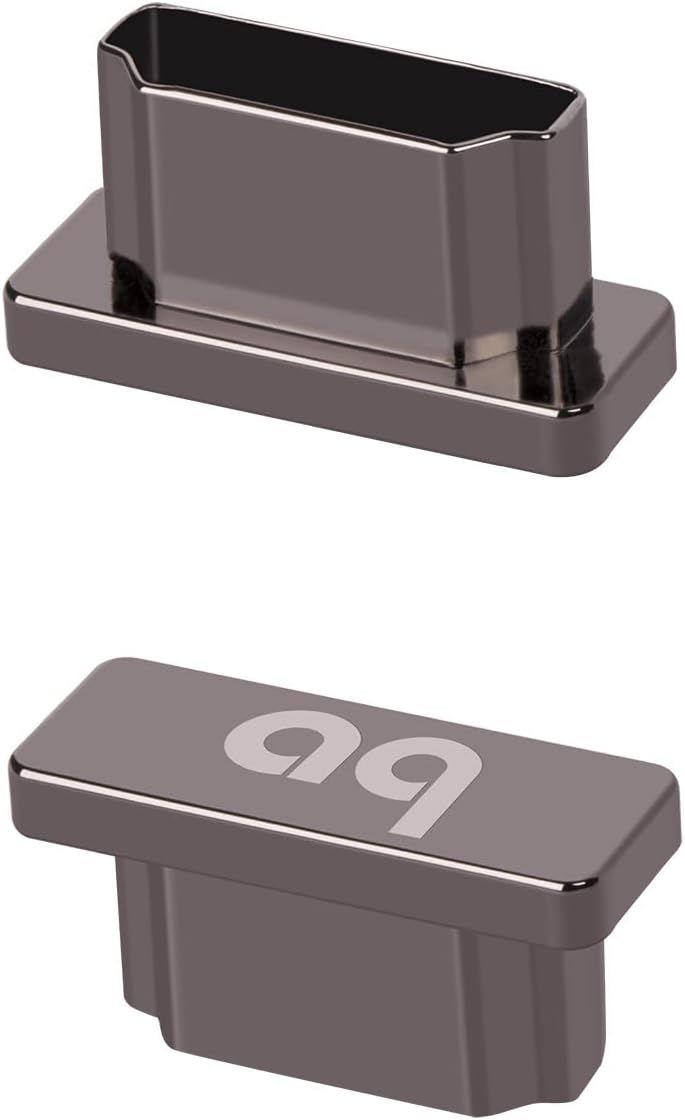
AudioQuest HDMI Noise-Stopper caps take a different approach from inline filters and cable-mounted ferrite beads. Each cap snaps over an unused HDMI input or output, helping block radio-frequency and electromagnetic interference from entering the port while also shielding it from dust, corrosion, and physical damage. The set contains four caps and carries a 4.5 rating.
We may earn a commission when you buy through this link, at no additional cost to you.
The caps are intended to preserve clean signal paths by reducing noise contamination. They can be used on televisions, AV receivers, soundbars, gaming consoles, and other HDMI-equipped components. Installation requires no tools: the user simply presses a cap over the port, creating a snug fit.
These are passive accessories rather than active signal conditioners. They cannot remove noise already present on a connected HDMI cable, stabilize jitter, or improve bandwidth. Their benefit is concentrated around unused ports, which may otherwise act as openings for environmental contaminants and unwanted incoming interference.
AudioQuest Noise-Stopper caps are best for owners with several spare HDMI sockets, a densely connected entertainment center, or equipment stored in a location where open ports may collect dust. They are easy to justify as preventive maintenance, but they should not be confused with a solution for a currently unstable HDMI connection.
Capping unused sockets takes only a few moments and helps keep contaminants away from sensitive connectors. This is a low-effort way to care for equipment that will not be connected immediately.
The caps work with televisions, receivers, soundbars, consoles, and other HDMI-equipped devices. That makes them useful for a whole media cabinet rather than a single product.
We may earn a commission when you buy through this link, at no additional cost to you.
The 31500 clip-on ferrite core is a three-pack built around a generous 13mm inner diameter. Its overall dimensions are 39mm by 30mm, and the housing is made from plastic around a ferrite core. The listed rating of 4.6 indicates strong customer satisfaction, although the product is less universal than a mixed-size kit.
We may earn a commission when you buy through this link, at no additional cost to you.
Its primary function is to suppress electromagnetic and radio-frequency interference, including high-frequency noise and ripple that can occur during power or data transmission. The stated benefits include clearer audio and video, smoother data transfer, and more stable operation. Compatible applications include power, USB, HDMI, audio, video, and network cables.
The main constraint is size. A 13mm inner opening is useful for thicker HDMI or power cables but will not fit a thin USB lead, headset cable, or compact video cable. If the installation target is a standard thick HDMI cable, the roomy diameter may be advantageous; if several differently sized cables need treatment, a multi-size kit would be more efficient.
This product is a strong choice for users with one or more thick cables who want a reusable, targeted choke without installing an inline adapter. Its snap-on structure avoids cutting, cutting the cable insulation, or affecting the original connection, making it easy to remove if troubleshooting leads elsewhere.
The 13mm opening provides enough clearance for larger cable jackets. It is a better match for many thick HDMI and power leads than the smaller three-, five-, or seven-millimeter options in this guide.
Because the core opens by hand and leaves the cable intact, it can be reused during testing or moved to another device. This flexibility is valuable when the source of interference is not yet certain.
We may earn a commission when you buy through this link, at no additional cost to you.
The 22-piece ferrite choke kit is designed for users who need a broad selection of cable sizes. It includes 3.5mm, 5mm, 7mm, 9mm, and 13mm inner diameters, accommodating cable thicknesses from approximately 1.5mm through 13mm. Its customer rating is 4.3, and the reusable transparent box makes the assortment easy to organize.
We may earn a commission when you buy through this link, at no additional cost to you.
The split-ring design uses plastic housings to help reduce EMI and RFI on AC power lines and data cables. Listed applications include USB, telephone, aerial feed, satellite, network, HDMI, VGA, and DVI cables. This broad compatibility makes the package suitable for home theaters, office networks, and entertainment areas where several cable types share the same environment.
Because all five sizes are supplied in one package, users do not need to guess which diameter a cable requires. However, the kit is passive and cannot condition an active HDMI signal. Its effectiveness still depends on selecting a snug core and positioning it near the suspected source of interference.
The kit is a practical choice for households that want to manage interference across several cable categories. The quantity and range of sizes offer flexibility, though a smaller kit may be more convenient for a user who only needs to treat one HDMI lead. It is most valuable when its assortment is actually used.
The 1.5mm minimum stated thickness expands the kit beyond typical HDMI cable sizes. It can also serve slim data, control, and audio leads that would not fit larger ferrite cores.
The transparent storage box keeps the different sizes together and unused pieces protected. That makes the kit easier to maintain than a collection of loose ferrite rings.
We may earn a commission when you buy through this link, at no additional cost to you.
The VSKEY set includes ten ferrite noise filters with a 7mm inner diameter. They are intended for cables measuring approximately 5mm to 7mm across, including video and audio cords, AC power lines, HDMI, VGA, AV, DVI, coaxial audio, loudspeaker, subwoofer, and other home-theater connections. The listed customer rating is 3.9.
We may earn a commission when you buy through this link, at no additional cost to you.
The filters are presented as high-frequency EMI and RFI suppressors that can shield against interference from nearby appliances and electronics. Their stated purpose is to improve signal quality in audio and video systems. Installation uses a double snap-clip construction, and the units can be detached and reused without cutting or damaging the cable.
The product guidance recommends placing cores near the interference source, close to the input or output of a shielded enclosure. If both a source and a susceptible device need treatment, one filter can be installed at each end. Users are also advised to wrap a thinner cable through the core more than once for a tighter fit.
This set is most useful for a home audio or theater system containing several similarly sized cables. Its 3.9 rating indicates mixed experiences, so placement and fit should be evaluated carefully. It is less convenient for a mixed-cable environment than a kit containing several diameters, but it offers a practical quantity for repeated installations.
The split cores can be positioned close to either the noisy source or the affected device. Installing one at each end is recommended when both ends require additional shielding.
Beyond HDMI, the filters accommodate speaker, subwoofer, coaxial, amplifier, and related AV cables. That makes them particularly relevant to larger stereo and home-cinema installations.
We may earn a commission when you buy through this link, at no additional cost to you.
The UI1000 ferrite core clip set comprises ten snap-on filters built with nickel-zinc ferrite material. Each has a 5mm inner diameter and is intended for cables measuring approximately 3.5mm to 5mm. The product carries a 5.0 rating, though that figure should be considered alongside the amount of customer feedback available at any given time.
We may earn a commission when you buy through this link, at no additional cost to you.
The material is central to the product's positioning. The listed description emphasizes suppression of electromagnetic and radio-frequency interference to support signal integrity across USB, HDMI, power, coaxial, video, audio, and speaker lines. The two-piece clamp provides direct cable contact without cutting, soldering, or rewiring.
A single inner diameter makes this set less flexible than the 22-piece and 24-piece mixed-size kits. It is best suited to thinner HDMI leads, USB cables, and compact audio or data wires. The claimed 3.5mm to 5mm range should be checked against the actual cable jacket, because a loose fit can reduce consistency.
For a buyer seeking a compact set with a clearly stated ferrite material and tight fit, this is an attractive option. The 5.0 rating is encouraging, but real-world effectiveness still depends on identifying the interference source and placing the clip close to it. The easy installation and lack of permanent modifications make it safe to test.
The nickel-zinc UI1000 construction provides a specific technical basis for the advertised interference suppression. This is more informative for buyers than a generic choke with no material stated.
The 5mm opening is designed for cables between approximately 3.5mm and 5mm in diameter. That creates useful contact while keeping installation simple and cable-friendly.
We may earn a commission when you buy through this link, at no additional cost to you.
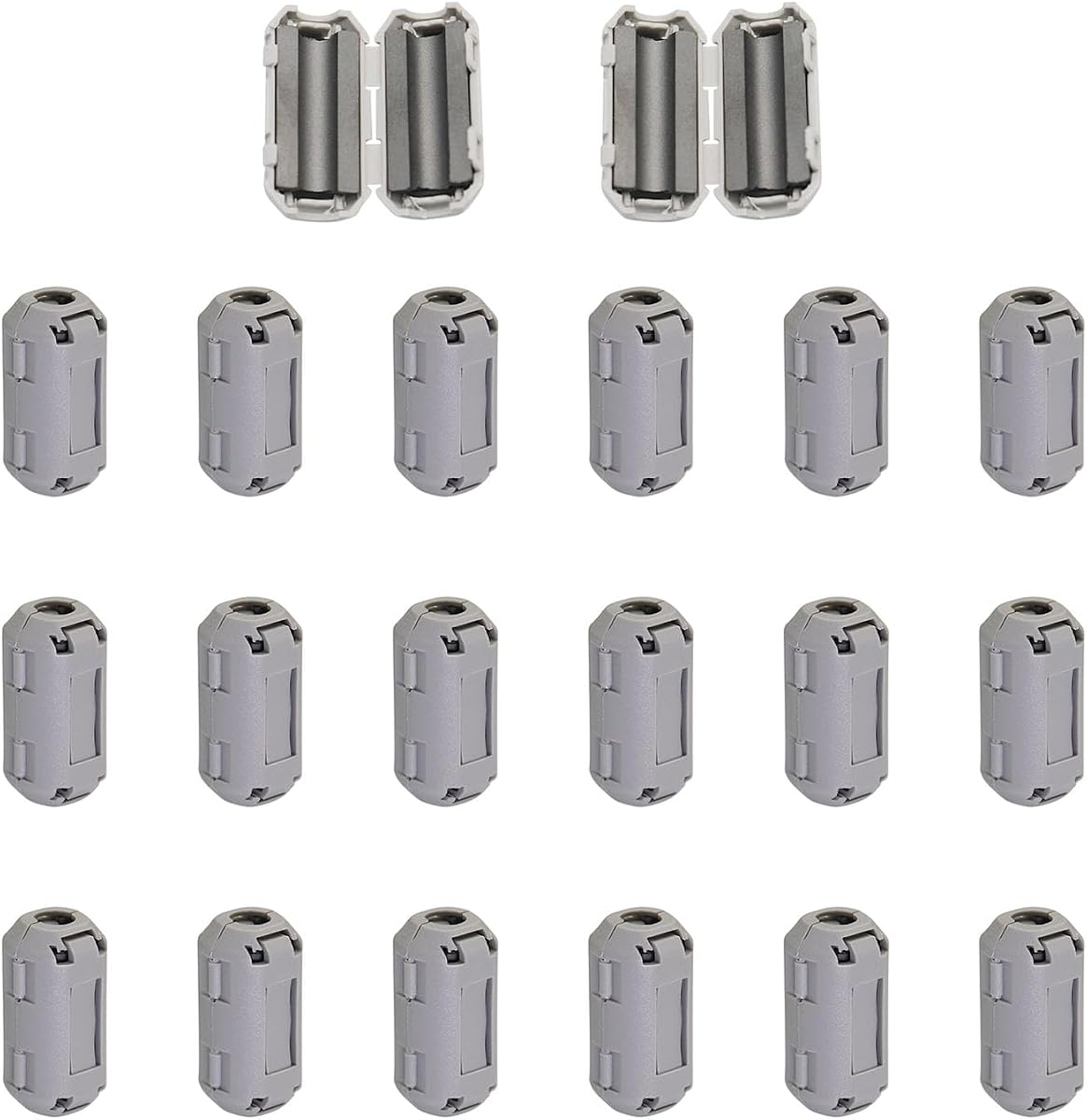
This 20-piece set of 5mm ferrite ring cores offers an unusually strong listed rating of 4.9. Each clip has a 5mm inner diameter and compact 25mm-by-13mm outer dimensions. The set is marketed for HDMI, USB, video, power, mouse, keyboard, headset, telephone, and audio cables, making it a flexible budget option for common electronics.
We may earn a commission when you buy through this link, at no additional cost to you.
The ferrite core is intended to alter the electromagnetic field around a cable and reduce outside EMI and RFI. It also filters high-frequency noise that can degrade signal quality in crowded entertainment and office environments. The self-adapting inner clip is designed to sit tightly around cables in the specified 3.5mm-to-5mm range.
The limitation is that all twenty pieces share one size. Thin HDMI or USB leads may fit, but thicker power and video cables may not. Since the package contains no larger rings, buyers with mixed cable gauges should measure first or choose a multi-size kit. The passive design also cannot actively correct an unstable digital signal.
This is our best budget pick because it combines a large quantity, a simple reusable installation, broad application potential, and one of the strongest ratings in the group. It is well suited to a computer desk, game station, or modest entertainment setup where several compatible cables need inexpensive interference control.
Twenty pieces provide enough inventory to treat several cables, retain spares, or move clips as equipment is rearranged. The quantity makes the set attractive for users with multiple home or office devices.
The product guidance notes that performance can improve when a clip is placed closer to the electromagnetic source. The easy-open design makes it practical to compare different positions.
We may earn a commission when you buy through this link, at no additional cost to you.
The ten-pack of 3mm ferrite beads is among the most compact filters in the guide. Its double-snap design fits cables with a 3mm inner opening, making it more appropriate for slim HDMI, USB, FireWire, phone, power, coaxial, audio, and video leads than for thicker cables. The listed customer rating is 4.0.
We may earn a commission when you buy through this link, at no additional cost to you.
Each clip combines a black plastic housing with a ferrite core and is intended to reduce anti-interference problems. The manufacturer describes the results as clearer signal and faster data transmission after installation. Since these are passive components, they work by suppressing interference around the cable rather than by rebuilding or reconditioning the digital signal.
This focused size makes the package economical for users with several slim cables but limits its usefulness in a home theater where thick HDMI leads are more common. A loose or incorrect fit can also reduce the consistency of the choke's effect. Buyers should verify the actual cable diameter rather than estimating from the connector or product photo.
The pack remains a useful option for computers, mobile accessories, slim USB cables, and compact AV connections. It is best viewed as a targeted cable-management accessory rather than a comprehensive HDMI solution. For thicker or more varied cables, one of the multi-diameter kits offers a much better fit.
The 3mm opening targets thin cables that larger ferrite cores cannot accommodate. This makes the pack useful for compact computer and mobile-device setups.
The snap-on ferrite construction adds interference suppression without cutting or permanently modifying the cable. It remains easy to remove if the connection needs further troubleshooting.
We may earn a commission when you buy through this link, at no additional cost to you.
The right HDMI noise filter depends on the problem you are trying to solve, the type of cable you use, and how much space is available. Active inline devices condition the signal, ferrite clips suppress interference around cables, and port caps protect unused connections.
Choose based on the source of the problem. Use active filtering for signal-quality concerns and ferrite chokes for suspected radiated interference.
Measure first, then buy the listed diameter or a mixed-size kit. A close, undamaging fit is essential.
Use active devices for direct signal conditioning, ferrite cores for surrounding interference, and caps for unused-port protection.
Confirm that every part of the HDMI chain supports the intended format, especially when using an active inline device.
Check clearance before ordering an inline filter, and leave enough movement in the cable to avoid connector strain.
Treat surge protection, physical port protection, and EMI suppression as separate benefits. Choose only the features your setup needs.
Start near the suspected source, test the result, and reposition the core as needed. Avoid immediately dismissing a fitting issue.
Count the cables and measure their diameters before choosing a fixed-size pack or comprehensive kit.
Before installation, turn off and disconnect the relevant equipment, then identify whether you need an inline signal conditioner, a cable-mounted ferrite core, or a port cap. For an inline model, connect the source to the filter and the filter to the display or receiver, making sure every joint is fully seated. The iSilencer 2 includes an extension cable, which can provide additional routing flexibility in a crowded entertainment area.
For a ferrite core, measure the cable jacket and choose the closest appropriate inner diameter. Open the snap housing, place the cable inside, and close it firmly without pinching or sharply bending the wire. Begin near the suspected noise source and test the setup before adding more cores. If the source and affected device are separate, a choke near each end may provide a more balanced result.
Care is simple for passive products. Do not cut, crush, or force a cable, and avoid placing a clip where it will be pinched by furniture or equipment. Keep unused ferrite pieces in their case and clean the caps or cable jackets with a dry, lint-free cloth. Periodic reconnections can reveal corrosion or looseness that should be addressed before a filter is blamed for a problem.
It can help when interference, jitter, or noise is the underlying cause, but it cannot repair a damaged cable or incompatible equipment. An active inline filter may be appropriate for signal instability, while a ferrite core may help with externally induced interference. Check the source resolution, refresh rate, cable specification, and device connections before assuming a filter will resolve the symptom.
They solve different problems. Ferrite cores are inexpensive passive accessories that reduce EMI and RFI around a cable, while active filters condition the HDMI signal and may address noise and jitter within the system. The better choice depends on whether the main issue is nearby electrical interference or signal quality through a connected AV chain.
Measure the outside diameter of the cable jacket where the core will sit, then select the nearest listed inner diameter without forcing it. A close fit provides better consistency and contact. A mixed-size kit is useful when several HDMI, USB, speaker, or power cables have different diameters.
Start near the device suspected of generating the interference, as close as practical to its input or output. If both ends of the connection may contribute to the problem, try one core at each end. Test one change at a time so it is clear which placement improves the result.
A filter may improve image stability when noise or jitter is disrupting the signal, but it cannot add missing detail to a source that was never captured. The iFi products specifically claim jitter reduction and improved fine-detail visibility. More ordinary causes of a soft image, such as source settings or display processing, still need to be checked separately.
A passive ferrite core does not process or limit the HDMI signal, so it does not change the supported bandwidth. The cable and connected equipment still determine whether 4K/120Hz, 8K/60Hz, or other advanced formats are supported. For an active inline filter, verify its stated HDMI version and bandwidth requirements before installation.
AudioQuest Noise-Stopper caps primarily protect unused HDMI ports from dust, corrosion, physical damage, and some incoming interference. They do not filter a connected cable or actively improve an existing image or sound signal. They are best used on spare ports that will not be connected immediately.
Multiple passive ferrite cores can be useful when both a source and destination require interference suppression, as long as the cable remains undamaged. Installing multiple active inline filters may be unnecessary and could add avoidable complexity. Use one active conditioner unless the manufacturer provides specific guidance for additional units.
The HDMI iSilencer 2 stands out as the most balanced active option, combining a 4.6 rating, a claimed reduction of up to 40dB, high-resolution support, surge protection, and a compact form. The original iFi HDMI iSilencer offers similar core functions for buyers who prioritize high-end AV integration, while the 20-piece 5mm ferrite set is a strong budget choice for common cables.
For passive filtering, prioritize correct diameter, tight fit, and thoughtful placement near the source of interference. Mixed-size kits offer the most flexibility, fixed-size packs are economical when the cables match, and AudioQuest caps serve unused ports rather than active connections. Choose the product category that matches the actual symptom instead of expecting every accessory to perform the same function.
Product ratings, design details, compatibility, and pricing can change, so check the current listing and manufacturer information before purchasing. Confirm the cable diameter, resolution requirements, and available installation space, and make sure the filter is intended for the connection you want to improve.
