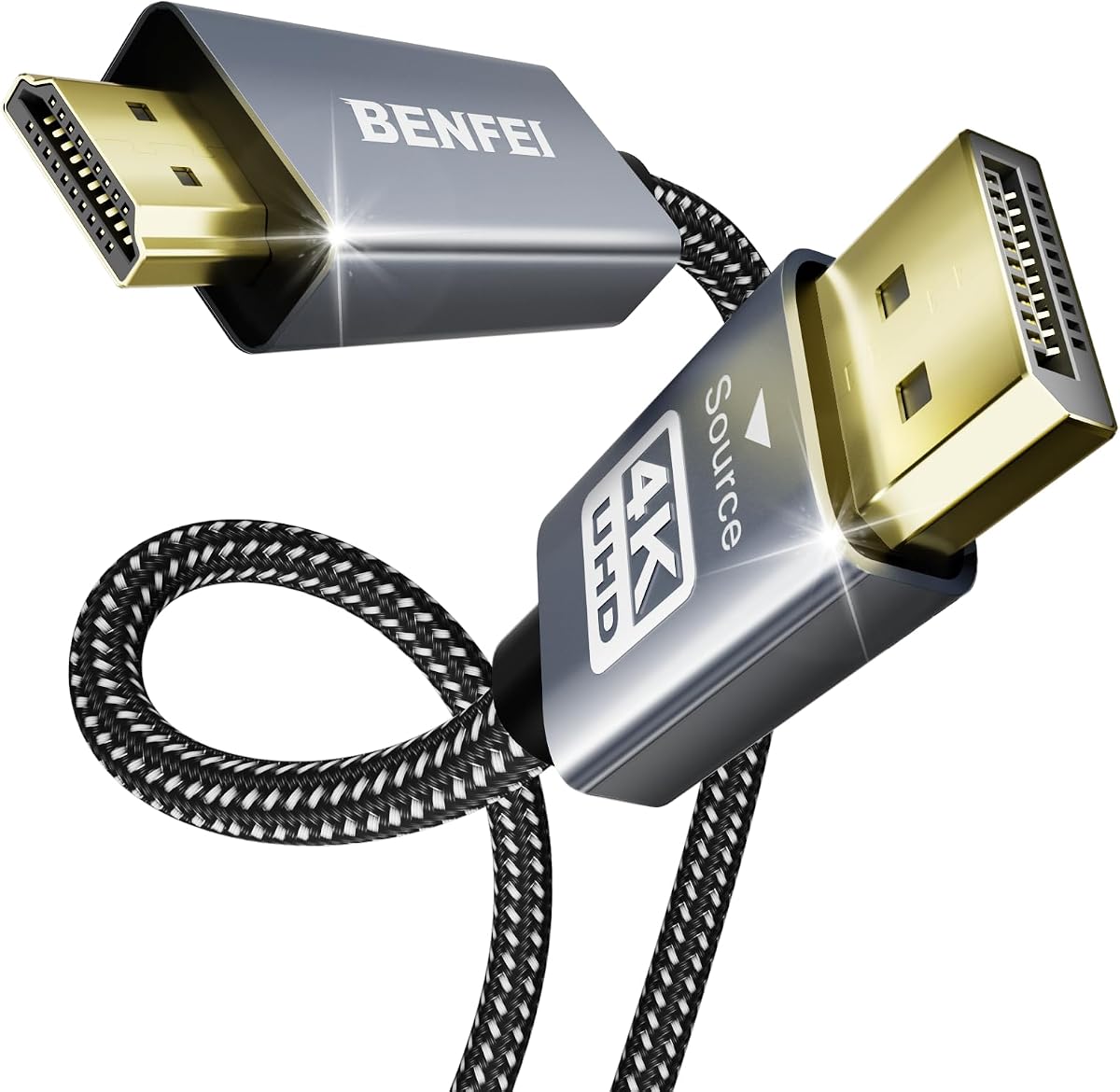
BENFEI 4K DisplayPort to HDMI
4.5Editor score
4K at 30Hz
Six-foot braided cable
Uncompressed surround audio
Advanced signal-conversion chip
Our Displayport to HDMI Cable guide compares ten options for 4K, 8K, gaming, audio, durability, cable length, and setup compatibility in 2026 for homes.
A Displayport to HDMI Cable provides a convenient way to connect a DisplayPort-equipped computer, laptop, or graphics card to an HDMI monitor, television, or projector. The right cable should match your resolution, refresh rate, audio needs, physical layout, and preferred level of construction while maintaining dependable signal transmission.
We compared the ten featured cables by examining their supported display modes, one-way signal direction, audio capabilities, length, shielding, connector design, and stated device compatibility. The list includes entry-level 1080p and 4K options, braided 4K cables for everyday setups, two cables supporting 8K output, and a two-pack for users who need more than one connection.
Each review explains where a cable is strongest, where limitations matter, and which type of user is likely to benefit. Product availability and pricing can change, so readers should verify current specifications and listing details before ordering, especially when combining a cable with a dock, hub, gaming monitor, or advanced graphics card.
4.5Editor score

4.7Editor score

4.8Editor score
The comparison below places all ten cables side by side, highlighting their direction of signal flow, maximum stated resolution, cable length, audio support, and physical construction so you can quickly identify the most suitable option for your display setup.


The Highwings 4K DisplayPort to HDMI cable is a straightforward one-way connection designed to carry a DisplayPort source to an HDMI-equipped display. Its 4.5 rating reflects a generally positive reception, while the specification sheet emphasizes 4K UHD at 30Hz, backward compatibility with 1440p at 60Hz and 1080p, and synchronized audio and video.
We may earn a commission when you buy through this link, at no additional cost to you.
Construction details make it suitable for a frequently used desk setup. The cable combines multi-layer shielding, a nylon-braided wire, and a 24K gold-plated connector to support signal quality and reduce interference. Its 6.6-foot length provides useful flexibility for connecting a desktop or laptop without forcing either device directly against the display.
The important limitation is directional. It cannot carry an HDMI source, such as a game console, Blu-ray player, or set-top box, to a DisplayPort monitor. It also does not target the very high refresh rates associated with an 8K or high-end 4K gaming display, so buyers seeking 4K at 120Hz or 240Hz should examine the higher-specification options.
This cable is a sound choice for office productivity, presentations, general home use, and displays limited to 4K at 30Hz. It provides a practical balance of length, shielding, and supported resolution without requiring a complex adapter setup. Confirm that the source has DisplayPort output and that the screen accepts HDMI before purchasing.
With support for 4K at 30Hz and backward-compatible 1440p and 1080p modes, this cable covers common productivity, video, and general computing resolutions. It is most appropriate when the goal is a dependable image rather than competitive high-refresh gaming.
The nylon braid, multi-layer shielding, and gold-plated connector add practical durability and signal protection. These features are valuable when the cable is routed behind a monitor, moved with a laptop, or repeatedly connected and disconnected.
We may earn a commission when you buy through this link, at no additional cost to you.
The Amazon Basics DisplayPort to HDMI cable offers a simple passive connection for DisplayPort computers and HDMI displays. Its 4.6 rating makes it one of the more highly rated products in the group, and its core specifications focus on 1920×1200 and 1080p video with uncompressed digital audio.
We may earn a commission when you buy through this link, at no additional cost to you.
This is a no-frills solution for a second monitor, a projector, a presentation display, or a larger television used primarily for standard-definition and Full HD content. The included six-foot cable is long enough for many desks, while gold-plated connectors, bare copper conductors, and foil-and-braid shielding support steady audiovisual transmission.
Its limitations are easy to understand. The cable is unidirectional, so it starts at a DisplayPort-equipped computer and ends at an HDMI display; it is not an HDMI-to-DisplayPort solution. Its stated maximum resolution is also lower than that of most 4K-capable products in this guide, making it unsuitable for users who need a 4K desktop or 4K television at 30Hz.
Choose this cable for basic display extension, mirrored screens, presentations, and Full HD viewing where simplicity matters. It is a practical option when the source and display support 1080p and no advanced conversion or high-bandwidth feature is required. Verify display settings if a picture does not appear immediately.
Because the cable works directly between a DisplayPort source and an HDMI screen, it avoids a separate converter box. Passive operation also makes setup straightforward for standard office and home display configurations.
Support for 1080p and 1920×1200 makes the cable well suited to document work, web browsing, video playback, and presentations. Uncompressed 7.1, 5.1, and two-channel audio is also useful when sound travels through the same connection.
We may earn a commission when you buy through this link, at no additional cost to you.
The UGREEN 4K DisplayPort to HDMI cable combines a 4.7 rating with a flexible set of supported modes. It handles 4K at 30Hz, 2K at 60Hz, and 1080p at 120Hz, making it more adaptable than a basic Full HD cable without moving into the complexity of an 8K active model.
We may earn a commission when you buy through this link, at no additional cost to you.
Its 6.6-foot length suits common desk arrangements, and the listing notes that no driver or software is required. Double shielding, 32AWG tinned copper, an aluminum housing, and a nylon braid create a durable and flexible cable. Audio support includes uncompressed 7.1, 5.1, and two-channel digital formats.
The signal remains one-way: a PC, laptop, or graphics card must provide DisplayPort, while the television, monitor, projector, or other screen must provide HDMI. HDMI-source devices such as the PlayStation, Switch, Xbox, and MacBook are explicitly outside its supported direction. Users should also recognize that the advertised multi-screen statement depends on compatible source hardware and configuration.
This is the most broadly useful option for a home office, productivity workstation, or mixed-resolution gaming setup. Its combination of 4K support, a 120Hz Full HD mode, straightforward installation, and strong physical construction makes it an excellent general recommendation, while users requiring 4K above 30Hz should look toward the 8K products.
Supporting 4K at 30Hz, 2K at 60Hz, and 1080p at 120Hz gives users more flexibility than a fixed Full HD cable. This is particularly useful when the same setup may alternate between detailed documents, media playback, and fast-paced games.
Double shielding, tinned copper conductors, an aluminum case, and a braided jacket help maintain a stable connection. The design also improves heat dissipation and is intended to resist electromagnetic interference during everyday use.
We may earn a commission when you buy through this link, at no additional cost to you.
The Warrky 4K DisplayPort to HDMI cable is designed around a six-foot length, 4K at 30Hz output, and compatibility with 1440p at 60Hz and 1080p at 120Hz. Its 4.6 rating places it among the stronger-reviewed conventional 4K options in this comparison.
We may earn a commission when you buy through this link, at no additional cost to you.
The one-piece aluminum alloy connector shell contributes a slim appearance and corrosion resistance. Inside, five-layer shielding is designed to limit interference, while 24K gold-plated connectors support signal transmission and uncompressed 7.1, 5.1, or two-channel audio. The nylon jacket is stated to withstand more than 16,000 bends.
Like most cables in this category, it converts only from DisplayPort to HDMI. Connecting a PlayStation, Xbox, game console, or other HDMI source to a DisplayPort monitor will not work. Its maximum advertised 4K rate is 30Hz, so it is better suited to general graphics, office applications, video, and moderate gaming than to demanding high-refresh displays.
This is a good recommendation for a workstation, home office, or media setup that wants 4K capability without an active 8K cable. It combines flexible supported resolutions with solid shielding and a durable jacket. Choose it when the source and display fit the stated limits and a six-foot cable fits your space.
Five-layer shielding is useful in offices and homes where cables run near computers, power supplies, or other electronics. It supports the goal of a stable image while the aluminum shells provide a compact, modern endpoint.
The supported ladder from 1080p at 120Hz to 1440p at 60Hz and 4K at 30Hz allows the cable to fit several common displays. Users should still verify that the source computer, graphics settings, and receiving monitor can produce the selected mode.
We may earn a commission when you buy through this link, at no additional cost to you.
The JSAUX 10FT DisplayPort to HDMI cable stands apart through its ten-foot length. It supports up to 4K at 30Hz, 2K at 60Hz, and 1080p at 120Hz, giving users a versatile signal range in a cable that is easier to route across larger desks or installation distances.
We may earn a commission when you buy through this link, at no additional cost to you.
The extra reach can eliminate the need for an extension arrangement when a computer sits away from a wall-mounted television or when a monitor is positioned at the far side of a desk. Its durable nylon exterior is intended for daily routing through offices, meeting rooms, and home workspaces.
The direction is strictly one-way from a DisplayPort source to an HDMI display. It therefore cannot connect a gaming console, Blu-ray player, or streaming device to a DisplayPort monitor. While 4K at 30Hz is useful for detailed work, the cable does not target high-end 4K gaming modes above that refresh rate.
This is a sensible choice when physical reach matters more than maximum bandwidth. It offers a generous length, clear source-and-display orientation, and sufficient resolution for productivity, presentations, media, and general gaming. Confirm the available port direction and measure your intended route before purchasing.
A ten-foot lead provides more freedom than most six-foot alternatives. It can simplify connections between a desktop and a wall display, a laptop and a larger monitor, or equipment arranged on opposite sides of a workspace.
The product information highlights checking both ends, selecting the correct HDMI input, and keeping the output resolution within supported ranges. These are useful first steps whenever a connected display remains blank or does not appear at the expected mode.
We may earn a commission when you buy through this link, at no additional cost to you.
The BENFEI 4K DisplayPort to HDMI cable delivers the essential features many buyers need: six-foot length, 4K at 30Hz, digital audio, and a compact direct connection. Its 4.5 rating indicates a favorable user reception, and the product is especially appealing for straightforward office, education, and home display needs.
We may earn a commission when you buy through this link, at no additional cost to you.
A built-in advanced conversion chip handles the DisplayPort-to-HDMI signal change, while professional multiple shielding supports accurate data streaming. The listed resolution support reaches 3840×2160 at 30Hz and includes 1080p at 60Hz, 720p, 1600×1200, and 1280×1024. Audio pass-through supports uncompressed 7.1, 5.1, or two-channel formats.
The aluminum shell and nylon braid add durability without turning the cable into an elaborate active adapter. Molded strain relief and a gold-plated DisplayPort connector are intended to withstand routine handling. Its primary trade-off is bandwidth: 4K is limited to 30Hz, and the signal cannot travel in reverse.
BENFEI is a compelling choice for users who want a dependable direct cable and useful 4K output without moving to a more advanced 8K or high-refresh product. It suits presentations, dual-monitor work, media viewing, and general gaming. The included warranty also adds some reassurance for long-term ownership.
A 30Hz 4K mode provides a sharp image for documents, web content, presentations, and video. It is the most practical choice when the connected display or computer does not support higher-bandwidth 4K configurations.
The aluminum housing, nylon braid, gold-plated connector, and molded strain relief focus on longevity in frequently used setups. These construction details make the cable suitable for permanent desk installations as well as portable laptop connections.
We may earn a commission when you buy through this link, at no additional cost to you.
The Cable Matters two-pack provides two six-foot DisplayPort-to-HDMI cables, making it a convenient choice for a two-monitor desk, a computer plus television arrangement, or keeping a spare connection nearby. Its 4.7 rating indicates strong user satisfaction despite a more modest resolution ceiling.
We may earn a commission when you buy through this link, at no additional cost to you.
The cables are designed to connect DisplayPort-equipped computers to HDTVs, monitors, or projectors with HDMI input. They carry Full HD video and uncompressed 7.1, 5.1, or two-channel audio, and can be used for extended desktop or mirrored display arrangements depending on the source system.
Gold-plated connectors, bare copper conductors, and foil-and-braid shielding support stable transmission. A latching DisplayPort connector helps prevent accidental disconnection, although the release button must be pressed before removal. The primary drawback is that the stated support stops at 1080p, making this pack less relevant to 4K-focused users.
The bundle is most useful for Full HD workspaces, classroom setups, presentations, and basic home entertainment. If one cable serves a desktop and another links a laptop to a television, having identical connections simplifies setup. Users needing 4K should choose one of the 4K-capable cables instead.
The two-pack removes the need to purchase separate cables for multiple Full HD displays. It also gives users a spare for travel, a second workstation, or replacement after routine wear.
The DisplayPort latch helps keep the source connection seated, which is useful where the cable may be tugged or routed under tension. Users should depress the release mechanism before unplugging to avoid damaging the connector.
We may earn a commission when you buy through this link, at no additional cost to you.
The 8K DisplayPort to HDMI cable targets demanding displays with support for 8K at 60Hz and 4K at 120Hz or 240Hz. Its 4.2 rating is lower than those of several conventional 4K choices, but the listed bandwidth makes this model relevant to specialized high-resolution and high-refresh setups.
We may earn a commission when you buy through this link, at no additional cost to you.
The cable is described as an HDMI 2.1 and DisplayPort 1.4 solution with a braided jacket, molded strain relief, and a latching DisplayPort connector. Its feature list also includes HDR and Dolby Atmos support, with firmware updates said to improve compatibility. NVIDIA RTX 20 and 30 series and ATI RX 6000 graphics card users may need updated drivers.
Compatibility is more demanding than the headline modes suggest. The cable remains strictly one-way and cannot connect HDMI sources such as the PS5 or Xbox to a DisplayPort monitor. Variable Refresh Rate is explicitly unsupported, so buyers prioritizing G-Sync or FreeSync behavior should not assume that the high refresh rate alone provides a complete gaming feature set.
This product makes sense for users with compatible HDMI 2.1 displays and modern graphics hardware who specifically need 8K or very high-refresh 4K output. The need to update firmware and drivers adds complexity, making it less suitable for casual users. Verify the entire source-to-display chain before ordering.
Support for 8K at 60Hz and 4K at 240Hz is useful for compatible HDMI 2.1 televisions and monitors. Actual performance depends on the graphics card, source port, display settings, and the resolution and refresh rate selected by the computer.
The listing recommends driver and firmware updates for optimal behavior and improved feature compatibility. Buyers should complete those steps before judging image stability, HDR behavior, or supported high-refresh modes.
We may earn a commission when you buy through this link, at no additional cost to you.
The UGREEN 8K Active DisplayPort to HDMI cable is the most advanced conventional option in the guide. Its 4.8 rating is the highest listed, and it supports 8K at 60Hz, 4K at 240Hz, 2K at 240Hz, and 1080p at 480Hz when the complete hardware chain is compatible.
We may earn a commission when you buy through this link, at no additional cost to you.
As an active DisplayPort 1.4 to HDMI 2.1 cable, it performs signal conversion with a stated transfer rate of up to 32.4Gbps. The specification list includes HDR and DSC 1.2a support, plug-and-play operation without drivers, and compatibility with major AMD and NVIDIA graphics cards, DisplayPort laptops and desktops, HDMI displays, projectors, and VR headsets.
Construction is correspondingly advanced. A braided jacket, aluminum case, tinned copper conductors, gold-plated pins, and black epoxy cores are intended to support flexibility, conductivity, heat dissipation, and durability. UGREEN advises connecting the source directly to the display rather than through a dock or hub because of hardware limitations.
This cable is ideal for a modern high-end workstation or gaming setup with an HDMI 2.1 display and compatible graphics hardware. It offers the most ambitious resolution and refresh-rate combination in the group, though the source, dock, monitor firmware, and graphics settings all need to support the desired mode.
The active conversion design and 32.4Gbps transfer rate target demanding HDMI 2.1 equipment. That makes the cable appropriate for users seeking 8K output or extremely high 4K refresh rates rather than standard office use.
UGREEN recommends avoiding intermediate docks or hubs for this cable due to hardware limitations. A direct DisplayPort-to-HDMI path reduces the number of components that could affect bandwidth or compatibility.
We may earn a commission when you buy through this link, at no additional cost to you.
The Cable Matters 8K HDMI 2.1 cable is a specialized six-foot option for compatible DisplayPort 1.4 graphics hardware and HDMI 2.1 screens. Its 4.2 rating reflects the narrower feature set despite advanced headline resolution support of 8K at 60Hz and 4K at 240Hz.
We may earn a commission when you buy through this link, at no additional cost to you.
The product supports HDR, Dolby Atmos, and surround sound while using a braided jacket, molded strain relief, and a secure DisplayPort latch. Its compatibility list names several current HDMI 2.1 televisions and monitors, along with NVIDIA RTX 4070, 4080, and 4090 and AMD RX 7900 and 6900 graphics cards.
The requirements are strict. A DisplayPort 1.4 GPU with DSC is needed to output 4K at 120Hz or 240Hz or 8K at 60Hz. VRR, G-Sync, FreeSync, and DDC/CI are not supported, and HDMI sources such as the PS5 and Xbox are incompatible. Driver updates may be needed for certain NVIDIA RTX 20 or 30 series and ATI RX 6000 graphics cards.
Choose this cable when its specifically named modern hardware combination matches your own setup and you value high resolution over adaptive-sync functions. It is less suitable for mixed-device users or anyone who needs a simple, universally adaptable connection. Release the DisplayPort latch before unplugging to avoid damaging the port.
The cable reaches its highest modes only when the source GPU, graphics settings, and receiving display all support the required DisplayPort 1.4 and DSC capabilities. Checking this chain prevents disappointment when an 8K or high-refresh mode is unavailable.
Its compatibility with listed HDMI 2.1 monitors and recent graphics cards is a strength for a matched high-end system. The lack of VRR, G-Sync, FreeSync, and DDC/CI support remains an important consideration for gamers.
We may earn a commission when you buy through this link, at no additional cost to you.
Choosing the right cable means matching signal direction, display capabilities, resolution, refresh rate, audio, length, and construction. The most important step is to identify your source and screen before comparing models, because a cable that supports impressive bandwidth still cannot overcome incompatible ports or unsupported display modes.
Every product in this roundup is a one-way DisplayPort-to-HDMI cable. The DisplayPort end belongs on the source, such as a PC, laptop, or graphics card, and the HDMI end belongs on the monitor, television, or projector. None of these products is intended to carry an HDMI console, streaming device, Blu-ray player, or set-top box into a DisplayPort display.
Check both device labels before buying and avoid confusing a DisplayPort input with a DisplayPort output. This direction check is essential even when a listing uses both DP-to-HDMI and HDMI-to-DP terminology in different places.
The featured options range from 1080p-focused cables to advanced products supporting 8K at 60Hz and 4K at 240Hz. A 4K cable listed at 30Hz is suitable for many office and media displays, while 1080p at 120Hz can provide a more responsive gaming experience when the source and screen support that mode.
For 8K or very high-refresh 4K, check the graphics card, GPU driver, monitor or television, and required compression support. A headline resolution does not guarantee that the full mode will operate if another component in the chain has a lower ceiling.
Passive cables generally suit standard-resolution and conventional 4K connections, while active designs use embedded electronics to perform more advanced signal conversion. The UGREEN 8K model and the two 8K-oriented products in the guide target more demanding bandwidth than the standard 4K options.
Active does not mean bidirectionally compatible. The direction remains one-way even when the cable contains a conversion chip, and active models may be more sensitive to intermediary hardware such as hubs or docks.
Most products measure six feet, while the Highwings and UGREEN cables offer 6.6 feet and JSAUX provides a notably long ten-foot option. Longer leads can simplify a spacious desk, meeting room, presentation area, or wall-mounted display arrangement, but they should be routed carefully to avoid unnecessary strain.
Choose a length that reaches without leaving excess cable bunched behind the display. For laptop use, a shorter lead may be more portable, while a stationary desktop can benefit from additional reach.
Most listed cables support uncompressed digital audio in 7.1, 5.1, or two-channel configurations. This allows sound to travel with the image over one connection, provided the source computer sends audio and the receiving display is configured to use it.
Advanced models add claims such as Dolby Atmos and HDR support, but those features require compatible source content, graphics hardware, display firmware, and settings. The cable alone cannot create formats that the rest of the system does not support.
A cable can support a high refresh rate while omitting adaptive-refresh functions. The 8K DisplayPort-to-HDMI product explicitly states that VRR is unsupported, while the Cable Matters 8K model also excludes VRR, G-Sync, FreeSync, and DDC/CI. These distinctions matter if responsive variable-refresh gaming is a priority.
For standard 4K and 1080p gaming, the UGREEN 4K cable's 120Hz Full HD mode may be more relevant than an 8K cable that lacks the variable-refresh features used by the gaming setup.
Braided nylon jackets, aluminum connector housings, gold-plated contacts, and multiple shielding layers are common among the stronger construction options. These features can improve resistance to interference, connector longevity, flexibility, and heat management, particularly in setups where the cable is frequently handled.
Do not rely on construction alone to predict image quality. The active electronics, source hardware, cable length, interference environment, and selected display mode all influence the result.
A direct connection is generally the simplest approach, particularly for advanced 8K modes. UGREEN specifically advises connecting its active 8K cable directly between the source and display rather than through a dock or hub because of hardware limitations.
For conventional 4K use, a dock may work, but the dock must support the intended resolution and refresh rate. Consider that the dock, its host connection, and its firmware may become the limiting part of the setup.
Begin by identifying the source and display. Connect the DisplayPort end to the PC, laptop, or graphics card, then connect the HDMI end to the monitor, television, or projector. Turn on the display, select the correct HDMI input, and set the computer's resolution and refresh rate to a mode supported by both the cable and receiving screen.
If the screen remains blank, confirm that the cable is oriented correctly, the display is using the intended input, and the graphics system recognizes the external monitor. Update the graphics driver when using high-resolution or high-refresh modes. For 8K products, also follow the listed firmware-update guidance and use a direct connection where possible.
Route the cable without creating sharp bends or excessive tension. Secure the DisplayPort latch before moving the source, and always press its release button before unplugging that end. Keep connectors clean and dry, avoid hanging heavy objects from the cable, and coil the lead loosely for storage to protect the braid, strain relief, and internal conductors.
The cables in this guide are unidirectional and work from a DisplayPort source to an HDMI display. They cannot send HDMI from a console, streaming device, or Blu-ray player to a DisplayPort monitor. Reversing the plugs does not reverse the supported signal path.
Three featured products advertise 8K at 60Hz support, but the source GPU, display, driver, and required feature support must also be compatible. The active UGREEN model states 32.4Gbps transmission, while the other 8K products require a compatible DisplayPort 1.4 source with DSC for their highest modes.
The BENFEI, UGREEN 4K, Highwings, Warrky, and JSAUX options all support 4K at 30Hz. BENFEI offers a value-focused package, UGREEN adds a 1080p at 120Hz mode, and JSAUX provides the longest cable. Choose based on length, construction, and the exact modes your source supports.
Conventional 4K models may work through a compatible dock, but the dock must support the desired resolution and refresh rate. UGREEN specifically advises using its active 8K cable directly rather than through a dock or hub because intermediary hardware can introduce display errors.
First, verify that the DisplayPort end is attached to the source and the HDMI end to the display. Select the correct HDMI input, check the source resolution, and make sure the selected mode is within both the cable's and display's supported ranges. Updating drivers can also resolve recognition problems.
Most of the listed products support uncompressed digital audio in 7.1, 5.1, or two-channel configurations. Your computer must send audio through DisplayPort, and the display must be configured to use the HDMI audio input. Advanced HDR or Dolby Atmos claims also require compatible equipment and content.
Usually, an ordinary 4K cable is sufficient for documents, browsing, presentations, and standard media work. An 8K-oriented cable is more relevant when the computer, graphics card, and display all support 8K or very high-refresh 4K. Paying for extra capability without compatible endpoints offers little practical benefit.
Coil the cable loosely rather than making a tight wrap, and avoid sharp bends near either connector. Protect the latching DisplayPort end from impacts and press the release button before unplugging it. Keeping the cable away from moisture and excessive heat helps preserve the jacket, contacts, and internal signal components.
The UGREEN 4K cable is the broadest everyday recommendation, combining 4K at 30Hz, 1080p at 120Hz, a 4.7 rating, durable shielding, and straightforward installation. BENFEI is the best budget-oriented option for essential 4K work, while the UGREEN 8K active cable stands apart for compatible modern systems requiring 8K at 60Hz or 4K at 240Hz.
Prioritize direction first, then resolution, refresh rate, and the capabilities of both endpoints. A longer JSAUX lead is useful for flexible layouts, while the two-pack is convenient for multiple Full HD screens. For high-end gaming, verify variable-refresh support, firmware requirements, and DSC compatibility rather than relying on headline resolution alone.
Listings and product availability can change, so check the current specifications, connector direction, and compatibility notes before ordering. Once the source and display requirements are confirmed, the appropriate cable becomes much easier to identify and should provide a more dependable result than adding unnecessary adapters or intermediate hardware.