
Lenovo V15 Business Laptop
4.2Editor score
40GB high-bandwidth memory
Ryzen 7 eight-core processor
Full-size numeric keypad
Laptops with numpad combine the portability of a notebook with a dedicated number pad for faster data entry, calculations, and spreadsheet work. They are especially useful for accountants, bookkeepers, office professionals, students, and anyone who regularly enters long strings of numbers.
This guide compares ten numpad laptops by processor, memory, storage, display, connectivity, portability, and intended workload. It covers business-focused models, large-screen options, an ultralight 15.6-inch design, and configurations suited to everything from basic schoolwork to demanding multitasking.
Each review explains the strongest reasons to consider the model, along with important trade-offs based on its listed specifications. Product ratings and configurations can change over time, so readers should verify the latest details and current price before making a purchase.
4.2Editor score

4.8Editor score

4.5Editor score
As an Amazon Associate we earn from qualifying purchases.
The comparison below highlights the differences in display size, processor, memory, storage, and numeric-keypad functionality, making it easier to match a laptop to a particular productivity need.




The HP 255 G10 Business Laptop combines a lightweight chassis, a capable 16GB memory configuration, and a 512GB solid-state drive. Its 4.8 rating is the highest among the listed products, making it a particularly attractive all-around option for buyers seeking a portable business notebook with a dedicated number-pad layout.
We may earn a commission when you buy through this link, at no additional cost to you.
The AMD Ryzen 3 7330U processor offers four cores and eight threads with boost clock capability up to 4.3 GHz. That is more than sufficient for document editing, web browsing, spreadsheets, video calls, photo editing, and routine multitasking. The Full HD IPS anti-glare screen also makes the model practical for office environments, while its 85% screen-to-body ratio keeps the visual footprint relatively compact.
Connectivity is another strength. The laptop provides two USB-A ports, one USB-C port, HDMI, and a combined headphone and microphone jack, alongside Wi-Fi 6 and Bluetooth 5.3. Its 41 Wh battery, 0.73-inch thickness, and low 3.4-pound weight help offset the modest processor tier, although buyers who continuously perform heavy calculations may prefer a Ryzen 7 alternative.
This is a strong recommendation for students, office workers, and home users who want a capable numpad laptop without carrying a bulky 17-inch system. Before ordering, confirm the keyboard layout and current configuration in the listing, particularly because upgraded RAM and SSD components are covered separately under the stated one-year PCOnline US upgrade coverage.
At 3.4 pounds and 0.73 inches thick, the HP 255 G10 is easy to move between a desk, meeting room, and commuting office. The anti-glare Full HD panel also reduces the distraction of reflections while preserving a conventional laptop footprint.
Wi-Fi 6, Bluetooth 5.3, USB-C, two USB-A ports, HDMI, and a headset jack cover the most common accessories. This selection is particularly useful for connecting to a monitor, wired peripherals, or a wired network without carrying a large adapter.
We may earn a commission when you buy through this link, at no additional cost to you.
The Lenovo V15 Business Laptop stands out through its unusually generous 40GB RAM configuration and Ryzen 7 5825U processor. With a numeric keypad, 1TB NVMe solid-state drive, and Windows 11 Pro, it is a well-equipped premium choice for accounting, operations, office work, and users who regularly keep many applications open.
We may earn a commission when you buy through this link, at no additional cost to you.
The eight-core, 16-thread Ryzen 7 processor supports demanding multitasking, while the 1TB PCIe NVMe drive provides quick bootup and file transfer performance. The 15.6-inch Full HD display offers a conventional workspace, and the included numeric keypad keeps number-heavy workflows within easy reach without requiring an external accessory.
Its port selection is particularly business-oriented. One USB-C port, two USB-A ports including one USB 2.0 connection, HDMI, an RJ45 Ethernet jack, and a headphone and microphone combination jack provide a useful mixture of modern and legacy connectivity. The drawback is that the supplied information does not specify panel brightness, color coverage, weight, or battery capacity, making it harder to judge comfort outside a desk.
Choose the Lenovo V15 when memory headroom, storage capacity, processor capability, and wired networking matter more than knowing every portability metric. It is especially appropriate for small businesses, finance teams, administrative users, and students who will retain their machine for several years and want room to run heavier productivity software.
The 40GB RAM allocation gives the system considerable headroom for many browser tabs, large spreadsheets, cloud applications, and communication tools. It also reduces the likelihood that memory-heavy multitasking will become the first practical limit on everyday performance.
The built-in RJ45 port is useful where stable wired networking is available. USB-C, USB-A, HDMI, and the headset jack cover displays, storage devices, peripherals, and calls, while the webcam supports routine video conferencing.
We may earn a commission when you buy through this link, at no additional cost to you.
This HP 255 G10 configuration combines the Ryzen 7 7730U processor with 16GB of memory and a 512GB PCIe solid-state drive. Its numeric keypad, Full HD display, and Windows 11 Pro environment make it a balanced choice for office productivity, while its 4.1 rating reflects a generally positive but less exceptional customer reception.
We may earn a commission when you buy through this link, at no additional cost to you.
The Ryzen 7 chip provides eight cores and 16 threads, with a listed boost clock up to 4.5 GHz. That additional capability is useful when spreadsheet calculations, numerous browser tabs, video calls, and background applications share the system. The 16GB memory and 512GB drive provide a balanced foundation for documents, cloud workflows, and locally stored work files.
The display specifications reveal the main compromise: 250 nits of brightness and 45% NTSC color coverage. It is fine for office documents and general media consumption, but it may not satisfy buyers who edit color-sensitive images or regularly use the laptop outdoors. Connectivity is solid, with two USB-A ports, one USB-C port, HDMI, a headset connection, Wi-Fi 6, and Bluetooth.
This laptop makes sense for office workers, students, and remote employees who want a dedicated keypad and a more capable processor than an entry-level model without moving to a 17-inch chassis. It is also a good choice for buyers who prefer the familiar 15.6-inch format and value Windows 11 Pro management features.
Eight cores and 16 threads give the Ryzen 7 7730U an advantage over basic dual-core or entry-level four-core chips. The extra capability is especially helpful when several productivity applications and communication tools operate simultaneously.
The anti-glare IPS panel is easier to use under typical indoor lighting than a highly reflective screen. Its modest brightness and color coverage make it more appropriate for documents and spreadsheets than for demanding visual work.
We may earn a commission when you buy through this link, at no additional cost to you.
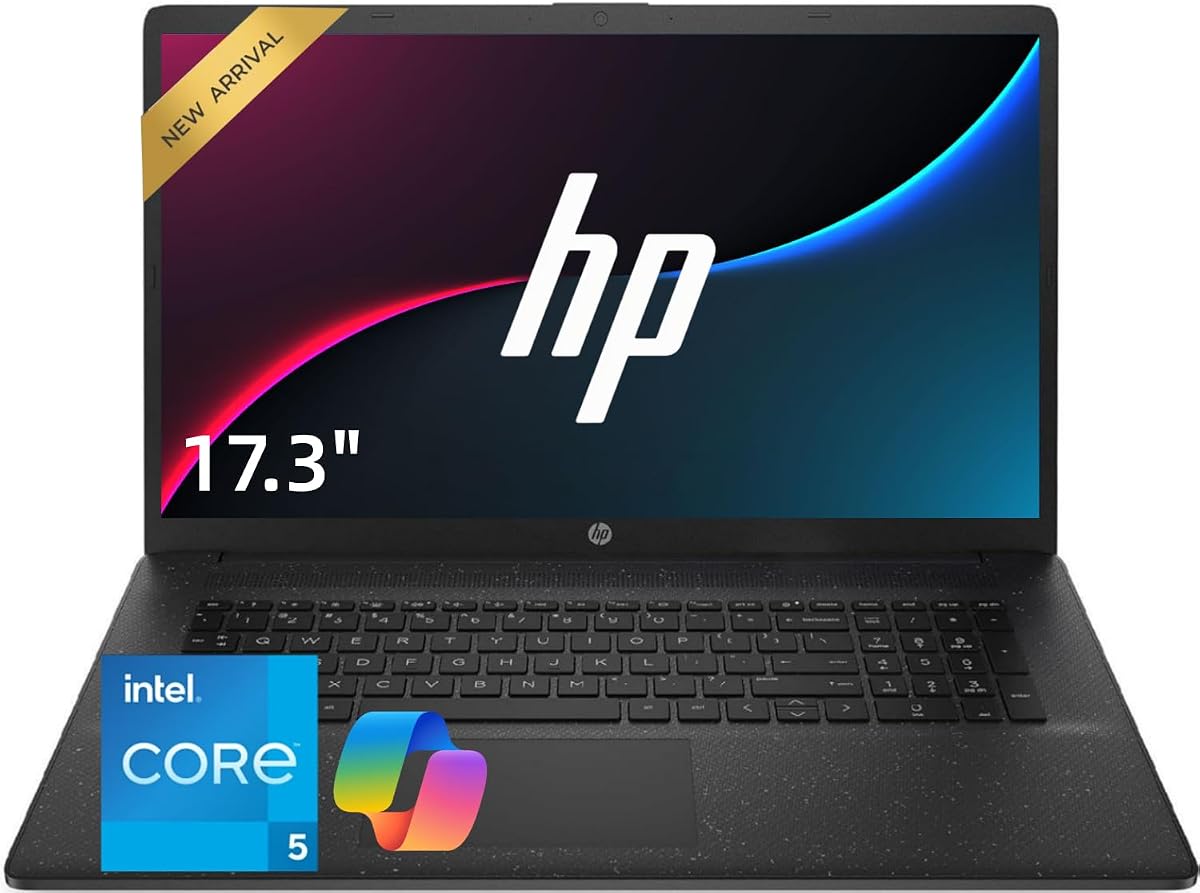
The HP 17.3-inch Core 5 Laptop is designed around spreadsheets, accounting, data entry, and general office productivity. Its defining combination is a large 17.3-inch display, a full-size keyboard with a dedicated numeric keypad, 32GB of memory, and a 1TB solid-state drive. No numerical customer rating was supplied for this configuration.
We may earn a commission when you buy through this link, at no additional cost to you.
The Intel Core 5 120U processor provides ten cores for everyday multitasking, browser-heavy work, video meetings, and office applications. The 32GB memory configuration is especially generous, allowing users to retain numerous spreadsheets, browser sessions, and business applications without relying on an external accessory.
The large display creates enough room for side-by-side document work and keeps numeric entries visible while reference material remains open. That makes it attractive for accountants, bookkeepers, administrators, and analysts who spend long periods at a desk. The trade-off is portability: no weight or thickness is provided, and a 17.3-inch chassis is naturally larger than a conventional 15.6-inch notebook.
For desktop-oriented productivity, this is one of the strongest choices in the group. It may be less appealing to commuters or students who require a compact system, but it provides the screen area, keypad, memory, and connectivity expected from a dedicated productivity machine.
The full-size keyboard includes a numeric keypad specifically positioned for Excel, accounting, bookkeeping, and repetitive data entry. It reduces the need to reach for arrow-key number blocks when entering long numeric values.
A 17.3-inch screen gives spreadsheets, reports, and reference documents more room than a typical compact laptop. Users can keep a workbook visible while checking email, documentation, or browser-based systems.
We may earn a commission when you buy through this link, at no additional cost to you.
The Lenovo 16-inch Numeric Laptop balances a large display and full-size numeric keypad with a relatively portable 3.70-pound weight. Its Intel Core i5-13420H processor, 24GB of DDR5 memory, and 1TB PCIe solid-state drive form a capable platform for business applications, remote work, education, and document-heavy workflows.
We may earn a commission when you buy through this link, at no additional cost to you.
The WUXGA 1920-by-1200 IPS anti-glare display provides 11% more vertical space than a standard 1920-by-1080 panel, which is useful for spreadsheets and long documents. At 300 nits, it also offers a brighter specification than several 15.6-inch alternatives in this guide. The 720p webcam includes a physical privacy shutter for added control during meetings and classes.
Connectivity is comprehensive for a productivity notebook. Two USB-A ports, a USB-C port with Power Delivery and DisplayPort, HDMI 1.4, an SD card reader, and a headphone jack cover most accessories. Wi-Fi 6 and Bluetooth 5.2 support wireless use, while the eight-core, 12-thread Core i5 processor reaches a listed 4.6 GHz boost clock.
This is an excellent recommendation for mobile professionals, students, accountants, and remote workers who want a full numeric keypad without moving to a bulky 17.3-inch laptop. It is less suitable for serious gaming, since the product is centered on productivity rather than high-performance graphics.
The 16-inch format provides a larger work area while remaining lighter than many large-screen business laptops. Its taller WUXGA resolution is particularly useful for viewing spreadsheet rows and long documents with less scrolling.
A physical webcam shutter gives users a clear way to prevent camera capture. The USB-C DisplayPort output, HDMI, card reader, and multiple USB-A ports simplify connections to displays, storage media, and office accessories.
We may earn a commission when you buy through this link, at no additional cost to you.
This HP 17.3-inch configuration emphasizes productivity, privacy, and upgrade-friendly specifications. It pairs a ten-core Intel Core 5 120U processor with 32GB of DDR4 memory and a 1TB PCIe NVMe solid-state drive, while the numeric keypad keeps numerical workflows close at hand.
We may earn a commission when you buy through this link, at no additional cost to you.
The privacy-shutter camera is a practical distinguishing feature for remote professionals, students, and anyone who does not want the camera active during sensitive meetings. The large display provides room for reports, spreadsheets, browser content, and side-by-side multitasking, while the ten-core processor is designed to handle office software, cloud platforms, calls, and multiple active tasks.
Its port selection includes USB-C, USB-A, HDMI, an AC smart-pin connector, and a headset jack, with Wi-Fi 6 and Bluetooth 5.4 for wireless connectivity. No customer rating is provided for this listing, so the specifications—not a numerical score—should guide the evaluation. As with other 17.3-inch systems, it is best suited to desk-based use rather than minimal carry weight.
This HP is a strong option for finance users, administrators, analysts, and remote employees who want a large workspace with ample memory. Choose it when privacy controls, storage speed, and multitasking capacity matter more than ultralight portability.
The sliding camera shutter offers a simple hardware-based way to block the lens. It is easy to explain and can give video-call users greater confidence in private or sensitive settings.
A 1TB NVMe drive supports quick startup and file access, while 32GB of RAM gives demanding office applications room to coexist. Together, they form a durable foundation for large files and extensive multitasking.
We may earn a commission when you buy through this link, at no additional cost to you.
The HP 17-inch Ryzen 5 Laptop offers a large 17.3-inch Full HD anti-glare display, a dedicated 10-key number pad, and a 4.5 rating. It is aimed at users who want a roomy screen for work and entertainment without moving to a premium workstation configuration.
We may earn a commission when you buy through this link, at no additional cost to you.
Its AMD Ryzen 5 processor, 16GB of memory, and 512GB solid-state drive form a balanced platform for browsing, document editing, online learning, office applications, and daily communication. The Wide Vision 720p camera and digital microphones support video calls, while the anti-glare display can make extended indoor use more comfortable.
Windows 11 and Office 365 for the Web add practical productivity tools, including document, presentation, and spreadsheet creation in a browser-based environment. Built-in Copilot features can assist with organizing tasks, summarizing information, and creating content. HP Fast Charge and advertised long battery life are also appealing for students and mobile professionals.
The listing describes the Ryzen 5 as the latest generation but does not provide its exact model, core count, or clock speeds, which limits processor-level comparison. Nevertheless, this is a compelling option for anyone prioritizing a large display, numeric keypad, and familiar HP design at a mainstream business-laptop level.
The 17.3-inch Full HD panel provides a generous canvas for spreadsheets, browser windows, presentations, and video. An anti-glare finish is advantageous during long indoor sessions and reduces distracting reflections.
Sixteen gigabytes of memory and a 512GB drive cover standard office needs, while Office 365 for the Web and Copilot provide immediate access to common creation and organization tools. Fast charging is convenient between classes or meetings.
We may earn a commission when you buy through this link, at no additional cost to you.
The 15.6-inch Numpad Laptop is the budget-focused option in this guide, with a 4.5 rating and a configuration aimed at basic productivity, online learning, document work, and entertainment. Its defining advantages are the dedicated numeric keypad, low weight, Full HD screen, and unusually large 10000mAh battery.
We may earn a commission when you buy through this link, at no additional cost to you.
An AMD processor with a listed clock speed up to 3.2 GHz, 8GB of RAM, and a 256GB solid-state drive can handle everyday browsing, office documents, school assignments, video calls, and media playback. Storage can be expanded to 1TB, making it easier to add room for course materials, documents, photos, and software as needs evolve.
The laptop weighs 3.3 pounds and uses a slim design, making it easier to carry than the larger models here. Its 95% screen-to-body ratio helps maximize the 1920-by-1080 display, while USB 3.0, USB-C, an audio jack, and a TF card slot provide basic peripheral support. The main technical compromises are 8GB of memory and Wi-Fi 5 with Bluetooth 4.2.
This is a sensible pick for students, first-time buyers, travel-oriented workers, and anyone who primarily needs a dependable numeric keypad without a high-end processor. Those who expect heavy multitasking or professional creative work should consider a model with more memory and newer wireless standards.
Eight gigabytes of memory and a 256GB drive cover essential school and office tasks, while expandable storage provides an upgrade path. The dedicated keypad adds genuine utility for forms, invoices, and basic numerical records.
The 10000mAh battery is a notable feature for students and commuters, while the 3.3-pound weight keeps the laptop practical to carry. These qualities make the configuration especially useful for long periods away from a wall outlet.
We may earn a commission when you buy through this link, at no additional cost to you.
The Laptop S7HI is a straightforward 15-inch portable computer for browsing, study, writing, streaming, and lighter office tasks. Its 4.4 rating indicates positive customer reception, while the compact 3.6-pound body and preinstalled Windows 11 make it approachable for everyday users.
We may earn a commission when you buy through this link, at no additional cost to you.
Inside, an Intel 5205U processor with a 1.9 GHz base frequency, 6GB of memory, and 128GB of internal storage form a basic configuration. The storage can be supplemented through a dedicated 512GB expansion slot, which is helpful when the included drive becomes insufficient for larger files or applications.
The product information is not entirely consistent about the display resolution, so buyers should verify whether the shipped panel is the advertised FHD version or the separately described HD IPS panel. Connectivity is a positive point: Type-C, HDMI, a card reader, dual-band Wi-Fi, and Bluetooth 4.2 cover many routine needs.
The laptop is best for students, casual users, and anyone who wants a light, inexpensive general-purpose machine for typing, research, and media. Heavy multitasking, professional spreadsheets, and demanding applications would be better served by a model offering more memory, a faster processor, and a clearly specified numpad layout.
The 15-inch chassis and 3.6-pound weight make the system easy to carry between classes, home, or a shared workspace. Windows 11 is preinstalled, reducing the setup required for immediate basic use.
A separate 512GB expansion option gives users a straightforward path beyond the 128GB internal drive. The SD card reader is also useful for transferring files from cameras and portable devices.
We may earn a commission when you buy through this link, at no additional cost to you.
The HP 15.6 FHD Flagship Laptop pairs an Intel Core i3-1215U processor with an unusually large 32GB memory configuration and 1TB NVMe solid-state drive. Its 4.7 rating is the second-highest among the products listed, and the combination of memory, storage, and a numeric keypad makes it appealing for business users.
We may earn a commission when you buy through this link, at no additional cost to you.
The supplied title compares this Core i3-1215U with an older Core i5-1155G7, but such title claims should not substitute for independent performance analysis. The processor is listed with four cores and a maximum clock of 4.4 GHz. With 32GB of RAM, it can support numerous applications, browser tabs, and document-heavy workflows more comfortably than an 8GB or 16GB configuration.
Fast charging, Bluetooth, Wi-Fi, HDMI, Windows 11, and an included GM accessory round out the listed features. The 15.6-inch Full HD display and numeric keypad offer a balanced combination of screen area and numerical input. Because the product data provides only minimal descriptive information beyond the title, less is known about display quality, weight, battery size, and the full port selection.
This laptop is recommended for users who prioritize generous memory, fast storage, and a dedicated keypad in a familiar 15.6-inch business format. It is especially relevant for Excel-heavy work, office applications, and multitasked remote work, provided buyers confirm the remaining physical specifications before ordering.
Thirty-two gigabytes of RAM gives the laptop considerable capacity for browser-heavy work, large spreadsheets, and multiple office applications. It is a particularly useful configuration for users who expect the machine to serve as a long-term productivity system.
The 1TB NVMe drive supports fast startup and file access, while Fast Charge helps reduce downtime between work sessions. The numeric keypad adds a dedicated input method for numerical documents without requiring a separate accessory.
We may earn a commission when you buy through this link, at no additional cost to you.
A useful numpad laptop balances numeric input with processor power, memory, display quality, portability, and connectivity. The right choice depends on how often you enter numbers and whether you work mainly at a desk, at home, or while traveling.
Choose a clearly labeled full-size numeric keypad if data entry is frequent, but confirm the keyboard layout before buying.
Match processor capability to your workload and favor more cores and threads when several demanding applications run at once.
Choose 16GB for typical productivity, 24GB or more for heavy multitasking, and treat lower amounts as basic-use configurations.
Prefer at least 512GB for general use, 1TB for demanding workloads, and confirm the expansion path when choosing a smaller drive.
Choose 15.6 inches for portability and 17.3 inches for desk productivity, then check brightness and color specifications.
For frequent travel, favor a lighter 15.6-inch design and verify battery details; for desk work, a larger screen is usually worthwhile.
Match USB, display, network, and card-reader ports to your accessories, and consider a webcam shutter for frequent video calls.
Choose Windows 11 Pro for managed business use, and review the warranty terms for upgraded components.
Begin by configuring your accounts, display resolution, keyboard shortcuts, and backup solution before moving large files onto the laptop. For number-heavy work, use the dedicated keypad for entries in spreadsheets and accounting software, but keep the top-row symbols and application shortcuts familiar. If the numeric keypad lacks dedicated navigation keys, Windows can often provide an equivalent function through an embedded number pad.
Protect the keyboard and display by keeping liquids away, closing the lid before moving the machine, and avoiding pressure on the screen. Use a stable surface for intensive typing, clean the palm rest and keys with a soft microfiber cloth, and avoid abrasive cleaners. Periodically check that vents are not blocked, particularly if the laptop regularly operates under heavy workloads or on soft bedding.
Maintain the system with regular operating-system updates, available storage space, and backups to an external drive or cloud service. For long-term use, check that critical applications support Windows 11, review which accounts and files are synchronizing, and periodically update the browser and productivity software. If the machine contains upgraded memory or storage, retain the relevant coverage information and confirm whether warranty protection still applies.
A numeric keypad provides dedicated keys for entering numbers, which can speed up spreadsheet work, accounting, bookkeeping, data entry, and other number-heavy tasks. It may also provide navigation shortcuts on some layouts. Whether it improves productivity enough to justify the larger chassis depends on how frequently you enter numerical information.
Many 15.6-inch numpad laptops remain reasonably portable because manufacturers use compact key layouts. Models in this guide weigh approximately 3.3 to 3.6 pounds, though the exact configuration and accessories can affect total carry weight. Compare dimensions, weight, and battery life rather than relying on screen size alone.
For typical spreadsheets, reports, email, browser access, and office applications, 16GB is generally a comfortable amount of memory. Very large workbooks, numerous browser tabs, multiple virtual meetings, and other demanding software can benefit from 24GB, 32GB, or 40GB. Storage size and processor capability should also be considered alongside memory.
A 17.3-inch model is attractive when your work involves large spreadsheets, long documents, accounting software, or keeping multiple windows open. The larger chassis may offer a more spacious numeric keypad and screen, but it is generally less convenient to carry. It works best for users who spend most of the day at a desk or in a fixed office.
Look for at least one USB-C port, multiple USB-A ports, HDMI, and a headset connection. Wi-Fi 6 is useful for modern wireless networks, while an RJ45 Ethernet port can be useful in offices with reliable wired networks. An SD card reader adds convenient file-transfer options for photographers and media workers.
Windows 11 Pro is not essential for ordinary home browsing, schoolwork, streaming, and document editing. It becomes more relevant when you need remote-desktop access, centralized management, single sign-on, or enterprise security features. Office or student users should choose the operating system and software bundle that best matches their existing account setup.
A 256GB drive can be sufficient for light use, but 512GB is a more practical baseline for students and professionals who install many applications or keep files locally. A 1TB drive is preferable for large work collections, extensive media, or long-term use. Models with an expansion slot may also allow additional storage to be added.
A keypad can make Excel and similar software faster and more comfortable to use because numbers are entered with dedicated keys rather than a shared number row. It is especially helpful for long financial models, invoices, inventories, and statistical data. Users who perform extensive formula work should also confirm the keypad layout includes convenient navigation keys.
The HP 255 G10 with Ryzen 3 is the strongest all-around recommendation for buyers who value portability, a Full HD anti-glare display, 16GB of memory, and strong customer ratings. The Lenovo V15 is the premium option for heavier multitasking, offering 40GB of memory, a Ryzen 7 processor, 1TB NVMe storage, and business-friendly wired networking.
For a lower-cost dedicated numpad, the 15.6-inch budget model combines a full HD display, expandable storage, and a large 10000mAh battery. Buyers with demanding spreadsheets should consider the 17.3-inch Core 5 configurations, while mobile professionals may prefer the 16-inch Lenovo with its taller WUXGA screen, 24GB of DDR5 memory, privacy shutter, and portable 3.70-pound weight.
Ultimately, prioritize the numeric layout first, followed by processor, memory, storage, screen, and portability according to your daily workload. Confirm that every specification matches the exact listing and check current prices and availability before purchasing, since configurations and promotional terms can change over time.