
BENFEI VGA to HDMI Cable with Audio
4.5Editor score
Integrated USB audio cable
Six-foot cable length
Full HD video support
Discover the best Svga to HDMI Adapters and Cables with expert comparisons of signal direction, audio support, resolution, durability, and device compatibility
Connecting older computers or displays to newer HDMI equipment is easier when you choose the right adapter direction. A useful SVGA to HDMI guide must clarify signal flow, audio requirements, connector layout, supported resolution, and whether extra cables or power are needed.
We compared ten adapters and cables based on their stated specifications, construction, compatibility, directional support, and practical setup requirements. The list covers both VGA-to-HDMI and HDMI-to-VGA options, including male-to-male cables, male-to-female adapters, multi-packs, and audio-capable converters.
Each pick highlights a distinct reason to consider it, from compact HDMI-to-VGA adapters to active VGA-to-HDMI solutions with audio support. Ratings reflect the supplied marketplace feedback, while specifications and limitations are based on the listed product information; prices and availability can change.
4.5Editor score
4.6Editor score

4.5Editor score
The comparison covers converter direction, connector configuration, audio capability, maximum stated resolution, power requirements, and physical design. These details determine which product can actually connect a given source and display without an unexpected extra cable or configuration change.




The BENFEI HDMI to VGA 6 Feet Cable is a straightforward converter cable for connecting an HDMI-equipped source directly to a VGA display. It carries a 4.4 rating and stands out for combining signal conversion with a six-foot cable in one male-to-male assembly. That arrangement can simplify a workstation, presentation room, or travel kit because there is no separate adapter block to carry.
We may earn a commission when you buy through this link, at no additional cost to you.
Its strongest feature is the combination of plug-and-play conversion and practical cable length. The listed specifications support resolutions up to 1920×1080 at 60Hz, along with 720p, 1600×1200, and 1280×1024. Gold-plated HDMI contacts are intended to resist corrosion and abrasion, while molded strain relief supports durability during repeated handling. The product is listed as compatible with computers, desktops, laptops, PCs, monitors, projectors, HDTVs, Roku devices, and Xbox systems.
There are important limits to consider. This is explicitly a unidirectional HDMI-to-VGA cable, so it will not convert VGA from a source into HDMI for a modern display. The product information also does not state that it carries audio, which means users should not expect sound from an HDMI source through this cable. A direct cable works best when the display is reached directly and the existing VGA cable would be inconvenient to reuse.
It is a sensible choice for users who want one simple cable rather than a dongle and separate lead. Buy it when the source has HDMI, the destination has VGA, and video is the priority. It is less suitable for older PCs that need to send VGA to an HDMI television, or for setups where audio and power must travel together.
Because the HDMI converter and six-foot lead are combined, this option reduces the number of pieces that must be connected. It is particularly convenient for presentations where a laptop needs to reach a VGA projector without relying on a loose adapter.
Full HD at 60Hz provides a useful ceiling for office displays and projectors, while gold-plated contacts and molded strain relief address common durability concerns. Those features do not add audio support or reverse the conversion direction.
We may earn a commission when you buy through this link, at no additional cost to you.
The HDMI to VGA Adapter Cable 6FT is a reinforced male-to-male cable for HDMI sources and VGA displays. It has a 4.5 rating and distinguishes itself through its metal connector cases, nylon braid, and built-in conversion chip. The product is designed to deliver up to 1920×1080 at 60Hz without requiring software, drivers, or an external power supply.
We may earn a commission when you buy through this link, at no additional cost to you.
Construction is a major selling point. The aluminum alloy housing is intended to protect the plug better than a typical PVC shell, while the braided nylon mesh is designed to resist abrasion in bags, under desks, and around frequently moved equipment. Gold-plated contacts are listed for corrosion resistance, and the manufacturer reports the connectors were subjected to more than 15,000 insertion-and-extraction tests. It supports common computer, laptop, Chromebook, Raspberry Pi, and gaming-device categories.
The primary trade-off is that this is video-only. Its specifications explicitly state that the cable has no audio transmission, so it is best used for presentations, extended desktops, or display arrangements where sound comes from the computer's own speakers or another connection. It is also unidirectional and cannot carry VGA-to-HDMI signals. Several low-power HDMI devices, including specified Mac configurations, PS5/S models, and Apple TV, are listed as incompatible.
This cable is a good match for people who move between HDMI laptops and VGA displays and want a more robust alternative to a basic adapter. Choose it when durability, easy setup, and Full HD video matter more than integrated audio. Users with a complex device array should check the compatibility notes before ordering.
The combination of a braided cable and metal housing targets the wear points that commonly fail on portable adapters. It is a useful upgrade when the connection will be unplugged often or carried between meeting rooms.
An integrated chip handles digital-to-analog conversion, while the absence of drivers or a power lead keeps the connection simple. Full HD at 60Hz is appropriate for most office monitors and projectors.
We may earn a commission when you buy through this link, at no additional cost to you.
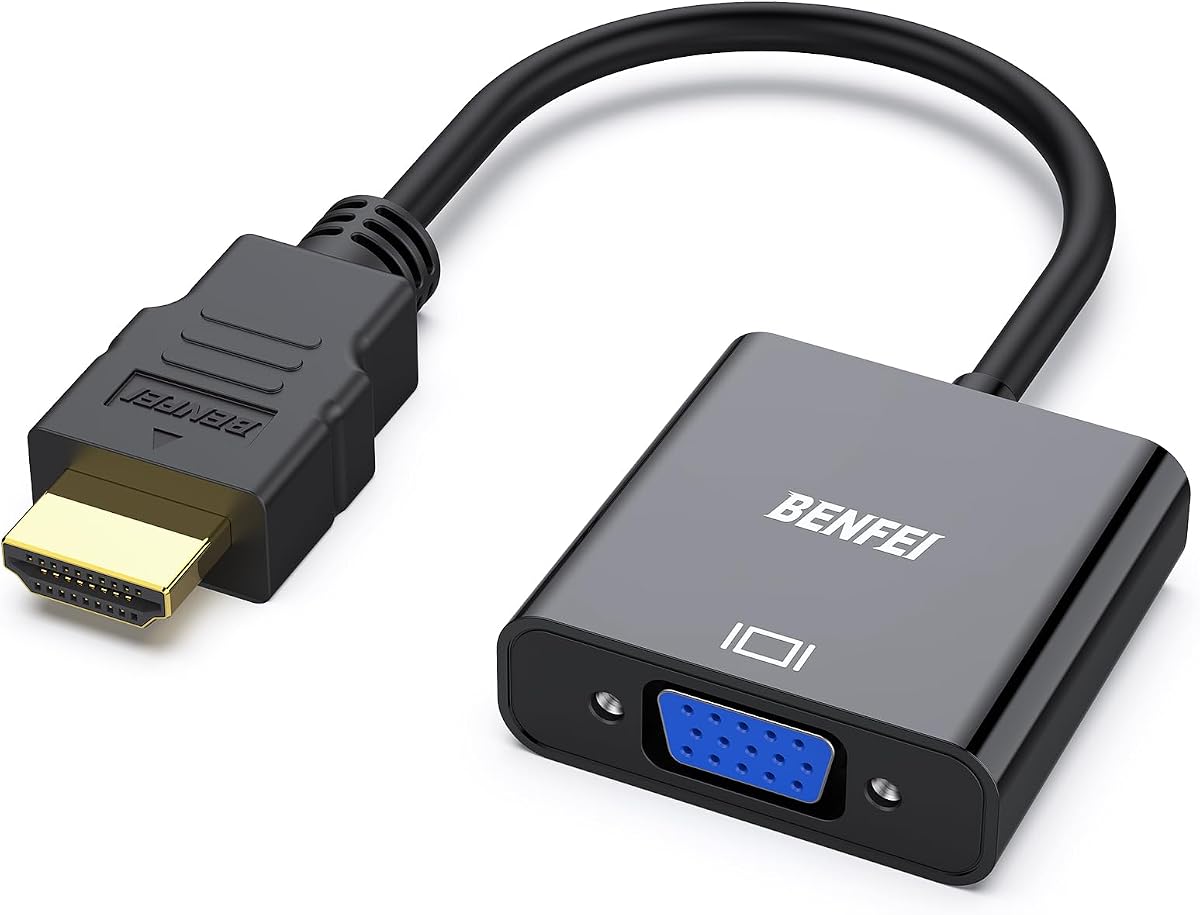
The BENFEI HDMI to VGA Gold-Plated Adapter is a compact male-to-female converter for HDMI source devices and VGA displays. It has a 4.6 rating, one of the strongest ratings in this group, and offers a simple alternative to a fixed-length conversion cable. The adapter is small enough for a pocket or laptop bag, making it useful for presentations and temporary extended-desktop setups.
We may earn a commission when you buy through this link, at no additional cost to you.
Its built-in conversion chip converts HDMI digital signals to VGA analog signals, supporting up to 1920×1080 at 60Hz as well as 720p, 1600×1200, and 1280×1024. The product listing includes a broad source list covering computers, laptops, Chromebooks, Raspberry Pi systems, Intel NUC devices, Roku devices, and several game consoles. Gold-plated contacts and molded strain relief are intended to improve long-term handling reliability.
The adapter requires a VGA cable, which may already be available with the target monitor but is not included according to the product information. It also cannot work in reverse, and several low-power HDMI devices are expressly excluded. Because the VGA connector is female, the setup may look bulky if the adapter sits behind a display with a permanently installed male-ended VGA lead.
This is the most balanced general recommendation in the list for an HDMI-to-VGA connection. It suits users who already own a suitable VGA lead or need a reusable adapter across several displays. Choose it for its compact format, broad source compatibility, and strong stated rating, while confirming that the display and source meet the listed requirements.
The compact body makes this adapter easy to keep with a laptop instead of leaving it attached to a particular monitor. It can be paired with the VGA cable already supplied with a display, creating a flexible connection for offices, labs, and meeting rooms.
The internal chipset handles the digital-to-analog conversion without requiring a separate power supply. Its stated resolution range is sufficient for Full HD displays and many common projector modes, subject to the source and display capabilities.
We may earn a commission when you buy through this link, at no additional cost to you.
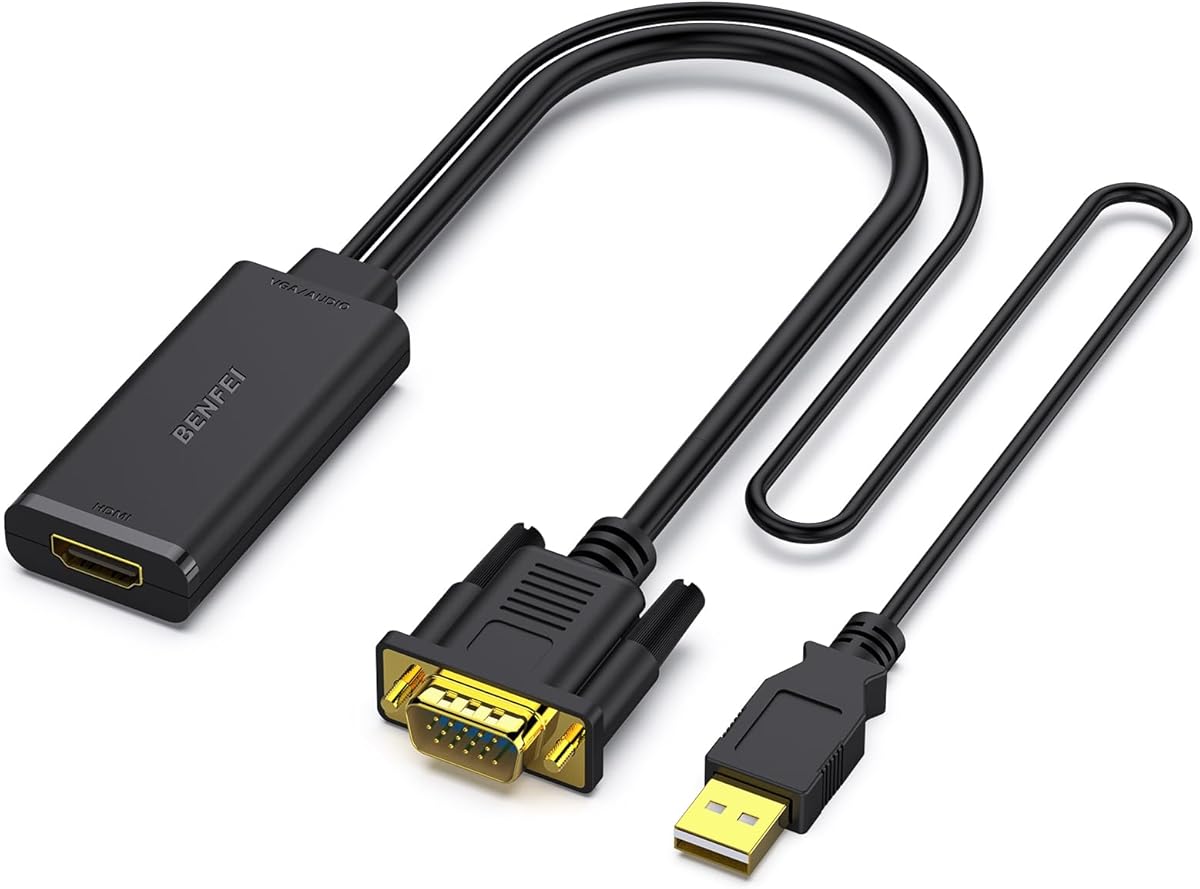
The BENFEI VGA to HDMI Cable with Audio is designed for the less common but essential direction of connecting a VGA source to an HDMI display. It has a 4.5 rating and includes an integrated USB audio lead, allowing video and computer audio to reach the connected screen. The six-foot format offers more reach than a short dongle without requiring a separate HDMI cable.
We may earn a commission when you buy through this link, at no additional cost to you.
The product listing states that it can connect a computer, desktop, laptop, or another VGA-equipped source to an HDMI monitor or projector. The USB cable must be plugged into the computer to carry digital audio alongside the video. Windows users can configure USB audio through the Sound menu, while the main connection handles the VGA-to-HDMI video path. Supported video modes include 1920×1080 at 60Hz, 720p, 1600×1200, and 1280×1024.
The need for a free USB port is the main compromise. Users with limited USB connectivity may need to choose a different audio path, and the product remains strictly unidirectional. It will not connect an HDMI source to a VGA display, which is easy to overlook because many listings use the two interface names together. Gold-plated connectors and molded strain relief add practical construction benefits.
It is the strongest choice in this roundup for a legacy VGA computer that must drive a modern HDMI television or monitor and needs sound. Buy it when the source has VGA, the destination has HDMI, and a USB port is available for audio. It is not appropriate for an HDMI-to-VGA project.
The integrated USB audio path solves a common weakness of basic VGA-to-HDMI adapters. Instead of accepting that the display will remain silent, this model carries computer audio over HDMI alongside the converted image.
This converter is well suited to older desktops and laptops that need to use a contemporary television or monitor. Its six-foot lead reduces the need for an additional HDMI connection in many installations.
We may earn a commission when you buy through this link, at no additional cost to you.
The Moread HDMI to VGA Adapter is a single male-to-female adapter for HDMI computers and VGA screens. Its 4.6 rating ties for the highest among the listed products, while the included five-year warranty gives it a notable support advantage. The compact form is suitable for a travel kit, spare-parts drawer, or a workstation where an adapter is preferable to a long conversion cable.
We may earn a commission when you buy through this link, at no additional cost to you.
Signal conversion is handled by an advanced chipset, and the listed maximum resolution is 1920×1080 at 60Hz. Common lower and legacy computer resolutions are also supported. The HDMI male plug connects directly to the source, while the female VGA end accepts the display's male-ended VGA cable. Gold-plated contacts and molded strain relief are included to support stable transmission and repeated handling.
Compatibility deserves careful attention because the product information specifically excludes Roku devices, Blu-ray players, and low-power HDMI sources such as specified PS4, MacBook Pro Retina, Mac mini, and Apple TV configurations. The VGA lead is sold separately, and the converter cannot reverse the signal to carry VGA from a source into an HDMI display. Those constraints are reasonable for a simple directional adapter but may rule it out for certain media devices.
This is a strong alternative for buyers who prioritize warranty coverage and a compact single adapter over a bundled cable. It is most suitable for a desktop or laptop with a conventional HDMI output and a monitor with an accessible VGA socket. Confirm the source is compatible, obtain a VGA cable if needed, and then expect a straightforward Full HD presentation or extended-desktop connection.
The five-year warranty is the standout feature in this listing. It can make the adapter more appealing for permanent workstation use, shared offices, and environments where a small converter may be moved frequently.
The male-to-female format works naturally with the VGA cable attached to many monitors and projectors. Users who prefer the converter to remain close to the source can keep the display lead flexible and replaceable.
We may earn a commission when you buy through this link, at no additional cost to you.
The BENFEI VGA to HDMI Audio Adapter is a compact converter for using a VGA-equipped computer with an HDMI television or monitor. It carries a 4.5 rating and includes an integrated USB lead for digital audio, giving it more functionality than a basic video-only adapter. The compact form makes it easy to carry for presentations involving older equipment.
We may earn a commission when you buy through this link, at no additional cost to you.
The internal chipset converts VGA analog video to HDMI digital video. The product is intended for computers, desktops, laptops, and other devices with a VGA output paired with a display featuring HDMI input. USB audio can be routed through the adapter and selected in the Windows Sound menu. Setup is described as plug-and-play, and the product listing pairs it with an 18-month warranty.
A separate HDMI cable is required, so the package does not create a completely self-contained run to the display. The USB lead must also reach the source, which can limit placement near a wall-mounted television or in a crowded cable area. As with the other VGA-to-HDMI products here, it is strictly unidirectional and cannot be reversed.
This adapter is best for a legacy desktop or laptop that needs to drive a modern display and should include sound. It suits users who value a compact central converter over a six-foot integrated cable. Make sure an HDMI cable of the needed length is available, retain access to a USB port, and confirm that the computer's operating system can select the adapter as its audio output.
The adapter gives a VGA-only computer a path to a modern HDMI television while preserving basic video quality. It is a practical bridge for legacy equipment that is otherwise difficult to pair with current displays.
Connecting the USB lead is essential to receiving sound, and the correct USB audio output must be selected in Windows. Users who only need video may still find the arrangement unnecessarily elaborate.
We may earn a commission when you buy through this link, at no additional cost to you.
The BENFEI HDMI to VGA 2 Pack is a two-adapter set for users who need to connect more than one HDMI source or display. It has a 4.6 rating and shares the compact male-to-female format of the single-adapter BENFEI option. Keeping a pair in a laptop bag, studio, or conference room can prevent a missing converter from interrupting a setup.
We may earn a commission when you buy through this link, at no additional cost to you.
Each adapter contains a chip for converting HDMI digital signals into VGA analog signals. The listed maximum output is 1920×1080 at 60Hz, with support for 720p, 1600×1200, and 1280×1024. Gold-plated contacts and molded strain relief are specified for resistance to corrosion, abrasion, and repeated handling. The source compatibility list includes computers, laptops, Chromebooks, Raspberry Pi systems, Roku devices, and multiple gaming consoles.
The two-pack does not include VGA display cables, and each converter requires one. The product is also explicitly unidirectional, so it cannot be used to send VGA from a source to an HDMI display. Low-power devices and some named Apple and Sony configurations are excluded. The added portability is useful, but buyers with only one occasional connection may find that a single adapter meets the need.
The set is ideal for administrators who support several meeting spaces, home users with two legacy monitors, or travelers who want a backup. Choose it when the convenience of having two matching converters outweighs carrying an unused spare. For a permanent dual-monitor desk, the user will still need suitable VGA leads for each display.
Two compact converters make it easy to maintain one primary connection and one backup. This is especially useful for presenters, repair technicians, and office teams that move between displays with VGA inputs.
Each unit offers the same Full HD-oriented conversion, gold-plated contacts, and strain relief. Both remain limited to HDMI-to-VGA video and still require a separate VGA cable at the display end.
We may earn a commission when you buy through this link, at no additional cost to you.
The PANPEO HDMI to VGA Cable 6ft Gold is a straightforward six-foot cable for connecting HDMI source devices to VGA monitors, televisions, and projectors. It has a 4.2 rating, placing it behind the more highly rated products, but its focus is uncomplicated conversion with gold-plated contacts and no separate power supply. It is designed for users who value a simple fixed-length solution.
We may earn a commission when you buy through this link, at no additional cost to you.
The cable converts digital HDMI signals to analog VGA signals and is marketed for laptops, gaming consoles, streaming devices, desktop monitors, projectors, and televisions. Its stated 1.8-meter length provides enough reach for common office and living-room arrangements. Gold-plated connectors are intended to resist oxidation and minimize interference, while the plug-and-play design requires neither drivers nor an external power lead.
The product information includes an important caveat that some MacBooks and Nintendo Switch docks may require proper adapters. It also does not advertise audio, and the fixed cable can be less convenient than a compact adapter when a display is close to the source or the source is positioned behind furniture. The six-foot lead is useful, although not adjustable.
This cable is most appropriate for a straightforward HDMI-computer-to-VGA-display arrangement where both devices are within reach of a six-foot lead. It is worth considering when simplicity and gold-plated contacts are priorities, although the 4.2 rating and limited compatibility guidance warrant checking the source device first. It cannot perform VGA-to-HDMI conversion.
The cable requires no drivers, power supply, or configuration utility, making it approachable for basic office and home use. Connect the HDMI end to the source and the VGA end to the display to begin using the connection.
Six feet is useful for a typical desk or media cabinet, but it cannot be shortened. Users needing greater reach or a more compact arrangement may prefer a separate adapter and interchangeable cable.
We may earn a commission when you buy through this link, at no additional cost to you.
The VENTION VGA to HDMI Adapter 0.5FT is an active converter for sending VGA video to an HDMI display. It has a 4.3 rating and stands out from the simpler adapters through a dedicated Micro-USB power connection and a 3.5mm audio output. The included power and auxiliary cables create a more versatile bridge for legacy computer setups.
We may earn a commission when you buy through this link, at no additional cost to you.
The adapter uses an AG02/MS9288C digital signal conversion chip and supports resolutions up to 1920×1080 at 60Hz. The product information says this active chipset helps reduce flickering and black screens during compatible signal transmission. The Micro-USB port must be connected to power the converter, and the 0.8mm AUX lead carries analog audio from a compatible source to the display's audio input.
The required power connection is a meaningful trade-off, although it may be helpful for VGA devices that cannot reliably power an active converter. The product description also notes that its three-year warranty and 24-hour service provide added reassurance. The adapter remains strictly one-way: VGA connects to the source, while HDMI connects to the monitor, television, or projector.
This is a versatile option for users whose older computer has VGA but whose display has HDMI, especially when a separate analog audio path is also needed. It is less attractive for simple video-only tasks because the power lead adds another item to manage. Confirm that the source has a usable audio output and that the destination accepts the supplied 3.5mm connection.
The named conversion chipset is designed to maintain stable output and reduce common display interruptions. Active conversion is particularly relevant when a VGA source cannot provide enough power for a passive adapter.
The included AUX cable provides a dedicated route for compatible 3.5mm source audio. This is different from the USB-audio approaches used by several other VGA-to-HDMI products in the list.
We may earn a commission when you buy through this link, at no additional cost to you.
The BENFEI HDMI to VGA 3 Feet Cable is a compact conversion cable for HDMI source devices and nearby VGA displays. It has a 4.4 rating and offers the same basic all-in-one approach as the six-foot BENFEI cable, but with a shorter three-foot lead. That makes it convenient for closely placed desktop monitors and compact travel kits.
We may earn a commission when you buy through this link, at no additional cost to you.
The built-in chipset converts HDMI digital signals to VGA analog signals, with stated support for 1920×1080 at 60Hz, 720p, 1600×1200, and 1280×1024. Gold-plated contacts and molded strain relief are designed to withstand routine abrasion and connector movement. The listed source compatibility includes computers, laptops, Chromebooks, Raspberry Pi systems, Roku devices, game consoles, set-top boxes, and Intel NUC devices.
The main limitation is reach. Three feet may be too short when the source sits on a desk and the projector or television is on a stand, wall, or entertainment unit. Like other direct HDMI-to-VGA cables in the roundup, it does not add audio and cannot be reversed. The product listing also excludes Blu-ray players and several low-power HDMI source configurations.
Choose this cable for a compact, close-range setup where a short, self-contained connection is preferable to a dongle and separate leads. It is also useful as a frequently accessible backup in a laptop bag. Users with a more demanding layout should consider a longer cable or a compact adapter that can work with different cable lengths.
The three-foot length coils easily and adds little bulk to a laptop case. It is a practical choice when the source and display remain close together or when a full-size cable would be inconvenient.
The cable delivers video conversion up to Full HD at 60Hz but does not add audio. Users should plan to use separate speakers or another audio connection if the display is expected to provide sound.
We may earn a commission when you buy through this link, at no additional cost to you.
The most important decisions are signal direction, source and display connectors, audio expectations, resolution, and the physical arrangement of the equipment. Reviewing those details before buying prevents the most common errors, including purchasing a converter for the wrong direction or assuming that video-only hardware will carry sound.
SVGA-to-HDMI products do not automatically work in both directions. A VGA-to-HDMI adapter takes analog VGA from a source and converts it for an HDMI display, while an HDMI-to-VGA adapter takes digital HDMI from a computer, laptop, console, or streaming device and converts it for a VGA screen. Every product in this guide is unidirectional, so identify the output on the source and the input on the display before selecting a model. Reversing the intended direction will not produce a usable image.
Male-to-male cables can connect an HDMI male output directly to a VGA male input when the display has a detachable male-ended cable. Male-to-female adapters are often more convenient because they plug into the source and accept the standard male-ended VGA lead found on many monitors and projectors. A fixed cable is tidier for a single setup, but a compact adapter is more adaptable across different displays and cable lengths.
Several adapters in this category carry video only, particularly the direct HDMI-to-VGA cables. VGA-to-HDMI products may use an integrated USB audio lead, a 3.5mm auxiliary cable, or another powered input. Windows users may need to select the appropriate USB audio device from the Sound menu. If the display's speakers matter, verify that the product explicitly includes an audio path and that the source computer has a compatible audio output.
Most of the listed products support up to 1920×1080 at 60Hz, which is appropriate for common Full HD office monitors and projectors. The source device, converter, and display should all support the selected mode, and the computer's display settings may need to be adjusted manually. Higher-resolution or higher-refresh-rate displays may require a more specialized converter. Neither an adapter's stated capability nor a gold-plated connector guarantees that a source with low-power HDMI output will work.
Passive HDMI-to-VGA cables and many compact adapters operate without external power, making them simple to deploy. The VENTION active VGA-to-HDMI converter in this list requires a Micro-USB connection to power its chipset. That extra lead can be useful for unstable or low-output sources, but it also means another port and cable must be available. Think about where the converter will sit and whether that location has a reachable USB port.
A three-foot cable works well for a compact desk but may not reach a projector or wall-mounted screen. Six-foot options offer more flexibility for offices and living rooms, while an adapter paired with a separate cable can adapt to nearly any layout. Portable users should consider the adapter's dimensions, strain relief, and the need to carry a VGA lead. A fixed-length cable is easier to deploy but less versatile after installation.
Gold-plated contacts, molded strain relief, metal housings, and braided jackets can improve resistance to everyday wear. Construction is most valuable for cables that move frequently or live in crowded travel bags. Compatibility details deserve equal attention: some products exclude Blu-ray players, low-power HDMI devices, Apple configurations, gaming systems, or streaming devices. Do not assume that every device with an HDMI label can supply enough power for digital-to-analog conversion.
The practical package may require a separate VGA cable, an HDMI cable, a USB power connection, or an audio lead. Moread offers a five-year warranty, while several BENFEI options list 18-month coverage and VENTION describes 24-hour pre-sales and after-sales support. These support terms can add confidence, but the included accessories and required setup should carry more weight in the final decision because they determine what happens immediately after delivery.
Begin by identifying the source output and the display input. For HDMI-to-VGA, connect the HDMI plug or adapter to the source and use the VGA cable to reach the display. For VGA-to-HDMI, connect the VGA side to the source, the HDMI side or HDMI cable to the display, and attach the required USB power or audio lead. Power on the display first, select its VGA or HDMI input, and then start or wake the computer.
If no picture appears, confirm that the source is sending the expected signal and that the display is on the correct input. For VGA-to-HDMI models with USB audio, open the computer's Sound menu and select the adapter as the output. Users of the 3.5mm-audio VENTION model should connect the included AUX lead to a compatible source and display audio input. Change the computer's display resolution or refresh rate only when the image is unstable or the source is not automatically negotiating the desired mode.
To care for the equipment, disconnect it from the computer and display before bending or repositioning it. Do not wrap a converter tightly around a cable, and avoid pulling on the molded plug or strain relief. Keep the contacts clean and dry, store loose adapters in a small pouch, and inspect the jacket, connector shells, and auxiliary leads for damage. A product that intermittently disconnects or produces unstable video may need a different cable, a fresh display connection, or a separate power lead for an active converter.
No. The adapters in this guide are unidirectional, so an HDMI-to-VGA model cannot send a VGA source to an HDMI display, and a VGA-to-HDMI model cannot send an HDMI source to a VGA display. Always check the labeled source and display ends before purchasing. If a setup may need both directions, separate cables or converters are required.
Not always. Many HDMI-to-VGA cables are video-only because VGA and HDMI audio handling differ by device. Some VGA-to-HDMI products include a USB audio lead, while others provide a 3.5mm audio output or require a separate audio connection. Check the specifications carefully and confirm that your source computer exposes the required audio port.
The adapter may be duplicating the display by default rather than extending it. Open the computer's display settings, select the connected VGA display, and change the mode to Extend or Extend these displays. You can then choose the desired resolution and arrange the virtual screens. A restart of the computer can help the operating system detect the new display configuration.
Most adapters listed here support up to 1920×1080 at 60Hz, but the source computer, converter, and display must all support the chosen mode. Set the resolution to the monitor's native rating when possible. If the image flickers, appears cropped, or is too large, try a lower listed resolution and confirm that the refresh rate is compatible.
An active VGA-to-HDMI converter uses external power because an older VGA source may not provide enough electrical power to operate the conversion chipset reliably. The Micro-USB connection in the VENTION model is therefore part of normal operation. It also requires a separate USB audio lead, which follows a different audio path.
Some devices output HDMI with reduced power and are expressly excluded by the product manufacturers. The listings also identify some Apple, Sony, Nintendo-related, Roku, and Blu-ray configurations that may not work. Check the exact device model against the compatibility notes, and avoid assuming that physical HDMI connector fit guarantees successful signal conversion.
A male-to-male cable is convenient for one fixed arrangement because it combines the converter and lead. A male-to-female adapter is more reusable, especially when you want to choose the VGA cable length or move between several displays. Whichever format you choose, verify whether a VGA or HDMI cable is included; most of the listed adapters require one.
No. The converter translates the signal but does not add detail beyond the source output or display capability. Full HD support means the adapter can pass a 1920×1080 signal, not that it can make a lower-resolution panel appear sharper. The source, adapter, and display must all agree on the selected resolution and refresh rate.
The BENFEI HDMI to VGA Gold-Plated Adapter is the strongest all-around choice for a compact HDMI-to-VGA connection, while the BENFEI VGA to HDMI Cable with Audio is the most complete option for a legacy computer that must drive an HDMI display with sound. The HDMI to VGA Adapter Cable 6FT offers an appealing combination of braided construction, metal housings, and straightforward Full HD conversion.
Prioritize direction before any other feature. Verify the source output, display input, audio needs, required cables, and power arrangement. A compact adapter is best for portability and varied displays, a fixed cable is best for a simple station, and an active powered converter may be necessary for less capable legacy sources. Resolution claims and broad compatibility lists should still be checked against the exact devices involved.
Marketplace ratings and prices can change over time, so review the current listing, recent feedback, and availability before making a final purchase. The linked product pages can also confirm the current package contents and technical details. Taking a few minutes to match the adapter to the actual source and display will help prevent an otherwise simple connection from becoming frustrating.