
IRIScan Book 7
4.0Editor score
Up to 1050 DPI resolution
Color preview display
Editable OCR file formats
Rechargeable battery operation
Discover the best portable handheld document scanners, comparing resolution, portability, OCR, storage, compatibility, and features for work, school, and
Portable handheld document scanners make digitizing papers convenient when a full-size office scanner is impractical. Useful models range from compact scanning wands to feed-driven mobile units, with capabilities for receipts, photographs, records, identity cards, and longer documents.
This guide compares ten options by considering resolution, portability, scanning speed, OCR support, file formats, storage, power requirements, and device compatibility. It covers wand-style scanners for informal documents as well as wireless and automatic document feeders for frequent professional use.
Each review identifies the strongest feature and important trade-offs of its product, helping you match the scanner to your workflow. Product details and customer ratings can change, and current prices vary, so check the latest listing before purchasing.
4.0Editor score

4.3Editor score

3.8Editor score
The comparison below separates scanning wands from compact feeder scanners, highlighting practical differences in resolution, power, OCR, connectivity, media handling, and workflow suitability.



The AOZBZ 900DPI Handheld Scanner is a basic scanning wand rated 3.8 out of 5 stars. It is designed for people who want a lightweight way to capture A4 documents, receipts, photographs, and notes without carrying a conventional sheet-fed scanner. Its standout feature is the choice of 300, 600, and 900 DPI, giving users a practical balance between image detail and file size.
We may earn a commission when you buy through this link, at no additional cost to you.
Scans can be saved as JPEG or PDF files on a microSD card, with support for cards up to 32GB. A 16GB card is included, and the wand connects through USB 2.0 for transfer to a compatible computer. Its stated operating-system support includes Windows XP, Windows 7, Windows Vista, and Mac OS 10.4 or later, while its plug-and-play approach avoids requiring preinstalled scanning software.
The main compromises relate to the wand format. There is no display for previewing a page, and the operator must move the scanner steadily over the document while watching the green indicator. The duplicated operating instructions in the supplied listing also make the user interface less clearly documented than it should be, so buyers should verify the controls and expected workflow before relying on it for a large archive.
This scanner is best suited to students, travelers, home users, and occasional office workers who need inexpensive, flexible capture rather than high-volume automatic feeding. It is a sensible choice when simplicity, included storage, and resolution selection matter most. Users who regularly scan stacks of pages or require searchable OCR should consider a more automated model.
The three resolution settings let users choose lower-resolution files for routine records or 900 DPI for smaller text and detailed images. Both JPEG and PDF output provide useful options for sharing and organizing material.
Saving directly to a microSD card separates capture from computer connection, which can be convenient while traveling. The included 16GB card provides immediate storage, while support for cards up to 32GB adds room for larger collections.
We may earn a commission when you buy through this link, at no additional cost to you.
The Generic 900DPI Portable Scanner is a 3.8-star handheld model aimed at business travelers, students, and home archivists. It captures A4 documents, photographs, receipts, and books while offering the same broad trio of 300, 600, and 900 DPI settings. Its appeal lies in straightforward operation, direct memory-card storage, and freedom from a required computer during scanning.
We may earn a commission when you buy through this link, at no additional cost to you.
The display counter provides feedback as the number of completed scans increases. After a two-second press to power on, a user presses the scan control, waits for the green light, and moves the wand over the material. Files can be stored as JPEG or PDF, and a 16GB microSD card is included. The scanner supports microSD cards up to 32GB and uses two AA batteries for cordless operation.
Its travel readiness is clear, but the scanner remains a manual capture device rather than an all-in-one office solution. It has no display, no automatic document feeder, and no stated built-in OCR conversion into editable documents. Two AA batteries are also required, although they are not included, so owners should keep spares available for travel or fieldwork.
This product makes sense for quick records on location, personal archives, and scanning photographs without a flatbed scanner. It can be especially useful when sending a scan to a computer later is more convenient than connecting while capturing. For professional document workflows, especially those involving editable Word or Excel files, an OCR-equipped unit would offer a better fit.
Battery-powered operation allows captures away from a desk or outlet. The compact wand format also makes the scanner easier to place in a laptop bag or document case than a conventional feeder.
The small display increments after each completed page, providing more visible feedback than a wand with only an indicator light. This is useful when scanning several receipts or pages in succession.
We may earn a commission when you buy through this link, at no additional cost to you.
The IRIScan Book 7 is a 4.0-star portable scanner that combines a 1050 DPI contact image sensor, a color LCD, rechargeable battery, and OCR software. It is the most advanced handheld scanner in this group, offering an unusually complete package for capturing documents and turning them into editable Word, PDF, and Excel files.
We may earn a commission when you buy through this link, at no additional cost to you.
Its 1.5-inch color screen displays scanning status and provides a preview, which reduces the uncertainty associated with completely blind wand scanners. Users can save JPEG or PDF files, combine multiple images in one PDF, and send documents to an SD card or directly to a computer over USB-C. Included Readiris OCR and Readiris PDF software support text recognition, editing, and modification without a driver requirement.
The stated scanning speed for an A4 page is four seconds at 300 DPI, seven seconds at 600 DPI, and eleven seconds at 1050 DPI. Its rechargeable 900mAh lithium-ion polymer battery can handle a stated daily workload of 750 A4 color pages at 300 DPI when scanning to microSD. Despite its wireless labeling, the product does not support Wi-Fi connectivity and must be connected by USB for computer transfer.
This is the strongest choice for users who want more than a basic image capture. Archivists, students, consultants, and home-office users benefit from searchable documents, editable formats, and the ability to review a scan on the built-in display. It is less appropriate for someone who specifically needs Wi-Fi delivery, because wireless connectivity is absent despite the product naming.
Recognizing text turns captured pages into searchable PDFs and editable Word or Excel documents. The included software is particularly useful for indexing notes, preserving records, and reducing the need for repetitive retyping.
The color LCD helps users check scan status and preview captured content before moving on. It is a meaningful convenience in a category where many lower-cost wands offer only an indicator light.
We may earn a commission when you buy through this link, at no additional cost to you.
The Epson Workforce ES-50 earns a 4.3-star rating and stands out as a balanced portable scanner for office and academic use. It is not a handheld wand; instead, it uses a compact single-sheet feeder that automatically accepts pages. Its ability to scan an A4 sheet in as little as 5.5 seconds makes it substantially more efficient for multi-page tasks.
We may earn a commission when you buy through this link, at no additional cost to you.
Epson ScanSmart Software helps users scan, review, and save documents, while Nuance OCR creates searchable PDFs and editable Word and Excel files. Cloud destinations are available through the included software, and the bundled TWAIN driver supports compatibility with many imaging applications. Documents measuring up to 8.5 by 72 inches can be handled, along with receipts and identity cards.
The ES-50 has no internal battery and operates over USB 2.0, which keeps its carrying setup simple but requires access to a laptop or desktop during scans. Automatic Feeding Mode combines inserted pages into one file and accepts each new sheet as it enters the feeder. It does not offer the IRIScan Book 7's wireless transfer, built-in screen, or battery-powered operation.
For most people seeking one portable scanner for receipts, forms, reports, and occasional long documents, the ES-50 is the strongest all-around recommendation. It balances speed, OCR, document handling, and software maturity. Travelers who cannot use a computer while capturing may prefer a battery-powered or wireless alternative.
Automatic sheet acceptance and rapid scanning make the ES-50 practical for a stack of forms or a multi-page report. This workflow is faster and more consistent than guiding a handheld wand across each page.
Searchable PDFs, editable Office files, and direct cloud saving support the complete path from paper to organized digital document. Automatic color handling and text enhancement reduce the need for extensive manual adjustment.
We may earn a commission when you buy through this link, at no additional cost to you.
The Brother DS-640 is a 4.3-star compact mobile scanner designed for speed and portability. Its single-sheet feeder can scan up to 16 pages per minute, with color performance matching black-and-white speed. At under one foot long and approximately 1.5 pounds, it is easy to place in a bag or carry between offices.
We may earn a commission when you buy through this link, at no additional cost to you.
The included micro USB 3.0 cable supplies power and provides connectivity to a PC or laptop. Brother iPrint&Scan desktop software supports scanning to a computer, network, cloud services, email, and OCR destinations. Compatibility with Windows, Mac, and Linux is a major advantage for mixed-platform workplaces, while TWAIN, WIA, ICA, and SANE support broadens third-party software access.
Image processing includes automatic color detection and adjustment, rotation on PC, bleed-through prevention, background removal, text enhancement, and color removal. These automatic corrections are valuable when combining records from different sources, although the features available depend partly on the selected platform and software workflow.
The DS-640 is a compelling choice for users who prioritize quick scanning, compact dimensions, and operating-system flexibility over wireless freedom. Its USB-powered design also means there is no battery to charge. It works best near a laptop, though, and the single-sheet feeder means each page must be inserted individually.
Windows, Mac, and Linux support makes the DS-640 especially attractive to mixed offices and developers. The included driver options also make it easier to integrate scans into broader document-management setups.
Color detection, rotation, background removal, and bleed-through prevention can reduce cleanup after scanning. These tools are particularly helpful when digitizing folders of mixed receipts, forms, and handwritten pages.
We may earn a commission when you buy through this link, at no additional cost to you.
The AOZBZ Blue Handheld Scanner combines a 900 DPI sensor with a body weighing approximately 0.31 pounds. Its 3.8-star rating reflects a straightforward scanning wand aimed at professionals, students, and travelers who want to digitize A4 color documents, text, and photographs without carrying a larger feeder.
We may earn a commission when you buy through this link, at no additional cost to you.
Users can choose 300, 600, or 900 DPI, with the highest setting advertised to scan a page in about ten seconds. Captures are stored as JPEG or PDF files on a microSD or TF card, and the scanner supports capacities up to 32GB. The included 16GB card allows immediate use. It is powered by two AA batteries, which are not included.
The product is described as compatible with Windows 2000, ME, and XP as well as popular imaging and OCR software, although modern-computer compatibility should be confirmed before purchase. It does not include a display or a stated OCR conversion workflow. Users therefore need to judge alignment and image quality themselves or rely on compatible computer software after transfer.
This scanner is a good fit for light travel kits and occasional document capture. Its low weight reduces fatigue during manual passes, while card-based operation avoids a constant USB connection. People who need editable files, automatic page feeding, or wireless transfer should choose a more advanced scanner.
At about 0.31 pounds, the wand is easy to carry for an extended field visit. Its modest size also helps it fit into small laptop sleeves or document cases without taking up much room.
Resolution and color mode can be selected before each scan, while the green indicator signals when the device is ready. The process is understandable, although results depend on steady hand movement and careful alignment.
We may earn a commission when you buy through this link, at no additional cost to you.
The LNKH09 Card Scanner is a compact handheld model rated 3.1 out of 5 stars. It is built around fast manual capture, with an advertised A4 color-page scan time of three seconds. Its lightweight body of approximately 0.32 pounds and included 16GB memory card make it simple to carry and use outside a permanent desk.
We may earn a commission when you buy through this link, at no additional cost to you.
The scanner supports 300, 600, and 900 DPI resolutions and transfers images to a computer through USB. Two AA batteries provide cordless scanning, but batteries are not included. The important operational restriction is that scanning cannot occur while the scanner is connected to the computer, requiring users to finish a capture session before file transfer.
This separation can make sense in the field: scan documents directly to the card, then connect the device later to download the files. However, the product does not advertise a screen, searchable OCR, automatic document feeding, or broad document-management software. Its low rating also makes it important to consider the stated limitations carefully before choosing it for important records.
The LNKH09 is most reasonable for casual receipt capture, quick reference pages, and users who value small size and speed above advanced digital-document features. It is less suitable for large professional archives, batch processing, or workflows in which searchable text is essential.
A stated three-second scan time is useful when collecting several receipts or reference pages. The compact wand reduces setup time because it does not need to be paired with a computer before each capture.
Storing scans on the included card during use and transferring them later provides useful field flexibility. The inability to scan while connected may inconvenience users accustomed to continuous laptop-based workflows.
We may earn a commission when you buy through this link, at no additional cost to you.
The Canon imageFORMULA R10 is a 4.0-star portable document scanner built for efficient page feeding and automatic duplex capture. It can process up to 12 pages per minute and includes a 20-sheet automatic feeder, allowing a small stack of papers to be handled more conveniently than one page at a time.
We may earn a commission when you buy through this link, at no additional cost to you.
The scanner supports searchable PDFs, JPEG output, and other digital formats through built-in scanning software that requires no separate installation and updates automatically. A preview interface lets users straighten, trim, and organize files or create custom buttons for destinations and settings. It supports both Windows and Mac systems and consumes 2.5 watts or less, falling to 0.7 watts in energy-saving mode.
Its media range includes receipts, business cards, plastic or embossed cards, reports, and legal documents. Duplex scanning captures both sides automatically, and the suggested daily volume is 500 scans. It is not intended for photographs printed on photo paper, so buyers with a substantial photography archive should look elsewhere. Like most feeder scanners, it also requires a USB-powered computer connection.
The R10 is well suited to home offices, classrooms, and mobile professionals who routinely digitize mixed paper records. Compared with manual wands, it offers greater speed and organization; compared with larger office units, it preserves portability. It is an excellent choice when duplex documents and convenient batching matter most.
Capturing both sides in one pass removes the need to rotate each sheet manually. This is especially useful for contracts, forms, and reports printed on both sides.
The preview interface allows users to straighten, trim, and organize output before saving. Custom scanning buttons also streamline recurring destinations and settings.
We may earn a commission when you buy through this link, at no additional cost to you.
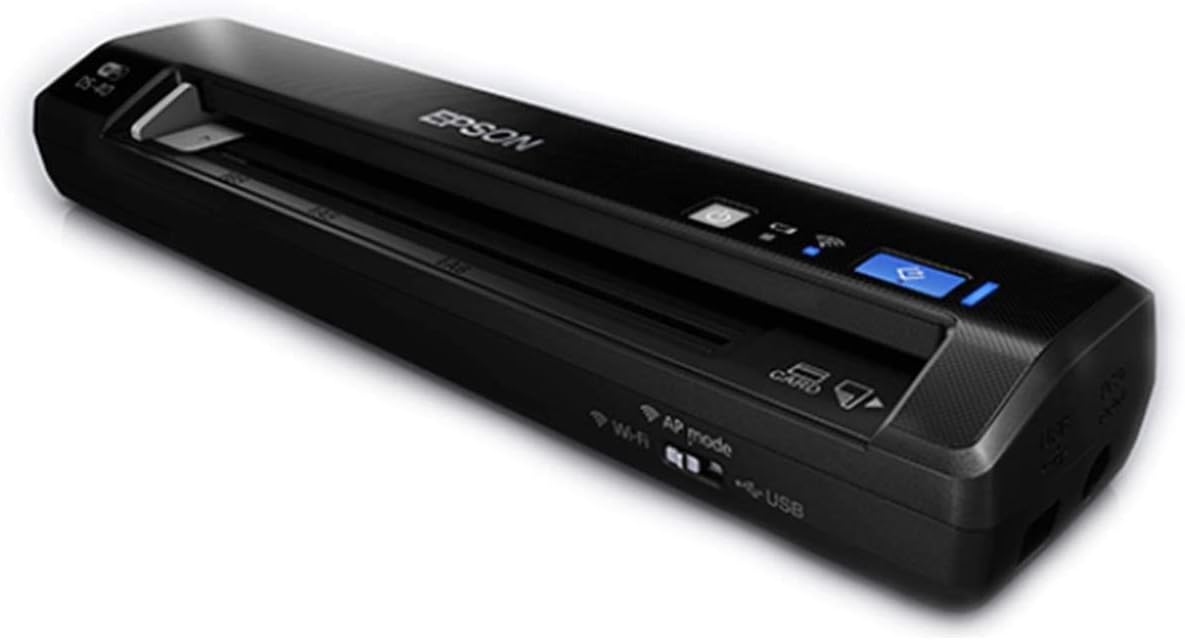
The Epson Workforce ES-60W is a 4.1-star wireless mobile scanner that combines rapid capture with flexible device connections. It can scan a page in as little as four seconds and send documents to a PC, Mac, iOS device, or Android device over a wireless connection.
We may earn a commission when you buy through this link, at no additional cost to you.
Automatic connectivity detection allows the scanner to move between USB and battery-powered wireless operation without manual intervention. An LCD shows wireless and battery status, helping users understand the current mode. Epson ScanSmart supports scanning, reviewing, and saving, while Nuance OCR creates searchable PDFs and editable Word and Excel documents. Cloud scanning is also available through the included software.
The feeder handles documents up to 8.5 by 72 inches as well as receipts and identity cards. Automatic Feeding Mode accepts inserted sheets and combines multi-page scans into one file. Compared with the wired ES-50, this model adds wireless flexibility and a status display, but it introduces a rechargeable battery that must be managed and a setup that depends on compatible wireless devices.
The ES-60W is a strong fit for mobile professionals, students, and shared offices that want to scan without keeping a computer physically connected. It is especially convenient when a phone or tablet is the preferred destination. Buyers who only need USB operation may find the ES-50 more streamlined.
Wireless transfer to computers, phones, and tablets makes the scanner practical for distributed workflows. Users can capture a page near the source document and deliver it to a separate workstation.
The scanner automatically detects connectivity and changes between USB and wireless modes. Its LCD keeps wireless and battery status visible, reducing uncertainty during mobile use.
We may earn a commission when you buy through this link, at no additional cost to you.
The Epson Workforce DS-40 is a 4.0-star wireless scanner built for lightweight travel. At 1.1 pounds, it can digitize receipts, statements, and business or plastic identity cards while away from a traditional office. It supports both battery and USB power, adding flexibility for mobile use.
We may earn a commission when you buy through this link, at no additional cost to you.
Rather than being limited to a local computer, the DS-40 can send captures to a smartphone, tablet, Mac, PC, or popular cloud services. Supported destinations named in the product information include Google Drive, Evernote, SharePoint, OneNote, SugarSync, OneDrive, and Dropbox. This makes it useful for professionals who want a record to reach a shared system immediately.
The listed operating-system range includes Windows 8.x, Windows 7, Windows Vista, Windows XP, several versions of Mac OS X, and Android 4 or later. Because it is an older platform list, buyers using a newer operating system should verify current support before buying. The product information does not specifically identify an included OCR suite, so editable-document creation is less certain than with the ES-50, ES-60W, or IRIScan Book 7.
The DS-40 remains a sensible travel scanner for people who prioritize cloud delivery and minimal weight. It is less compelling for a modern office seeking extensive OCR and a broad software ecosystem. For remote archiving or mobile receipt capture, however, its wireless workflow remains useful and approachable.
Direct delivery to widely used cloud services helps users keep records synchronized without returning to a desk. It is particularly effective when a receipt or signed form must be filed quickly.
Battery operation supports fully mobile capture, while USB power offers a dependable alternative at a desk. This dual approach extends the scanner's usefulness across different working environments.
We may earn a commission when you buy through this link, at no additional cost to you.
The right portable scanner depends on whether you need occasional manual capture or fast, repeatable document processing. Resolution, OCR, connectivity, power, paper handling, and storage should be matched to the documents and destinations involved.
Handheld scanning wands are inexpensive, compact, and useful for capturing isolated receipts, notes, photographs, or pages while traveling. They require the user to move the device manually and offer little control over alignment. Compact feeder scanners accept sheets automatically, which is better for forms, reports, receipts, and multi-page records. If your routine involves more than a few pages at a time, automatic feeding will usually reduce alignment errors and save time.
Resolution determines how much fine detail a scan preserves. The basic models in this guide offer 300, 600, and 900 DPI, while the IRIScan Book 7 reaches 1050 DPI. Lower settings can be suitable for ordinary records, while higher settings help with small print, photographs, and fine lines. Resolution alone does not guarantee quality; stable movement, clean optics, good lighting, and suitable source material remain important, especially for handheld wands.
OCR recognizes printed text and creates searchable PDFs or editable Word and Excel files. This is essential when you plan to search records, copy information, or reuse document content. The Epson ES-50 and ES-60W include Nuance OCR, while the IRIScan Book 7 includes Readiris OCR and Readiris PDF. Basic scanning wands generally create image-based files, so compatible computer software may be needed for text recognition.
USB is dependable for desk-based capture and computer-centered workflows. Wireless scanning is more convenient when a phone, tablet, or separate computer is the destination. The Epson ES-60W supports wireless transfer to major device classes, and the DS-40 can send files to cloud services. The IRISScan Book 7 also uses USB for computer transfer despite some wireless-related naming, so read the detailed specifications carefully rather than relying on broad product labels.
USB-powered scanners eliminate battery charging and are well suited to laptop-based work. Battery-powered models are more independent during travel or fieldwork, although spare batteries or a charged internal battery must be available. Most basic wands use two AA batteries, which are often not included. The IRISScan Book 7 and ES-60W use built-in rechargeable batteries. Power requirements should be matched to where and how long you expect to scan.
MicroSD storage lets wands save scans without a connected computer, making them convenient for travel and sensitive documents. Many models include a card, while capacities of up to 32GB are supported by several options. JPEG is convenient for photos and quick sharing, while PDF is better for multi-page records and document organization. Feeder scanners generally save through a connected computer or a configured destination, which can simplify centralized filing.
Confirm that the scanner works with your operating system and preferred document application. Windows and Mac support is common, while the Brother DS-640 also lists Linux. TWAIN support can broaden compatibility with imaging software. Some wands advertise broad or even older operating-system support, but that does not always guarantee compatibility with the newest systems. A product with a maintained desktop application and included OCR tools generally offers a smoother long-term workflow.
A display can make a portable scanner much easier to control. The IRISScan Book 7 provides a 1.5-inch color screen with status and preview information, while the ES-60W displays wireless and battery status. Basic wands generally provide only an indicator or a simple scan counter. If you frequently scan valuable or lengthy documents, visible feedback is worth considering because it reduces the chance of retaining skewed, cropped, or incomplete pages.
Begin by charging the scanner or installing the required batteries, and confirm that the memory card has enough free capacity. Choose a resolution and file format suited to the source. For feeder models, clean the rollers, straighten the pages, and load one sheet at a time unless the manufacturer permits otherwise. For handheld models, place the document on a flat, well-lit surface and keep the scanning path parallel to the page.
Watch the scanner's indicator, display, or on-screen instructions to confirm when capture is ready. Move a handheld wand steadily rather than quickly, and avoid lifting it during a scan. Review feeder output as it appears in the scanning application, correcting rotation, cropping, color, and contrast when necessary. With OCR-equipped models, check that recognized text corresponds to the original before distributing the file.
Transfer files regularly and back them up in a second location, particularly when the scanner stores data on a removable card. Remove batteries from a wand during long periods of inactivity, clean the scan window with a dry, soft cloth, and avoid liquids or abrasive cleaners. Keep feeder rollers and the scanning surface free of dust, and follow the manufacturer's instructions for software updates and storage conditions.
A handheld scanner is moved manually across a page and is best for a few receipts, notes, photographs, or documents in the field. A portable document feeder accepts sheets automatically and is more efficient for forms, reports, and multi-page collections. The latter generally provides faster workflows and more consistent alignment.
The Epson Workforce ES-50 and ES-60W include Nuance OCR for searchable PDFs and editable Word or Excel files. The IRISScan Book 7 also includes Readiris OCR and PDF editing software. These options are more suitable than basic image-only wands when text recognition is a central requirement.
Basic handheld wands can scan directly to a microSD card and transfer files to a computer later. The IRIScan Book 7 can also save to an SD card and offers wireless-style mobility through its battery operation, although it does not support Wi-Fi connectivity. Most feeder scanners, including the Epson ES-50 and Brother DS-640, require a connected computer for scanning.
Nine hundred DPI can preserve fine handwriting when the source is clear, the scanner is moved steadily, and lighting is even. If text is faint or small, 1050 DPI may provide a little more detail. OCR accuracy still depends on handwriting quality, page alignment, and the recognition software used.
Several handheld models are explicitly designed to capture color photographs as well as documents. The Canon imageFORMULA R10 is an important exception because it is not intended for photographs printed on photo paper or other photographic media. For printed photos, confirm that the product description expressly supports them.
USB is simple, dependable, and suitable when the scanner is used beside a laptop or desktop. Wireless is preferable for sending captures to a phone, tablet, or separate computer. The Epson ES-60W supports wireless device transfer, while the DS-40 supports cloud destinations; the IRISScan Book 7 requires USB for computer transfer.
Look for a sheet feeder that supports long paper, or a wand designed to scan long pages in a consistent pass. The Epson ES-50, ES-60W, and DS-40 list support for pages up to 72 inches. Very long sheets may require careful feeding and can produce multiple pages if software settings are not configured correctly.
Choose a model that saves directly to an encrypted computer, removable card, or protected cloud destination, and configure access controls for shared accounts. Avoid leaving a memory card with sensitive files in an unattended bag, and delete transferred copies when they are no longer needed. A dedicated scanner with local storage can reduce unnecessary travel to a public copy shop.
The Epson Workforce ES-50 is the most balanced choice for general users, combining quick sheet feeding, OCR, cloud options, and long-document support. The IRISScan Book 7 stands apart with its 1050 DPI maximum resolution, color preview screen, rechargeable battery, and editable OCR outputs, while the AOZBZ wand offers an approachable way to capture files at several resolutions with minimal setup.
Prioritize the workflow that matches your documents rather than focusing only on headline resolution. Manual wands suit occasional travel capture, feeder scanners excel at routine stacks and duplex work, and OCR becomes essential when records must be searched or edited. Pay close attention to connectivity, power, included accessories, and whether you need a preview screen.
Ratings, software compatibility, and pricing can change over time, so review the current product listing before ordering. Confirm the operating system, required accessories, storage capacity, and scan destinations, then choose the model that best supports your most common documents without adding features you will rarely use.