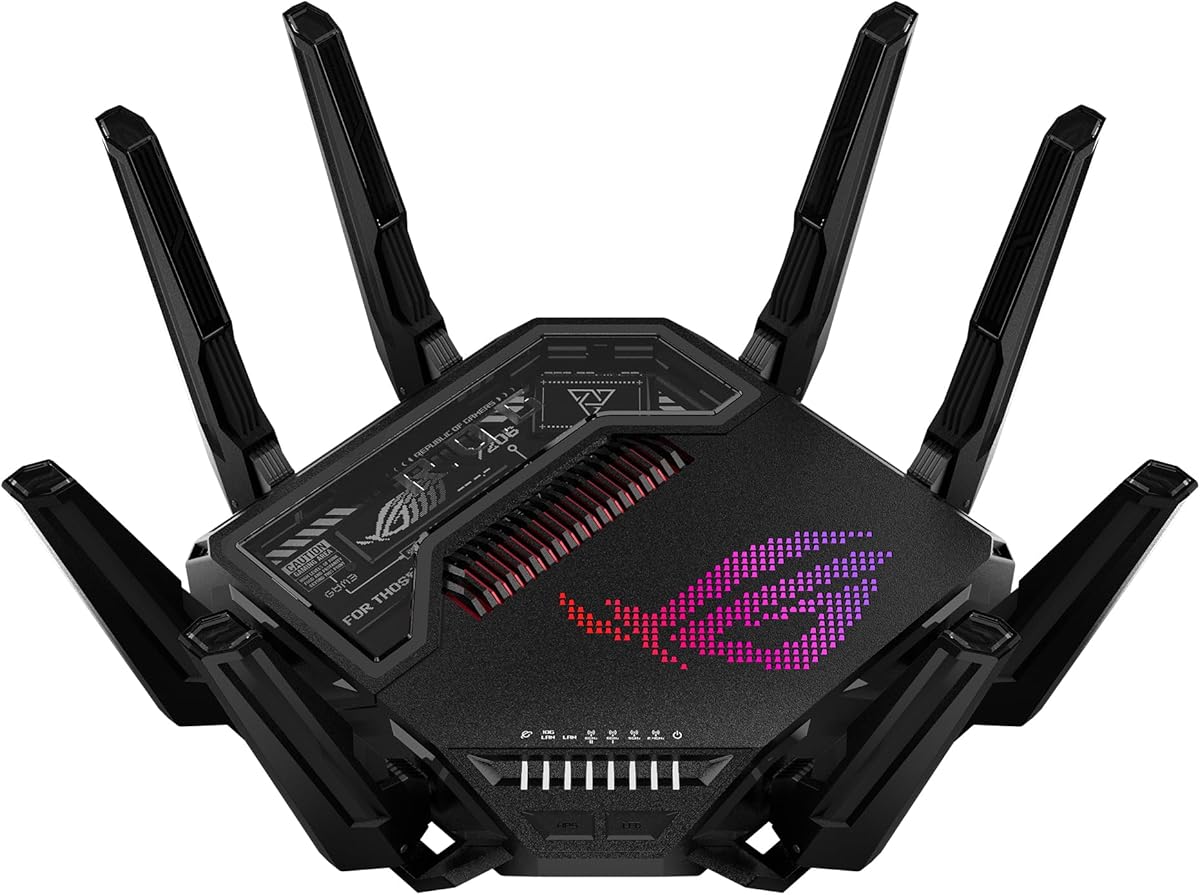
ASUS ROG Rapture GT-BE98 Pro
4.3Editor score
Quad-band WiFi 7
Up to 30 Gbps throughput
Dual 10G Ethernet ports
Triple-level game acceleration
Our High End WiFi Router guide compares ten premium routers for speed, coverage, wired connectivity, gaming features, security, and ease of use.
A high end WiFi router can transform a home network by combining faster wireless standards, wider coverage, stronger wired connections, and sophisticated management tools. The right model depends on your internet service, device mix, home layout, and whether gaming, streaming, or advanced security matters most.
We compared ten premium routers using their published specifications, including WiFi generation, band configuration, theoretical throughput, Ethernet options, stated coverage, device capacity, security features, and app-based management. The list includes standalone routers, gaming models, and mesh systems for different household needs.
Each review explains the strongest reason to consider a router, along with its limitations and ideal buyer. Product ratings and specifications can evolve, and prices change frequently, so verify the current listing and compatibility with your internet provider before making a final purchase.
4.3Editor score

4.4Editor score

4.3Editor score
The comparison below highlights wireless generation, maximum aggregate throughput, multi-gigabit networking, and stated coverage. These figures describe advertised capabilities rather than guaranteed real-world speeds, which depend on internet plans, client devices, walls, interference, and router placement.



The TP-Link BE400 is a dual-band WiFi 7 router with an aggregate advertised bandwidth of up to 6.5 Gbps and a 4.3 customer rating. It stands out by combining current wireless technology, Multi-Link Operation, 4K-QAM, and two 2.5 Gbps Ethernet connections without moving into the most specialized high-end category.
We may earn a commission when you buy through this link, at no additional cost to you.
Its strongest feature is the balance between capability and accessibility. The 5 GHz band is rated at up to 5,764 Mbps, while the 2.4 GHz band adds up to 688 Mbps. Six streams, six antennas, and beamforming support devices throughout a stated area of up to 2,400 square feet, including work devices, gaming systems, televisions, and connected home equipment.
Wired connectivity is unusually useful for a compact high-end router. One 2.5 Gbps WAN/LAN port can accept a compatible multi-gig modem, another 2.5 Gbps port can serve a local device, and three 1 Gbps LAN ports support additional equipment. HomeShield, VPN client support, guest access, parental tools, and Tether app management complete the feature set.
The main compromise is the absence of a dedicated 6 GHz band, which makes the BE400 less attractive for owners with several WiFi 7 clients that can exploit the extra spectrum. It also works as the primary network router rather than a dedicated mesh node. For households seeking modern WiFi 7 performance, strong multi-gig support, and manageable features, it remains an excellent general recommendation.
Multi-Link Operation can transfer data across bands simultaneously, while Multi-RUs and 4K-QAM improve efficiency on compatible clients. The 2.5 Gbps ports also ensure that a multi-gig internet plan is not needlessly limited by the router's WAN connection.
TP-Link HomeShield provides network protection, parental controls, and real-time IoT security. The free Tether app handles setup, firmware updates, and routine management, making this a practical option for users who want advanced features without a complex interface.
We may earn a commission when you buy through this link, at no additional cost to you.
The TP-Link AXE75 is a tri-band WiFi 6E router with up to 5,400 Mbps aggregate bandwidth and a 4.3 rating. It remains a compelling high-end option because its dedicated 6 GHz band, ample memory, and EasyMesh compatibility deliver a versatile network even though WiFi 7 is now available.
We may earn a commission when you buy through this link, at no additional cost to you.
The AXE75 divides capacity among 2.4, 5, and 6 GHz bands, with advertised rates of 574, 2,402, and 2,402 Mbps respectively. True tri-band operation and OFDMA are designed to serve many clients concurrently, making the router suitable for busy homes filled with phones, computers, streaming devices, and smart-home products.
Its 1.0 GHz dual-core processor and 512 MB of high-speed memory support responsive operation and long-term reliability. The distinctive housing is designed for heat dissipation. VPN server and client support covers OpenVPN, PPTP, and L2TP, while TP-Link HomeShield includes basic parental controls, network scanning, IoT identification, and quality-of-service features.
HomeShield premium features may be optional, and this model does not offer the newest WiFi 7 features. It is also a router rather than a dedicated mesh unit, though it can work with compatible extenders and access points. Buyers seeking 6 GHz bandwidth, expandable coverage, and a mature feature set should give it serious consideration.
The separate 6 GHz band gives compatible devices additional room for high-bandwidth applications, helping reduce congestion on 2.4 and 5 GHz networks. It is particularly relevant for newer laptops, phones, and other clients that support WiFi 6E.
EasyMesh compatibility allows the AXE75 to work with compatible routers, extenders, and wireless powerline adapters. VPN server and client functions add remote access and site-to-site possibilities for users who need more network flexibility.
We may earn a commission when you buy through this link, at no additional cost to you.
This NETGEAR Nighthawk combines tri-band WiFi 7, up to 9.3 Gbps aggregate throughput, and a 4.3 rating in a router designed for busy connected homes. Its 6 GHz band gives newer devices a separate lane, while its wired options support multi-gig internet and performance-oriented local connections.
We may earn a commission when you buy through this link, at no additional cost to you.
Coverage is stated at up to 2,500 square feet for as many as 100 devices. The Nighthawk app assists with guided setup, WiFi management, speed tests, device pausing, and guest networks. Compatibility extends to most cable, fiber, DSL, and satellite services, although certain gateway combinations may require bridge mode.
The 2.5 Gig WAN port is suitable for faster service tiers, and the two 2.5 Gig LAN ports are useful for gaming systems, network storage, and other bandwidth-intensive devices. Two additional 1 Gig LAN ports cover conventional connections. Advanced Router Protection and automatic updates support security, while NETGEAR Armor offers a separate subscription after its trial.
Its aggregate speed figure is far above most consumer internet plans, and real-world results depend heavily on client hardware and network conditions. Walls, floors, and interference can reduce the stated coverage, while larger homes may need an Orbi mesh system. Even so, it is a well-balanced premium router for users who want modern WiFi 7 and multi-gig flexibility without a gaming-specialized design.
The third high-speed band is intended to keep demanding WiFi 7 clients away from crowded lower bands. This can improve responsiveness in homes where several recent phones, laptops, and televisions support the 6 GHz spectrum.
A 2.5 Gig WAN port supports faster internet tiers, while multiple 2.5 Gig and 1 Gig LAN ports accommodate network storage and performance devices. That makes the router useful even when internet speed is not the only concern.
We may earn a commission when you buy through this link, at no additional cost to you.
The NETGEAR Nighthawk RS700S is the highest-rated model in this guide, carrying a 4.4 rating alongside up to 19 Gbps of advertised tri-band WiFi 7 throughput. It is a strong choice for premium fiber connections, dense device environments, and homes that want extensive wired and wireless headroom.
We may earn a commission when you buy through this link, at no additional cost to you.
Its 2.4, 5, and 6 GHz bands work together, with a dedicated high-speed band and MU-MIMO plus OFDMA for concurrent traffic. The 12-stream design supports a stated coverage area of up to 3,500 square feet and up to 200 devices, making it aimed at busy homes rather than basic routers.
The most distinctive feature is the 10 Gig WAN port, which can take full advantage of premium fiber plans. A 10 Gig Ethernet LAN port and four 1 Gig LAN ports support gaming rigs, smart televisions, and network storage. The Nighthawk app handles installation, speed testing, guest networks, device controls, and remote management.
The RS700S can exceed the practical needs of many households, and the maximum wireless figure depends on compatible WiFi 7 devices and the underlying service. Real-world coverage also falls with walls, floors, and interference. Buyers should not expect every listed speed in every room, but for a large home with expensive broadband and demanding clients, it offers an exceptional platform.
The 10 Gig WAN port is particularly valuable for homes with premium fiber service. A matching 10 Gig LAN port also supports high-speed local transfers, making the router relevant to advanced networks rather than ordinary browsing.
A 12-stream radio design and capacity for as many as 200 devices target homes where consoles, cameras, appliances, and remote workers compete for airtime. MU-MIMO and OFDMA help multiple clients transmit and receive concurrently.
We may earn a commission when you buy through this link, at no additional cost to you.
The ASUS ROG Rapture GT-BE98 Pro is a quad-band WiFi 7 gaming router with up to 30 Gbps advertised throughput and a 4.3 rating. It occupies the premium end of this guide through 320 MHz 6 GHz channels, 4096-QAM, external antennas, extensive Ethernet, and game-focused traffic controls.
We may earn a commission when you buy through this link, at no additional cost to you.
Multi-Link Operation links multiple bands simultaneously to promote stable connections and efficient transfers. The external dual-feeding antennas are designed to increase signal efficiency and coverage. Its distinctive strength is wired flexibility: two 10 Gbps ports and four 2.5 Gbps ports can support a high-speed internet connection, gaming computers, storage, and numerous local devices.
Triple-Level Game Acceleration is designed to optimize gaming traffic from a connected PC gaming port through the route to the game server. For a user whose primary concern is competitive gaming and a network that supports many other demanding tasks, that targeted feature set can justify a specialized premium appliance.
The advertised 30 Gbps figure is an aggregate capacity across radios, not a guarantee that one client will receive that speed. Users also need compatible WiFi 7 hardware and sufficiently fast service. The GT-BE98 Pro is overkill for basic households, but it is a compelling choice for enthusiasts who want extensive bandwidth, gaming priority, and premium multi-gig networking.
Four radios and 320 MHz 6 GHz channels offer a large pool of wireless capacity. The design is intended to separate demanding traffic and reduce the chance that ordinary household devices undermine a gaming session.
Dual 10 Gbps and quad 2.5 Gbps ports provide more choices than most high-end routers. A gaming PC can receive a dedicated high-speed connection while storage, consoles, and other devices use the remaining ports.
We may earn a commission when you buy through this link, at no additional cost to you.
The Synology RT6600ax is a tri-band WiFi 6 router with a 4.2 rating, designed especially for users who value network organization and secure remote access. It combines 4×4 radios, 160 MHz channel support, 2.5GbE, VLAN segmentation, multiple SSIDs, and threat-prevention tools.
We may earn a commission when you buy through this link, at no additional cost to you.
Rather than pursuing the newest wireless generation, the RT6600ax focuses on useful advanced controls. It can create up to five separate networks, allowing vulnerable connected equipment to be isolated from more sensitive devices. Parental controls, web filtering, traffic controls, and threat prevention add further management and security options.
The 2.5GbE port supports the fastest available ISP tiers and may be configured as a LAN port. Expanded 5.9 GHz spectrum support provides additional choices for 80 and 160 MHz channels. A comprehensive VPN server supports remote desktop and site-to-site tunneling, which can make it useful for home offices and advanced household access.
Its main disadvantage is generational: WiFi 7 clients will not benefit from MLO, 4K-QAM, or the extra 6 GHz spectrum available on newer models. A buyer choosing it over a WiFi 7 router is prioritizing Synology's segmentation and remote-access features over peak wireless performance. That makes it most compelling for technical users who need those functions in a mature tri-band design.
Up to five distinct networks can separate work systems, media devices, guests, and potentially vulnerable products. Segmentation reduces unnecessary access between device groups and gives administrators more control over their connected environment.
VPN server capabilities include remote desktop and site-to-site tunneling. These features are particularly useful for accessing home services while away or connecting separate locations through a private network.
We may earn a commission when you buy through this link, at no additional cost to you.
The ASUS ROG Strix GS-BE18000 is a tri-band WiFi 7 gaming router with 2.4, 5, and 6 GHz support and a 4.1 rating. It is listed in black with 2.5 Gigabit Ethernet, positioning it as a modern gaming-focused option for users who prefer the broader ASUS ROG ecosystem.
We may earn a commission when you buy through this link, at no additional cost to you.
A tri-band design separates the 6 GHz spectrum from the 2.4 and 5 GHz bands, giving compatible WiFi 7 clients access to a cleaner, higher-capacity channel. The 2.5 Gigabit Ethernet connection is appropriate for fast internet tiers and local devices that benefit from a multi-gig connection.
The available product information for this listing is limited, so specific claims about its exact radio rates, port quantities, range, and gaming acceleration features would be inappropriate. Its strongest established appeal is the combination of a current wireless generation, a dedicated high-speed band, multi-gig Ethernet, and an explicitly gaming-oriented design.
The 4.1 rating is the lowest among the ten products here, and limited listing detail makes comparison more difficult than with the other ASUS model. Prospective buyers should review the current product page for full specifications, especially port count, coverage, and management features. If those details meet their needs, the GS-BE18000 is a sensible fit for a gaming setup seeking WiFi 7.
The 2.4, 5, and 6 GHz radios support a modern multi-band network. The 6 GHz band can provide additional room for compatible high-speed clients, reducing reliance on the more crowded lower bands.
As part of the ROG range, the GS-BE18000 is aimed at gaming environments where network responsiveness, wired flexibility, and a dedicated high-speed wireless band are priorities. Buyers should confirm the current feature list and game-specific controls before purchase.
We may earn a commission when you buy through this link, at no additional cost to you.
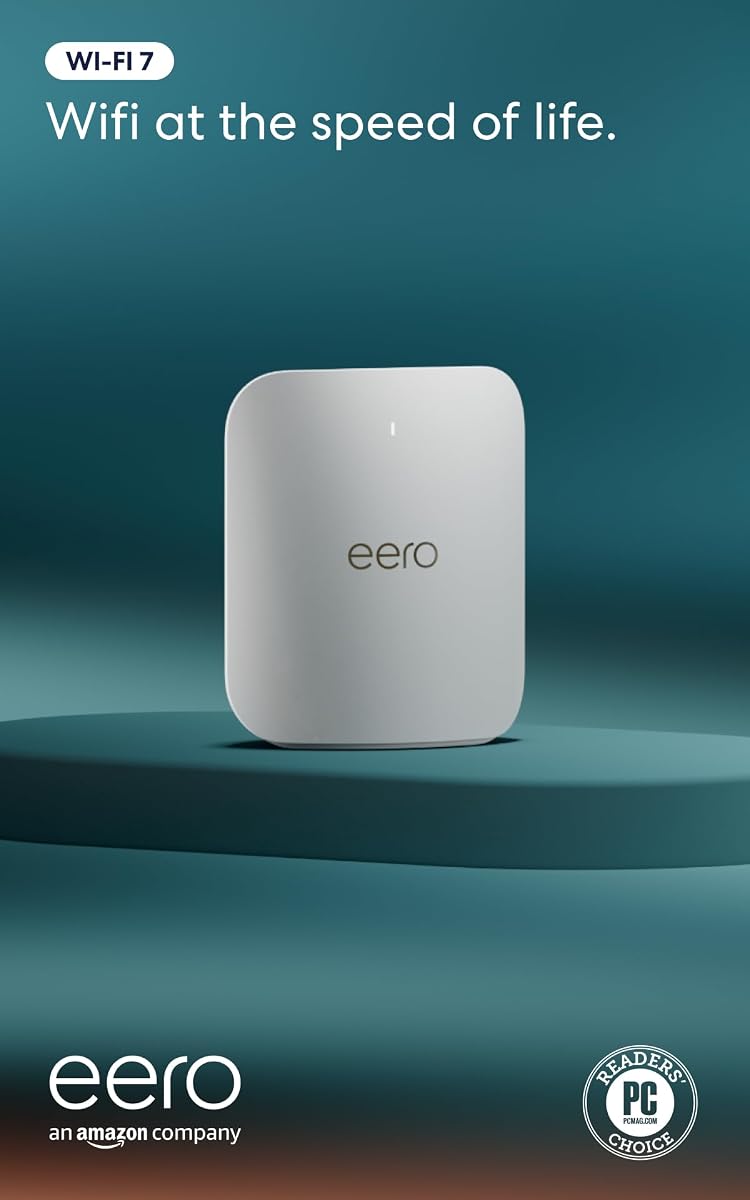
The Amazon eero Pro 7 is a tri-band mesh WiFi 7 router with a 4.3 rating, up to 3.9 Gbps wireless speed, and support for internet plans up to 5 Gbps. It appeals to households seeking straightforward management, strong mesh features, and premium multi-gig networking without a dense manual of controls.
We may earn a commission when you buy through this link, at no additional cost to you.
Two auto-sensing 5 GbE ports support connections beyond standard gigabit speeds, while stated capacity reaches 200 devices and coverage of 2,000 square feet within a 25-foot radius. The product is positioned for homes and small or medium businesses where consistent connectivity across floors and rooms is important.
TrueMesh software works with TrueRoam and TrueChannel to keep clients on favorable paths and reduce the effects of interference. MLO is among the WiFi 7 features supported. The system can serve as a gateway, join an existing eero network, or expand with additional eero units, making it especially convenient for phased mesh deployment.
The single unit may be insufficient for a very large or complex home, and the product sits above entry-level eero models. It is also less suited to buyers seeking a large collection of advanced standalone-router controls. For those who prioritize simple operation, multi-gig support, and effortless expansion, the eero Pro 7 is one of the most approachable premium choices.
TrueMesh, TrueRoam, and TrueChannel are designed to maintain dependable connections as people move around a home. Additional eero units can be added without treating the system as a collection of unrelated access points.
The router supports up to 5 Gbps internet plans, offers two 5 GbE ports, and reaches up to 3.9 Gbps over WiFi. These capabilities suit fast service plans, modern client devices, and homes that expect their network demands to increase over time.
We may earn a commission when you buy through this link, at no additional cost to you.
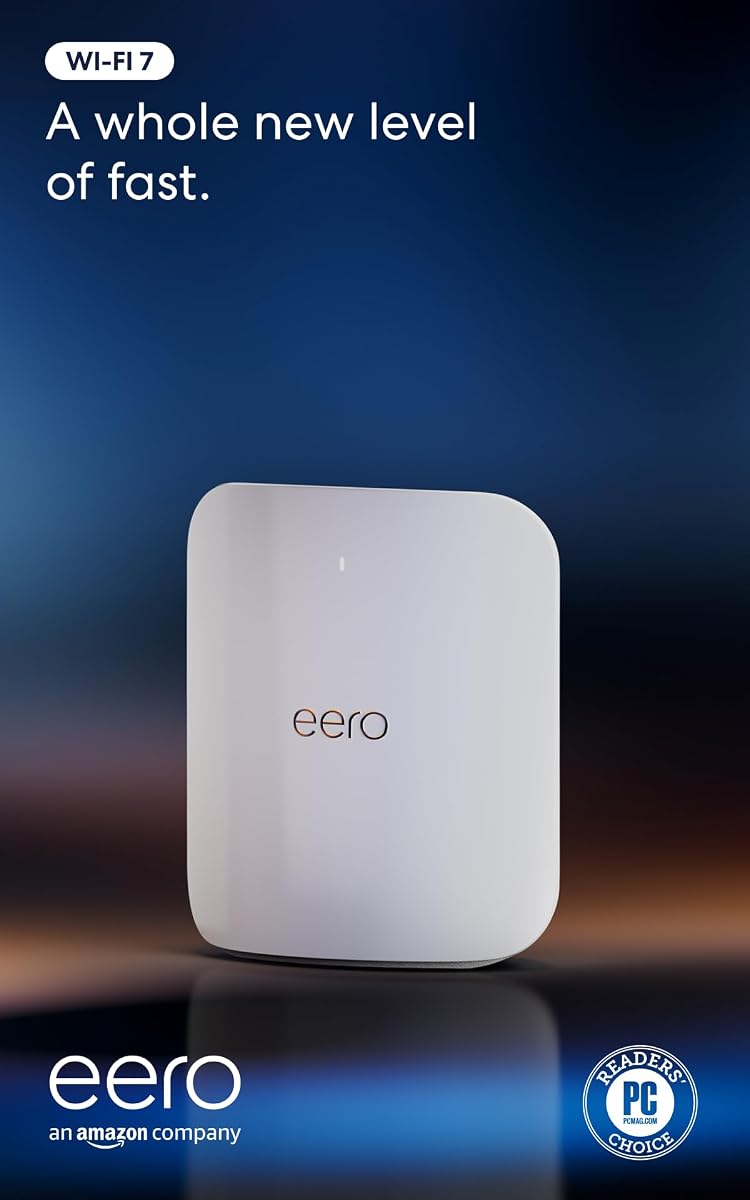
The Amazon eero Max 7 is a tri-band mesh WiFi 7 router with a 4.2 rating and support for internet plans up to 10 Gbps. It offers two 10 Gigabit Ethernet ports, wireless speeds up to 4.3 Gbps, multi-gigabit backhaul, and stated coverage of up to 2,500 square feet.
We may earn a commission when you buy through this link, at no additional cost to you.
Its ability to connect more than 250 devices makes it suitable for large smart homes, busy families, and demanding connected environments. The two 10 GbE ports offer exceptional wired performance for a NAS, gaming computer, or the connection from a compatible modem. TrueMesh intelligence dynamically identifies efficient data paths to limit interference and maintain reliable service.
The eero app guides setup and management, and additional eero units can expand the mesh. The router also acts as a smart-home hub for Thread, Matter, and Zigbee devices, though it serves as a controller only for Zigbee. An optional eero Plus subscription provides additional digital security, while the hardware carries a three-year warranty.
The Max 7 is expensive for a one-pack, and its stated 2,500-square-foot coverage may not eliminate dead zones in a large or multi-story residence. Mesh backhaul becomes critical when units communicate wirelessly. Nevertheless, for a household seeking top-tier wired ports, extensive device capacity, and a polished mesh platform, it remains a powerful premium option.
Two 10 GbE ports make the Max 7 unusually well equipped for premium fiber and local high-speed storage. Multi-gigabit backhaul can also prevent slower wireless links from limiting performance between suitable mesh nodes.
Support for Matter, Thread, and Zigbee gives the router relevance beyond ordinary wireless access. The Zigbee role is controller only, so buyers should confirm that this matches the devices and automation platform they already use.
We may earn a commission when you buy through this link, at no additional cost to you.
The NETGEAR Nighthawk RS90 is a dual-band WiFi 7 router with up to 3.6 Gbps advertised throughput and a 4.3 rating. It provides a comparatively direct entry into WiFi 7 while retaining a 2.5G WAN port and familiar Nighthawk security and management features.
We may earn a commission when you buy through this link, at no additional cost to you.
Its 2.4 and 5 GHz radios use MU-MIMO and OFDMA to serve multiple devices concurrently. Stated coverage reaches up to 2,000 square feet and 50 devices, making the RS90 suitable for apartments, smaller homes, offices, and households that have begun adding WiFi 7 clients without needing a tri-band system.
The 2.5 Gig WAN port can unlock multi-gig internet plans, and four 1 Gig LAN ports provide connections for computers, gaming consoles, smart televisions, and storage drives. The Nighthawk app supports guided setup, WiFi management, speed tests, device pausing, and guest networks from iOS or Android devices.
Because the RS90 lacks a dedicated 6 GHz band, it cannot offer the same wireless headroom as premium tri-band models. The stated coverage also may be reduced by walls, floors, and interference, with larger homes potentially needing Orbi mesh equipment. It is most attractive as a straightforward, value-conscious WiFi 7 upgrade for a moderate-sized environment.
The RS90 supports current WiFi 7 features without the multi-radio complexity of premium tri-band routers. It is a practical path forward for households whose phones, laptops, and other clients are beginning to support the newer generation.
The free Nighthawk app provides remote controls and guided setup, while Advanced Router Protection and automatic firmware updates help maintain network security. NETGEAR Armor is available as an optional subscription following its trial period.
We may earn a commission when you buy through this link, at no additional cost to you.
A premium router should match your service speed, home construction, client hardware, and management preferences. Comparing wireless generation alone is insufficient because coverage, Ethernet capacity, mesh support, and security tools can have a greater effect on daily satisfaction.
Begin with the maximum speed available from your internet provider, not the maximum number printed on a router box. A multi-gig WAN port is necessary for service above 1 Gbps, while a 10 Gig port can provide more room on very fast fiber connections. A faster wireless radio cannot compensate for a slower internet plan, but a strong router can prevent local network and WiFi bottlenecks.
WiFi 7 models support features such as Multi-Link Operation, 4K-QAM, and wider 6 GHz channels, but clients must also support those features. A WiFi 6E or WiFi 6 router remains functional with older devices, so upgrading your router before your most active devices may deliver limited visible benefit.
Dual-band routers combine 2.4 and 5 GHz, while tri-band and quad-band designs add 6 GHz or another radio. More bands can separate traffic and offer clean spectrum, but they usually increase complexity and cost. Dual-band designs may be sufficient for smaller homes, while busy networks benefit from dedicated high-speed capacity.
Advertised square-foot coverage is only a guide because walls, floors, furniture, neighboring networks, and router placement can substantially change results. Consider a mesh model if you need coverage across several floors, or select a router that supports EasyMesh or the manufacturer's own mesh system. Verify compatibility before combining devices.
Count the devices that benefit from wired connections. A gaming PC, NAS, television, or workstation may justify 2.5G or 10G ports, while ordinary computers and consoles can use 1G. Pay attention to whether a multi-gig port is configurable as WAN or LAN and whether a high-speed port is shared with another function.
Gaming routers may include dedicated acceleration, priority rules, and specialized traffic controls. Mesh systems may provide smoother whole-home roaming and smart-home hub functions. These features are useful when they match your setup, but they do not compensate for weak coverage or an internet connection that cannot sustain low latency.
Look for automatic updates, parental controls, guest networks, threat prevention, VPN support, and the ability to separate devices into isolated networks. Some advanced protection is included, while services such as NETGEAR Armor and eero Plus require a subscription after a trial. Review recurring service terms before relying on a paid feature.
A polished mobile app can make setup, guest access, device pausing, firmware updates, and troubleshooting much easier. Traditional and advanced router interfaces may offer more controls for technical users. Consider how many people will manage the network and whether a straightforward mesh application better fits the household than a dense standalone-router interface.
Begin by placing the router near the center of the home or primary coverage area, preferably on an open surface with ventilation. Most standalone routers work best when elevated rather than enclosed, while mesh systems should use multiple units positioned between rooms. Connect the appropriate modem or gateway to the WAN connection, then complete setup through the manufacturer's app and update the firmware before adding many devices.
After installation, connect each client to the appropriate network and test performance in the rooms that matter most. Separate 2.4 and 5 GHz or 6 GHz networks if the router permits, using the lower band for distant, low-bandwidth devices and the higher band for nearby high-speed clients. Enable guest networks, parental controls, and device segmentation according to your household's needs.
Maintain the router by installing updates promptly, checking connected devices periodically, and replacing old cables if reliable Ethernet performance is not achieved. Reboot when performance becomes unstable, but avoid frequent power cycling as a substitute for troubleshooting. For a mesh network, keep nodes unobstructed and remember that wireless backhaul can reduce performance compared with a properly cabled connection.
A WiFi 7 router can be worthwhile when several active devices support WiFi 7 or your internet plan exceeds 1 Gbps. It offers more capacity, efficient multi-device transmission, and a 2.5G or 10G path in many models. If most clients are older and service is slower, a well-configured WiFi 6 router may deliver a more practical result.
A high end standalone router is typically designed for powerful radios, extensive Ethernet, advanced controls, and one central coverage point. Mesh WiFi uses multiple coordinated units to distribute a network throughout a home. Mesh is generally more useful for large or multi-story properties, while a standalone premium router can provide simpler control and more specialized ports.
You need a router with a compatible 10 Gig WAN port to take full advantage of such a service. A 2.5G port can still provide an excellent connection, but it will cap throughput near 2.5 Gbps. Also ensure the modem or gateway supports the required speed and that the ISP is not already imposing a lower equipment limitation.
Treat advertised coverage as an optimistic target rather than a guarantee. Dense walls, metal appliances, floors, nearby wireless networks, and poor placement can reduce usable range. For difficult layouts, compare mesh-capable models or use more strategically placed access points instead of relying on a single router placed in an inconvenient location.
Choose 2.5G for most premium home networks because it supports fast fiber tiers, modern laptops, and network storage at a more accessible level. A 10G port is most relevant for premium fiber service, high-end local storage, and advanced enthusiast networks. Count the devices that genuinely need multi-gig speeds rather than paying for unused ports.
They are not always necessary because included features such as automatic firmware updates, parental controls, guest networks, and basic threat protection can provide a strong foundation. Optional services may add advanced monitoring or identity protection. Evaluate the features you will use, the recurring cost, and whether your existing security software already provides equivalent protection.
A better router can improve WiFi range, local wireless performance, and multi-gig handling, but it cannot increase the speed delivered by an internet plan. If service is slow even near the router, investigate ISP provisioning, modem performance, WiFi interference, or a service issue. If only distant rooms are slow, better coverage may be the correct solution.
Confirm your provider's requirements, locate the modem or gateway, and note its current connection type. Check whether bridge mode or another configuration is needed, gather broadband and WiFi passwords, and inventory wired and wireless devices. Review the new router's app, subscription terms, mesh compatibility, and current firmware before transferring your network.
The TP-Link BE400 is the strongest all-around recommendation because it combines WiFi 7, Multi-Link Operation, two 2.5G Ethernet ports, useful security features, and broad device capacity without the extreme specifications of the most specialized models. The NETGEAR RS700S takes the lead for homes needing more speed and device capacity, while the ASUS ROG GT-BE98 Pro stands apart for premium gaming and extensive multi-gig networking.
Prioritize your service speed, home layout, number of active clients, and wired requirements before focusing on the largest advertised throughput number. A dual-band router may be enough for a smaller home, a mesh system may solve coverage more effectively than a stronger standalone radio, and older clients will not benefit from every new wireless feature.
Prices, ratings, software, and product configurations can change, so review the current Amazon listing before buying. Check the router's current specifications, included security features, provider compatibility, warranty, and any subscription requirements to ensure your final choice supports both your present connection and future network growth.