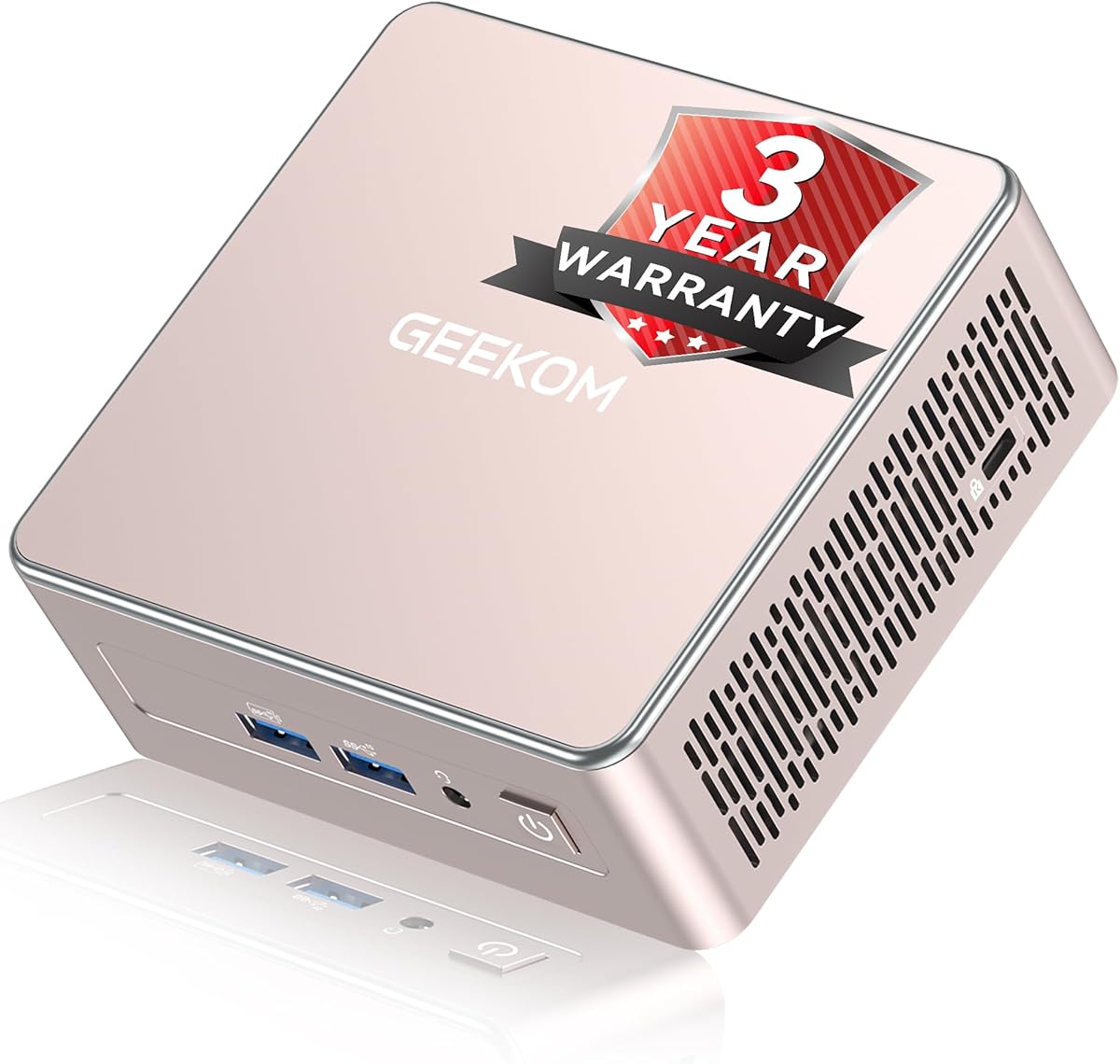
GEEKOM A5 2027 Edition
4.5Editor score
Ryzen 7 7730U processor
Expandable 64GB memory
Multi-display workstation support
Discover the best Mini PC Plex Media Server options, comparing processors, memory, storage, networking, displays, and expandability for home media setups.
A mini PC Plex media server combines compact hardware, dependable networking, and enough processing power to organize, transcode, and stream a personal media library. The strongest choices balance these qualities rather than emphasizing one spec alone, because storage capacity, cooling, connectivity, and codec support all affect the experience.
We compared the ten featured mini PCs by processor capability, installed memory, storage configuration, network speed, display support, upgrade options, dimensions, and intended operating scenarios. The list includes budget, mainstream, and higher-performance models, plus a portable stick PC and a fanless industrial-style system for specialized installations.
Each review explains who the machine suits, what makes it useful as a Plex server, and where it falls short. The top selections recognize the strongest combinations of value and performance, while all ten options are evaluated in their supplied configurations. Prices and availability can change, so confirm the current listing before purchasing.
4.5Editor score

4.2Editor score

4.2Editor score
The table below compares the featured mini PCs by processor, memory, storage, networking, and display capabilities, making it easier to identify the right balance for a Plex media server.


The GMKtec G10 combines a Ryzen 5 3500U processor, 16GB of DDR4 memory, and a 1TB SSD in a compact enclosure, giving it one of the more balanced specifications in this guide. Its 4.2 rating reflects a generally capable package, and the included 1TB drive reduces the need for immediate storage expansion. That makes it particularly attractive for a Plex library containing a meaningful collection of films, television programs, music, or family videos.
We may earn a commission when you buy through this link, at no additional cost to you.
Networking is a major strength for media-server use. The supplied specifications describe up to 2500Mbps transfer speeds and a 2.5GbE connection, which is well suited to moving large media files over a wired network. The Ryzen 5 3500U has four cores and eight threads, with boost frequency up to 3.7GHz, providing more processing headroom than the entry-level Intel N-series alternatives. Its Radeon Vega 8 graphics also support hardware video processing, although direct-play behavior ultimately depends on the client, codec, and Plex settings.
The G10 is not without limitations. Its Ryzen 3500U platform is an older design, so buyers should not expect the same CPU throughput as the Ryzen 7 7730U or Ryzen 5 7640HS models in the guide. WiFi 5 and Bluetooth 5.0 are acceptable for administration and peripherals but look modest beside newer wireless standards. On the positive side, the system supports memory expansion to 64GB, two M.2 PCIe 3.0 storage slots, three displays, and server-friendly functions such as Wake on LAN.
This is the most balanced recommendation for readers who want one mini PC to handle the Plex server role while remaining useful for office tasks, browsing, and occasional light gaming. Install the operating system, add more storage if necessary, and use wired networking for the smoothest library experience. It is especially suitable for households that want more capability than a basic N100 box without moving to a higher-tier performance platform.
The included 1TB SSD provides useful room for a starter library, while dual M.2 2280 PCIe 3.0 slots support additional expansion. The supplied data indicates combined storage capacity of up to 16TB, allowing the server to be upgraded as the collection expands rather than requiring an immediate replacement.
A 2.5GbE connection gives the G10 an advantage over gigabit-only models when moving large media files internally. For a home server, placing the unit near a wired network and keeping the client on the same local network can provide a more consistent foundation for high-bitrate playback.
We may earn a commission when you buy through this link, at no additional cost to you.
The GMKtec G3 Ultra is built around the Intel Pentium Gold 7505 and pairs it with 16GB of 3200 MT/s LPDDR4 memory. No customer rating is supplied for this listing, so the assessment relies on its documented specifications rather than a numerical review history. The processor's combination of four cores and eight threads provides a solid foundation for Plex administration, background indexing, and ordinary desktop use.
We may earn a commission when you buy through this link, at no additional cost to you.
Its media capabilities are especially relevant because the supplied description highlights 4K video playback and AV1 decoding. The system can connect two 4K 60Hz displays through HDMI 2.0, making it useful for a dedicated media station as well as a headless server. A primary M.2 2280 PCIe slot and secondary M.2 2280 SATA slot offer more flexibility than a system limited to a single drive, although the supplied 512GB installation may require expansion for a substantial media collection.
There are two important trade-offs. First, the LPDDR4 memory is not presented as user-upgradeable, so the 16GB configuration is effectively the memory ceiling unless the manufacturer offers a different board option. Second, the listing mentions a 2.5GbE connection in its interface description, but elsewhere refers to a Realtek Gigabit Ethernet controller, making the exact wired standard worth confirming with the seller. Wake on LAN, PXE boot, RTC wake, and automatic power-on are useful server-oriented features.
The G3 Ultra fits readers who want a modest, compact Plex server with current media decoding and enough CPU capability for everyday multitasking. It is a sensible alternative to an N100 system when a stronger processor and AV1 support are priorities. Confirm the motherboard's memory and network details before ordering, and plan to populate the secondary storage slot if your library will outgrow the included drive.
The supplied specification expressly identifies AV1 decoding alongside 4K playback. That makes the G3 Ultra a better fit for modern mixed-format libraries than a system whose capabilities are less clearly documented, particularly when the Plex client and server can share compatible hardware decoding.
Wake on LAN, PXE boot, RTC wake, and automatic power-on make the mini PC easier to incorporate into a managed home network. These functions also help when the server needs to recover after an update or restart without requiring physical access to the desk.
We may earn a commission when you buy through this link, at no additional cost to you.
The Getorli Mini PC combines a Ryzen 5 3501U processor with 16GB of DDR4 memory and a 512GB PCIe 3.0 NVMe SSD. Its 4.5 rating is among the strongest listed, making it an appealing recommendation for readers who want a compact Plex server with a good balance of performance, size, and everyday flexibility. The four-core, eight-thread processor is suitable for home media organization and regular desktop tasks.
We may earn a commission when you buy through this link, at no additional cost to you.
Its standout practical feature is the extremely compact enclosure, measuring 5.0 by 4.4 by 1.6 inches. VESA mounting support allows it to sit behind a compatible television or monitor, reducing visual clutter in a living room. Dual HDMI outputs and a full-function USB-C port support up to three displays, while WiFi 6, Bluetooth 5.3, gigabit Ethernet, and multiple USB ports cover the main connection needs.
Media-server buyers should note that storage growth is more limited than on several competing models. Memory can be upgraded to 32GB, the NVMe drive to 2TB, and an additional 2.5-inch hard drive can be added. That is still a useful expansion path for a modest library, but it is less generous than systems advertising multiple terabytes of maximum storage. Gigabit Ethernet is also adequate for many homes, although it is slower on paper than the 2.5GbE options in this guide.
This model is well suited to a living-room media computer, a small home office, or a wall-mounted installation behind a display. Its rating, compactness, triple-display capability, and modern wireless support make it a strong alternative to larger mini PCs. Buyers should verify available internal connectors and storage compatibility before adding a drive, and should use a wired connection when transferring very large media files.
The Getorli occupies very little desk space and can be mounted behind a compatible display. That makes it especially convenient for a living room where a full-size tower or a generic stick computer would be inconvenient or visually distracting.
Dual HDMI and full-function USB-C outputs allow the mini PC to serve more than one visual workspace. The same flexibility can be useful for monitoring a media dashboard, a Plex client, and reference content at the same time.
We may earn a commission when you buy through this link, at no additional cost to you.
The Beelink MINI S12 Pro uses an Intel Twin Lake N100 processor with four cores, four threads, and boost capability up to 3.4GHz. It arrives with 16GB of DDR4 memory and a 500GB M.2 SSD, making it well equipped for a dedicated Plex role. Its 4.3 rating supports its reputation as a capable general-purpose mini PC, although CPU-intensive transcoding should be approached with realistic expectations.
We may earn a commission when you buy through this link, at no additional cost to you.
Connectivity is a major advantage for a home server. The system includes 2.5G LAN, four USB 3.2 Gen2 ports, two HDMI outputs supporting 4K 60Hz, and an audio connection. Wake on LAN, PXE boot, RTC wake, and automatic power-on make remote management and recovery more convenient. A wall-mount bracket is included, helping keep the unit hidden behind a television or near a network connection.
The limitation is the combination of four CPU cores and a relatively compact 500GB drive. The N100 is well suited to direct playback, library management, and light background tasks, but multiple simultaneous high-complexity transcodes can demand more processing capability. Storage can be expanded, although the supplied product information does not provide a maximum figure. The compact 115 by 102 by 41mm chassis is also beneficial for an entertainment unit.
The MINI S12 Pro is a strong choice for a lightweight Plex server that runs continuously, especially when clients use compatible direct-play formats. Its fast wired network, 16GB memory, and remote power features make it more server-conscious than many similarly compact systems. It is best for users who value quiet efficiency and simple operation over maximum transcoding performance.
The N100's four-core design focuses on useful efficiency rather than maximum workstation performance. That makes the system appropriate for a Plex server that spends much of its time managing a library, serving local clients, and handling direct-play requests.
The included mounting bracket allows the system to be hidden behind a television, where it can remain connected to Ethernet, storage, and power without taking over a media cabinet. A small chassis also leaves room for larger external drives or a network switch.
We may earn a commission when you buy through this link, at no additional cost to you.
The GEEKOM A5 2027 Edition is the premium recommendation in this guide, pairing a Ryzen 7 7730U with 16GB of RAM and a 256GB NVMe SSD. Its 4.5 rating and eight-core, sixteen-thread processor give it ample headroom for Plex media management, multiple background tasks, and more demanding use than a typical entry-level mini PC. It also remains a capable general-purpose computer.
We may earn a commission when you buy through this link, at no additional cost to you.
Expandability is the major reason to consider it over less expensive models. Two DDR4 slots allow memory expansion to 64GB, the primary M.2 slot supports an SSD up to 4TB, and an additional M.2 2242 slot plus 2.5-inch bay can increase total storage to as much as 10TB. Four displays are supported through dual HDMI and dual USB-C, including up to 8K output over USB-C. A 2.5GbE LAN port improves local file-transfer performance.
The tradeoff is the relatively small 256GB SSD in the supplied configuration. A Plex library will likely require immediate storage additions, and those upgrades are not stated as included. Some buyers may also find that the premium processor exceeds what their direct-play-oriented library needs. Nevertheless, the cooling system, reinforced internal frame, vibration-damping feet, 3D antenna, and 72-hour full-load aging test support its positioning as a dependable long-term machine.
Choose the A5 when transcoding, a growing library, and a wide range of other daily workloads matter. It is especially attractive as a do-everything media server that may also handle office tasks, remote work, or multiple displays. For users who only need to play a small library of compatible files, a less expensive N100 or N95 system may be more rational.
The combination of two memory slots, multiple M.2 positions, and a 2.5-inch bay allows this system to scale alongside a substantial collection. Starting with only 256GB makes an immediate storage upgrade advisable for anyone building a serious Plex library.
Eight cores and sixteen threads provide considerably more throughput than the four-core N-series competitors. That headroom is useful when Plex must convert media for clients with limited direct-play capabilities or when the server is expected to perform additional tasks alongside streaming.
We may earn a commission when you buy through this link, at no additional cost to you.
The GMKtec M6 Ultra is built for buyers who want a mini PC to be much more than a basic media streamer. Its Ryzen 5 7640HS has six Zen 4 cores, twelve threads, a 4.3GHz base frequency, and boost capability up to 5.0GHz. With 32GB of dual-channel DDR5 memory and a 1TB PCIe SSD, it has considerable capacity for Plex, gaming, creative work, and other demanding desktop tasks.
We may earn a commission when you buy through this link, at no additional cost to you.
The Radeon 760M integrated graphics are especially relevant to media use because the supplied specifications state that the system hardware-encodes and hardware-decodes AV1, HEVC, and AVC. Three simultaneous displays are supported, including 8K at 60Hz through USB4 and 4K at 60Hz through HDMI and DisplayPort. Dual-network connectivity is another plus, with the description highlighting 2.5GbE RJ45 connectivity for fast wired transfers.
These capabilities come with diminishing returns for a basic Plex installation. The processor and memory exceed what direct-play libraries need, the 45W-to-60W boost range is higher than the lower-power alternatives, and the system may create more heat and fan noise than an N-series box. The 4.2 rating is solid, but the premium hardware is most valuable when the mini PC will have a demanding secondary role.
The M6 Ultra suits power users who want one compact system to handle high-resolution media, occasional gaming, and substantial multitasking. It is a compelling choice for transcoding-heavy libraries or a combined workstation and server. If the only goal is operating a small, mostly direct-play Plex collection, a less powerful and more efficient model would offer better value.
Documented AV1, HEVC, and AVC hardware encoding and decoding support covers several widely used formats. This capability can reduce the processing burden associated with supported media, though Plex server configuration and client compatibility should still be checked for each library.
Thirty-two gigabytes of DDR5 and a powerful six-core processor make the M6 Ultra practical as a combined Plex server, gaming machine, and productivity computer. The trade-off is higher power use and more heat than the smaller N100 and N95 alternatives.
We may earn a commission when you buy through this link, at no additional cost to you.
The C3 Mini PC is the budget-focused choice, combining an Intel Core i3-5005U processor with 8GB of DDR memory and a 512GB M.2 2280 SSD. Its 4.2 rating suggests a generally satisfactory product, while the low-power processor and compact enclosure make it relevant to readers building an uncomplicated Plex server for a small or medium library.
We may earn a commission when you buy through this link, at no additional cost to you.
Unlike many of the newest mini PCs, the C3 places unusual emphasis on long-term operation. The product data specifically lists 7×24-hour use for digital signage, thin-client, home media-server, point-of-sale, and monitoring applications. Storage can grow through an M.2 slot supporting drives up to 2TB and an additional 2.5-inch SATA drive, with the supplied information describing up to 4TB combined.
The processor is dated by modern standards, with a four-thread design that will not excel at multiple demanding transcodes. It also starts with only 8GB of memory, although the supplied specifications say it can be expanded to 32GB. Display support reaches two resolutions up to 2560 by 1600 at 60Hz, which is suitable for media dashboards and dual-screen use, although it does not claim the same 4K output breadth as several rivals.
This C3 is best for a budget-conscious household that prioritizes direct playback, compactness, and expandable storage over processing speed. It is also a candidate for digital-signage or monitoring tasks where the machine will run continuously but perform relatively light duties. Installing more RAM when possible and using efficient media formats will help it remain responsive.
The 15W processor and optimized cooling fan are tailored toward steady operation in space-conscious installations. The system is most convincing when assigned regular media or signage duties that do not demand intense, simultaneous transcoding.
Although the supplied drive holds 512GB, users can add storage through the M.2 and 2.5-inch expansion options. This makes it possible to build a useful Plex server incrementally rather than purchasing the largest configuration from the outset.
We may earn a commission when you buy through this link, at no additional cost to you.
The Beelink MINI S12 Pro 16GB pairs the Intel Alder Lake N100 with 16GB of DDR4 memory and a 500GB M.2 SSD. Its 4.5 rating is among the best in this selection, giving it a strong customer-feedback signal. The N100's four cores and four threads are designed around efficient everyday computing, which fits a Plex server handling a mostly direct-play library.
We may earn a commission when you buy through this link, at no additional cost to you.
The 16GB memory allocation is more comfortable than the 8GB found in several budget systems. It gives Plex and any lightweight desktop applications more room to operate concurrently. The mini PC also includes 2.5GbE LAN, WiFi 6, Bluetooth 5.2, four USB 3.2 Gen2 ports, and two HDMI outputs capable of 4K 60Hz. These connections make it suitable for a media station that also displays library information or status pages.
Its main practical limitation is storage. A 500GB SSD can hold a respectable starter collection, but a growing library will need another drive or an external storage arrangement. The listing provides fewer specific media-decoding details than the GEEKOM A5 or GMKtec M6 Ultra, and the N100 is less appropriate when several clients need transcoding simultaneously. Its small size, however, remains a major advantage in an entertainment area.
Choose this version of the MINI S12 Pro for a quiet, compact, straightforward media server with ample memory for mixed use. It works especially well for direct-play collections, home dashboards, and light productivity. Adding internal or attached storage would be the first priority for anyone planning to build a large library.
Sixteen gigabytes provides a comfortable foundation for Plex, local metadata processing, and a few ordinary desktop tasks. It also distinguishes this configuration from cheaper 8GB mini PCs that may feel constrained during library updates or browser use.
Dual 4K HDMI output, fast USB ports, and 2.5GbE networking make the system convenient for a living-room setup or a dedicated media dashboard. Wall-mounting helps preserve the compact appearance of the entertainment area.
We may earn a commission when you buy through this link, at no additional cost to you.
The GMKtec G3S uses a 12th-generation Intel N95 processor with four cores, four threads, a 6MB cache, and boost speed up to 3.4GHz. It comes with 8GB of DDR4 memory and a 256GB M.2 2242 SSD. Its 3.7 rating is the second-lowest in the guide, so buyers should approach it as a value-oriented option rather than a performance leader.
We may earn a commission when you buy through this link, at no additional cost to you.
Despite its entry-level specifications, the system supports two 4K 60Hz displays, AV1 decoding, Gigabit Ethernet, WiFi 5, and Bluetooth 5.0. Wake on LAN, PXE boot, RTC wake, and automatic power-on make it reasonably practical for a dedicated server. A single Gigabit Ethernet port is sufficient for many homes, although the G10 and several Beelink models offer faster 2.5GbE connectivity.
The most significant limitation is the installed 8GB of memory and 256GB drive. A large Plex collection or heavy multitasking load may require upgrades, and the N95's four-thread design is not intended for aggressive simultaneous transcoding. Older WiFi 5 connectivity is another limitation, although a server can operate over its wired connection and use wireless peripherals independently.
The G3S suits readers who need a small, inexpensive computer for a lightly used Plex library, digital signage, or a simple media dashboard. It is most compelling when the workload is predictable and direct playback is widely supported. Adding RAM and storage, if the board configuration permits, would provide a better foundation for long-term library growth.
Dual 4K output and AV1 decoding add practical value despite the modest processor. These features make the G3S more than a bare office computer when the media client supports the appropriate formats.
Wake on LAN, PXE boot, RTC wake, and automatic power-on are useful for systems installed away from the main display. They support more reliable operation in a dedicated media-server role.
We may earn a commission when you buy through this link, at no additional cost to you.
The Fanless Mini PC Stick uses an Intel Celeron J4105 processor, 8GB of LPDDR4 memory, and 128GB of eMMC storage. Its 3.4 rating is the lowest listed, which aligns with its position as a specialized, low-power device rather than a full-featured Plex server. It supports Windows 11 Pro and Linux and is aimed at office, digital-signage, IoT, classroom, and compact media-player applications.
We may earn a commission when you buy through this link, at no additional cost to you.
Its fanless construction is the defining benefit. With no cooling fan, the system can operate quietly in a living room, conference room, or display cabinet. The 4K HDMI output through UHD 600 graphics is useful for signage or a lightweight media dashboard, while the Gigabit Ethernet port provides a dependable wired connection. WiFi 5 and Bluetooth 5.0 are also included for administration and peripheral connectivity.
Limitations are substantial when judged against traditional Plex servers. The 128GB eMMC offers almost no practical room for a media collection, so external storage is essential. The J4105 is also a modest four-core, four-thread processor, and the listing does not specify the same advanced codec support or server controls as the stronger alternatives. Its stick form and limited internal connectivity make it less flexible for storage-heavy use.
The device makes sense for portable sign players, lightweight Plex clients, kiosk duties, or remote-access tasks where silence and size matter more than transcoding power. A full mini PC is the better choice for a primary Plex library server. This model is best viewed as a specialized endpoint that can participate in a media setup rather than a high-capacity central server.
The fanless cooling approach eliminates fan noise, making the computer suitable for a living room, conference area, or digital display. This quietness can be more noticeable and valuable than raw processing power in a frequently occupied space.
The compact stick format, 4K HDMI output, and Windows 11 Pro support suit portable playback, signage, and lightweight client roles. External storage is necessary if the machine will host more than a small selection of media files.
We may earn a commission when you buy through this link, at no additional cost to you.
Choosing a Plex server involves balancing library size, transcoding demand, networking, storage flexibility, and the amount of space available. The most important distinction is whether the computer will mainly play compatible files directly or actively convert media for multiple clients.
The processor determines how comfortably Plex can scan files, build metadata, manage users, and transcode media that a client cannot play directly. A modern N100, N95, Pentium Gold 7505, or Ryzen 5 processor is sufficient for many direct-play libraries, while the Ryzen 7 7730U and Ryzen 5 7640HS provide more capacity for demanding conversions, large libraries, and additional desktop workloads. More cores and threads are especially useful when several people watch different formats at once.
Choose a lower-power processor for a compact, efficient server that mostly delivers already-compatible media. Choose a higher-core processor when transcoding, media conversion, and multitasking are central to the installation.
Plex itself is not especially demanding, but a media server often runs alongside file transfers, metadata imports, monitoring dashboards, backups, or a desktop browser. The guide includes options with 8GB, 16GB, and 32GB of memory. Sixteen gigabytes is a comfortable starting point for a mixed-purpose machine, while 8GB works best in focused, lightly used installations. Upgradable DDR4 is preferable when future library growth and heavier tasks are likely.
Treat 16GB as the practical middle ground for most homes, then upgrade if the machine will also handle demanding applications or sustained background processing.
A Plex library can grow much faster than expected, so the included drive is only a starting point. Systems with two M.2 slots, a 2.5-inch bay, or clearly documented storage expansion offer a better long-term path. The G10 begins with 1TB and supports two M.2 drives, the GEEKOM A5 supports several storage positions, and the C3 includes both M.2 and 2.5-inch expansion. By contrast, the stick PC's 128GB eMMC is primarily suited to lightweight client or signage use.
Estimate your current library size, allow room for future additions, and confirm the available drive format and connector layout before ordering. A larger initial SSD can also reduce the need for external storage.
A media server benefits from a stable wired connection because it must serve large media files to televisions, computers, and mobile devices. Models with 2.5GbE, including the G10, M6 Ultra, and both featured Beelink MINI S12 Pro configurations, can move data faster than gigabit Ethernet. Gigabit Ethernet remains perfectly reasonable for many homes, particularly when clients rely on direct play and the internet carries only the control traffic. WiFi 6 is useful for administration but should not automatically be assumed to replace Ethernet for a high-volume server.
Prioritize Ethernet for the server connection and use wireless networking for keyboards, controllers, and other peripherals. Confirm the exact Ethernet standard because one listing contains inconsistent network wording.
Display support matters when the mini PC doubles as a living-room client, dashboard, or monitoring station. Dual 4K 60Hz output is common among the stronger choices, while the G10 and Getorli support three displays and the GEEKOM A5 supports four, including up to 8K over USB-C. The fanless J4105 stick is also suitable for a single 4K display. Users running a headless server may not need advanced display support, but it can make setup and administration easier.
Match the outputs to the intended display arrangement rather than paying for unnecessary multi-screen capability. For a dedicated hidden server, wired networking and storage expansion should take priority.
Mini PCs range from portable stick computers to square desktop units that can be mounted behind a television. A larger thermal envelope often supports higher processors more quietly, while the fanless J4105 is ideal for silent operation but limited to lower workloads. Systems with active cooling, including the G10, G3 Ultra, and G3S, use optimized fans to control thermals. Buyers should also consider room for external drives, Ethernet cabling, and ventilation.
Choose a fanless design when silence is essential and the workload is light. For sustained transcoding, an actively cooled system with more thermal headroom is generally more appropriate.
Wake on LAN, PXE boot, RTC wake, and automatic power-on can make a dedicated server easier to manage, particularly when it is installed out of sight. The G3 Ultra, G3S, and Beelink MINI S12 Pro explicitly list several of these functions. The G10 is also described as useful for server-oriented applications. These features do not guarantee a particular operating system or network configuration, but they indicate that the hardware was designed with unattended or remotely managed operation in mind.
Confirm support in the operating system and network configuration you intend to use. A headless setup, fixed IP address, and automatic startup can complement these hardware features.
Long-term support matters because a media server may remain powered on for long periods. The supplied information lists three-year coverage for the G10, G3 Ultra, M6 Ultra, C3, and GEEKOM A5, although some GMKtec warranty statements specify sales beginning in October 2026 and distinguish full-unit replacement from parts replacement. Beelink states a three-year warranty for the listed MINI S12 Pro, while Getorli provides a one-year warranty. Review the current listing carefully because terms can differ by model and sales period.
Choose a machine with clear support and a useful return policy, then keep the original purchase documentation. Reliable local storage and regular media backups remain important regardless of warranty length.
Begin by deciding whether the mini PC will be the main Plex library server, a living-room Plex client, or both. Install the operating system, connect the unit to Ethernet, and configure a fixed local address. Add the media folders after the Plex server software is installed, then organize files into consistent movie and television directories before importing the library. This makes naming, matching, and future navigation easier.
For the best local playback, place the server and client on the same wired network and use media formats the client can play directly. Review Plex's direct-play and transcoding settings for each device, especially when using different televisions, mobile devices, browsers, or remote streams. Set sensible library scan schedules and keep the operating system, Plex application, and client software updated to improve compatibility and security.
Care for the system by leaving adequate ventilation around its vents and avoiding enclosed cabinets during heavy transcoding. Keep the storage drives healthy, maintain at least one separate backup of irreplaceable media, and do not store the only copy of a family archive on the server. Check temperatures, fan noise, and network stability periodically. When using external drives, select a reliable power source and safely eject the volume before shutting down the mini PC.
Not always. A modern efficient mini PC can run Plex smoothly when most media uses direct play and only a few clients stream at once. More processing power becomes valuable with large libraries, frequent transcoding, several simultaneous streams, or other demanding tasks running alongside the server. The Ryzen-based models in this guide offer the most headroom, while N100 and N95 systems are best suited to efficient, direct-play-oriented libraries.
Sixteen gigabytes is a comfortable amount for most home Plex installations, particularly when the machine also handles browsing or light office tasks. Eight gigabytes can work for a smaller, dedicated system but may feel limited during large library scans or heavier multitasking. Upgradable models are more future-proof because additional memory can be installed as the library and number of services grow.
Start by estimating the size of your current media and leaving additional capacity for future files. An SSD provides fast library access and responsive metadata operations, while large collections often benefit from a secondary hard drive or network-attached storage. Confirm the mini PC's supported drive formats and connectors before purchasing, and maintain an independent backup of files that cannot be replaced.
Ethernet is strongly preferable for the server's main network connection, especially with high-bitrate media or large file transfers. The models with 2.5GbE offer extra headroom over gigabit Ethernet, although standard gigabit is adequate for many direct-play setups. WiFi can still be useful for management, wireless peripherals, and locations where wiring is inconvenient.
Yes, and many of the featured processors have ample capacity for both roles. The G10, G3 Ultra, GEEKOM A5, and M6 Ultra are particularly suitable because their memory and storage can accommodate Plex alongside browsing, office applications, monitoring, or gaming. You can also run Plex server software in the background while using the machine normally, although heavy simultaneous transcoding will have a greater effect on responsiveness.
Direct play sends the original media file to a compatible client, reducing the work required by the server. Transcoding converts the file into a format the client can play, which uses more processor capacity and can introduce some quality or processing overhead. Choosing widely compatible formats, such as those supported by your main playback devices, helps keep the server responsive.
A fanless system is attractive for quiet living-room or office installations, particularly when the workload is light. The Celeron J4105 stick in this guide is suited to media playback, signage, and portable client roles rather than a large central library with intensive transcoding. Actively cooled systems generally offer more performance headroom and are safer choices for sustained conversion workloads.
Install the operating system, connect the mini PC to the network, apply updates, and install the Plex server application. Add each media folder as a library, organize the files consistently, and confirm that Plex can read them. Test playback on every important client, review direct-play decisions, and assign a stable network address so remote access and device discovery work reliably.
The GMKtec G10 is the strongest all-around choice because it combines 16GB of memory, a 1TB SSD, expandable storage, triple displays, and fast 2.5GbE networking. The GEEKOM A5 2027 Edition is the premium option for users who want more processing power and extensive expansion, while the C3 Mini PC offers the most budget-conscious path to a dedicated, continuously operating media server.
Prioritize the workload that matters most. Direct-play libraries can work well with an efficient N100, N95, or i3 system, but transcoding-heavy setups benefit from the Ryzen 7 7730U or Ryzen 5 7640HS. Large collections also need adequate storage, reliable cooling, and preferably Ethernet, while silent or living-room installations should account for size, noise, and mounting options.
Product listings, configurations, warranty terms, and prices can change, so verify the current specifications before buying. In particular, confirm memory upgradeability, Ethernet speed, storage connectors, codec support, and operating-system details. Those details can materially affect whether a mini PC is a good Plex server for your library and the devices that will stream from it.
