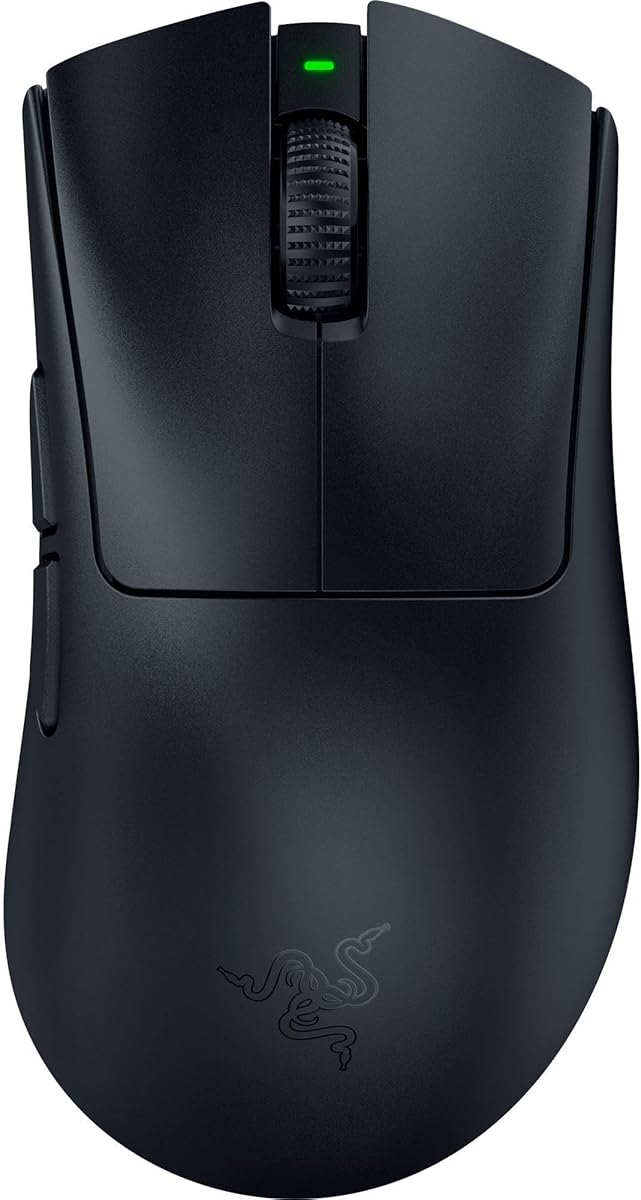
Razer DeathAdder V4 Pro
4.4Editor score
45K precision sensor
Up to 8000 Hz polling
Ultra-light 56-gram design
Wireless and wired modes
Our expert guide compares the best high DPI mouse for 4K gaming precision, covering sensors, polling, latency, ergonomics, batteries, and wireless features.
A high DPI mouse for 4K gaming must translate small hand movements into accurate cursor placement while remaining responsive across a high-resolution display. Sensor quality, polling rate, lift-off behavior, stable wireless performance, and a shape that suits your grip are all more important than the largest advertised DPI number.
This guide compares ten gaming mice based on the specifications and feature details available for each model. It covers optical sensors, polling options, connection modes, button layouts, switch technology, weight, battery life, customization, and practical considerations for high-resolution displays, without claiming that any product was personally tested.
The rankings place particular emphasis on precision and responsiveness, while each review also identifies sensible compromises. The first three recommendations cover an overall favorite, a premium competitive option, and a value-focused high-polling choice. As with all electronics, prices and availability change frequently, so confirm the current listing before purchasing.
4.4Editor score

4.4Editor score

4.6Editor score
The comparison below highlights the sensor ceilings, polling capabilities, connection options, and physical characteristics that matter most for precise play on a 4K display.
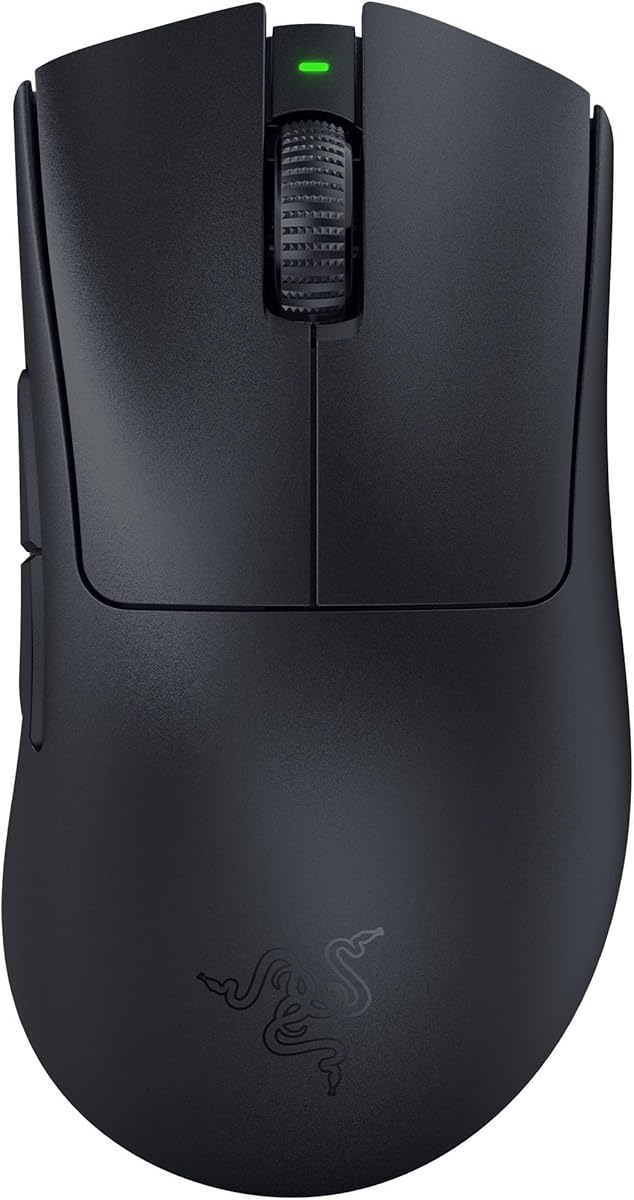




The Razer Basilisk V3 Pro 35K combines a high-resolution Focus Pro Gen-2 optical sensor with an ergonomic shape designed for extended gaming sessions. Its 4.4 rating reflects a strong overall feature set, and the 35,000 DPI sensor gives it ample range for fine correction on a 4K monitor. The mouse also supports an optional 8000 Hz polling rate through separately sold Razer hardware.
We may earn a commission when you buy through this link, at no additional cost to you.
Precision comes from more than a large DPI figure. The Gen-2 sensor is designed to track on a wider variety of surfaces, including glass, while one-DPI adjustment allows users to make smaller changes than conventional step-based sensitivity controls. Razer Optical Mouse Switches Gen-3 provide 0.2 ms actuation, and 13 customizable controls make it possible to keep combat actions, communication shortcuts, and non-gaming functions close at hand.
The Basilisk V3 Pro is not the lightest mouse in the ranking, and its substantial ergonomic form may feel less natural to users who favor fingertip or hybrid grip styles. Reaching the advertised 8000 Hz mode also requires a Mouse Dock Pro or HyperPolling Wireless Dongle, neither of which is included. Those are meaningful costs for buyers who specifically need the highest polling rate, but they do not undermine the mouse's otherwise broad precision and versatility.
This is the strongest all-around recommendation for high-resolution gaming because it combines an excellent sensor, flexible controls, robust switch specifications, and an unusually useful wheel. It suits competitive shooters, MOBAs, strategy games, and general productivity. Players who already use Razer Synapse and want a mature customization ecosystem will find the combination especially coherent, while 8K-focused users should budget for the appropriate optional dongle.
The 35K sensor provides ample sensitivity for 4K screens without requiring an extreme setting for every task. Its one-DPI adjustment support makes small corrections easier, while surface compatibility helps maintain tracking when the mouse is moved onto glass or other supported materials.
Thirteen programmable controls, a configurable HyperScroll tilt wheel, and full-zone Chroma lighting make the Basilisk V3 Pro useful beyond a single competitive title. The same controls can support push-to-talk, ability selection, browser navigation, and other tasks that benefit from immediate access.
We may earn a commission when you buy through this link, at no additional cost to you.
The Razer DeathAdder V3 Pro is a lightweight wireless mouse designed around a familiar right-handed ergonomic shape. It carries a 4.3 rating and pairs that established form with a 30,000 DPI Focus Pro optical sensor. At 63 grams, it offers a noticeably light alternative to the Basilisk line without abandoning high-resolution tracking or wireless performance.
We may earn a commission when you buy through this link, at no additional cost to you.
Its Focus Pro sensor is designed to maintain accurate tracking across a wider range of surfaces, including glass. Razer HyperSpeed Wireless supports smooth, stable competitive play, while the smaller rechargeable battery can run for up to 90 hours under the stated conditions. Gen-3 optical switches add a 0.2 ms actuation rate and an advertised 90-million-click lifecycle, which is important for users who place a premium on reliable clicks.
The main limitation is that this specification does not include the 8000 Hz polling option found on newer Basilisk and DeathAdder models. It also offers fewer physical controls than the Basilisk V3 Pro 35K, making it less attractive for players who want numerous dedicated bindings. Even so, the lower weight and established DeathAdder shape may matter more during long matches than an extra polling tier or a larger shortcut library.
Choose the DeathAdder V3 Pro when you want high-DPI accuracy in a light, proven, right-handed design. It is especially suitable for competitive shooters and fast-paced games where rapid swipes, clean tracking, and a durable button feel are the primary considerations. It is less ideal for users who need maximum polling, extensive onboard controls, or a symmetrical shape for left-handed play.
The 63-gram chassis can reduce the effort required to move the mouse rapidly across a large 4K desk area. Its DeathAdder-derived shape supports a relaxed palm or claw grip, although players should consider the relatively substantial footprint compared with compact fingertip mice.
A 30,000 DPI ceiling and intelligent sensor functions provide enough range for fine corrections on a high-resolution display. The emphasis is on dependable tracking and quick response rather than adding many secondary controls to the shell.
We may earn a commission when you buy through this link, at no additional cost to you.
The Razer Basilisk V3 Pro is a full-featured wireless mouse whose 30,000 DPI sensor and flexible control layout suit both precision gaming and extended desktop use. It holds a 4.4 rating and includes ten programmable buttons, a dual-mode HyperScroll tilt wheel, and 13-zone Chroma lighting. It is a particularly complete option for users who want one mouse to handle shooting, strategy, communication, and everyday productivity.
We may earn a commission when you buy through this link, at no additional cost to you.
Its Focus Pro 30K sensor supports intelligent tracking functions and works on surfaces including glass. Razer HyperSpeed Wireless offers responsive connectivity, and the stated battery life reaches 150 hours over Bluetooth, 110 hours over HyperSpeed at 1000 Hz, and 32 hours when using the optional HyperPolling dongle and Mouse Dock Pro at 8000 Hz. Gen-3 optical switches deliver 0.2 ms actuation and a stated 90-million-click lifespan.
As with the higher-ranked Basilisk V3 Pro 35K, accessing an 8000 Hz polling rate requires separately sold hardware. The larger ergonomic shell may also feel cumbersome for users who want a minimal, claw-focused design. Furthermore, one of the listing's feature descriptions refers to 10 programmable buttons while mentioning 13-zone lighting; the model is best understood as a generous but not maximal shortcut platform compared with the newer 35K model.
The standard Basilisk V3 Pro remains a strong choice when wireless flexibility, long battery life, and a high-DPI sensor matter more than obtaining the absolute newest generation of internal components. It works particularly well for hybrid gaming-and-work setups where a thumb rest, tilt wheel, lighting, and numerous shortcuts reduce the need for separate peripherals.
The stated battery figures give this model an advantage for users who game frequently without charging every few days. The highest battery estimate applies to Bluetooth, while sustained HyperSpeed or 8K usage naturally changes the expected runtime.
The 30,000 DPI sensor is more than sufficient for a 4K display, while the tilt wheel and programmable controls extend the mouse beyond traditional aiming. This makes it appealing for mixed gaming, messaging, editing, and browsing workloads.
We may earn a commission when you buy through this link, at no additional cost to you.
The Razer DeathAdder V4 Pro is the most ambitious premium recommendation in this guide, combining a 45,000 DPI Focus Pro Gen-2 sensor with up to 8000 Hz polling in an exceptionally light 56-gram body. Its 4.4 rating and extensive performance specifications make it a compelling option for competitive players who want both a high-resolution sensor and rapid input reporting.
We may earn a commission when you buy through this link, at no additional cost to you.
The mouse is built for fast swipes and exact tracking. Its sensor is listed at 900 IPS and 99.8% accuracy, while the second-generation HyperSpeed wireless system is designed for low latency and stable connectivity. Players can move between wireless and USB-C wired operation without giving up the 8000 Hz option. An optical scroll wheel and Gen-4 optical switches add precise feedback and a stated click durability of up to 100 million cycles.
The principal drawback is its position at the premium end of the market. A mouse with a 56-gram body may also be less reassuring to buyers who prefer a heavier, more planted feel, even if its sensor is excellent. Its shaped shell is intended for right-handed use, so left-handed gamers will need another design. These are trade-offs rather than faults, but they narrow the model's ideal audience.
For a competitive setup built around a 4K monitor, the DeathAdder V4 Pro offers one of the strongest combinations of low weight, precise tracking, high polling, and modern wireless behavior. It is a particularly strong recommendation for FPS players, esports competitors, and technically minded users who can take advantage of lift-off calibration, Dynamic Sensitivity, and polling-rate customization through Razer Synapse.
The 45,000 DPI sensor offers a large adjustment range without requiring a huge gaming sensitivity setting. Combined with 8000 Hz polling, it provides the raw tracking and reporting capability expected from a premium competitive mouse.
At 56 grams, the DeathAdder V4 Pro is among the lightest options here. The shape preserves an ergonomic right-hand profile while reducing fatigue during long sessions and allowing rapid directional changes.
We may earn a commission when you buy through this link, at no additional cost to you.
The GravaStar Mercury M1 Pro stands out with an 88-gram magnesium alloy shell, tri-mode connectivity, and a 4.5 rating. Its 26,000 DPI sensor and 4000 Hz polling rate provide a strong precision foundation for 4K gaming, while the stated 200-hour battery life makes it particularly attractive for users who prefer fewer charging interruptions.
We may earn a commission when you buy through this link, at no additional cost to you.
The PAW3395 sensor is presented as the foundation for smooth tracking and pixel-accurate movement. A bundled 4000 Hz receiver supports low-latency 2.4 GHz communication, and the mouse can also operate in wired or Bluetooth mode. Five useful connection choices across gaming and productivity use one device, while programmable buttons, macro assignment, and software-based tuning provide room for personalized control.
At 88 grams, it is considerably heavier than the DeathAdder V4 Pro, ATTACK SHARK RS3 ULTRA, and Redragon M916. That may produce a more stable and controlled feel, but it does not match the effortless movement of the lightest esports designs. The 4000 Hz ceiling also falls below the 8000 Hz rates offered by several Razer models and the ATTACK SHARK RS3 ULTRA.
Choose the Mercury M1 Pro for a balance of rigidity, connectivity, customization, and battery life. It is a particularly good match for a 4K gaming setup used across multiple devices, or for a gamer who prefers a 2.4 GHz receiver during play and Bluetooth for daily tasks. Users seeking the lightest shell or the highest possible polling rate should look elsewhere.
The 2.4 GHz receiver, wired mode, and Bluetooth give the mouse flexibility across gaming and everyday use. This is useful for a desktop PC, laptop, and travel arrangement without demanding separate pointing devices.
The magnesium alloy construction and sculpted ergonomic form favor a more planted approach than ultra-light shells. While it is not the lightest option, the 88-gram weight remains manageable for extended play and can feel controlled during careful 4K aiming.
We may earn a commission when you buy through this link, at no additional cost to you.
The ATTACK SHARK RS3 ULTRA combines one of the highest sensor ceilings in the guide with 8000 Hz polling and a 4.6 rating. Its 63-gram carbon-fiber hybrid shell is designed for competitive gaming, while the PAW3955MAX sensor supports 1-DPI adjustment, 850 IPS, 75G, and 20,000 FPS for detailed tracking and fast flicks.
We may earn a commission when you buy through this link, at no additional cost to you.
The mouse supports 2.4 GHz wireless, Bluetooth, and USB-C wired modes. Its 500 mAh rechargeable battery is listed for up to 800 hours at 1000 Hz, an unusually long claim that depends on usage and power settings. The included SHARK 8K receiver provides up to 8000 Hz polling in wireless mode, and wired operation supports the same high polling level. Nordic 54L15 processing and a listed click latency as low as 0.168 ms reinforce its performance focus.
Users should not confuse a high DPI maximum with automatically superior everyday precision. The 52,000 DPI setting is primarily useful for having a broad adjustment range, and actual sensitivity still depends on in-game settings, pointer speed, surface, and control habits. The RS3 ULTRA has only six programmable buttons, so it offers fewer shortcut options than the Basilisk models. Using 8000 Hz also reduces battery life compared with the 1000 Hz figure.
For buyers who want high-end polling and sensor specifications without choosing the priciest premium models, the RS3 ULTRA is a compelling value recommendation. Its dual-layer skates, optical microswitches, metal wheel, and browser-based configuration make it especially attractive for FPS and precision-focused games. It is also a practical option for 4K gaming because the high sensor range and high report rate support detailed correction and responsive input.
The combination of 52,000 DPI, 850 IPS, 8000 Hz polling, and a low click-latency claim delivers a specification set that compares favorably with many costlier models. It is especially relevant to players who regularly adjust sensitivity on a high-resolution monitor.
The browser-based driver allows users to adjust six programmable buttons, DPI, polling rate, macros, and five lift-off-distance levels without installing a separate desktop utility. That convenience can make fine-tuning more approachable for new users.
We may earn a commission when you buy through this link, at no additional cost to you.
The Logitech G502 Hero is a long-established wired gaming mouse that remains relevant for precision-focused setups. Its 4.6 rating, 25,600 DPI HERO sensor, 11 programmable buttons, and dual-mode scroll wheel provide a dependable feature set. A wired connection removes wireless latency concerns and makes the mouse particularly straightforward to use for competitive desktop gaming.
We may earn a commission when you buy through this link, at no additional cost to you.
The HERO sensor is specified to track up to 25600 DPI without smoothing, filtering, or acceleration, giving users a wide range for a 4K display. The mouse can detect movement at sub-micron levels, while its metal-spring button tensioning and metal pivot hinges are intended to produce consistent feedback. Up to five removable 3.6 g weights let players tailor the feel and balance, a feature that remains distinctive.
The G502 Hero does not offer the 8000 Hz polling or wireless flexibility found among the newer models here, and its broad, sculpted shell is heavier than most esports-focused alternatives. Some users may also prefer a lighter or smaller mouse. Nevertheless, those limitations are balanced by a simple wired design, broad customization, and mature sensor performance.
The G502 Hero is best for players who prioritize consistency, adjustable handling, and a wide selection of bindings without needing a receiver. It works well for shooters, MOBAs, and creative applications where the 25,600 DPI sensor and scroll wheel are useful. Buyers should choose it as a dependable wired alternative rather than a wireless or maximum-polling specialist.
The removable weight system lets users move between a lighter setup and a more planted feel without buying a different chassis. That flexibility is useful when switching between slow tactical aiming and rapid movement in different games.
With smoothing, filtering, and acceleration disabled, the 25,600 DPI sensor provides a clear foundation for 4K aiming. A wired link also ensures the mouse is ready to use immediately, with no pairing or battery-management routine.
We may earn a commission when you buy through this link, at no additional cost to you.
The Redragon M916 is the lightest mouse in this roundup at 49 grams, making it a distinctive option for fast, precise gaming. It has a 4.5 rating, a 26,000 DPI maximum, and a 4000 Hz report rate. For players who want a light mouse without giving up a high sensor ceiling or modern wireless performance, the specification set is unusually compelling.
We may earn a commission when you buy through this link, at no additional cost to you.
The 2.4 GHz nano receiver provides the primary gaming connection, while Bluetooth adds wireless flexibility for compatible devices. Five default DPI levels are listed at 1000, 2000, 4000, 8000, and 26000, and the software allows finer settings across a 100-to-26000 range. Five programmable buttons can be reassigned for game hotkeys, media controls, or general productivity commands.
The primary compromise is button quantity. With only five programmable buttons, the M916 is less suitable for players who rely on a large library of shortcuts, even though the available keys can be remapped. Its 4000 Hz rate is also below the 8000 Hz maximum of the leading alternatives, and the very light shell may not provide the planted feel preferred by some users.
Choose the Redragon M916 when speed and low mass are your priorities. It is well suited to competitive shooters, fast arena games, and users who make frequent hand movements across a large 4K surface. Software users will also appreciate access to DPI, hotkey, and media settings, while buyers wanting extensive side controls should favor a larger multi-button model.
The 49-gram body reduces the inertia players must overcome when making rapid directional changes. That can be especially noticeable in games where frequent corrections and flicks are central to movement.
The 4000 Hz report rate and five predefined DPI stages make the mouse easy to adapt across different games. Software access to settings between 100 and 26000 DPI provides additional control for a 4K display.
We may earn a commission when you buy through this link, at no additional cost to you.
The Razer Basilisk V3 delivers a 26,000 DPI Focus Plus optical sensor, 11 programmable buttons, and a thumb-rest ergonomic shape in a wired format. Its 4.6 rating makes it one of the strongest-rated options here, and the sensor specifications provide more than enough resolution for accurate pointer placement on a 4K monitor.
We may earn a commission when you buy through this link, at no additional cost to you.
Its HyperScroll tilt wheel can move freely for rapid content navigation or provide tactile feedback for controlled scrolling. Gen-2 optical switches offer a listed 0.2 ms actuation and up to 70 million clicks, while 11 Chroma lighting zones bring extensive visual customization. These extras make the mouse particularly effective when one device must support both serious gaming and regular productivity tasks.
The lack of wireless connectivity is the biggest difference from the Pro Basilisk models. It is also a step behind the latest Razer offerings in switch generation and maximum polling capability. For a purely wired buyer, these are acceptable trade-offs, but mobile setups or users who value wireless freedom will need to look elsewhere.
The Basilisk V3 is a strong recommendation for 4K gaming when a dependable wired connection, established ergonomics, and extensive controls are the priorities. It is especially comfortable for palm and claw users who appreciate a thumb rest. Its free-spinning wheel also makes it a capable choice for strategy games, inventories, and long editing sessions.
The sculpted shell, thumb rest, and strategically positioned buttons support a more relaxed hand posture. It is not a small mouse, so users who play with a fingertip grip may prefer a more compact design.
The 11-button layout, HyperScroll wheel, and 26,000 DPI sensor make the Basilisk V3 versatile for games and everyday tasks. Its lighting can synchronize with supported titles, adding visual customization without affecting pointer performance.
We may earn a commission when you buy through this link, at no additional cost to you.
The Logitech G703 Lightspeed is a comfort-focused wireless mouse with a 25,600 DPI HERO sensor and a 4.5 rating. Its 95-gram body, rubber side grips, and optional 10 g weight make it one of the more substantial options in the guide. That mass may appeal to players who prefer a controlled, planted feel instead of the fastest possible flick.
We may earn a commission when you buy through this link, at no additional cost to you.
The HERO 25K sensor supports 1:1 tracking, more than 400 IPS, and a 100-to-25,600 DPI range without smoothing, filtering, or acceleration. Lightspeed Wireless provides responsive connectivity, while LIGHTSYNC RGB can react to games, audio, and screen colors. Six programmable buttons and metal-spring primary button tensioning provide a practical control layout and consistent feedback.
Its stated battery life of up to 35 hours with default lighting is considerably shorter than several other wireless recommendations. The 95-gram chassis is also much heavier than the Redragon M916 or modern 56-gram esports models, and six buttons are limited for competitive titles that benefit from additional bindings. Optional POWERPLAY charging can address charging inconvenience, but that system is sold separately.
Choose the G703 if dependable wireless performance, a familiar Logitech software experience, and a substantial, comfortable shape matter most. It is a good fit for general gaming, strategy titles, and mixed desktop use on a high-resolution display. Competitive FPS players seeking minimal weight, abundant buttons, or 8000 Hz polling will find more specialized alternatives in this roundup.
The 95-gram body and rubber side grips create a planted, secure feel that can reduce unwanted movement. An optional 10 g weight lets users further tailor the feel without relying on a completely different mouse.
The 25,600 DPI HERO sensor and 1:1 tracking provide a dependable base for 4K aiming. Lightspeed keeps the design simple, while software-based lighting and button settings preserve familiar customization options.
We may earn a commission when you buy through this link, at no additional cost to you.
A 4K gaming mouse should be judged by tracking consistency, input latency, surface behavior, and fit rather than by its headline DPI number alone. The following factors explain which specifications and design choices can make a meaningful difference in daily use.
The maximum DPI rating indicates the sensor's available sensitivity range, but it does not reveal how accurately the mouse will behave at every setting. For 4K gaming, the useful question is whether the sensor offers smooth, repeatable tracking across the sensitivity you actually need. A 25,000 to 35,000 DPI range is already generous for most setups, while higher ceilings can provide extra headroom for extremely low in-game sensitivity. Sensor technology, lift-off calibration, surface support, and consistent hardware tracking are more informative than a dramatic number on its own.
Look for a high-resolution optical sensor with intelligent tracking features and, ideally, one-DPI adjustment. Also consider whether the mouse is likely to leave a high-resolution desk mat, since some sensors are better supported on fabric or hard surfaces than others. Choose based on usable precision rather than the highest printed specification.
Polling rate describes how often the mouse reports its position to the computer. Higher rates can reduce the interval between movement and input, which helps when a game demands very rapid corrections. The models in this guide range from conventional wired operation to 4000 Hz and 8000 Hz wireless configurations. These high rates are most relevant to competitive shooters, although they can increase power consumption and sometimes coincide with higher click latency outside carefully optimized conditions.
Check whether the advertised rate requires separate hardware, which is the case for the Razer Basilisk V3 Pro 35K and standard Basilisk V3 Pro. For 8000 Hz use, also consider receiver range and nearby wireless interference. A stable 1000 Hz connection may feel more consistent in a crowded environment than an unstable 8000 Hz connection.
Wireless mice offer cleaner desks and convenient access to multiple computers, but receiver performance and interference can influence consistency. Modern gaming systems generally use 2.4 GHz receivers for low-latency input, while Bluetooth is better suited to general productivity and has a different latency profile. USB-C wired operation can provide a dependable fallback and may be preferable for tournament setups where charging or receiver placement is inconvenient.
Tri-mode models such as the GravaStar Mercury M1 Pro and ATTACK SHARK RS3 ULTRA offer the broadest arrangement. Check whether the mouse supports a high polling rate in both wireless and wired modes, and look for a stated receiver rather than relying on a general Bluetooth connection for competitive play.
Precision begins with control, and control is strongly affected by the mouse's size, shape, weight, and the way it suits your hand. A palm grip favors a larger ergonomic body with support under the palm, a claw grip benefits from a moderate shape with responsive buttons, and a fingertip grip usually favors a smaller, lighter shell. The 56-gram DeathAdder V4 Pro and 49-gram Redragon M916 suit players who value quick movement, while the 95-gram G703 offers a more planted alternative.
Do not select solely by weight. A heavy mouse can still feel agile if its shape and skates suit your technique, and a light mouse can feel unstable if it is not held naturally. If possible, examine the dimensions, button placement, and grip style, and consider whether the mouse supports your dominant hand.
Additional buttons can reduce the need to leave the aiming hand on the keyboard, but the best layout is one you can operate without looking or accidentally pressing. The Razer Basilisk models offer especially extensive control options, while the ATTACK SHARK RS3 ULTRA and Logitech G703 emphasize a smaller set of essential inputs. Switch actuation and lifecycle specifications provide useful indicators of responsiveness and durability, but click feel and placement ultimately matter as much as headline numbers.
A dual-mode scroll wheel is another useful feature for mixed workflows. Razer HyperScroll allows rapid free-spinning and a tactile mode, while the G502 Hero offers a similar two-mode approach. Decide how many shortcuts you genuinely use before paying attention to the number printed on the box.
Battery life is best considered in real usage rather than by selecting the largest published number. The stated figures can depend on polling rate, lighting, motion, and the connection technology used. For example, the Basilisk V3 Pro's 150-hour figure applies to Bluetooth, while 8000 Hz operation has a much shorter stated runtime. The ATTACK SHARK RS3 ULTRA claims up to 800 hours at 1000 Hz, and the G703 is listed at up to 35 hours with default lighting.
For regular gaming, look for a rechargeable design with a convenient USB-C connection and a clear runtime estimate at your preferred mode. Some mice also support optional wireless charging systems, as the Logitech G703 does, but that requires an additional accessory. A long specification is helpful, but a model that charges quickly and fits your routine may be more convenient.
Configuration software determines how easily you can set DPI, sensitivity, button mappings, lift-off behavior, lighting, and polling options. Razer Synapse offers deep control for the Razer models, Logitech G HUB covers the Logitech products, and the ATTACK SHARK RS3 ULTRA uses a convenient browser-based driver that avoids a desktop installation. Redragon also provides dedicated software for its listed button, media, and DPI settings.
Consider whether you need simple preset controls or advanced per-application profiles. More software can be useful, but it is not always better; a clear interface and accessible options matter. Check operating-system compatibility before purchase, and avoid assigning a complicated macro layout if you want the mouse to remain easy to use with different games.
The mouse must track consistently on the surface you intend to use. A high-DPI sensor will not perform well if the bottom is scratched, the skates drag, or the surface does not provide suitable texture. The Razer Focus Pro sensors are specifically described as supporting glass, and the ATTACK SHARK RS3 ULTRA uses dual-layer skates intended to reduce friction. For the most consistent result, use a clean, appropriately sized gaming surface and inspect the skates for debris.
It is also worth checking the desk environment. A 4K monitor does not require a 4K mouse, but it does demand enough physical desk space to let you move smoothly without constantly lifting and repositioning the mouse. A larger mat can help maintain consistent tracking and reduce awkward cursor corrections.
Begin by installing the mouse on a clean, high-quality gaming surface and update its configuration utility before making sensitivity changes. If your mouse has a receiver, place the receiver close to the computer and away from USB hubs or other wireless equipment that could interfere with the signal. Connect the mouse using its intended gaming mode rather than automatically relying on Bluetooth, then assign the primary buttons and confirm that the pointer moves normally.
For a 4K display, start with a moderate sensitivity and adjust in small steps. Use the mouse's DPI controls or software to find a setting that lets you cross a familiar distance on the screen with a controlled movement. A lower DPI with a larger physical motion is not automatically less precise, and the highest DPI is not automatically the most comfortable. Take time to test settings in a training range or a low-stakes match, and avoid changing several variables at once.
Clean the sensor and skates regularly with a soft, dry cloth, keeping moisture and loose debris away from the openings. Check the feet for accumulated dust and replace damaged or peeling pads rather than trying to smooth them into place. Charge the battery according to the manufacturer's guidance, store the mouse away from extreme heat when it will not be used, and update software periodically to benefit from configuration fixes or device compatibility improvements.
A high DPI range is useful on a 4K display because it gives you more room to fine-tune sensitivity, but a high maximum does not automatically make every mouse more precise. A reliable sensor, consistent tracking, suitable polling rate, and comfortable shape are more important. Most quality gaming mice in this guide offer enough range for 4K use without requiring their maximum setting.
It is not essential for every game or every player, but it can benefit competitive shooters in which tiny, rapid inputs matter. Results also depend on the PC, game, connection quality, and frame rate. A stable 1000, 4000, or 8000 Hz connection may be more useful than an unstable high-polling setup, and some 8000 Hz modes require a separate receiver or dock.
There is no single best sensitivity because monitor size, game, arm position, mouse shape, and personal preference all matter. Start at a moderate DPI, test it in the game, and adjust gradually. The important result is that you can turn or stop the mouse comfortably while maintaining accurate control, rather than reaching a particular universal number.
A wired connection removes wireless signal concerns and charging management, while modern 2.4 GHz gaming mice can provide similarly responsive performance in normal conditions. For competition, stability and a clean signal path may matter more than whether the connection is physically wired. Consider the receiver range, available high-polling modes, and your setup before choosing.
For consistent gaming input, it is generally advisable to disable extra pointer acceleration and avoid settings that alter the relationship between physical movement and cursor displacement. Razer explicitly recommends disabling Windows Enhance Pointer Precision for its listed models. After changing operating-system settings, verify the result in the mouse utility and in the game itself.
A larger mat can be helpful because a 4K monitor provides more horizontal and vertical space, allowing broader cursor travel and reducing the need to lift the mouse frequently. The pad should be large enough for normal hand movement and should provide the tracking texture expected by the selected sensor. Keep the surface clean for the most stable readings.
A lighter mouse can make rapid movement and direction changes easier, but it does not guarantee better accuracy. Shape, grip, skates, control, and personal comfort influence results more than weight alone. Players who move their whole arm may prefer a planted mouse, while those who use quick wrist actions may benefit from a lightweight design.
Inspect the skates and sensor whenever pointer tracking becomes inconsistent, and clean them whenever visible dust or residue appears. Smooth, even feet help the mouse glide predictably. Replace worn or peeling skates with compatible pads, following the mouse maker's recommended shape, thickness, and material where available.
The Razer Basilisk V3 Pro 35K is the most balanced overall recommendation because it combines a 35,000 DPI sensor, optional 8000 Hz polling, thirteen customizable controls, and a versatile scroll wheel. The Razer DeathAdder V4 Pro is the premium choice for players who value a 45K sensor and an extremely light 56-gram body, while the ATTACK SHARK RS3 ULTRA stands out as the budget pick with 52,000 DPI, 8K polling, and extensive battery specifications.
Prioritize the features that affect your own sessions. Competitive shooters may justify a lightweight shell, low-latency receiver, and high polling rate; strategy and mixed-use players may place more value on extra buttons, a dual-mode wheel, and long battery life. Whatever the category, choose a shape that fits your grip, use a clean and suitable surface, and tune the sensor gradually rather than assuming the highest advertised DPI produces the most precise result.
Before buying, verify the current product listing, required receiver or charging accessories, software compatibility, and the polling rate supported in your preferred connection mode. Prices, promotions, and availability can change at any time, so the current Amazon page remains the best source for up-to-date details and purchasing options.