
AOC 24G42HE
4.6Editor score
24-inch Full HD IPS
200Hz refresh rate
1ms MPRT response
116% sRGB color gamut
AOC monitors cover an unusually broad range of needs, from compact Full HD gaming screens to large curved displays and premium QD-OLED models built for competitive play. A strong monitor must match your resolution, refresh rate, desk space, and display habits rather than simply offering the largest specification sheet.
This guide compares ten AOC models across gaming speed, panel technology, resolution, color coverage, HDR support, connectivity, curved versus flat designs, and practical features such as adjustable stands and built-in speakers. It includes conventional IPS and VA gaming monitors, a multimedia display, and several high-end OLED options.
Each recommendation highlights the use case that best suits the listed monitor, from affordable high-refresh gaming to detailed creative work and premium competitive performance. Product specifications and availability can change, so check the current listing and confirm that your graphics card, console, and desk can support the selected model.
4.6Editor score

4.6Editor score
4.4Editor score
As an Amazon Associate we earn from qualifying purchases.
The table below compares all ten AOC monitors by their core display characteristics, including panel format, resolution, maximum advertised refresh rate, and main connectivity. It provides a quick way to separate compact budget gaming models, high-refresh IPS displays, curved VA screens, multimedia monitors, and premium QD-OLED options.


The AOC Q27G41ZE stands out as the most balanced high-performance gaming monitor in this collection, combining a 27-inch QHD IPS panel with an advertised 260Hz overclocked refresh rate. Its 4.6 rating reflects a strong overall proposition for players who want sharp detail and extremely responsive motion without moving into a premium QD-OLED configuration. The 2560-by-1440 resolution also gives it a practical advantage over less expensive Full HD gaming screens because more of the game world can fit on screen without requiring the dense scaling associated with 4K.
We may earn a commission when you buy through this link, at no additional cost to you.
Motion is the model's defining strength. The listed 0.3ms MPRT response time is particularly appropriate for competitive shooters, racing games, and other fast-moving titles where clarity between frames matters. Adaptive-Sync support is designed to work with both AMD and NVIDIA GPUs, while the product name identifies NVIDIA G-SYNC compatibility. Connectivity is equally well considered, with one DisplayPort 1.4 connection, two HDMI 2.0 ports, and audio output. Shadow Control, Game Mode presets, and a graphical on-screen display menu provide additional control without requiring a complex application.
There are some reasonable compromises. The 300-nit brightness is suitable for a typical indoor gaming environment, but it is less notable than the brightness capability of the 4K U27B3A, and an IPS panel cannot reproduce the deepest blacks or the pixel-level color depth of the OLED choices. The 260Hz figure is an overclocked maximum rather than the base refresh rate described in the feature information, so achieving it depends on signal and graphics hardware support. The tilt-only adjustment also gives less freedom than the height-adjustable AG276QZD2.
Even with those caveats, the Q27G41ZE is an easy recommendation for competitive gamers who want QHD clarity, very high refresh rates, broad GPU compatibility, and a modern three-sided frameless design in one package. It is a stronger all-round choice than a basic 1080p model because of its resolution, while avoiding the premium complexity of OLED. For an enthusiast system or a mixed gaming-and-desktop setup, this is the model to shortlist first.
The combination of a 260Hz overclocked refresh rate and 0.3ms MPRT response time is designed to keep movement clean and reduce visible persistence. Players who regularly use high-refresh settings can take advantage of the extra headroom, provided their GPU and connected display output support the required signal.
A 2560-by-1440 panel offers a useful middle ground between Full HD and 4K, giving games more visible workspace and desktop applications more usable room. DisplayPort 1.4, two HDMI 2.0 inputs, and audio output make it straightforward to connect a gaming PC, console, and secondary source.
We may earn a commission when you buy through this link, at no additional cost to you.
The AOC 24G42HE is the value-focused selection in this guide, combining a 24-inch Full HD IPS display with a 200Hz refresh rate. Its 4.6 rating indicates that buyers are broadly satisfied with a configuration that prioritizes fast motion and accessible pricing. The model is especially appealing to competitive players who want a high-refresh display without paying for a 27-inch QHD screen, an OLED panel, or a large curved format.
We may earn a commission when you buy through this link, at no additional cost to you.
The gaming-focused specifications are convincing. A 1ms MPRT response time, Adaptive-Sync, NVIDIA G-SYNC compatibility, and low input lag all support smooth and responsive play. Its 116% sRGB color coverage brings out more color than a standard sRGB display, while HDR-ready capability provides an additional advantage when paired with compatible content and hardware. The three-sided frameless construction reduces visual distractions and also makes the monitor practical for a compact dual-screen arrangement.
Its chief limitation is resolution. At 1920 by 1080, it offers less workspace and less fine detail than the QHD models in this list, which may be noticeable in strategy games, productivity applications, and open-world titles. The listing also describes console performance as reaching up to 120Hz depending on the console, so buyers should not assume that every gaming console will drive the monitor at its full PC-oriented refresh rate. It is also not positioned as a premium HDR display.
The 24G42HE is best suited to budget-conscious competitive gamers, smaller desks, and users who value a strong refresh rate more than maximum resolution. It can also serve as a secondary display in a multi-monitor setup. If your priority is fast, low-latency gaming in a compact package, it offers one of the most persuasive combinations in the AOC range.
The 24-inch format reduces the desk and wall space required by a larger monitor, making the 24G42HE suitable for compact gaming rooms and multi-monitor workstations. It still provides a 200Hz refresh rate, so the core benefit of a modern competitive display is not sacrificed.
Coverage beyond 100% sRGB improves the range available for games and video, while HDR-ready support can be useful with compatible sources. The 120Hz console capability described for the product should be checked against the specific console and title being played.
We may earn a commission when you buy through this link, at no additional cost to you.
The AOC Agon Pro AG276QZD2 is the premium destination for buyers who want the visual quality of QD-OLED combined with class-leading gaming speed. It combines a 26.5-inch 2560-by-1440 OLED panel with a 240Hz base refresh rate and an advertised capability of up to 280Hz. Its 0.03ms GTG response time is the standout technical figure, while the 4.4 rating reflects a still-favorable reception for a specialist enthusiast display.
We may earn a commission when you buy through this link, at no additional cost to you.
Image quality is where the OLED panel changes the experience. Self-emissive pixels can produce genuine blacks, excellent contrast, and more than 1.07 billion colors, making dark scenes appear deeper without sacrificing visible highlight detail. The stated HDR10 coverage of 101% DCI-P3 and 136.7% sRGB gives it a wide gamut for games and multimedia. Rear lighting adds visual character to a gaming setup and can be synchronized with other compatible AOC devices, while six game modes and Shadow Control offer practical scene-specific tuning.
This is still a specialized choice rather than an automatic upgrade for every buyer. QD-OLED technology is positioned at the high end of the range, and a fast GPU is needed to make full use of very high refresh modes. OLED displays also deserve sensible care, including appropriate brightness management and attention to static content over extended periods. The 26.5-inch viewable size provides an appealing balance, but the resolution remains QHD rather than 4K.
The AG276QZD2 is the recommendation for serious PC gamers who prioritize response time, deep blacks, wide color, and high refresh rates in a single package. It also appeals to enthusiasts who want their display to make a strong visual impression. For those who mainly need a productive office screen or console-only entertainment, one of the less expensive IPS models offers better practical value.
A 0.03ms GTG response time makes this monitor particularly well suited to competitive games where rapid movement and visual feedback are critical. Genuine blacks and excellent contrast give the OLED panel an advantage that extends beyond simple response-speed specifications.
HDR10, wide color coverage, six game modes, Shadow Control, and rear lighting create a display that can be tuned for different genres and room arrangements. Console support up to 120Hz is also listed, subject to the capabilities of the console in use.
We may earn a commission when you buy through this link, at no additional cost to you.
The AOC U27B3A is the productivity-focused member of this lineup, pairing a 27-inch 4K UHD IPS panel with built-in speakers and HDR support. Its 4.2 rating makes it less of a high-refresh gaming recommendation, but the monitor addresses a different need: sharp desktop output, comfortable viewing angles, and enough brightness for general multimedia use. At 3840 by 2160, it offers substantially more detail and workspace than the Full HD and QHD alternatives.
We may earn a commission when you buy through this link, at no additional cost to you.
The IPS panel is designed for wide viewing angles and can produce more than one billion colors, making it suitable for documents, browsing, photo viewing, and casual creative work. Typical brightness is listed at 350 cd/m², which is a useful figure for an indoor office. Built-in speakers add convenience for web calls, system audio, and video without requiring separate desktop speakers, while the three-sided frameless design keeps the overall appearance clean.
The absence of a high-refresh gaming specification makes this less compelling for competitive players. Users should also look closely at the complete current listing for detailed input-lag, color-calibration, and port information, as the supplied information does not emphasize those areas. HDR support alone does not guarantee that the model delivers a specialist-grade HDR experience, and buyers seeking gaming-oriented presets, high refresh rates, or advanced synchronization may be better served elsewhere.
The U27B3A is a sensible choice for office users, programmers, editors, and general multimedia consumers who value 4K sharpness more than esports performance. It can also serve as a polished all-purpose display for a mixed desktop. Choose it when pixel density, readable text, built-in audio, and broad viewing angles are the priorities.
The 3840-by-2160 resolution creates more usable desktop area than QHD while avoiding the extreme pixel density of many 32-inch 4K panels. That balance can make the U27B3A comfortable for document editing, spreadsheets, multitasking, and detailed on-screen work.
Built-in speakers reduce the need for additional desk audio, while 350 cd/m² typical brightness supports clear viewing in normal indoor conditions. Wide IPS viewing angles also make the display practical when shared or repositioned.
We may earn a commission when you buy through this link, at no additional cost to you.
The AOC 27G51Z combines a large 27-inch Full HD panel with a 240Hz native refresh rate and an advertised overclock setting of 260Hz. Its 4.6 rating makes it one of the strongest-rated products here, and the 0.5ms MPRT response time confirms that its focus is fast, fluid gaming. It is an appealing alternative for players who prefer a larger screen than the 24G42HE but do not need QHD resolution.
We may earn a commission when you buy through this link, at no additional cost to you.
Wide 178-degree viewing angles and a 16:9 aspect ratio make the IPS panel suitable for games, video, and general desktop use. Adaptive-Sync is included for tear-free, stutter-free output, while over both HDMI and DisplayPort the model can run at its maximum advertised refresh setting. Tilt adjustment, 100-by-100-millimeter VESA support, flicker-free operation, and an Eco Mode make it straightforward to position and operate for extended sessions.
The central compromise is pixel density. At 1920 by 1080 across 27 inches, individual elements may look less refined than on a QHD or 4K screen, particularly when editing small text or viewing dense interfaces. Its 22-watt typical power use is reasonable for a gaming display but worth considering alongside larger 4K and OLED options. Buyers should also verify the resolution and refresh combination supported by their specific GPU and cables.
The 27G51Z is a strong pick for competitive multiplayer players who want a 27-inch screen and very high refresh rates at a more accessible tier. It works well for console gaming, fast action games, and a secondary high-refresh display. Choose it when speed, screen size, and flexibility matter more than maximum resolution or premium HDR performance.
A 240Hz native rate and 260Hz overclock setting provide ample refresh headroom for competitive titles. The 0.5ms MPRT figure and Adaptive-Sync support work together to keep fast movement clear and visually synchronized.
Tilt adjustment helps optimize the viewing angle, while standard 100-by-100-millimeter VESA compatibility opens more placement options than a fixed stand alone. The three-sided frameless shell also supports tidier multi-monitor arrangements.
We may earn a commission when you buy through this link, at no additional cost to you.
The AOC CQ32G4VE is built around immersion. Its 32-inch VA panel combines a 2560-by-1440 resolution, 1500R curvature, a 180Hz refresh rate, and 0.5ms MPRT response time. The 4.3 rating reflects a capable gaming display with a distinct curved format, while the generous screen size is aimed at players who want a broad field of view and an entertainment-focused setup.
We may earn a commission when you buy through this link, at no additional cost to you.
The VA panel is specified to cover more than 120% of sRGB and carry an 80,000,000:1 SmartContrast ratio, producing deeper blacks and stronger contrast than a typical IPS gaming panel. HDR support enhances the experience with compatible games and video. Connectivity is especially flexible for a display of this class, with two DisplayPort 1.4 connections, two HDMI 2.0 ports, and an audio line-out for external speakers or headphones.
Eye-care features such as LowBlue Mode and Flicker-Free technology are valuable during long sessions, and the package includes a three-year zero-bright-dot warranty, three-year advance replacement, and one year of accidental-damage coverage. As a large curved monitor, however, it demands more desk depth than a conventional 27-inch flat display, and some users may find the curvature less suitable for general office work. Its 180Hz rate also trails the most competitive models in this guide.
This is a compelling choice for immersive PC gaming, racing titles, flight simulators, and console entertainment where screen size and curvature enhance the experience. It also works well for a large single-screen workstation. Choose the CQ32G4VE when QHD detail, deep contrast, and an expansive curved image are more important than having the highest possible refresh rate.
The 1500R curve wraps the edges of the image toward the viewer, while the VA panel supplies strong intrinsic contrast. Together they create a more enveloping image than a flat monitor, particularly in racing, flight, and open-world games.
Two DisplayPort and two HDMI inputs make it easy to rotate between PCs, consoles, and laptops, while audio output supports a separate sound system. LowBlue Mode and Flicker-Free technology help make extended viewing more comfortable.
We may earn a commission when you buy through this link, at no additional cost to you.
The AOC C32G2ZE is a large, curved gaming monitor that pairs a 31.5-inch viewable Full HD VA panel with a 240Hz refresh rate. Its 4.6 rating makes it one of the best-rated products in the guide, and the combination of 1500R curvature, 0.5ms SmartResponse time, and high refresh capability is especially attractive for fast-paced play and large-screen entertainment.
We may earn a commission when you buy through this link, at no additional cost to you.
AMD FreeSync Premium supports a variable 48-to-240Hz range with Low Framerate Compensation through DisplayPort and HDMI, helping maintain smoothness when the frame rate falls below the target. Low Latency mode is designed to improve in-game responsiveness. The monitor is also positioned for modern consoles, with the product title identifying compatibility for Xbox, PlayStation 5, and Switch systems.
The principal limitation is Full HD resolution. Although 1920 by 1080 is perfectly adequate for many competitive games and console titles, stretching that resolution across 32 inches gives the image less physical detail than a QHD display of a similar size. Users who regularly work with small text or want maximum sharpness should examine a higher-resolution alternative. The inclusion of VGA is useful for legacy devices but is not a sign that the display supports high refresh modes over that connection.
The C32G2ZE is a strong fit for console-focused households, esports fans with an AMD GPU, and anyone who wants an enveloping 32-inch gaming image with a high refresh rate. It can also serve as a large display for a mixed entertainment setup. Its combination of curve, speed, synchronization, and modern console support makes it a distinctive option within the lineup.
FreeSync Premium and Low Framerate Compensation are intended to keep motion consistent when the rendered frame rate drops below the display's target. This can make the 240Hz specification more useful during demanding scenes or moments when the GPU is under heavy load.
The large curved format and explicit support for current console families make the monitor well suited to living-room gaming. DisplayPort, HDMI, and VGA inputs provide flexibility, although modern consoles and PCs should use the digital connections for the intended experience.
We may earn a commission when you buy through this link, at no additional cost to you.
The AOC Q27G4ZD is a focused QD-OLED gaming monitor that brings together a 27-inch 2560-by-1440 panel, 240Hz refresh rate, and 0.03ms GTG response time. Its 4.4 rating supports its reputation as a premium specialist display. For buyers who want OLED contrast and near-instant pixel response without the larger size of some premium alternatives, this model deserves close attention.
We may earn a commission when you buy through this link, at no additional cost to you.
The self-emissive OLED panel produces genuine blacks, excellent color accuracy, and more than 1.07 billion colors, while the stated 110.2% DCI-P3 and 147.6% sRGB coverage gives it considerable color headroom. HDR10 support is combined with synchronization for compatible GPUs and consoles, allowing the display to present a rich and fluid image in suitable content. The 240Hz rate and 0.03ms response time are particularly valuable in competitive games.
The compromises come from the nature of a premium OLED rather than a major missing feature. Users should consider managing brightness and static on-screen content thoughtfully, and they need a capable system to drive the display at its intended settings. The supplied information emphasizes the visual and gaming experience but does not detail ergonomic adjustment, so buyers should review the current listing if height adjustment is important.
The Q27G4ZD is a compelling recommendation for gamers who consider picture quality and response time equally important. It suits competitive shooters, racing games, HDR gaming, and mixed high-end desktop use. It is less compelling when a basic office display or a lower-cost IPS gaming monitor would meet the same needs, but for a QHD OLED in a 27-inch format, it offers a particularly focused feature set.
A 0.03ms GTG response time allows the QD-OLED panel to change states exceptionally quickly. That makes moving objects appear crisper and reduces the chance of noticeable trails in games that demand immediate visual feedback.
The combination of true blacks, wide DCI-P3 and sRGB coverage, and HDR10 support makes the display well suited to high-contrast games and video. Accurate color presentation remains one of its clearest advantages over standard gaming monitors.
We may earn a commission when you buy through this link, at no additional cost to you.
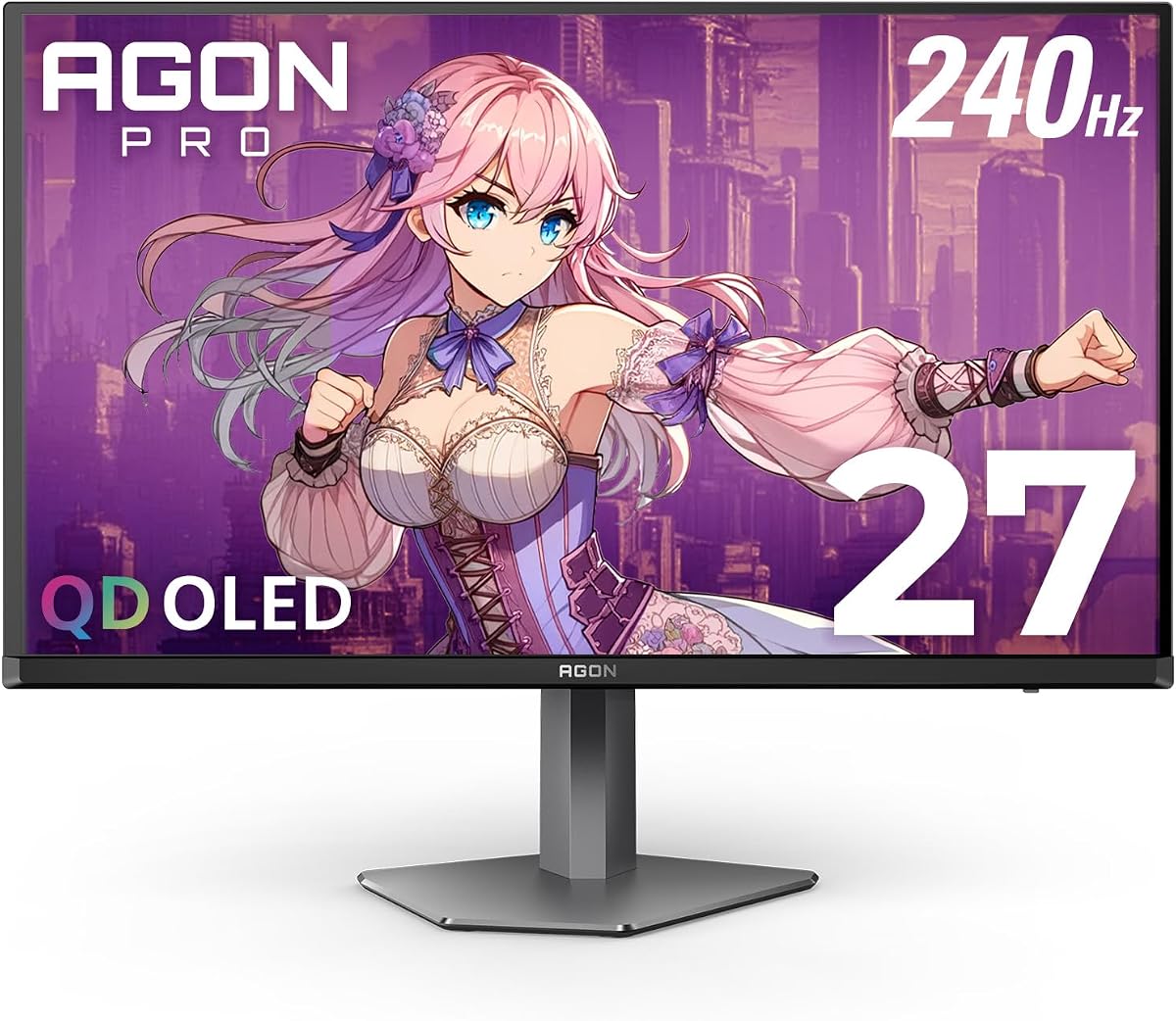
The AOC AG276QZD2 is a connectivity- and ergonomics-focused premium OLED in the Agon Pro range. It combines a 27-inch Quad-HD QD-OLED panel with a 240Hz refresh rate, 0.03ms GTG response, and low input lag. Its 4.4 rating reflects strong user satisfaction, while the feature set is especially attractive to enthusiasts building a carefully organized desk setup.
We may earn a commission when you buy through this link, at no additional cost to you.
The matte screen combines self-emissive OLED technology with 0.03ms response, delivering sharp imagery, strong contrast, and high color depth. For gaming, the monitor supports FreeSync Premium Pro and G-Sync, while built-in presets cover FPS, racing, and RTS styles and allow users to save personal settings. A built-in speaker and 3.5mm headphone output add practical audio options for a display intended to anchor an advanced setup.
Connectivity is the model's defining distinction. It provides two HDMI 2.1 ports, DisplayPort, and a USB hub, allowing more peripherals to be connected directly to the monitor. Its stand offers 130 millimeters of height adjustment, a substantial improvement over tilt-only models, and 100-by-100-millimeter VESA support plus a removable bracket make wall or arm mounting possible.
The AG276QZD2 is best suited to buyers who want premium OLED performance without giving up modern ports, useful gaming presets, or ergonomic flexibility. It is particularly attractive for a high-end PC build and a desk with an adjustable arm. The main trade-offs are the premium cost and QHD rather than 4K resolution, but for responsive competitive gaming and refined visual quality, it is a thoroughly equipped option.
Dual HDMI 2.1 connections, DisplayPort, and an integrated USB hub simplify an enthusiast desk and make the monitor easier to use as the central hub for accessories. The removable bracket and VESA support also make it easier to move between stand, arm, and wall-mounted arrangements.
With 130 millimeters of height adjustment, users can align the 27-inch panel more comfortably with their eye level. The combination of a matte screen, low input lag, and flexible positioning supports extended competitive and productivity sessions.
We may earn a commission when you buy through this link, at no additional cost to you.
The AOC 22B30HM2 is the compact and budget-conscious option, offering a 21.5-inch Full HD VA display for basic gaming, home offices, and secondary-monitor use. Its 4.7 rating is the highest customer rating among the ten products listed, although the renewed status should be considered when evaluating the value proposition and expected condition.
We may earn a commission when you buy through this link, at no additional cost to you.
The VA panel is designed to deliver deeper blacks and higher contrast than standard office-oriented IPS screens, and the monitor's fast 1ms response time is attractive for budget gaming. Adaptive-Sync technology synchronizes the refresh behavior of the GPU and display for smoother, tear-free output, while Flicker-Free operation and a blue-light filter can improve comfort during long work or play sessions. Its modest size also makes it easier to fit into a compact or shared workspace.
The product title identifies a 100Hz refresh-rate model, so it should not be confused with the 200Hz and 240Hz+ gaming displays elsewhere in this guide. The supplied feature details also discuss a 120Hz capability, making it advisable to verify the exact refresh specification and condition in the current listing. Because this is a renewed unit, buyers should also review the seller's condition terms and return policy carefully.
The 22B30HM2 is a good match for a secondary gaming display, a compact workstation, a student setup, or a general-purpose screen that still offers some gaming-oriented features. VGA and HDMI provide straightforward connection options, and VESA compatibility supports more flexible placement. It is not the choice for competitive enthusiasts, but it delivers a useful combination of size, VA contrast, and affordability.
A 21.5-inch Full HD display is easy to position and can be useful when desk space is limited. Its VA panel and fast response time bring more of a gaming character than a basic productivity monitor without requiring a large curved footprint.
VESA mounting support makes it possible to use an arm, wall bracket, or multi-monitor arrangement. HDMI offers the modern digital connection for current PCs, while VGA adds compatibility for older equipment that may still be in use.
We may earn a commission when you buy through this link, at no additional cost to you.
Choosing an AOC monitor starts with the way you use your display. Resolution, refresh rate, panel technology, synchronization, connectivity, and ergonomics all influence the experience, but the most expensive specification only makes sense when your hardware and viewing habits can use it.
Resolution determines how much information appears on screen and how finely text, icons, and game environments can be rendered. Full HD at 1920 by 1080 is a practical choice for smaller screens, budget gaming, and fast competitive play. QHD at 2560 by 1440 is a versatile middle ground, providing noticeably more workspace and detail while remaining manageable for a wide range of graphics cards. The 27-inch U27B3A uses 4K UHD at 3840 by 2160, making it especially relevant to productivity, detailed creative work, and users who value text clarity over high-refresh gaming. A higher resolution does not automatically create a better monitor, however, and it can place greater demands on both the GPU and the graphics pipeline.
Refresh rate controls how many times the display updates each second, and competitive gamers often value it as highly as resolution. The 260Hz models in this guide offer exceptional headroom, while the 200Hz 24G42HE, 180Hz CQ32G4VE, and 240Hz curved C32G2ZE sit in the middle of the range. The 22B30HM2 is designed for more modest use. Higher refresh rates can make motion appear smoother and place more frames on screen during a turn, but they only create a clear advantage when the connected GPU can render a matching frame rate. Advertised overclocked modes also need compatible hardware and display signaling. Always check current resolution and refresh-rate combinations rather than assuming every high refresh setting works through every port.
IPS panels are common in the high-refresh gaming category because they offer broad viewing angles and generally consistent color from off-center positions. VA panels can produce deeper blacks and higher native contrast, which may enhance dark scenes and large curved gaming displays. QD-OLED goes further by using self-emissive pixels to achieve genuine blacks, exceptional contrast, very wide color coverage, and extremely fast response times. OLED models are compelling for enthusiasts, but their premium category and the need for sensible screen care make them less universal. Panel choice should reflect the priorities of the user: viewing angles and practical speed for IPS, contrast for VA, or maximum visual performance for QD-OLED.
Response-time figures are meaningful only when the type of measurement is understood. MPRT and SmartResponse are advertised motion-response values designed to describe how quickly moving transitions can appear, while GTG refers to the actual time between pixel states. The 0.03ms GTG ratings of the OLED models represent the strongest response figures here, while the IPS and VA alternatives offer 0.3ms, 0.5ms, or 1ms MPRT claims. These specifications help distinguish fast models, but they should not be treated as a substitute for measured input lag. Variable refresh, low-latency modes, and the quality of the connected system also influence the perceived responsiveness of a game.
A high-refresh monitor cannot deliver frames the system does not produce. Adaptive-Sync support gives the models in this guide a broad foundation, and several also identify NVIDIA G-SYNC or AMD FreeSync Premium variants. Compatibility should be checked at the operating-system, graphics-card, driver, and game-engine levels. Console users should also note the listed 120Hz console capability and confirm the specific console model, title, and video mode. For PC gaming, DisplayPort is often the most direct path to very high refresh rates, while HDMI 2.0 or 2.1 provides broad device support. The AG276QZD2's dual HDMI 2.1 and USB hub make it particularly attractive for a multi-device desk.
Color coverage matters for games, video, and creative work, while HDR adds brighter highlights, greater perceived contrast, and a wider tonal range when the display, source, and graphics settings support it. The QD-OLED models offer the strongest specifications, including wide DCI-P3 and sRGB coverage with HDR10. The U27B3A combines a 4K IPS panel with HDR and a brightness of 350 cd/m², making it more relevant to mixed productivity and multimedia. Some conventional gaming monitors are only described as HDR-ready, which is a less specific designation. Buyers should look for the required source format, graphics support, and local-dimming information where available, rather than treating every HDR label as equivalent.
A curved display can feel more immersive because its edges curve toward the viewer, while a flat panel can be easier to position for general work. The 32-inch CQ32G4VE uses 1500R curvature alongside QHD resolution, making it an entertainment-oriented choice with useful port selection. The C32G2ZE follows a similar large-screen concept but uses Full HD. A 27-inch display is often a practical balance between visibility and desk footprint, and 21.5 inches suits especially compact spaces. Curvature is subjective, and large screens also need sufficient desk depth, correct viewing distance, and a stable mounting solution. Consider the whole room rather than comparing diagonal size alone.
A monitor that looks good but cannot be positioned comfortably may become irritating during long sessions. Tilt adjustment is common across many models, while the AG276QZD2 adds 130 millimeters of height adjustment and VESA support. The 27G51Z also supports standard 100-by-100-millimeter mounting. Connectivity should be matched to planned sources: DisplayPort and HDMI are essential for modern PC and console use, while VGA mainly adds legacy compatibility. Audio output allows a separate headset or speaker system, and a USB hub can simplify a high-end desk. Cable inclusion, stand design, frameless construction, and multi-monitor compatibility are also worth reviewing before ordering.
Begin by choosing the correct signal mode for your device and installing the display on a stable desk stand, arm, or VESA-compatible mount. Connect the PC or console with the appropriate cable, then use the AOC on-screen display or supplied software to select the desired refresh rate, picture mode, brightness, contrast, and synchronization settings. Avoid forcing an unsupported resolution or refresh combination, and confirm that the graphics output is set to match the display rather than leaving it to an automatic fallback.
For gaming, enable the most appropriate Adaptive-Sync or compatible variable-refresh mode and allow the operating system to apply the correct signal. Use Game Mode, Shadow Control, or genre-specific presets as a starting point, then fine-tune brightness and contrast to suit the room. HDR should be enabled only when the game, console, graphics card, and monitor all support the intended format. For general work, a standard or sRGB-oriented mode may provide more natural color than an aggressively saturated preset.
Good care extends the usable life of the display. Keep the panel away from direct sunlight, dust, moisture, and strong liquids, and clean it with a soft microfiber cloth rather than harsh chemicals. Users of OLED models should avoid unnecessarily high brightness for prolonged static content and use screen-saving or task-switching habits where appropriate. For IPS and VA models, enable Flicker-Free operation and use LowBlue Mode or a blue-light filter when long sessions cause eye fatigue. Finally, check that ventilation openings remain unobstructed and periodically review support for firmware, drivers, and warranty service.
The AOC Q27G41ZE is the strongest all-around gaming option in this guide because it combines a 27-inch QHD IPS panel, a very high 260Hz overclocked refresh rate, and a 0.3ms MPRT response time. It also provides DisplayPort, dual HDMI, Adaptive-Sync, and useful gaming controls. It is a particularly good fit for players who want more detail than Full HD without paying for a premium OLED.
No, the better choice depends on the games you play and the hardware you own. High refresh rates make motion smoother and can reduce perceived input lag, which is important in competitive shooters and fast action games. Higher resolutions provide finer detail and more visible information, which often matters more in strategy games, simulations, productivity, and creative work. Your GPU must also be capable of driving the desired combination.
IPS panels provide wide viewing angles and are popular for high-refresh gaming and general use. VA panels can deliver deeper blacks and stronger contrast, often at a large size and with a curved design. QD-OLED combines self-emissive pixels with a very fast response time, genuine blacks, broad color coverage, and premium visual quality. QD-OLED is the strongest for image performance, while IPS and VA can offer better practical value.
You need hardware that can render enough frames and transmit the selected mode through the appropriate connection. A modern capable GPU is generally important at these refresh rates, particularly when the native resolution is QHD rather than Full HD. Check the graphics card, cable, monitor port, and game settings, because some combinations will operate at a lower refresh rate even when the monitor itself supports a higher one.
Yes, several models in this guide explicitly support console gaming, including the AGON products and the C32G2ZE, whose listing identifies Xbox, PlayStation 5, and Switch compatibility. The supplied details describe console operation up to 120Hz, depending on the console. Use the appropriate HDMI connection and verify the resolution and refresh support of both the game and the specific console model.
A 32-inch curved monitor is usually more immersive and can provide a broad, enveloping view for gaming and entertainment. A 27-inch flat model is often easier to position, can offer finer pixel density at QHD or 4K, and may work better in a compact office. The best choice depends on desk depth, viewing distance, resolution, and personal comfort with curved images rather than size alone.
First, use a cable and port capable of carrying the intended resolution and refresh rate, then select that mode in the monitor's on-screen display. In your graphics software, confirm the output resolution and refresh rate are correct and enable the appropriate Adaptive-Sync option. Finally, adjust brightness, contrast, game presets, and any low-latency mode to suit your environment and the title being played.
They can be excellent for everyday work, office productivity, and mixed use because their high resolution, accurate color capability, and strong contrast are useful for many applications. Because QD-OLED is a premium technology, the cost may be difficult to justify for a display used only for basic documents. Users should also manage brightness and static-content habits carefully to maintain the panel over time.
The best overall AOC option is the Q27G41ZE because it balances QHD resolution, a 260Hz overclocked refresh rate, fast motion response, broad connectivity, and an IPS panel suited to both games and desktop work. The 24G42HE is the budget-minded competitive choice, while the Agon Pro AG276QZD2 is the premium recommendation for buyers who want QD-OLED contrast, exceptional response, rear lighting, and a very high refresh ceiling.
Prioritize the feature your regular workload actually needs. Competitive players should weigh refresh rate, response time, and synchronization; creative and office users should examine resolution, color coverage, brightness, and text clarity. Large-screen and console players may prefer a 32-inch curve, while desk-space-conscious buyers can look to the 24G42HE or the compact renewed 22B30HM2. Remember that advertised maximum refresh rates depend on compatible hardware and connection settings.
Before ordering, confirm the current specifications, port layout, stand adjustment, warranty terms, and condition of the selected product. AOC's lineup changes over time, and current prices, availability, and seller details can also vary. Checking the live listing ensures that the monitor you choose still provides the right resolution, speed, and features for your particular setup.