
JSAUX USB C Adapter
4.7Editor score
Five-gigabit transfer support
Braided nylon construction
Two-pack portability
Our Female USB Adapter guide compares 10 options for speed, compatibility, durability, portability, and everyday use, helping you choose the right fit.
A female USB adapter bridges USB-C devices and accessories built around traditional USB-A connections, making older flash drives, keyboards, controllers, and storage devices easier to use. The best choice depends on connector direction, supported transfer speed, charging behavior, device compatibility, and whether the adapter must also carry display or audio signals.
This guide compares ten adapters and converters based on their stated construction, transfer capabilities, supported devices, connector design, and practical limitations. It covers both USB-C male-to-USB-A female OTG adapters and the less common female-to-female or female-to-male options, because those connectors serve noticeably different purposes.
Each review identifies the product's strongest use case and any important restrictions, while the comparison table makes technical differences easier to scan. Ratings and product details reflect the supplied listings, and specifications can vary by hardware revision. Availability, promotions, and prices change over time, so compare current listings before purchasing.
4.7Editor score

4.8Editor score

4.7Editor score
The table below compares all ten adapters by connector arrangement, transfer class, included quantity, and key practical consideration. These details reveal which products are conventional OTG tools, which prioritize high-speed storage access, and which are designed for more specialized charging or extension setups.


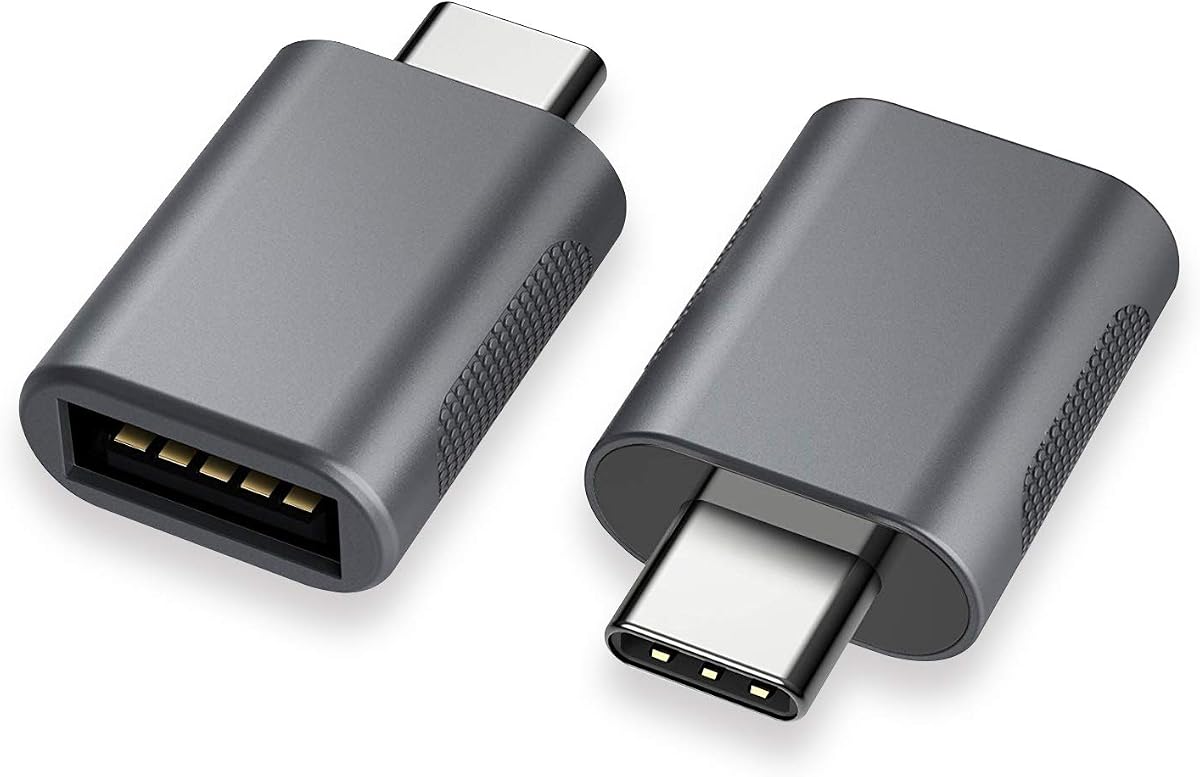


The JSAUX USB C to USB 3.0 Adapter is a USB-C male-to-USB-A female OTG adapter built for people who still rely on traditional accessories after moving to a USB-C-equipped computer or phone. Its 4.7 rating reflects broadly favorable buyer feedback, while the two-pack format makes it easy to keep one at home and another in a work bag.
We may earn a commission when you buy through this link, at no additional cost to you.
Its standout feature is stated USB 3.0 transfer performance up to 5Gbps. That makes it a sensible choice for flash drives, external storage, keyboards, mice, hubs, and other USB-A peripherals that support OTG. The listing also highlights a nylon-braided cable for durability and reduced tangling, plus an aluminum alloy body intended to withstand regular handling.
The main limitation is that it does not carry video output. It is therefore a data and peripheral adapter rather than a solution for connecting an external display. Users should also account for the fact that the host device must support OTG and that the attached storage or accessory must itself be operational for the fastest transfers.
This is an attractive recommendation for MacBook, iPhone, Samsung Galaxy, and other compatible USB-C users who want a durable, portable way to reuse USB-A accessories. Choose it when dependable OTG support, fast file transfer, and a two-adapter bundle matter more than display functionality.
With support for transfers up to 5Gbps, the adapter can move large files more quickly than a USB 2.0 connection when the host, accessory, and cable chain all support the faster standard. It is especially useful for USB-A flash drives and storage devices used with compatible laptops and OTG-enabled phones.
The nylon-braided section adds flexibility and helps resist tangling during travel. Combined with the aluminum body, it creates a practical adapter for users who routinely move between shared workspaces, home offices, and travel setups.
We may earn a commission when you buy through this link, at no additional cost to you.
The Anker USB C Adapter is the strongest all-purpose selection in this guide because it combines a 4.8 rating with a straightforward USB-C-to-USB-A design and broad peripheral support. It converts a USB-C port into a USB-A connection for external hard drives, phones, mice, printers, and other compatible accessories.
We may earn a commission when you buy through this link, at no additional cost to you.
Its most visible advantage is the ultra-slim aluminum housing. The listing specifically says that two adapters can sit side by side in a MacBook Pro's USB-C ports without interfering with one another. Scratch-resistant construction and connectors engineered for up to 10,000 insertion cycles also support its reputation as a durable everyday accessory.
One detail to consider is that the supplied listing emphasizes high-speed data transfer but does not state a precise maximum transfer rate. It also does not claim video output. That means buyers seeking a clearly documented five-gigabit specification may prefer another option, while those who prioritize compact construction, recognized brand presentation, and broad USB-A compatibility may find this the more balanced choice.
For laptop owners, frequent travelers, and anyone working across several USB-C devices, the Anker is easy to recommend. Keep a pair in a laptop sleeve or desk drawer and use one for a mouse or keyboard while the other handles storage or phone connections.
The slim profile is especially useful on densely arranged laptops. Because the listing highlights side-by-side compatibility, it can be easier to keep multiple USB-C accessories connected without forcing a larger adapter into an awkward angle.
Support for hard drives, mice, printers, and phones makes this a general-purpose connector rather than a niche storage tool. The included pair also gives users a spare without needing to juggle the same adapter between a workstation and a travel bag.
We may earn a commission when you buy through this link, at no additional cost to you.
The Duyasurs 3Pack Upgraded USB C to USB Adapter combines a useful three-adapter bundle with broad compatibility and no-drivers operation. Its 4.6 rating makes it a practical pick for users who need several compact adapters for different devices or locations.
We may earn a commission when you buy through this link, at no additional cost to you.
The listing states transfer speeds up to 5Gbps and describes use with external drives, laptops, tablets, USB storage, hard drives, data cables, card readers, and microphones. Two mini LED indicators provide visual confirmation of a successful connection, while the scratch-resistant aluminum shell is designed for regular wear. Connector construction is rated for up to 10,000 plug-and-unplug cycles.
There are clear functional boundaries. The adapter does not support audio or video, and the listing excludes in-vehicle data transfer. It also advises that the connected storage device must function properly and that the cable in the connection chain must support USB 3.0 to achieve the stated fast-transfer capability.
This adapter is well suited to students, office workers, and travelers who want several compact connectors for flash drives, card readers, or peripherals. It is less appropriate for display connections, car systems, or any workflow that depends on audio or video output.
The three-pack allows users to assign separate adapters to a laptop, tablet, and phone or keep backups in different bags. That convenience makes it more versatile than a single adapter for people who regularly switch between mobile and desktop workflows.
The miniature LED indicators give quick visual feedback after insertion. This is helpful when a host port, cable, or accessory is not recognized and helps distinguish an obvious connection problem from a more complex compatibility issue.
We may earn a commission when you buy through this link, at no additional cost to you.
The UGREEN USB C to USB Adapter stands out for its stated 10Gbps transfer capability, making it the fastest-specification option in this roundup. The four-pack includes thumb-sized adapters for flash drives, card readers, hard disks, laptops, and compatible mobile devices, and its 4.7 rating reflects a strong overall reception.
We may earn a commission when you buy through this link, at no additional cost to you.
Construction combines an aluminum alloy housing with a metal connector, and the product is stated to withstand more than 10,000 insertion cycles. Its thin shape is designed to fit snugly beside other MacBook Pro ports and fit inside a phone case up to 2 millimeters thick. Compatibility includes Type-C laptops, tablets, and several generations of OTG-capable phones.
The speed figure depends on the entire setup. A fast adapter cannot compensate for a slower storage device or cable, and the product's installation guidance asks users to clean the interface and insert it in the orientation marked by the logo. The listing also warns against forcing the connector into a port.
UGREEN is the leading recommendation for buyers who want maximum stated throughput and a generous set of compact adapters. It is especially relevant for working with compatible external storage or card readers where faster transfer performance can materially shorten waiting time.
The 10Gbps specification sets this adapter apart from the five-gigabit options. Users working with large files can benefit when the connected drive, host interface, and cable also support the required transfer rate, making a full-speed chain essential.
The compact four-pack is easy to divide among work, home, and travel kits. Because each adapter is thumb-sized and slim, several can be carried without adding much bulk to a purse, laptop sleeve, or tech organizer.
We may earn a commission when you buy through this link, at no additional cost to you.
The Pastall 4Pack is a specialized female-to-female USB-C adapter rather than the more familiar USB-C male-to-USB-A female design. It is intended to join USB-C cables or connect a Type-C device to USB-A charging equipment, and its stated 4.6 rating reflects positive feedback from users who need that arrangement.
We may earn a commission when you buy through this link, at no additional cost to you.
Its features are unusually broad for this connector style. The listing claims support for data transfer up to 10Gbps, output up to 5V/3A, fast charging, audio output, and video signal transmission. A metal alloy shell, bare copper conductors, and shielding are described as improving durability and signal clarity.
Compatibility depends on the full connection. The listing identifies compatible Type-C devices including Samsung Galaxy Note 8, Huawei P20, Google Pixel 3, a 12-inch MacBook, and Nexus models. Both the data input and output ports must support 10Gbps for the highest transfer rate, so buyers should check every cable and port in the chain.
This is the option to consider when extending a USB-C connection or adapting cables rather than plugging a flash drive directly into a laptop. Its four-pack arrangement supports multiple locations, including home, office, and car, although the connector orientation makes it less universal than the OTG adapters in this guide.
Unlike several data-focused adapters, the Pastall listing includes claims for audio and video transmission. That makes it more appropriate for users who need a cable-to-cable connection and require the full set of supported signals, rather than merely file transfer and peripheral access.
The multiple adapters can be left near different charging setups or used as backups. This is particularly helpful for travel, hybrid work, and shared offices where one adapter often ends up in the wrong bag.
We may earn a commission when you buy through this link, at no additional cost to you.
This USB-C to USB 3.0 Adapter is a straightforward two-pack for connecting standard USB-A accessories to compatible USB-C hosts. It carries a 4.7 rating and emphasizes a simple, durable approach: plug it in, install no software, and use supported peripherals such as flash drives and other USB devices.
We may earn a commission when you buy through this link, at no additional cost to you.
The adapter supports transfer speeds up to 5Gbps through USB 3.0. Its zinc alloy body is intended to resist scratches, and the USB-C connector is stated to pass more than 10,000 push-and-pull tests. Compatibility spans modern laptops, tablets, and smartphones, including listed MacBook, MacBook Air, Nintendo Switch, and Samsung Galaxy models.
The listing does not provide a precise charging specification or claim video support, so the adapter should be evaluated primarily as an OTG data and peripheral connector. A user's existing USB-A device and cable must also support the intended function, and host-side OTG support is still necessary on compatible phones.
This product is a good middle-ground choice for someone who wants a compact adapter, a metal housing, and two units without paying attention to brand-specific extras. It is especially useful for USB-A flash drives, input devices, and hubs connected to modern laptops.
The zinc alloy housing and tested USB-C connector target the repeated insertion and removal associated with portable accessories. This makes the adapter suitable for users who connect peripherals regularly rather than leaving it stored permanently.
Plug-and-play operation keeps the adapter useful across different computers and tablets. Users can move the same accessory between compatible hosts without installing a special driver or completing a separate setup process.
We may earn a commission when you buy through this link, at no additional cost to you.
The JXMOX adapter reverses the usual arrangement by providing a USB-C female end and a USB-A male end. Its purpose is to let a USB-C device use an existing USB-A charger, power bank, or computer port, making it a charging bridge rather than a direct USB-A peripheral adapter.
We may earn a commission when you buy through this link, at no additional cost to you.
The listing specifies USB 2.0 data transfer up to 480Mbps and power output up to 3A. A built-in double-sided 56KΩ resistor is included for charging safety. Compatibility covers a long list of USB-C phones and tablets, including iPhone, iPad, Samsung Galaxy, Google Pixel, and Apple Watch models.
Several limitations deserve careful attention. It does not support video signal transmission, and its charging protocol compatibility prevents it from working with a 12-inch MagSafe charger or charging a MacBook. Its data rate is also considerably lower than the five- and ten-gigabit options elsewhere in the guide.
This adapter is most useful for travelers or households that still have USB-A charging hardware and need a way to power or sync a compatible USB-C device. It is not the right choice for fast file transfers, external displays, or modern laptop charging.
The USB-A male plug fits standard wall chargers, power banks, and computer ports, while the USB-C female receptacle accepts a compatible cable. That direction makes the adapter useful when replacing a USB-C charger is inconvenient.
The stated 56KΩ resistor provides a visible technical distinction in the charging path. Buyers should still confirm that their charger, cable, and device support the intended protocol and output level.
We may earn a commission when you buy through this link, at no additional cost to you.
The USB C to USB Adapter three-pack offers a colorful alternative to the more uniform black and gray adapters in this guide. It includes black, gray, and silver versions, allowing users to coordinate with different devices or keep one associated with each of several setups. Its 4.5 rating is the lowest among the selected products, but it still provides a useful combination of features.
We may earn a commission when you buy through this link, at no additional cost to you.
The adapter supports USB 3.0 data transfer and charging, with a USB-C male plug and USB-A female receptacle. Compatibility is listed for iPhone 15-series devices, MacBook Pro models after 2016, MacBook Air models after 2018, and many other Type-C laptops, tablets, and phones. The connectors are stated to withstand up to 10,000 insertion cycles.
Its slim zinc alloy housing is designed not to block adjacent ports, which is valuable on modern laptops. The listing does not quantify the maximum transfer rate or claim video output, so users needing a defined high-speed specification should choose a product that publishes one. The stated 12-month service plan also provides some purchase reassurance.
This three-pack is most attractive for buyers who value coordinated finishes, compact dimensions, and multiple adapters. It is a reasonable general-purpose choice for standard USB-A storage and peripherals on compatible USB-C devices.
The black, gray, and silver assortment makes it easier to assign different adapters to different devices. It also helps users quickly identify an adapter when several are kept in the same organizer or laptop bag.
The slim housing is intended to reduce interference with neighboring ports. That matters on laptops that provide multiple closely spaced USB-C ports and on users who prefer to keep several accessories connected at once.
We may earn a commission when you buy through this link, at no additional cost to you.
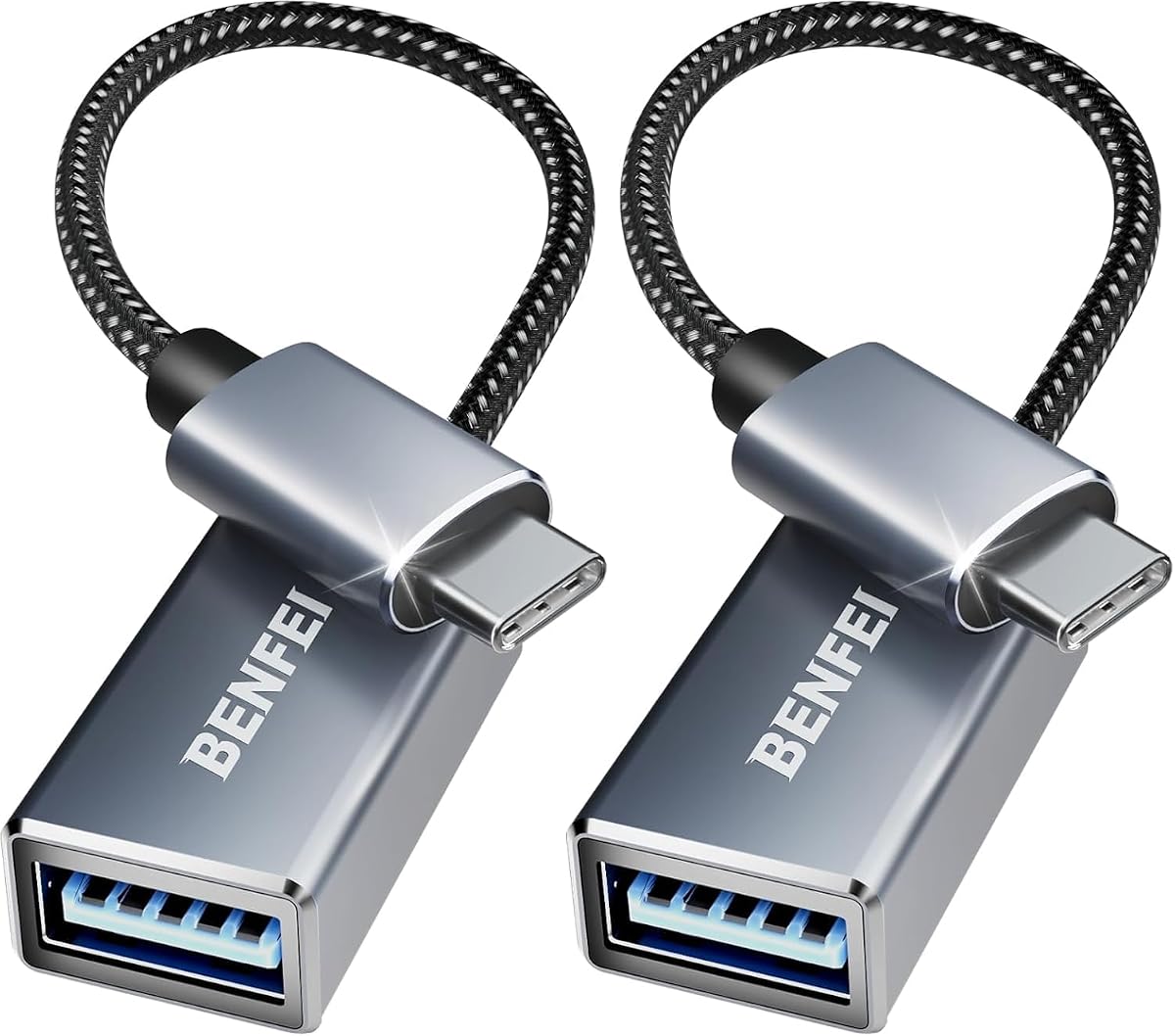
The BENFEI USB C to USB 3.0 Adapter is a two-pack that combines a clearly stated five-gigabit transfer rate with a braided nylon cable and compact aluminum construction. Its 4.6 rating indicates generally favorable feedback, and it is designed for users who want to continue using standard USB-A accessories with USB-C devices.
We may earn a commission when you buy through this link, at no additional cost to you.
Its compact design is intended to avoid interference when two USB-C slots are used simultaneously. Nickel-plated connectors are described as resisting corrosion and abrasion, while the aluminum casing is intended to improve heat insulation. These details make it a practical option for regular travel and desk use.
The listing gives broad compatibility with Type-C laptops, tablets, and smartphones, including MacBook, MacBook Air, iMac, and Samsung Galaxy examples. It also supports smartphone OTG technology. A precise charging output is not stated, so buyers seeking defined power delivery should verify the devices and cable in their intended setup.
BENFEI is a solid choice for users who want a defined transfer rate, physical cable reinforcement, and two adapters in a portable set. It fits particularly well into an established USB-A accessory collection that needs a USB-C bridge.
The braided nylon cable is intended to withstand bending and daily wear while reducing tangling. Its short, flexible form also makes it easier to route around a laptop or tablet than a rigid full-size cable.
The adapter lets users reuse flash drives, keyboards, mice, and other legacy accessories rather than replacing them after moving to a USB-C host. OTG support expands the range of compatible devices when the host and accessory support it.
We may earn a commission when you buy through this link, at no additional cost to you.
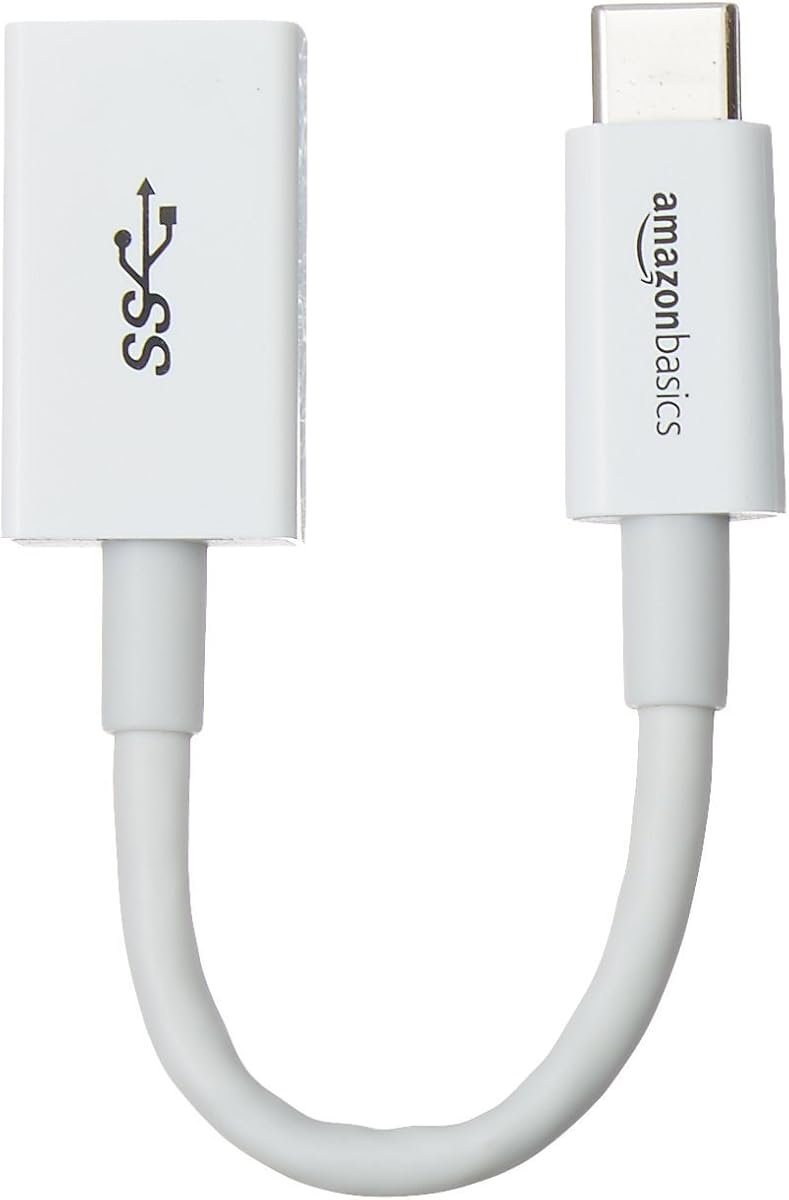
The Amazon Basics USB-C Male to USB-A Female Adapter is a single-unit option distinguished by USB-IF certification and clearly stated technical limits. It provides data transfer up to 5Gbps and charging up to 15W, making it transparent about what the adapter can and cannot deliver.
We may earn a commission when you buy through this link, at no additional cost to you.
The 5.5-inch adapter includes a USB-C male plug and USB-A female socket. It supports USB 3.0 and USB 2.0 devices, with stated uses including phones, power banks, wall or car chargers, tablets, laptops, hard drives, and other low-power equipment. Its 4.6 rating reflects a generally positive user response.
The 15W, 5V/3A maximum should be treated as a firm limit. Devices using USB Power Delivery may charge at a reduced rate, and the listing warns against exceeding the recommended load. Because only one adapter is included, this is best suited to someone who needs a simple single connector rather than a multi-location kit.
The Amazon Basics adapter is a strong choice for buyers who prioritize certification, clear specifications, and broad device compatibility over multiple adapters. It is particularly useful for standard file transfer and conventional USB-A charging accessories.
USB-IF certification gives the product a more formal standards context, while the listed 15W and 5Gbps limits make expectations clear. Users can quickly determine whether the adapter suits their accessory before ordering.
Compatibility with both USB 3.0 and USB 2.0 equipment allows the adapter to work with a broader collection of storage and peripheral devices. Its compact form also makes it easy to carry without a separate cable attached.
We may earn a commission when you buy through this link, at no additional cost to you.
Choosing a female USB adapter starts with the connector arrangement, but data speed, charging limits, host support, and signal type determine whether it will actually work as intended. Compare the complete connection chain rather than judging an adapter by its label alone.
Female USB adapters are not all physically or functionally identical. The most common arrangement is a USB-C male plug with a USB-A female receptacle, allowing a flash drive, keyboard, mouse, printer, or external drive to connect directly to a USB-C host. A USB-C female-to-USB-A male adapter serves a different purpose: it accepts a USB-C cable and plugs into a legacy USB-A charger or port. Female-to-female USB-C adapters are mainly used to join cables or adapt a USB-C connection, so they should not be treated as ordinary OTG dongles.
Choose a USB-C male-to-USB-A female adapter for direct peripheral access. Choose a female-to-male version when your goal is charging a USB-C device from USB-A equipment. Choose female-to-female only when extending or joining a compatible USB-C cable.
Transfer speed is limited by the slowest participating component. The host USB-C port, adapter, attached storage device, and cable must all support the desired rate. Five-gigabit adapters are common among the USB-A female options in this guide, while the UGREEN and Pastall products claim up to 10Gbps. A 480-megabit USB 2.0 adapter may still be appropriate for small files or charging, but it is a poor choice for large media libraries or backup workflows.
Prioritize a clearly stated maximum speed and verify that your storage hardware can sustain it. The adapter's headline specification is only one part of the chain and should not be treated as guaranteed real-world throughput.
OTG support allows a compatible phone or tablet to recognize USB-A peripherals. Not every USB-C device offers full OTG behavior, and operating system policies can affect which devices appear. On laptops, the host must expose the necessary data connectivity. An adapter can have the correct connectors and still fail if the connected drive, cable, or host does not support the intended function.
Check the host's specification and the accessory's requirements before ordering. For phones, look for explicit OTG support and confirm that the accessory is the type you intend to connect.
Charging depends on both physical fit and communication protocols. A passive adapter may physically accept a charger while failing to negotiate the power level required by the connected device. The Amazon Basics model lists a 15W maximum and warns that PD-enabled devices may charge more slowly. The JXMOX model supports up to 3A but explicitly excludes MacBook charging and 12-inch MagSafe charging because of protocol differences.
Review the listed voltage, current, and protocol limits for both the adapter and the device. Never assume that a USB-C-shaped connection guarantees the same charging behavior as a native USB-C charger.
Several adapters in this roundup explicitly exclude video output. The JSAUX and Duyasurs models are positioned around OTG data and peripheral use, and the JXMOX charger bridge also lacks video transmission. The Pastall female-to-female adapter makes claims for audio and video signal transmission, but buyers should verify that the complete cable and host-device combination supports those functions.
If the goal is to connect a monitor, projector, or television, choose a product explicitly designed for display output rather than assuming any USB-A female adapter will carry video.
Compactness matters when adapters are used on laptops with closely spaced USB-C ports. The Anker model is specifically described as slim enough for two adapters side by side, and the UGREEN, Amazon Basics, and three-color USB C to USB Adapter listings also emphasize compact dimensions. Connector shape, housing thickness, and the attached cable's bend radius can determine whether neighboring ports remain accessible.
For frequent laptop use, prioritize an adapter that fits beside other plugs. For travel, look for a short or thumb-sized form that can be carried easily without becoming tangled.
Aluminum alloy, zinc alloy, scratch-resistant finishes, nickel plating, and braided nylon are used across the selected products to improve durability. Several listings also specify testing for more than 10,000 insertion cycles. These claims matter because USB adapters are repeatedly plugged into different devices, and connector damage can make a perfectly suitable peripheral unusable.
Look for a metal connector shell, a housing that protects the plug-to-port junction, and a cable section designed to resist bending. For frequently shared equipment, durable construction may be more valuable than choosing the smallest possible adapter.
Multi-packs range from two to four units in this selection. Larger bundles are helpful for keeping adapters at a desk, in a travel bag, and near a charging station, or for replacing a misplaced unit. A single adapter is sufficient for occasional use and may be preferable if you already own several compatible USB-C cables. Multi-packs do not change the underlying function of an adapter, so the connector direction and signal limitations should still drive the decision.
Choose the quantity that matches your routine. A two-pack covers common home-and-work needs, while three or four units suit frequent travel, device switching, or shared workspaces.
Begin by identifying the host port and the accessory you want to connect. For a USB-C male-to-USB-A female OTG adapter, insert the male USB-C end into a compatible laptop, tablet, or phone, then attach the USB-A accessory. For a female-to-male charging adapter, connect the appropriate USB-C cable to the adapter and insert the USB-A male end into the charger, power bank, or computer port. Observe the connector orientation and never force a connector into a port.
When using a USB-A female adapter for storage, connect the drive or flash drive first and then insert the adapter into the host. Once the device is recognized, copy files normally through the operating system. For the fastest stated transfer rate, use compatible USB 3.0 or newer storage and a cable that supports the same generation. If a device fails to appear, reconnect it, inspect the contacts for dust, and confirm OTG or host support.
To care for the adapter, pull it straight out rather than twisting it while it is inserted. Store cable-style versions loosely to protect the braided section, and keep the female receptacle covered when it is not in use so it does not collect pocket debris. Keep the connector dry, avoid sharp bends near the plug, and do not exceed stated charging limits. For display use or high-wattage charging, use a dedicated adapter designed for those functions.
A USB-C male-to-USB-A female adapter plugs directly into a device's USB-C port and accepts a USB-A accessory such as a flash drive or keyboard. A USB-C female-to-USB-A female adapter has female ends on both sides and is intended to join or extend cables rather than connect directly to a host port. Check the connector drawings carefully because the physical labels alone can be misleading.
It can work when the iPhone model supports USB-C OTG, the adapter has a USB-C male plug and USB-A female receptacle, and the flash drive is compatible with that device and operating system. The listing for the JSAUX adapter specifically mentions OTG use with compatible iPhone series. Some devices may not expose every filesystem or peripheral, so current host requirements should be checked before use.
That depends on the exact adapter and the functions its manufacturer lists. The JSAUX, Duyasurs, and JXMOX options expressly do not support video output, while the Pastall female-to-female model claims video signal transmission. For a monitor, projector, or television, choose an adapter explicitly labeled for display output and verify that the host, cable, and display all support the intended mode.
The adapter cannot make the entire connection chain faster than its slowest component. A USB 2.0 flash drive, older cable, limited host port, or device limitation can reduce a five- or ten-gigabit connection to lower real-world throughput. Use compatible high-speed storage and cables, and confirm that the host port supports the required USB generation.
Not every such adapter can. The JXMOX listing explicitly states that its charging-protocol incompatibility prevents use with a 12-inch MagSafe charger and excludes MacBook charging. Even when the connector physically fits, USB-C charging requires compatible power-delivery negotiation. For a laptop, use the manufacturer's specified charger or a certified alternative designed for that model.
Certification can provide confidence that the product was designed around recognized USB-C specifications, but it does not guarantee every advertised use. You still need to verify connector direction, transfer generation, charging limits, host support, and signal functions. The Amazon Basics adapter is the option in this guide that specifically identifies USB-IF certification.
A laptop with a data-capable USB-C port can generally connect standard USB-A accessories through a male-to-female adapter without a separate OTG label. OTG is especially relevant for phones and tablets, where the operating system must explicitly support peripheral access. The terminology is sometimes used loosely in listings, so the adapter's stated compatibility remains more useful than the label alone.
Keep it in a small pouch, cable organizer, or the pocket of a laptop sleeve so the connector does not catch on other items. For adapters with braided sections, avoid tight bends and do not wrap the cable around the housing. Keeping the female USB-A port covered also helps prevent lint and dust from interfering with future connections.
The Anker USB C Adapter is the most balanced overall pick because of its high rating, broad USB-A accessory support, slim construction, and ability to fit two units side by side. JSAUX stands out for durable braided construction and documented five-gigabit OTG transfers, while UGREEN offers the highest stated transfer rate and a convenient four-pack.
Prioritize the connector direction first, because a female adapter can be designed for direct OTG access, charging, or cable extension. Next, match data speed and charging output to the devices involved, and verify any restrictions on audio or video. Construction, included quantity, host compatibility, and nearby-port fit should guide the final choice after those functional requirements are satisfied.
Product specifications and customer feedback can evolve, so verify the current listing and compatibility notes before ordering. Promotions and prices also change frequently, making it worthwhile to compare the current offer with the features that matter most. The right adapter should connect cleanly, fit the intended devices, and perform the specific data or charging task without exceeding its stated limits.
