
Snowkids 8K HDMI Fiber Optic Cable
4.6Editor score
48Gbps HDMI 2.1 bandwidth
8K at 60Hz
4K at 120Hz
Unidirectional fiber design
Our 100 Foot HDMI Cable guide compares ten long-range options for 4K, 8K, gaming, in-wall installs, audio features, durability, and directional setup needs.
A 100-foot HDMI cable solves a practical problem: placing a television, projector, gaming system, or computer far from its source without adding visible wiring or relying on a short-range connection. The best cable depends on resolution, refresh rate, installation method, directional requirements, and the features supported by your equipment.
We compared ten cables based on their stated bandwidth, supported resolutions, HDMI version, audio and gaming features, construction, compatibility, and installation considerations. The list includes HDMI 2.0 copper options, HDMI 2.1 fiber-optic cables, in-wall-rated models, a detachable armored design, and solutions for home theaters, projectors, consoles, PCs, and offices.
Each review explains where the cable stands out, what limitations deserve attention, and which setup it suits best. The top selections represent a balanced range of features rather than a single universal winner. Product specifications and availability can change, so always verify support for your exact television, graphics card, console, projector, and audio system before purchasing.
4.6Editor score

4.7Editor score

4.3Editor score
The comparison highlights bandwidth, maximum resolution, directional operation, and installation suitability. Optical and copper designs appear side by side so readers can match cable construction to their equipment and routing plan.



The Snowkids 8K HDMI Fiber Optic Cable delivers a useful combination of modern bandwidth and a relatively accessible approach to long-distance HDMI. Its stated 48Gbps capacity supports 8K at 60Hz and 4K at 120Hz, while the listed HDMI 2.1 feature set includes VRR, ALLM, eARC, DSC, HDR, and QFT. The product carries a 4.6 rating, making it one of the stronger balanced choices in this guide.
We may earn a commission when you buy through this link, at no additional cost to you.
The cable's strongest appeal is the amount of capability it provides for a 100-foot run. Optical transmission reduces reliance on copper at this length, and the manufacturer describes the jacket as flexible military-grade tensile nylon with connectors designed to withstand repeated bending. Compatibility extends to televisions, laptops, monitors, PlayStation 5, Xbox systems, projectors, receivers, Blu-ray players, and conference equipment.
The principal trade-off is directionality. Like other active optical cables, it cannot be reversed casually: one end is intended for the source and the other for the display or receiver. Some modern source devices may also have limited HDMI input support, while TVs and projectors may provide fewer than the full complement of HDMI 2.1 features. Users should confirm the exact ports and capabilities of their equipment before installation.
This is an appealing pick for buyers who want 8K readiness and a broad gaming feature set without paying for specialty construction such as an in-wall rating or detachable heads. It is particularly suitable for a living-room projector, a wall-mounted television, or a long gaming-station connection where the source can be placed in a fixed orientation.
The 48Gbps specification and support for 4K at 120Hz make this cable suitable for high-end televisions, modern graphics cards, and current-generation consoles. VRR and ALLM support make it more than a basic 4K cable when the connected equipment also supports those features.
The stated flexible construction and 4.8-millimeter-class slim design implied by the fiber approach help with long runs. Optical cables are especially useful when the route crosses rooms, furniture, or areas where keeping a thick copper cable under control is inconvenient.
We may earn a commission when you buy through this link, at no additional cost to you.
The Highwings 8K@60 HDMI Fiber Optic Cable is the most versatile recommendation in this roundup because it combines 48Gbps bandwidth, strong gaming features, and a clearly described construction system. It supports 8K at 60Hz and 4K at 120Hz through HDMI 2.1, and its 4.7 rating is among the highest listed for the group.
We may earn a commission when you buy through this link, at no additional cost to you.
Its optical-fiber architecture is intended to carry audio and video over 100 feet without the compression associated with some active solutions. The manufacturer specifies no signal compression, no added delay in light-speed transmission, and improved resistance to electromagnetic interference. For gaming, variable refresh rate helps the display adjust its refresh timing to the rendered scene, while 4K at 120Hz supports high-frame-rate output on compatible equipment.
Construction receives unusually detailed attention. The connector housings use an aluminum alloy shell, the cable includes an anti-bending tail design, and the plugs use 24K gold-plated contacts. These details matter at 100 feet because connectors and bend points are frequent failure sites, particularly when the cable is routed around furniture, through walls, or into tight raceways.
The directional design is the main caution. The SOURCE label belongs on a laptop, PC, game console, or Blu-ray player, while DISPLAY belongs on the television, monitor, or projector. It is a strong general recommendation for a dedicated media room or long gaming setup, provided the source and display positions can be planned before installation.
Beyond resolution and bandwidth, the cable lists eARC, VRR, 8K at 60Hz, and 4K at 120Hz. These features can improve synchronization, audio control, and gaming performance when both the source device and display support them.
Reinforced shells, anti-bending tails, and gold-plated contacts address the mechanical demands associated with a 100-foot connection. The optical line also avoids some of the interference limitations traditionally encountered by long copper runs.
We may earn a commission when you buy through this link, at no additional cost to you.
The Highwings 8K 4K 120HZ 100FT Fiber Optic cable is tailored to permanent installations where the cable may pass through a wall, conduit, or protected route. Its CL3 rating is the defining feature, making it a more relevant choice than a general-purpose optical cable when code-conscious or planned in-wall routing is required.
We may earn a commission when you buy through this link, at no additional cost to you.
Signal capabilities are modern. The stated 48Gbps bandwidth supports 8K at 60Hz, 4K at 120Hz, 3D, Dynamic HDR, and HDCP 2.2. For gaming, it includes VRR and eARC, while the product description also names DSC, QMS, QFT, and ALLM. Compatibility is broad across laptops, Blu-ray players, televisions, monitors, projectors, Xbox systems, graphics cards, and audio-video receivers.
The fiber-optic design is thin and light for a 100-foot cable, which is a meaningful advantage when pulling it through conduit. The manufacturer also highlights lower attenuation, better interference immunity, and greater carrying capacity than traditional copper cores. Those characteristics are especially valuable in installations where a long cable passes near other wiring.
Buyers must still observe the directional markings. The source end connects to a PC, console, player, or similar device, while the display end connects to a monitor, television, or projector. It is a compelling selection for a new home build, renovated media room, or concealed installation where in-wall suitability outweighs the need for a detachable connector.
The CL3 jacket designation identifies this as a cable intended for suitable in-wall installations. Its reduced diameter also makes pulling 100 feet through conduit more manageable than routing a similarly long conventional copper cable.
VRR supports smoother refresh-rate changes, while eARC and high-bitrate audio formats suit television and receiver setups. The 48Gbps specification also allows compatibility with demanding future display and GPU combinations.
We may earn a commission when you buy through this link, at no additional cost to you.
This 8K 4K 100-foot fiber-optic HDMI cable combines a 4.7 rating with a detailed HDMI 2.1 specification. It supports 48Gbps bandwidth, 8K at 60Hz, 4K at 120Hz, Dynamic HDR, 3D, HDCP 2.2, VRR, and eARC, positioning it as a flexible long-run solution for modern displays and game systems.
We may earn a commission when you buy through this link, at no additional cost to you.
The listing describes broad compatibility with televisions, projectors, monitors, laptops, Blu-ray players, receivers, and gaming consoles. It specifically mentions PS5, Xbox Series X/S, and gaming PCs, as well as advanced audio formats such as Dolby Atmos, DTS:X, and DTS-HD Master Audio through eARC. Backward compatibility extends to several earlier HDMI versions.
A lightweight braided exterior and fiber-optic core are helpful for permanent or semi-permanent runs. The product data also states that optical construction offers higher bandwidth, lower signal loss, and stronger interference resistance than traditional copper cables. The trade-off is that it is a directional active cable and cannot be used backward without an appropriate powered signal-conditioning arrangement.
This option is worth considering when the essential requirements are clear: 100 feet, 8K support, 4K gaming, broad device compatibility, and a relatively manageable cable. Buyers should pay close attention to the source and display labels during setup, and should not assume every advertised function is activated unless both connected devices support it.
Support for eARC, Dynamic HDR, Dolby Atmos, and DTS:X makes this cable relevant to displays connected directly to soundbars or receivers. The 100-foot length can also accommodate projector placement behind a sofa or against a distant wall.
VRR helps synchronize refresh behavior on compatible games and displays, while 4K at 120Hz supports high-frame-rate play. The HDMI 2.1 bandwidth provides room for current and future high-resolution source devices.
We may earn a commission when you buy through this link, at no additional cost to you.
The Active 4K Fiber Optic HDMI cable is designed for installations that need 4K quality in a relatively thin 100-foot run. Its 18Gbps capacity, 4K at 60Hz support, and full 4:4:4 RGB sampling make it a practical choice for modern 4K televisions, projectors, and everyday home entertainment setups.
We may earn a commission when you buy through this link, at no additional cost to you.
Four optical fibers carry the signal, while a German chipset handles conversion between optical and electrical signals. The product information emphasizes immunity to electromagnetic interference, low power consumption, and long-distance transmission without attenuation or added delay. Its diameter is listed at 4.8 millimeters, making it notably less bulky than many long copper alternatives.
Feature support includes HDR10, eARC, CEC, 3D, and HDCP 2.2, along with backward compatibility for 2K at 144Hz. These extras make it more flexible than a bare minimum 4K cable, although the 18Gbps limit prevents it from delivering the full 48Gbps offered by HDMI 2.1 models. High-refresh 4K gaming at 120Hz or 240Hz is therefore outside its intended specification.
This cable is best for buyers who value a discreet route, solid 4K performance, and strong interference resistance rather than maximum bandwidth. The SOURCE and DISPLAY ends must be connected correctly, and the display device will not produce an image when the directional arrangement is reversed.
A 4.8-millimeter diameter makes the cable easier to conceal and more comfortable to route around furniture. Flexible construction also reduces the strain associated with a 100-foot installation.
Full 4:4:4 RGB at 4K and 60Hz supports sharp text and detailed computer output. Optical conversion and shielding help maintain reliable performance across a long cable run.
We may earn a commission when you buy through this link, at no additional cost to you.
The Ultra High Speed Copper cable is a straightforward option for anyone who needs 100 feet of 4K-capable HDMI without optical conversion. It provides 18Gbps bandwidth, supports 4K at 60Hz, 2K, 1080p, 3D, and ARC, and carries a 4.5 rating.
We may earn a commission when you buy through this link, at no additional cost to you.
Its construction uses pure copper conductors, triple cable shielding, and 24K gold-plated full-metal-jacket connectors. Those features are intended to support stable signal transmission while resisting corrosion and oxidation. The listing also claims synchronized audio and video, making it useful for presentations, large displays, and standard living-room installations.
The major advantage over optical models is straightforward operation. Unlike a directional fiber cable, the HDMI ends can be connected in either order, and the source typically does not need to be switched on first. Compatibility covers Blu-ray players, Apple TV, Xbox One, PS4, PS5, Roku, laptops, 4K televisions, projectors, and audio-video receivers.
Its limitation is bandwidth. While 4K at 60Hz is appropriate for many displays, it does not offer the full 48Gbps capacity required for the most advanced HDMI 2.1 combinations. It is best for users with conventional 4K systems, stable local connections, and no need for 4K at 120Hz, VRR, or 8K output.
Pure copper conductors, triple shielding, and gold-plated connectors form a conventional but proven long-cable design. This is useful where the source and display are in the same room or a nearby media cabinet.
The standard HDMI connectors remove the need to identify optical source and display ends. That makes initial setup less finicky and reduces troubleshooting after the cable has been routed.
We may earn a commission when you buy through this link, at no additional cost to you.
The Highwings 4K Fiber Optic HDMI Cable is a polished choice for buyers who want a refined 100-foot optical connection without paying for 8K specifications. It supports 4K at 60Hz, 2K, and full HD, carries up to 18Gbps, and earned a 4.7 rating.
We may earn a commission when you buy through this link, at no additional cost to you.
Gold-plated connectors support signal integrity, while the reinforced SR joint design is intended to protect the areas where the cable is most vulnerable. The manufacturer states that the joints can withstand more than 15,000 bends in laboratory testing and describes an easy-grip design for easier connection. Plug-and-play operation means no drivers or separate configuration are required.
The cable is backward compatible with earlier HDMI versions, making it useful with a range of televisions, projectors, computers, and other source devices. Its optical design can handle a long run while remaining relatively light and resistant to interference. However, it is still a directional product, and the connector orientation must follow the source and display path.
This model is an excellent match for 4K televisions, conference rooms, secondary gaming displays, and home theaters that do not require 4K at 120Hz or 8K output. Its emphasis on joint durability makes it especially attractive when the cable will remain connected but be routed awkwardly behind furniture or a wall-mounted display.
The SR joint design targets connector cracking and repeated flexing. Gold-plated contacts further support dependable signal transfer, which is useful for a permanent connection that may not be unplugged often.
An 18Gbps data rate and 4K at 60Hz provide more than enough bandwidth for mainstream 4K television use, computer displays, and conventional gaming. The fiber construction also helps preserve signal quality over 100 feet.
We may earn a commission when you buy through this link, at no additional cost to you.
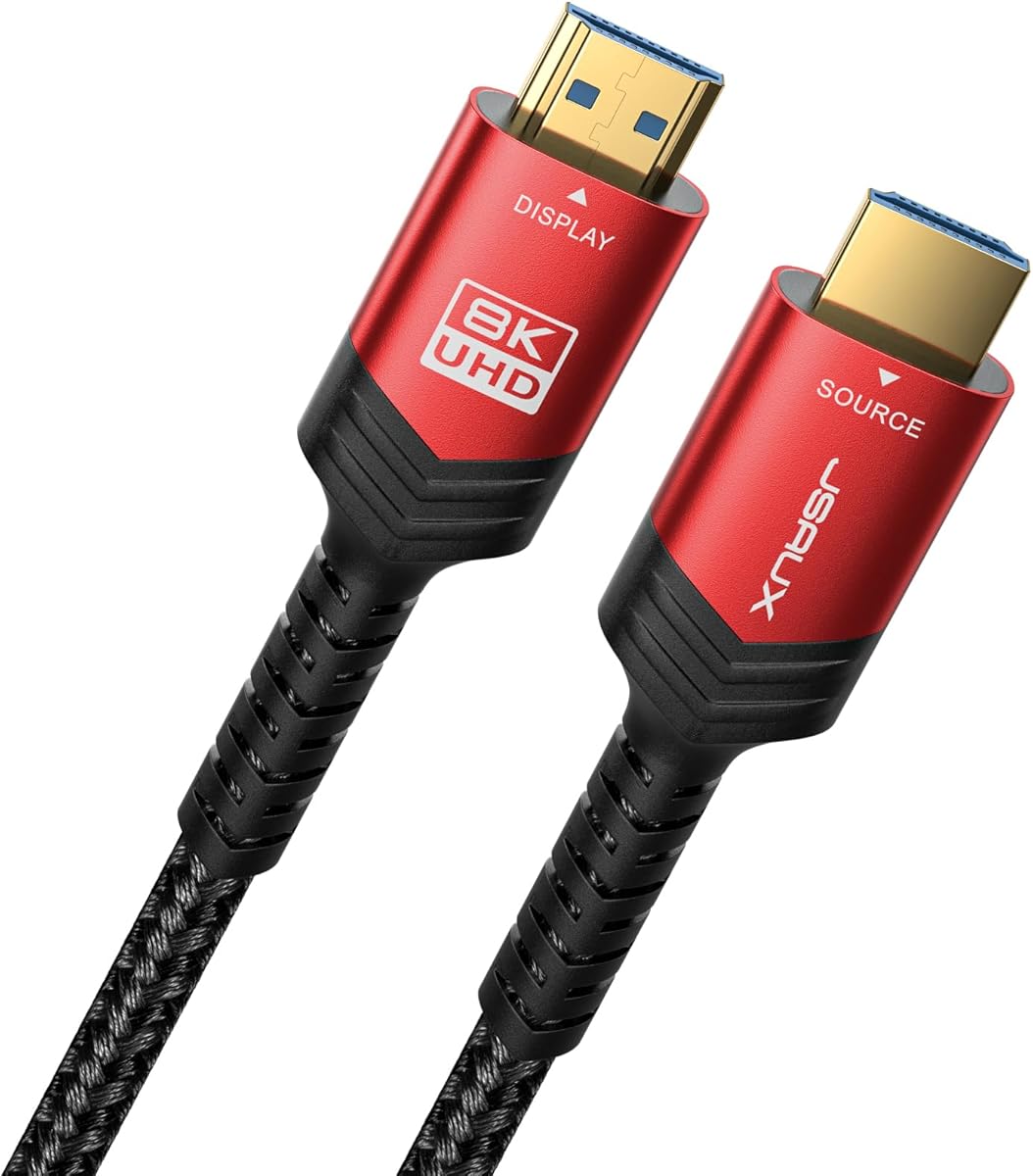
The JSAUX 10K HDMI 2.1 Cable provides one of the broadest lists of supported resolutions and refresh rates in the roundup. Its 48Gbps bandwidth supports 8K at 60Hz, 4K at 120Hz, 4K at 144Hz, 5K output, and numerous 2K and 1080p modes, earning a 4.7 rating.
We may earn a commission when you buy through this link, at no additional cost to you.
The cable uses 28AWG copper wire with triple tin shielding beneath a double-braided nylon exterior. Gold-plated, corrosion-resistant connectors are included. This is a conventional copper design rather than an optical product, so its connector orientation is not restricted by a source-display signal path.
Feature support is extensive. The list includes HDR, Dynamic HDR, Dolby Vision, Dolby Atmos, Dolby TrueHD 7.1, DTS:X, ARC, eARC, ALLM, VRR, QMS, QFT, CEC, 3D, and Ethernet. Compatibility covers Blu-ray players, streaming devices, several generations of PlayStation and Xbox, Nintendo Switch, computers, laptops, monitors, and projectors.
This is a strong choice for a flexible household installation where one cable must serve several 4K-capable devices. It is not the most specialized option for permanent in-wall routing because the supplied information does not identify a CL3 rating, and its copper construction may be less convenient in narrow conduit than a slim optical cable.
The long list of supported refresh rates makes this cable useful across televisions, monitors, and gaming hardware. Compatibility with both older and newer HDMI versions also makes it a practical shared cable for mixed equipment.
Triple shielding and a double-braided jacket provide mechanical and electrical protection for a long run. The 24K gold-plated connectors resist corrosion, while the substantial copper conductors support stable 48Gbps performance.
We may earn a commission when you buy through this link, at no additional cost to you.
The BENFEI 8K HDMI 2.1 Fiber Optic Cable combines a CL3 in-wall rating with an ambitious 4K at 240Hz specification. Its 48Gbps bandwidth also supports 8K at 60Hz, VRR, eARC, Dynamic HDR, and HDCP 2.3, making it one of the most specification-rich options for new high-end installations.
We may earn a commission when you buy through this link, at no additional cost to you.
The CL3 jacket is an important distinction for anyone routing the cable through a wall. Optical fiber also offers a thinner, lighter construction than standard copper, which is useful when the cable must pass through conduit or a tight path. The listing describes it as resistant to interference and suitable for permanent installations.
Compatibility targets PS5, Xbox Series X, recent PC GPUs, televisions, projectors, soundbars, and home theater systems. The product data also identifies Dolby Atmos, DTS:X, and other high-bitrate audio formats. As with other active optical cables, the Source end goes to the console or computer and the Display end goes to the television or projector.
The stated 18-month unconditional warranty adds useful support for a permanent installation. The main caution is that advertised refresh rates and features only work when every device in the chain supports them. It is best for a carefully planned installation with a modern graphics card, compatible television, and correct directional routing.
Supporting up to 4K at 240Hz gives the cable considerable headroom for high-refresh displays and demanding PC hardware. VRR further improves synchronization on compatible gaming systems.
The CL3 rating and slim optical profile make this model easier to incorporate into planned wall routing. The supplied warranty and support terms also reduce the risk associated with concealing a long cable.
We may earn a commission when you buy through this link, at no additional cost to you.
The RUIPRO 8K Detachable Full Fiber Optic Armored HDMI 2.1 Cable is the premium pick because it addresses two difficult realities of long installations: cable damage and difficult connector replacement. It supports 48Gbps, 8K at 60Hz, 4K at 120Hz, Dynamic HDR, and eARC, with a listed rating of 4.3.
We may earn a commission when you buy through this link, at no additional cost to you.
Detachable ends mean a damaged plug does not require replacing the complete 100-foot cable. That is especially useful when the cable is already installed in a wall. The manufacturer also presents the design as easier to upgrade, since future connector standards could potentially be accommodated without rerunning the entire line.
The body is composed of full optical fibers within a stainless-steel armored structure. The product data cites bend flexibility, tensile strength, compression resistance, and reduced tangling. At the same time, the cable itself is described as thin, flexible, and soft, which helps when pulling it through conduit and attaching the heads after routing.
The trade-off is that it remains an active directional optical cable, and its 4.3 rating is not among the highest in the group. It is best suited to installers, home builders, and technically confident buyers who value replaceable hardware and armored protection over choosing the simplest possible connection.
Detachable ends reduce the inconvenience and cost of replacing a damaged connector after installation. They also simplify the final stage of routing because the cable can be pulled through first and terminated afterward.
The stainless-steel outer structure adds resistance to bending, compression, and wear. Full optical construction also reduces electromagnetic interference concerns in professional and home-theater installations.
We may earn a commission when you buy through this link, at no additional cost to you.
Start with the weakest device in your connection chain, because the cable cannot exceed the capabilities of the source, display, receiver, or cable itself. Then consider routing, directionality, audio, gaming features, and the level of protection appropriate for the installation.
Choose a cable that explicitly supports the output your source and display are configured to produce. A 4K television used for conventional 60Hz video may be served perfectly well by an 18Gbps HDMI 2.0 cable, while an 8K television or a gaming PC capable of 4K at 120Hz benefits from a full 48Gbps HDMI 2.1 cable. Check the resolution, refresh rate, color format, and chroma sampling together because a cable can meet one specification without meeting all four.
Copper cables are familiar, can be connected in either direction, and are usually easier to replace, but they become heavier over long distances. Optical cables use light to transfer data, which can reduce interference, maintain signal quality, and produce a thinner profile over 100 feet. The tradeoff is an active directional design, added dependence on source power, and a need to identify the Source and Display ends correctly.
Most active optical HDMI cables transmit in one direction. Their connectors are labeled Source and Display, with Source going to the computer, console, player, or other device that creates the image and Display going to the monitor, television, or projector. If a receiver sits between those devices, confirm whether the cable should terminate at the receiver or display. Reversed active cables commonly produce no image, so planning the signal path before routing is essential.
For gaming, look for VRR, ALLM, and the refresh-rate support required by the display. For home theater, eARC, ARC, CEC, HDR, Dolby Atmos, DTS:X, and other high-bitrate audio formats may matter. These features must be supported by the source, television, receiver, and soundbar; a cable cannot create support that a connected device lacks. A full HDMI 2.1 cable provides the greatest latitude, while an 18Gbps cable may be sufficient for conventional 4K systems.
Permanent routes require more than adequate bandwidth. A cable described as CL3 rated is identified by the supplied product information as suitable for in-wall installation, subject to local building requirements and the cable manufacturer's instructions. Optical fiber is generally easier to pull through narrow conduit because it is thinner and lighter. Leave appropriate service loops, avoid crushing bends, and confirm that the power source required by an active cable will remain available.
The connector and strain-relief areas are often the weakest points in a long installation. Reinforced shells, anti-bending tails, gold-plated contacts, braided jackets, and laboratory-tested bend cycles can improve durability. Detachable connector heads offer a different advantage: if a plug is damaged, it can be replaced without replacing the whole cable. Consider how often the cable will be moved, plugged and unplugged, or routed around furniture before selecting the mechanical design.
A long cable may need to work with a television, projector, receiver, soundbar, game console, Blu-ray player, streaming box, and computer. Most listed cables support backward compatibility with earlier HDMI versions, but the number and type of ports on the receiving equipment remain important. A high-end cable cannot add a missing HDMI port, and some projectors or displays have limited support for 4K at 120Hz, VRR, eARC, or 8K. Verify specifications directly in the equipment manuals.
A route that crosses a room, follows a wall, or passes through furniture should be measured before selecting a 100-foot cable. Optical designs are easier to conceal, while copper cables may need more space and careful management. Avoid sharp bends, excessive tension, pinching, and routes beside high-interference power wiring where practical. Also consider whether a detachable design is useful and whether the power state of the source can support an active cable during system startup.
Plan the complete route before connecting either end. Identify the source device and display, measure bends and doorways, and make sure an active optical cable's Source end will remain connected to the device producing the signal. If a receiver or switch is involved, confirm the correct sequence so the cable does not need to be reversed after it has been routed.
Connect the cable securely without sharply folding the cable at either connector. For a non-directional copper cable, either end can be used at the source or display. For an optical model, connect Source to the source and Display to the display. Power the source device and television or projector, select the intended HDMI input, and then confirm that the display's resolution, refresh rate, HDR mode, and audio format match the equipment's capabilities.
After installation, route the cable away from sharp edges and moving furniture, and use clips, sleeves, or conduit where appropriate. Do not coil a fiber-optic cable tightly around a narrow radius. Keep connector ends clean and dry, avoid forceful insertion, and inspect exposed sections periodically. For concealed cables, leave enough slack near service points to permit maintenance and remember that an active optical cable generally needs power from the source side to operate.
Yes, provided the television has a compatible HDMI input and the cable supports the resolution and refresh rate you want to use. An 18Gbps cable is generally sufficient for conventional 4K at 60Hz, while a 48Gbps cable offers more flexibility for 8K, 4K at 120Hz, VRR, and other advanced features. The weakest device in the chain determines the final result.
A properly specified 100-foot cable can provide a stable connection, particularly when it uses optical fiber for long-distance transmission. Reliability also depends on installation quality, connector security, source power for active cables, and the quality of the connected equipment. Avoid tight bends and physical damage, and confirm the direction of an optical cable before troubleshooting.
An active optical cable converts electrical HDMI signals into light at one end and back into electrical signals at the other. That process is designed to travel in one direction, so the Source end must connect to the device producing the signal. The Display end must connect to the television, monitor, projector, or other receiving equipment.
Not always. If your television, source, and intended use are limited to 4K at 60Hz, an 18Gbps HDMI 2.0 cable may meet the requirement. HDMI 2.1 becomes more relevant for 8K, 4K at 120Hz or higher, VRR, ALLM, and other advanced gaming or home-theater functions. All connected devices must support the selected feature.
Only if its construction is suitable for the planned route and local building requirements are met. In the supplied products, the Highwings CL3 model and BENFEI CL3 model are specifically described as in-wall rated. A conventional cable may also require inspection by a qualified installer. Use conduit where required and avoid creating sharp bends or crushing the cable.
A slim optical cable is often convenient for a ceiling projector because it is lighter and easier to route. Choose one that supports the projector's actual resolution and refresh rate, and verify whether the projector handles audio, eARC, HDR, or gaming features directly. A receiver-based setup may require a different connection sequence than a direct projector connection.
The most common causes are reversed Source and Display connections or insufficient power at the source side. Reconnect the directional ends, confirm the television is on the correct input, and restart the devices. Also test another HDMI input if available and make sure the source output resolution falls within the cable and display specifications.
Copper is simpler because it generally works in either direction and is widely replaceable, but it is heavier at long distances. Fiber optic is thinner, resistant to electromagnetic interference, and well suited to concealed or awkward routing, but it is directional and active. The better choice depends on routing constraints, equipment needs, and how much attention you want to give to installation.
The Highwings 8K Fiber Optic cable is the most balanced overall choice, combining 48Gbps bandwidth, 8K and high-refresh 4K support, modern gaming features, and a 4.7 rating. The Snowkids cable delivers a similar high-bandwidth feature set with a budget-oriented position, while the RUIPRO detachable armored model stands apart for replaceable connectors and permanent-installation flexibility.
Prioritize the actual demands of your setup. A conventional 4K system may need only 18Gbps, while 8K, 4K at 120Hz, VRR, and advanced audio require a full 48Gbps cable and compatible devices. Optical fiber is attractive for long, concealed, or interference-prone routes, while copper is easier to orient and generally simpler to operate.
Finally, check current specifications and product details before purchasing, because standards, port configurations, and manufacturer information can evolve. Measure your route, confirm the signal direction, and check every device in the connection chain so the cable delivers the video and audio experience you actually expect.