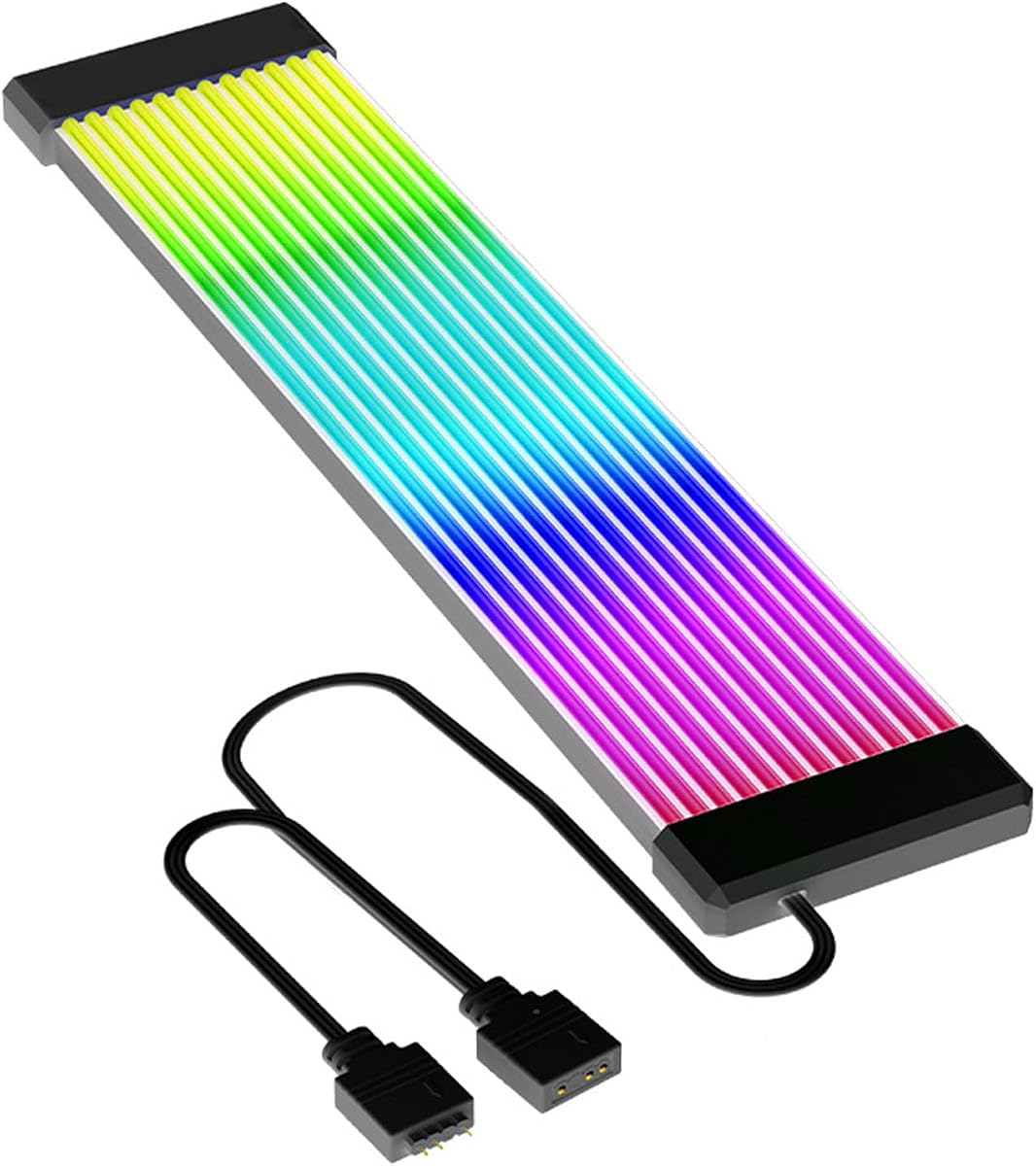
ARGB PSU Cable, ARGB PC Cable for Motherboard Power Supply Extension
4.6Editor score
Flexible silicone construction
Five-pin ARGB connection
Multi-track lighting effects
Discover the best Light Up Cables for PC, comparing ARGB sync, connector fit, LED density, routing, installation, construction, and gaming PC build aesthetics
Light up cables for PC turn functional power wiring into a coordinated part of a gaming build. The best options combine evenly distributed ARGB lighting, flexible routing, secure cable management, and reliable power connections, helping a case look cleaner while its fans, cooling hardware, and motherboard illumination remain visually consistent.
This guide compares ten illuminated cable kits and extensions based on connector coverage, lighting control, LED density, material flexibility, installation requirements, and compatibility with standard PC power cables. It covers cover-only kits, integrated RGB extensions, and a wireless motherboard cable so builders can choose the format that suits their case and existing hardware.
Each review identifies the product's strongest use case and practical limitations, from dedicated GPU illumination to complete motherboard-and-GPU coverage. Ratings reflect the supplied customer feedback rather than personal testing, while current pricing and availability can change at any time, so readers should confirm product details before buying.
4.6Editor score

4.8Editor score

4.5Editor score
The table below compares the ten products by coverage, lighting system, cable format, and standout construction details, making it easier to distinguish a complete illuminated extension from a flexible cover-only kit.


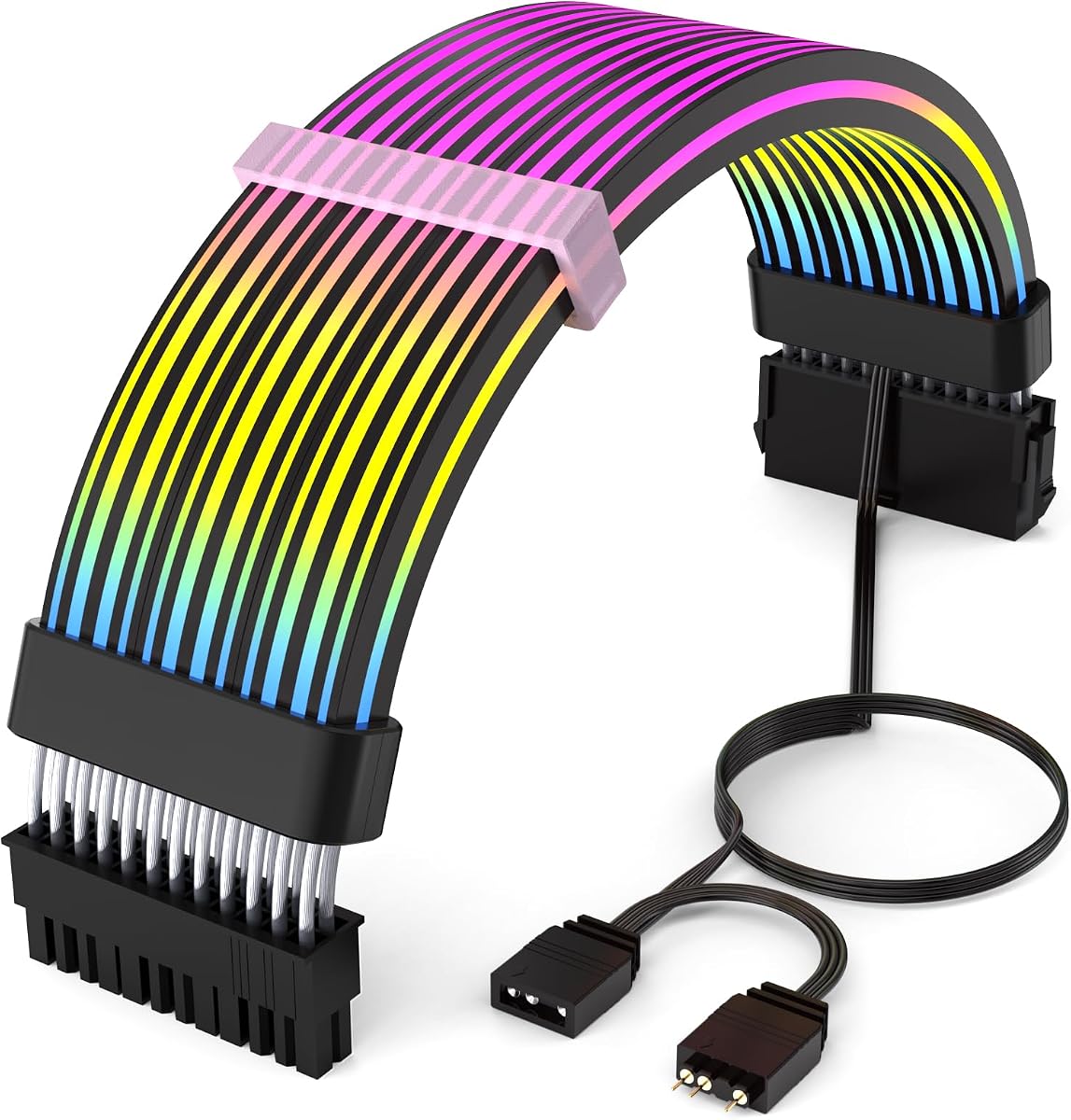

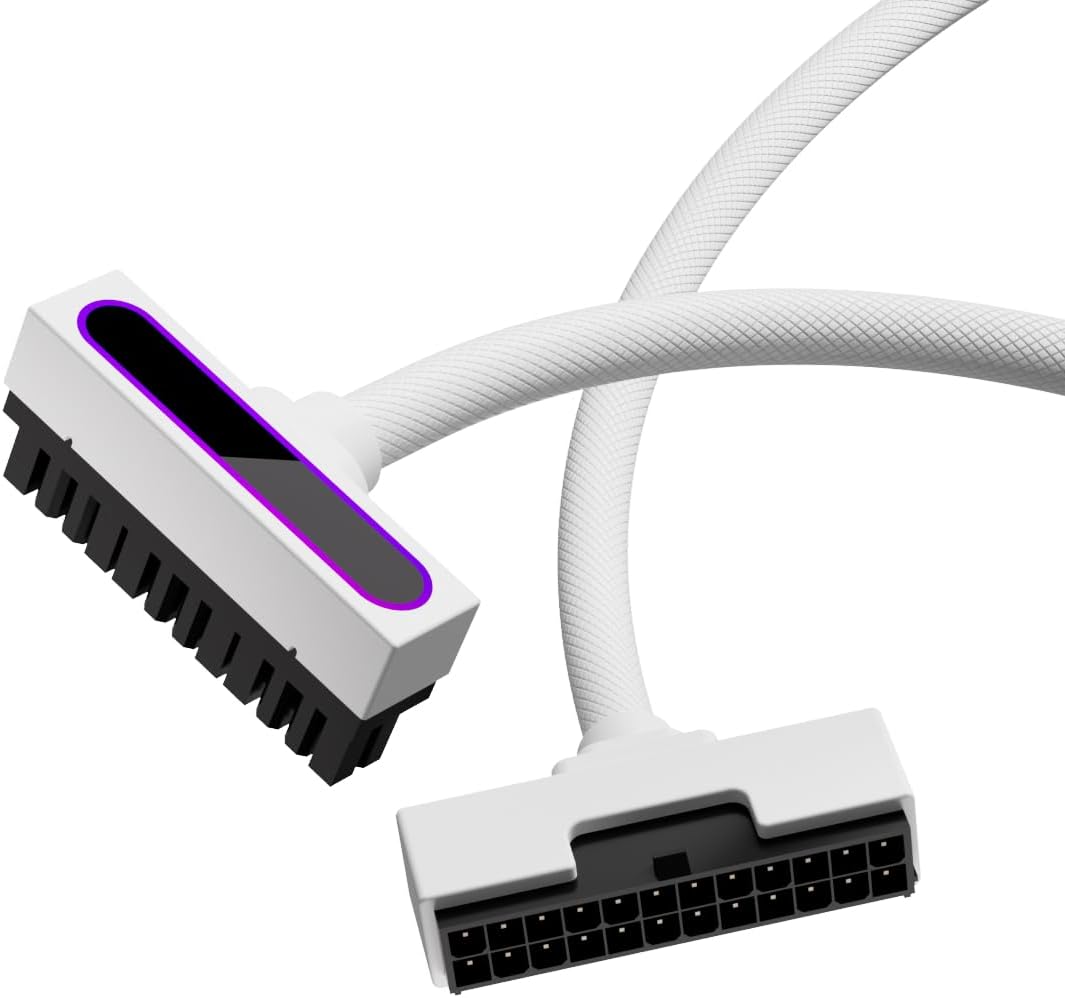
The TECWARE Flex RGB Cable Cover Kit is a flexible lighting solution for builders who want to illuminate an existing 24-pin motherboard cable and an 8-pin or 16-pin GPU cable without replacing the power wiring itself. Its supplied rating is 4.4, and the strongest feature is its ability to cover two of the most visible cable runs in a tempered-glass PC case with one coordinated kit.
We may earn a commission when you buy through this link, at no additional cost to you.
Each sleeve uses a high-density arrangement of as many as 81 LEDs, spreading light along the cable rather than concentrating it in a few bright points. The silicone construction bends around tight bends and follows different routing directions, while the included braces help maintain a consistent shape. Male and female 5V 3-pin ARGB connectors allow the covers to connect directly to a motherboard header or controller and join other addressable lighting.
There are important limitations to consider. The LEDs cannot be controlled individually, so the kit produces a broad, smoothly diffused stream rather than a fully addressable pattern along every diode. The power cables themselves are not included, which means buyers must verify that their existing PSU leads meet the stated compatibility limits and that the sleeve dimensions suit the cable thickness. It is also a cover kit rather than a replacement power extension.
This kit is a strong choice for a builder who values broad coverage, flexible routing, and a simple way to synchronize prominent power cables. It is less suitable for someone who wants addressable effects on every LED or who expects the package to include full replacement PSU cables. For those priorities, the kit remains one of the most versatile options in this roundup.
Covering both the 24-pin motherboard lead and the main GPU power cable creates a more balanced appearance than lighting only one area. The 5V 3-pin connection supports familiar motherboard and controller software, helping the cable glow match fans, memory, and cooling hardware.
Soft silicone sleeves can be shaped around a motherboard tray, GPU riser, or tight case corner. Twelve braces add structure, although buyers should still route the underlying cables without excessive bending or tension.
We may earn a commission when you buy through this link, at no additional cost to you.
The RGB Cable Extension PC Kit provides a conventional way to add synchronized lighting to a motherboard cable and graphics-card power lead. Its supplied rating is 4.5 reflects positive customer feedback, while the product's high-density LEDs, 360-degree flexibility, and stated 20,000-hour lifespan form the core of its appeal.
We may earn a commission when you buy through this link, at no additional cost to you.
Soft silicone and ultra-flexible LED strips allow the sleeves to follow different case layouts, including compact chassis and tempered-glass systems. The light is distributed to reduce shadows and bright spots, and the standard 5V 3-pin ARGB connector allows users to select colors and preset modes through compatible motherboard software. This makes it a practical option for builders who want familiar software control without a separate physical controller.
The product information is less specific than some alternatives. It does not provide a precise LED count, and the cover set does not include replacement power cables. Buyers must therefore confirm that their existing 24-pin and 8-pin or 16-pin leads are compatible and check available case clearance before installation. Its long advertised lifespan is a useful durability claim, but it should not be confused with a guarantee for every individual diode.
The kit suits builders who need flexible covers for both a motherboard and GPU connection and want a low-friction way to join the lighting to an existing ARGB ecosystem. It is a strong middle-ground choice for standard gaming builds, particularly when a simpler, controlled illumination stream is preferred over individually addressable patterns.
The flexible sleeve profile is especially useful in smaller cases where rigid light bars can be difficult to position. A full 360-degree bend lets the cable follow the natural path between the PSU and motherboard or graphics card without forcing an awkward angle.
The 5V 3-pin connection allows the cover to use familiar motherboard lighting suites. Users can coordinate color transitions and preset effects with other compatible ARGB components rather than relying only on a fixed internal pattern.
We may earn a commission when you buy through this link, at no additional cost to you.
The AsiaHorse ARGB PSU Cables Cover Kit is designed for builders who want more granular lighting control than a basic fixed-color cable can offer. It has a supplied rating of 4.5 and uses 5V 3-pin addressable RGB, allowing compatible software to control individual LEDs for smoother, more detailed animations.
We may earn a commission when you buy through this link, at no additional cost to you.
The set includes light strips for a 24-pin motherboard connection and two 8-pin GPU connections, providing broad coverage for a typical build. Front and side illumination gives the sleeves a three-dimensional glow that can remain visible through a glass side panel. High-precision LED beads are advertised to last 20,000 hours, and the modular wiring and strip arrangement is intended to conceal underlying cable clutter while maintaining stable connections.
Compatibility depends on the lighting controller and motherboard software. The product lists support for major ecosystems including ASUS, MSI, Gigabyte, and ASRock, but the exact available effects can vary by hardware and software version. A power cord is not included, and the covers still need suitable PSU leads with the correct dimensions. Addressable performance also depends on the system accepting the combined number of LEDs without hitting controller limits.
This cover kit is best for an enthusiast who prioritizes detailed RGB animation and wants both motherboard and GPU cabling illuminated. It is less attractive for a simple build that only needs one steady color, though compatible software can still provide basic solid-color modes. With its wide cable coverage and multi-directional glow, it is particularly effective in a showcase case.
Unlike a diffused RGB sleeve, an addressable strip can represent separate colors and movement patterns. That makes the kit a good match for a build whose fans and cooling hardware already support detailed motherboard-controlled animations.
Separate covers for the 24-pin connection and two 8-pin GPU leads illuminate the most visible sections of a conventional power layout. The fit for 12+4-pin, 8-pin, and 24-pin cables broadens its usefulness across different GPU arrangements.
We may earn a commission when you buy through this link, at no additional cost to you.
The Sirlyr White ARGB Sleeves are a strong fit for light-colored, white, or mixed-material PC builds that need both illumination and careful cable presentation. The supplied rating is 4.5, and the kit's defining advantage is its combination of separate high-density light strips, flexible silicone construction, and three sizes of tool-free cable combs.
We may earn a commission when you buy through this link, at no additional cost to you.
The motherboard and GPU strips contain 80 and 81 LEDs respectively, creating a total of 161 LEDs across the set. Their arrangement is designed to reduce shadowing and hotspots, while the 360-degree bend allows the sleeves to follow different case sizes and compact layouts. Three comb sizes accommodate a range of original and aftermarket cables, including sleeved silicone, PVC, and braided types.
The white finish is the primary aesthetic compromise. It stands out in a dark chassis and may not suit a build designed around uniformly black or metallic components. The kit also depends on a 5V 3-pin ARGB source for synchronized effects, meaning a compatible header, controller, or other appropriate lighting connection is needed. Cable dimensions and bend radius should still be checked against the case and PSU layout.
The product is a compelling option for builders who want a tidy white-themed system and value organization nearly as much as illumination. It offers more installation support than a simple loose sleeve because the included combs manage multiple wire groups. For a dark build, the same strengths could be a drawback, but the kit remains technically versatile and visually distinctive.
The three included comb sizes are intended to suit different combinations of wires and extensions. This makes the kit more than a decorative strip, helping the finished cable bundle look deliberate from a glass-panel viewing angle.
With 161 LEDs spread across the two strips, the sleeves can produce a continuous glow with fewer dark areas than sparse lighting. The flexible profile also allows light to remain visible around bends and inside compact layouts.
We may earn a commission when you buy through this link, at no additional cost to you.
The Lian Li Strimer Wireless 24-Pin stands out as the most refined option for a coordinated Lian Li ecosystem. Its supplied rating of 4.8 is the highest in the group, while the included wireless controller and 2.4 GHz connection provide a cleaner alternative to routing a separate synchronization lead from the motherboard.
We may earn a commission when you buy through this link, at no additional cost to you.
The cable is compatible with standard ATX, mATX, and ITX 24-pin motherboard headers, making it broadly usable even though it focuses on a single connection. Its light strips extend around the sides, improving visibility from the usual glass-panel viewing angle. L-Connect 3 provides software setup for addressable effects and also supports control of compatible Lian Li wireless fans and Hydroshift II devices.
This is primarily a motherboard power cable, not a complete illuminated kit for GPU leads. Buyers who want the entire power area to glow will still need another illuminated cable or cover. The 24-pin comb may also require slight adjustment if its latch does not align immediately with the motherboard header, and the product relies on the included controller for its wireless Strimer function.
The Strimer Wireless is the most suitable choice for a builder who already uses Lian Li wireless cooling products or values a polished, cable-minimal motherboard connection. Its higher rating, extended lighting, and integrated controller justify the premium approach. For a simpler or mixed-brand system, a standard ARGB sleeve may offer broader cable coverage.
The 2.4 GHz controller removes the need for a visible ARGB synchronization cable between the Strimer and the motherboard. That cleaner connection can be especially noticeable in a minimal build where every exposed wire competes with the illuminated components.
L-Connect 3 places the Strimer alongside compatible Lian Li wireless fans and cooling devices. Builders can establish coordinated lighting and use the software's monitoring dashboards while keeping the overall setup more unified.
We may earn a commission when you buy through this link, at no additional cost to you.
The Asiahorse Aurora Pro RGB Cable Cover is the most feature-rich cover-oriented product in this guide. It has a supplied rating of 4.5 and centers on 108 individually addressable LEDs, extensive lighting presets, ten brightness levels, and effects that can run at up to 60 frames per second.
We may earn a commission when you buy through this link, at no additional cost to you.
The 5V 3-pin interface is compatible with major ecosystems including ASUS, MSI, Gigabyte, and ASRock, allowing software-based adjustment of color and effects. More than 124 presets are listed, while the patented high-quality LEDs are advertised to deliver accurate color rendering and a 20,000-hour lifespan. A soft silicone modular design adapts the cover to common motherboard and GPU power cables and helps conceal clutter.
The advanced lighting depends on compatible control software and sufficient controller capacity. Buyers should ensure their motherboard or RGB controller can accommodate the LED load, and should check the listed dimensions against the available space. This is a cover, not a complete replacement cable set, so the original PSU leads must already be present and compatible. The high level of control is unnecessary for a build that only needs one static color.
The Aurora Pro is best for an enthusiast who wants detailed, synchronized lighting and broad software customization across a motherboard and GPU cable set. Its addressable density, preset library, and brightness adjustment distinguish it from simpler diffused sleeves. For advanced RGB effects, it offers one of the most capable and flexible solutions in the roundup.
Controlling each of the 108 LEDs enables more nuanced movement, gradients, and color transitions than a conventional RGB strip. The stated 60 FPS capability is designed to keep those animations fluid rather than visibly stepped.
The cover is fixed around the cable, secured with transparent clips, and connected to an ARGB source. This straightforward process makes it practical to add to an existing build without replacing the entire power-cable arrangement.
We may earn a commission when you buy through this link, at no additional cost to you.
The ARGB PSU Cable Extension offers an impressive amount of visible lighting and flexible installation at a modest entry point. It carries a supplied rating of 4.6, and its combination of 120 LED beads, 12 light-guiding strips, and silicone construction makes it especially interesting for builders who want flowing effects rather than a plain uniform glow.
We may earn a commission when you buy through this link, at no additional cost to you.
Multiple interfaces use the standard 5V 3-pin ARGB format, and compatibility is listed with Aura Sync, RGB Fusion, Mystic Light, and other addressable ecosystems. The cable can display a large color range and multi-track flowing effects, while the flexible silicone body can be shaped around the motherboard, graphics card, CPU area, or case interior. That makes it useful for decorative lighting beyond only a conventional motherboard lead.
The listed product format is narrower than the broadest kits in the guide. Its X12 wide option is intended for a 24-pin or three 8-pin configuration, so buyers should verify the exact cable arrangement and case clearance before ordering. The 5V 3-pin connection must also match a compatible ARGB source, and lighting software support varies by motherboard. The LEDs cannot create a convincing effect if the controller is overloaded.
This is an excellent value-oriented pick for a builder who wants multiple flowing light tracks and a flexible, visually integrated cable. It may not provide the broad sleeve coverage of a dedicated two-cable kit, but it balances illumination density, manageable installation, and software compatibility particularly well. It is a strong first illuminated cable for a new gaming build.
Twelve light-guiding strips work with 120 LED beads to create layered movement across the cable. The result is more visually dynamic than a basic single-strip sleeve, particularly during music or game synchronization modes.
The silicone construction is flexible enough to follow tight routes behind a motherboard tray or around a GPU. Male and female 5V 3-pin connectors also simplify linking the cable to compatible lighting equipment.
We may earn a commission when you buy through this link, at no additional cost to you.
The Sirlyr Black 24Pin 4-Side Extension is built for builders who want the motherboard power connection to glow from every angle. Its supplied rating is 4.5, and 120 LEDs are distributed around four faces of the integrated cable, producing a broad 360-degree effect that remains visible in a glass-sided chassis.
We may earn a commission when you buy through this link, at no additional cost to you.
TPE and silicone materials make the extension flexible for routing, while silver-plated wire cores are intended to maintain stable current transfer. Its integrated extension-and-light-strip design hides the cable structure and supports a cleaner appearance. The package includes a mini controller, which is useful for users whose motherboard lacks a suitable synchronization input, and it also lists support for ASUS Aura, Mystic Light, Gigabyte RGB Fusion 2.0, and ASRock RGB Sync.
The extension is larger than a standard 24-pin lead, and the manufacturer recommends a mid-tower or full-tower chassis. That makes case clearance an important consideration in compact builds. A single LED failing may indicate that too many RGB devices are connected or that the controller has reached its bead limit. The product is also limited to the motherboard connection, so it does not illuminate GPU cables.
This extension is ideal for a black glass-panel gaming system where the 24-pin area is highly visible and a full four-sided glow is desirable. It offers a particularly strong visual impact, but builders with a compact case should measure first. Its included controller and broad software support partly offset the possibility of running it without a native ARGB header.
The four-sided light tube is the product's defining visual advantage. Even when a cable is viewed from the side or at an angle, the LEDs can remain visible, producing a more substantial glow than a conventional one-face strip.
Combining the extension and light strip reduces the visual clutter of separate pieces. The TPE and silicone body bends around the motherboard area, while the black finish is intended to blend with dark cases and black glass panels.
We may earn a commission when you buy through this link, at no additional cost to you.
The Sirlyr Black RGB PCIe 8Pin Extension provides focused illumination for a graphics-card power connection. With a supplied rating of 4.6, it combines 27 integrated LEDs with four-sided lighting in a black, flexible design intended to stand out in dark glass-side cases without adding a large lighting bar.
We may earn a commission when you buy through this link, at no additional cost to you.
The extension is designed for GPUs with an 8-pin power port, and the product information specifically mentions compatibility with graphics cards such as the RTX 4060, RTX 4070, and AMD Radeon RX 6600 series. Its silicone construction supports easy bending and routing, while silver-plated wire cores are designed for stable current transfer during demanding gaming workloads. The four-sided light tube creates a soft, wide glow around the connector.
The mini controller is powered by SATA, which means the builder must have a suitable SATA power connection and cable available. It allows lighting control even when the motherboard does not provide a usable ARGB connection, although motherboard synchronization software is also supported for programmable effects. This is a single 8-pin cable rather than a complete GPU power set, so builds using multiple GPU power connectors may need another solution.
The product is a good match for a builder who wants one particularly visible GPU cable to glow but does not need the entire motherboard and power area illuminated. Its compact, integrated construction keeps attention on the graphics card, and the included controller makes it more flexible than basic fixed-color alternatives. The black finish and four-sided construction make it especially effective in dark gaming rigs.
A dedicated GPU extension can be more visually effective than adding light to several less-visible motherboard cables. The four-sided tube frames the connector and gives the graphics card a recognizable illuminated accent.
The SATA-powered mini controller offers a route to control the cable even without native motherboard ARGB. When connected to a compatible header, the cable can also join broader lighting effects and sound or game synchronization modes.
We may earn a commission when you buy through this link, at no additional cost to you.
The AIJS 24PIN ARGB Extension is a practical choice for builders working in tight spaces around a motherboard's upper or rear power header. Its supplied rating of 4.6 reflects positive customer feedback, while the 90-degree right-angle connector and 30 cm length are designed to reduce strain and improve cable routing near case edges.
We may earn a commission when you buy through this link, at no additional cost to you.
Unlike traditional crimped terminals, the extension uses soldered high-conductivity terminals. The stated capacity is up to 900 watts for a single wire and 2,500 watts for the complete set, although users should still ensure their PSU and motherboard are appropriate for the load. The white PVC jacket has a matte, diamond-pattern finish that resists visible scratching and adds texture to a light-themed build.
ARGB lighting covers a 16.8-million-color spectrum and offers 12 dynamic modes, with software or hub synchronization for coordinated effects. Because it uses a 5V 3-pin ARGB connection, the lighting depends on a compatible source. The fixed 30 cm length may be short or long depending on the case, and the product focuses only on the 24-pin connection. The manufacturer also emphasizes fully inserting the interface to avoid improper operation or damage.
This extension is best for a white or clean-themed build with a motherboard header positioned where a straight connector would crowd the case. Its combination of right-angle geometry, flexible PVC, and ARGB is especially useful for tidy routing. Builders with longer cable runs, multiple illuminated connections, or a different connector orientation should consider a more adaptable kit instead.
The 90-degree connector changes the direction of the cable close to the motherboard header. This can keep the plug from projecting into the case interior and makes the connection easier to reach in crowded builds.
Soldered terminals are intended to reduce resistance and heat generation compared with traditional crimped construction. The stated wattage figures apply to the cable design, but correct PSU selection and secure seating remain essential.
We may earn a commission when you buy through this link, at no additional cost to you.
The most useful light up cable is one that matches the power layout, lighting ecosystem, case dimensions, and level of customization required by a PC build. The following factors help distinguish complete cable solutions from decorative covers and single-purpose extensions.
Illuminated products fall into several broad categories. Cover kits sit over existing PSU leads, integrated extensions replace the visible section between the PSU and motherboard or GPU, and focused products illuminate only one connector. A builder who wants a coordinated look should inventory the 24-pin motherboard connection, the number and type of GPU power leads, and any extra EPS or peripheral cables that remain exposed behind the motherboard tray.
Choose based on which connections are visible through the case panel. A cover-only kit is useful when retaining the original PSU wiring is important, while an integrated extension can create a cleaner architectural look. For a single high-end graphics card, a dedicated 8-pin RGB lead may be more visually efficient than buying covers for the entire power system. Check the exact connector count rather than relying on broad GPU wording.
Most modern addressable light up cables use a 5V 3-pin ARGB connection. This must match the available header or controller, and it should not be confused with a 12V 4-pin RGB connector, which uses a different pin arrangement and voltage. A mismatched connector should never be forced into a header, as doing so can damage the cable, controller, or motherboard.
Software support also varies. Major motherboard ecosystems such as ASUS Aura, MSI Mystic Light, Gigabyte RGB Fusion, and ASRock RGB Sync are commonly referenced by the products in this guide, but feature availability depends on the exact board and software version. Check whether the cable can use motherboard synchronization, a bundled controller, or both, and confirm the number of connected ARGB devices your controller can support.
LED density affects how evenly a sleeve illuminates. A dense arrangement can reduce dark spots, visible gaps, and abrupt changes in brightness, especially where the cable bends or is viewed from the side. Addressable products also allow individual LEDs to form gradients, waves, and other moving patterns, while fixed or non-individually controlled strips generally present a smoother single-color stream.
Do not assume that a higher LED count automatically guarantees a better result. Control software, diffuser design, light-guiding material, and installation angle also influence the finished appearance. Builders wanting subtle synchronization may prefer a diffused cover, while enthusiasts seeking elaborate animations should look for a clearly addressable product with a broad preset library and suitable frame-rate claims.
Illuminated cables are often thicker and less flexible than standard PSU leads. A product may need additional space near the motherboard's 24-pin socket, around a GPU power connector, or behind a side-mounted cable bar. Right-angle connectors can save space at a header, while flexible sleeves are more useful when the cable must follow an unusual route around a radiator, reservoir, fan hub, or motherboard tray.
Measure the straight-line distance from the PSU to the relevant header and allow extra length for bends and service loops. Compact cases are especially likely to need the most flexible option. Some extensions, such as a fixed 30 cm design, are ideal for one layout but poorly matched to another. Check the stated cable dimensions and the case manufacturer's clearance guidance before purchasing.
A light up cable still performs an electrical and organizational function. A clean installation should keep connectors fully seated, avoid sharp bends, reduce strain on the PSU socket, and conceal unnecessary excess wire. Cable combs or braces can preserve the shape of a sleeve and keep parallel wires aligned, making the illuminated section look intentional rather than loosely draped.
Consider how the product is secured. Kits with transparent clips, included combs, or multiple brace sizes are easier to install consistently. Also inspect the number of layers around each wire and allow room to close the side panel. A beautiful glow is less useful if the cable prevents case closure or must be installed with visible strain.
The cable's color should complement the case, motherboard, GPU, and other illuminated parts rather than compete with them. Black sleeves and extensions are natural choices for dark glass-panel builds, while white versions can look equally deliberate in a pale or mixed-color system. A contrasting cable can also work well when it is meant to become a focal point.
Material affects the visual result as well. Silicone often creates a soft, diffused glow and bends easily, while PVC may offer a more structured or textured finish. Integrated light tubes often look bolder, while sleeve designs blend into the cable route. Consider the case viewing angle and the position of the power connections before choosing a finish.
ARGB devices share power and control through their chain, and every controller has limits. Adding a densely populated cable cover to a motherboard header that already supports several fans and cooling components can result in a limited effect, an incomplete display, or a section that does not illuminate. Bundled mini controllers may alleviate some restrictions, but they can still impose their own device limits.
A dedicated controller or hub can be useful for elaborate builds. It may provide additional ARGB headers, more available power, or a straightforward way to manage effects without motherboard software. Wireless systems can further reduce visible synchronization wiring. Before ordering, list the existing ARGB devices and determine whether the new cable should join the motherboard ecosystem or run on a separate controller.
A cover kit is not always a complete power cable set, and some products explicitly exclude power cords or original PSU leads. A replacement extension must match the connector, voltage requirements, and current demands of the connected component. For high-power GPUs, using an extension with undersized or questionable wiring is not worth saving a few cable-management steps.
Check the package contents carefully. Some products include male and female ARGB connectors, cable braces, combs, controllers, or clips, while others require a separate ARGB source or controller. Verify that the stated contents cover the connection points you need. When in doubt, consult the product instructions and the guidance for both the PSU and motherboard before installation.
Begin with a full system shutdown before fitting any illuminated extension or cover. Disconnect the relevant PSU cable from the motherboard or GPU, organize the cable behind the tray, and compare the connector shape and pin count with the socket. If the product uses ARGB, identify a genuine 5V 3-pin header or use the included controller. Never insert a 5V 3-pin connector into a 12V 4-pin RGB header or force a cable into a mismatched socket.
For a cover kit, place the flexible sleeve around the straightest practical section of the existing cable and secure it with the supplied clips, braces, or combs. For an integrated extension, connect the PSU end first, seat the motherboard or GPU connector fully, and route the cable before switching on the system. Keep the cable away from sharp case edges, rotating fans, and components that could create pressure. Then connect the ARGB lead and select a lighting effect through the compatible software.
After installation, verify that every connector is secure and that the case can be closed without compressing the illuminated sleeve. Test the lighting before final cable management, checking for a complete color flow and any sections that fail to illuminate. Clean the exterior gently with a dry or lightly dampened soft cloth, avoid liquid directly on the connectors, and route the cable so it can be inspected periodically for heat, discoloration, or a loose fit.
It depends on the product. A cover kit only fits over compatible existing cables, while an integrated extension replaces the visible PSU-to-component lead. In either case, confirm the connector type, pin count, cable dimensions, and electrical requirements before installation. Never assume a decorative sleeve can safely serve as a replacement power cable.
A 5V 3-pin ARGB connection supports addressable lighting, allowing individual LEDs or groups to display different colors and animations. A 12V 4-pin RGB connection generally uses a fixed color with fewer individually controlled effects. The connectors have different shapes and voltages, so they must never be forced into one another.
Most are designed to work with any motherboard that provides a compatible 5V 3-pin ARGB header, but software and controller limits can affect the result. Some products include a separate controller for systems without a suitable header. Always check the product's compatibility list and the specifications of the motherboard or RGB hub.
A properly rated extension can be used, but the connector and conductor specifications must be appropriate for the GPU and PSU. Pay particular attention to the wire gauge, soldering or termination quality, and the number of power leads required by the graphics card. For unusually high loads, using the PSU's native cable where possible is generally the conservative choice.
The ARGB controller or motherboard may have reached its device or LED limit, or a connection may not be fully seated. Disconnect the system, inspect the plugs, and test the cable with fewer other ARGB devices. A bundled controller can also help determine whether the original header is the limiting factor.
Technically yes, since the connector and electrical design matter more than the color. Aesthetically, a white sleeve will stand out strongly against black components and can work as an intentional contrast. Builders seeking a fully concealed monochrome look may prefer black, while a white cable can be an effective focal point in a mixed-color system.
It depends on the cable and the connections in the system. Motherboard-compatible ARGB products can usually join a board's lighting software, while products with a bundled controller may work independently. Some controllers offer limited effects of their own, so check whether software control, synchronization, and specific animations are required.
Route them away from sharp edges, fan blades, hot components, and points where the side panel may press against the sleeve. Use the supplied combs, clips, or braces to maintain alignment, leave modest service loops, and keep both ends fully seated. Good routing should improve appearance without forcing sharp bends or placing strain on the connector.
The Lian Li Strimer Wireless 24-Pin is the strongest choice for a clean, high-end motherboard connection with integrated wireless control. The TECWARE Flex RGB Cable Cover Kit offers broad two-cable coverage, while the Asiahorse Aurora Pro stands out for addressable detail, extensive presets, and adjustable brightness. For a more affordable introduction, the ARGB PSU Cable Extension delivers dense LEDs and flowing multi-track effects.
The right choice depends more on the build than on any single specification. A builder with a dark case and one prominent GPU may prefer a focused four-sided PCIe extension, while a white system can benefit from sleeves and matching combs. Cover kits suit existing PSU wiring, integrated extensions create a cleaner silhouette, and right-angle connectors solve a specific spatial problem. Compatibility with the case, ARGB controller, motherboard software, and power requirements should come before any decorative preference.
Before ordering, measure the available space, confirm the exact cable format, and inventory existing ARGB devices so the controller is not overloaded. Verify that the package includes the necessary connectors and installation aids. Product specifications and customer ratings can evolve, and current pricing and availability change, so check the latest listing and manufacturer instructions before completing the purchase.