
Samsung 65-Inch Neo QLED QN990F 8K
3.5Editor score
8K Neo QLED Mini LED
Up to 4K 240Hz
768 AI neural networks
Wireless One Connect
Glare-free display
An 8K TV can give a PC gaming setup exceptional detail, but resolution alone does not determine performance. High refresh rates, variable refresh rate support, low input lag, accurate HDR, useful gaming menus, and restrained screen reflections matter just as much when competitive play, cinematic adventures, and everyday desktop use share one display.
We compared the ten available models using their documented specifications, emphasizing panel resolution, Mini LED or OLED technology, refresh rate, VRR ranges, HDMI gaming features, HDR formats, processors, motion handling, audio, smart platforms, and physical design. The list also identifies several large 4K models so readers can distinguish true 8K options from high-end alternatives.
Each review reveals what distinguishes the set, from Sony’s PlayStation-aware gaming tools to Samsung’s high-refresh Neo QLED models and Hisense’s dedicated Game Bar. Ratings reflect the supplied customer feedback and may change over time. Prices, promotions, bundles, and availability also fluctuate, so verify current listings before purchasing.
3.5Editor score

3.8Editor score
4.5Editor score
As an Amazon Associate we earn from qualifying purchases.
The table below compares the selected models by native resolution, gaming performance, HDR support, and major smart-TV features. Three listings are 4K rather than 8K, but their gaming specifications make them important alternatives for PC players.


The Sony BRAVIA XR 75Z9K is a 75-inch native 8K Mini LED television built to bridge high-end home cinema and serious console or PC gaming. Its supplied rating is 3.8, but the underlying feature set is unusually complete: a Cognitive Processor XR, thousands of Mini LEDs, HDMI 2.1, 4K at 120Hz, variable refresh rate, ALLM, Dolby Vision, and a Game Menu that centralizes picture settings.
We may earn a commission when you buy through this link, at no additional cost to you.
Its most compelling gaming benefit is the combination of 8K detail and practical high-end PC features. Sony specifies 4K/120, 10-bit VRR, and ALLM through HDMI 2.1, while the Game Menu gathers gaming picture controls and assist functions in one accessible interface. The 8.5ms input-lag claim also makes the set more versatile for competitive play than the enormous screen size alone might suggest.
The TV is especially persuasive for PlayStation 5 owners because Auto HDR Tone Mapping and Auto Genre Picture Switch can adjust supported content automatically. The included BRAVIA CAM adds gesture controls, video chat, and Ambient Optimization Pro. On the other hand, the listed gaming ceiling of 4K at 120Hz is lower than that of Samsung’s newer 165Hz and 240Hz models in this list.
This is the strongest all-around 8K pick for a mixed gaming and entertainment setup. Choose it if native 8K, polished processing, strong HDMI 2.1 support, and PlayStation-aware automation matter more than chasing the highest possible PC refresh rate. PC gamers using capable graphics hardware should still check that their GPU and desired resolution-and-refresh combination are supported in the TV’s current settings.
Sony’s Game Menu places gaming-specific picture settings and assist features in one place. That reduces menu friction when moving between desktop use, competitive matches, and cinematic games.
The Cognitive Processor XR and Mini LED backlight target deep blacks, strong contrast, high peak brightness, and natural color. Together with 8K resolution, they make the Z9K well suited to detailed PC content.
We may earn a commission when you buy through this link, at no additional cost to you.
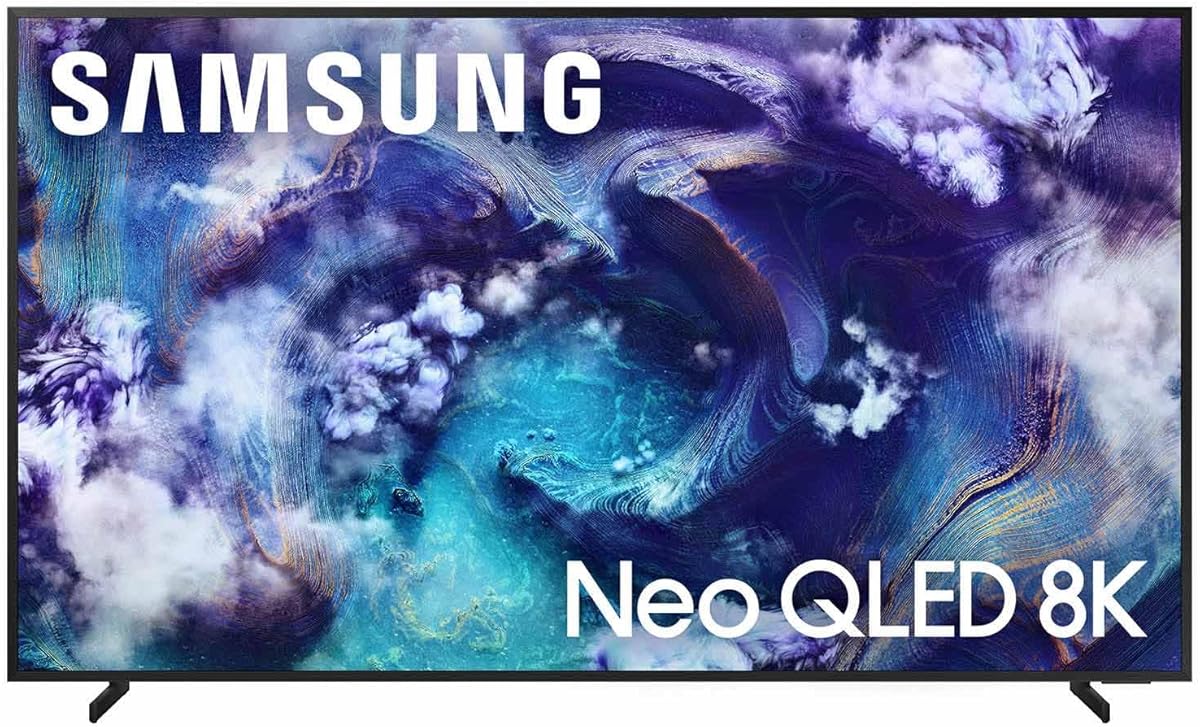
Samsung’s 65-inch QN990F is a 2025 Neo QLED 8K Mini LED model aimed at gamers who want the highest documented refresh capability in the group. It carries a 3.5 supplied rating, but its specification sheet is ambitious: an NQ8 AI Gen3 processor, 768 AI neural networks, AI-powered 8K enhancement, VRR gaming up to 4K 240Hz, Wireless One Connect, and a glare-free panel.
We may earn a commission when you buy through this link, at no additional cost to you.
The defining attraction is the 240Hz capability. Although the panel is 8K, the advertised gaming speed applies at 4K, making it most relevant to PC gamers whose graphics card can consistently deliver 4K frames at high refresh rates. The NQ8 AI Gen3 chip also works on lower-resolution sources, while AI processing is intended to sharpen motion and improve detail.
Its anti-reflection treatment is valuable in a bright room because it reduces the visibility of lamps and windows without relying entirely on dimming the image. Wireless One Connect can also tidy the setup by transmitting signals from a set-top box, console, or soundbar through the separate connection unit. Those are meaningful quality-of-life advantages for a desk or media console.
Buyers should balance the extraordinary refresh ceiling with the modest customer rating and smaller screen size. It is a strong value-oriented choice for a dedicated gaming room when 4K performance matters more than native 8K detail. Ensure the PC, cable, game, and graphics settings can drive the intended combination before treating the 240Hz figure as an everyday advantage.
Support for gaming at up to 4K 240Hz creates room for extremely fluid motion. Actual frame rates still depend on the GPU, title, graphics settings, and VRR behavior.
Wireless One Connect removes many visible cables from around the television. The Glare Free treatment adds another practical benefit in rooms where ambient light cannot be fully controlled.
We may earn a commission when you buy through this link, at no additional cost to you.
This listing packages the 75-inch QN990F Neo QLED 8K television with an additional Amber Protection plan and a screen-cleaning solution. Its supplied customer rating is 2.8, the lowest in the group, so buyers should read recent feedback carefully rather than relying solely on the television’s headline specifications.
We may earn a commission when you buy through this link, at no additional cost to you.
The core attraction is straightforward: a large native 8K Mini LED display with AI Upscaling Pro. That makes it potentially appealing for a spacious PC gaming area where screen scale matters and the PC may drive a mix of 4K and 8K desktop output. The included non-ammonia, alcohol-free cleaning solution can also help maintain the large screen.
However, the listing provides much less information about refresh rate, VRR ranges, input lag, and supported gaming resolutions than the standalone QN990F entry. Those omissions make direct comparison difficult. It is also important to distinguish the extra protection from the manufacturer’s standard warranty and understand the eligibility, registration, and coverage requirements of the added plan.
The bundle may make sense for a buyer who specifically wants the 75-inch QN990F and values the added protection and cleaning supplies. For a gaming-first decision, confirm the panel’s current refresh and VRR specifications with the seller before buying. The low rating and limited listing detail make it a less confident recommendation than the better-documented versions of this Samsung series.
A 75-inch native 8K panel gives PC games a suitably commanding canvas. Mini LED backlighting and AI Upscaling Pro support the picture goals, though gaming details are less clearly documented here.
The bundle adds one year of Amber Protection beyond the included manufacturer warranty and supplies cleaning fluid. Review the plan’s terms carefully and confirm whether separate registration is required.
We may earn a commission when you buy through this link, at no additional cost to you.
The Samsung QN900F 75-inch is a 2025 Neo QLED 8K Mini LED television with the highest supplied rating in this selection, 4.5. It combines native 8K clarity with 256 AI neural networks, Neo Quantum HDR 8K Pro, VRR gaming up to 4K 165Hz, Glare Free treatment, Dolby Atmos, and Object Tracking Sound+.
We may earn a commission when you buy through this link, at no additional cost to you.
For PC gamers, the balance between picture processing and refresh capability is particularly useful. The processor enhances lower-resolution content toward 8K and smooths fast-moving objects and text, while the 165Hz gaming ceiling provides a substantial upgrade over standard 60Hz and 120Hz behavior. That combination favors both competitive titles and detailed open-world games.
Its nearly edgeless appearance and flat metal back are designed to blend into a room, while the grooves in the rear are intended to contribute to audio performance. Samsung Vision AI, gallery and art options, and Alexa support broaden its appeal beyond gaming. Still, the supplied information does not list an input-lag figure, so responsiveness should not be judged by refresh rate alone.
This is our premium 8K recommendation because it combines a strong rating, excellent motion-focused processing, high refresh, and glare reduction in one package. It suits a large, bright entertainment room where PC gaming, movies, and sports share the display. Those seeking the absolute highest refresh ceiling may prefer the QN990F, while this model offers a more measured premium configuration.
The processor’s motion improvements target blurred objects and difficult-to-read text. Its AI system also enhances content toward 8K, useful when the PC alternates between high-resolution rendering and scaled sources.
A slim metal profile and nearly edgeless front keep attention on the image. Glare Free technology helps preserve visibility in rooms where side lighting or windows could otherwise compete with dark scenes.
We may earn a commission when you buy through this link, at no additional cost to you.
Samsung’s 65-inch QN800D is a 2024 8K Mini LED model that remains a credible gaming television because it combines 165Hz Motion Xcelerator performance with AI upscaling, a detailed local-dimming structure, and strong HDR processing. Its supplied rating is 3.4, placing it behind the newer QN900F and QN990F models in customer feedback.
We may earn a commission when you buy through this link, at no additional cost to you.
The Quantum Matrix Pro panel is documented as using 1.5 times as many lighting zones as standard Quantum Matrix technology. That greater zone count supports more precise backlight control, which can improve visible detail in both shadows and highlights. The NQ8 AI Gen2 processor uses 512 neural networks to enhance content toward 8K and create more convincing depth.
For gaming, the 165Hz ceiling and AI Motion Enhancer are the key attractions. The latter targets stutter and small moving objects, benefiting fast action where visual clarity can affect both enjoyment and reaction time. However, the listing does not state a numeric VRR range or input-lag measurement, so buyers should verify those details for the exact configuration.
The QN800D works best for a 65-inch 8K setup that balances gaming, films, and streaming. Dolby Atmos, Object Tracking Sound+, Tizen, and Auto HDR Remastering make it a broad entertainment display rather than a gaming specialist. Its older processor generation and lower rating are the main reasons to favor the newer 2025 models when budget permits.
A high count of lighting zones enables finer brightness control. The result can be cleaner shadow detail and less visible blooming than simpler backlight systems.
Motion enhancement, 165Hz performance, Dolby Atmos, and Tizen make this a well-rounded screen. It can serve as both a large PC monitor and a general entertainment centerpiece.
We may earn a commission when you buy through this link, at no additional cost to you.
The Samsung 65-inch QN900D is a 2024 Neo QLED 8K Mini LED television designed around unusually high motion performance. With a supplied rating of 4.1, it combines Motion Xcelerator 240Hz, 512 AI neural networks, AI Motion Enhancer Pro, Neo Quantum HDR 8K Pro, Dolby Atmos, and Object Tracking Sound Pro.
We may earn a commission when you buy through this link, at no additional cost to you.
Its headline gaming feature is support for up to 240Hz. That makes it particularly attractive to PC gamers who prioritize fluid motion and have a capable graphics card. The processor and 240Hz figure work together to reduce lag and blur, while the 1.5-times-higher zone count of Quantum Matrix Pro improves local dimming precision.
Real Depth Enhancer Pro identifies a focal point in each frame and adjusts the image to suggest dimensionality. That is not the same as adding true stereoscopic depth, but it can give PC games and films a more dimensional presentation. Object Tracking Sound Pro and Dolby Atmos similarly attempt to place effects around the viewer, adding value when a full soundbar is not in use.
This is an excellent choice for a performance-focused 8K gaming room, especially if high refresh is the priority and the set can fit comfortably at 65 inches. Its lack of a stated anti-reflection feature means room lighting deserves more attention than with the QN900F. The price class is also substantial, so compare its actual gaming benefits with a 144Hz or 165Hz 4K OLED before finalizing.
The 240Hz Motion Xcelerator specification creates ample headroom for fast PC games. Smoothness gains depend on sustained GPU performance, supported titles, and correct VRR settings.
Real Depth Enhancer Pro gives scenes a more dimensional appearance, while Dolby Atmos and Object Tracking Sound Pro add spatial effects. These features enhance presentation without replacing a dedicated gaming audio setup.
We may earn a commission when you buy through this link, at no additional cost to you.
The Hisense 85E7SF is an 85-inch 4K UHD Mini LED television rather than a true 8K model. It nevertheless deserves consideration for PC gaming because it combines a native 144Hz panel, full-array local dimming, AI Picture processing, motion enhancement, and broad HDR support. Its supplied rating is 4.4, among the strongest in this list.
We may earn a commission when you buy through this link, at no additional cost to you.
Native 144Hz provides a meaningful foundation for smooth PC play. The Hi-QLED Mini LED backlight uses thousands of lighting zones to deepen shadows and brighten highlights, while Filmmaker Mode preserves the original aspect ratio, frame rate, color, and sound for presentation-minded gaming. Dolby Vision IQ, HDR10+ Adaptive, HDR10, and HLG cover the major HDR ecosystems.
The main qualification is resolution. A 4K PC game rendered at 4K can look extremely sharp on an 85-inch display, especially when viewed at an appropriate distance, but it cannot provide the same pixel density as the native 8K sets. MEMC also requires care because aggressive interpolation can change the intended motion character of a game.
Choose this model when enormous screen size, 144Hz motion, Mini LED contrast, and gaming-oriented processing matter more than native 8K. It may also be more practical for many living rooms because viewers generally sit farther from an 85-inch screen than from a 65-inch model. Ensure your furniture, wall, and mounting hardware can accommodate its size and weight.
Thousands of precisely controlled light zones support deeper blacks and brighter highlights. Full-array local dimming is especially useful for dark games, where shadow detail and black levels influence perceived image quality.
The AI Light Sensor adjusts backlight output as ambient conditions change. That can improve comfort and visible contrast during both daytime and nighttime sessions.
We may earn a commission when you buy through this link, at no additional cost to you.
LG’s 83-inch OLED evo C6 is a 4K gaming television, not an 8K model, but its pixel-level performance makes it one of the most compelling PC-focused choices here. It combines a 165Hz refresh rate, 0.1ms response time, NVIDIA G-Sync, AMD FreeSync Premium, and over 8.3 million self-lit pixels. Its supplied rating is 4.0.
We may earn a commission when you buy through this link, at no additional cost to you.
OLED technology produces perfect blacks and very fast pixel transitions. Those characteristics matter in games because dark environments can look more controlled, while rapidly moving objects benefit from the panel’s native response time. Brightness Booster Pro is intended to make highlights more visible in well-lit rooms, while the a11 AI Processor optimizes picture and graphics performance.
This is also one of the easiest models in the list to recommend for competitive PC gaming because its response time and variable refresh rate support are explicitly documented. The trade-off is resolution: 4K is easier to run at high refresh rates than 8K, and a capable PC may deliver a better balance of frame rate and image clarity at 4K.
OLED care should be considered if the television will display static desktop interfaces, chat windows, or HUD elements for long periods. A screen that large also demands careful placement. For gamers prioritizing responsiveness, contrast, and smooth high-refresh visuals over native 8K pixel density, the C6 is an excellent alternative.
A 0.1ms response time gives the panel a decisive advantage in fast action. The 165Hz rate and support for both major VRR ecosystems make it well suited to modern PC graphics cards.
Self-lit pixels can switch off completely, producing excellent black levels. Brightness Booster Pro seeks to preserve visible detail in highlights and improve screen presence in brighter surroundings.
We may earn a commission when you buy through this link, at no additional cost to you.
The Sony BRAVIA 3 K-85S30 is an 85-inch 4K LED television that favors cinematic scale, familiar Sony processing, and PlayStation integration over the very high refresh rates found among the premium 8K sets. It has a supplied rating of 4.2 and includes Google Assistant, major streaming services, Triluminos Pro, and PlayStation 5 picture features.
We may earn a commission when you buy through this link, at no additional cost to you.
Auto HDR Tone Mapping and Auto Genre Picture Mode can simplify picture adjustments for supported PlayStation games. Triluminos Pro is advertised as providing more than one billion accurate colors, helping games look vivid and natural. The 4K UHD resolution remains sufficient for many PC games, especially when the television is placed at a sensible distance in a large room.
The principal limitation is that no refresh rate, VRR range, HDMI 2.1 feature list, or input-lag figure appears in the supplied details. That makes it difficult to recommend confidently for competitive PC play. The basic integrated-audio offering also leaves room for improvement when compared with models featuring Dolby Atmos and object-tracking sound.
This BRAVIA 3 makes more sense for mixed console, PC, streaming, and movie use than for a dedicated competitive gaming rig. It is attractive for owners of a PlayStation 5 who value automatic picture adjustments and an enormous screen. Competitive PC gamers should first confirm the exact panel capabilities and connectivity requirements with the seller.
Auto HDR Tone Mapping and Auto Genre Picture Mode can make supported games look more appropriate without extensive calibration. The result is a simpler setup for console-focused households.
Triluminos Pro targets rich, accurate color, while Google TV services and Sony Pictures Core expand entertainment options. The 85-inch format makes fine 4K detail easier to perceive from normal living-room distances.
We may earn a commission when you buy through this link, at no additional cost to you.
The Hisense 85U8QG is a highly specified 4K Mini LED gaming television with a 165Hz native panel, VRR support up to 288Hz, extensive local dimming, high peak brightness, and broad HDR support. Its supplied rating is 4.3, and the Game Bar, anti-reflection coating, and 4.1.2-channel audio make it particularly PC-focused.
We may earn a commission when you buy through this link, at no additional cost to you.
Mini LED Pro backlighting can reach up to 5,000 nits according to the supplied specifications, while full-array local dimming can use up to 5,600 zones. These figures point to a display capable of strong HDR impact and precise shadow control. AMD FreeSync Premium Pro, Auto Low Latency Mode, and Low Latency MEMC target tearing and perceived lag.
The Enhanced Game Bar allows remote-controlled access to settings and gameplay data. That can be useful for checking frame rate and other performance information without leaving the game. Dolby Vision IQ, HDR10+ Adaptive, HDR10, HLG, and Advanced HDR cover many current PC titles, while the anti-reflection coating helps in bright rooms.
Although this is not a native 8K television, it may deliver a stronger gaming experience than a higher-resolution model for many users because 4K at 165Hz is more practical on midrange and high-end PC hardware. The immense 85-inch panel requires an equally large viewing area and careful cable, mount, and furniture planning. It is a top 4K gaming alternative to the true 8K choices.
The 165Hz native panel, VRR support, FreeSync Premium Pro, and Auto Low Latency Mode create a strong foundation for responsive PC gaming. The Game Bar adds convenient visibility into performance data.
Up to 5,000 nits of peak brightness and thousands of local-dimming zones support vivid highlights and controlled shadows. Anti-Reflection Pro reduces the interference from room lighting.
We may earn a commission when you buy through this link, at no additional cost to you.
The right gaming television depends on resolution, panel behavior, graphics hardware, room conditions, and the kinds of games you play. Use the following factors to narrow the field before comparing connectivity and smart-TV conveniences.
A native 8K panel contains substantially more pixels than a 4K display and can reveal fine interface text, distant scenery, and detailed environments. It also asks more of a graphics card, particularly at high refresh rates. Confirm whether the PC and game can realistically drive the desired resolution before paying a premium solely for the resolution label.
Choose 8K for cutting-edge hardware and cinematic games. Choose 4K if high refresh rates, consistent frame rates, and a large screen size matter more.
Refresh rate determines how many times the display updates each second. A 120Hz model is a major upgrade over 60Hz, while 144Hz, 165Hz, and 240Hz specifications can make motion feel progressively smoother. The highest number is only useful when the PC can produce matching frames and the game supports the desired settings.
Prioritize a native rate you can sustain. An extreme advertised ceiling is less valuable than stable performance at 120Hz or 144Hz.
VRR synchronizes the display refresh with the frame rate produced by the graphics card. This can reduce tearing while avoiding the constant fluctuation associated with traditional V-Sync. Check whether the listed range covers both your lower and higher frame rates, and confirm that the required HDMI bandwidth and PC connection are supported.
Treat VRR as a core PC feature, but verify the full supported range. A narrow range or unclear specification can limit its usefulness.
Input lag is the delay between a player action and the corresponding image on the television. Sony’s Z9K is listed at as low as 8.5ms, while the LG OLED evo C6 is listed with a 0.1ms panel response time, although response time and input lag are not interchangeable measurements. Automatic Low Latency Mode can switch the television into the correct PC picture mode when a computer is detected.
Check input-lag claims and ALLM support, but judge responsiveness in the mode the TV selects automatically.
Mini LED models use numerous small backlight zones, offering strong brightness and better shadow control than many conventional LED TVs. OLED panels can switch pixels off completely, producing excellent black levels and extremely fast pixel response. Conventional direct LED sets may be simpler and less costly but can show blooming around bright objects against dark surroundings.
Match the panel to the room. Anti-reflection or glare-free treatments can matter more than resolution in a bright space.
A capable PC and GPU can output HDR through compatible games and applications, but the television must support the appropriate format and the PC must have the necessary software and display settings. Dolby Vision, HDR10+, HDR10, and HLG are common options, while Filmmaker Mode can preserve the creator’s intended color, frame rate, and aspect ratio.
Prioritize the HDR format used by your games. Accurate modes may look less punchy, but they are often better for calibrated PC presentation.
A dedicated Game Menu or Game Bar can make it easier to change refresh behavior, motion processing, picture mode, and other settings without navigating an entire home interface. Some panels offer automatic genre changes or PlayStation-specific HDR tools. These conveniences are particularly useful when switching frequently between games, video calls, streaming, and desktop work.
Choose easy-to-reach gaming controls and automatic game detection. They reduce setup friction and make a large TV more practical.
Screen size can improve immersion, but a larger panel does not automatically look better from every distance. An 85-inch model generally suits a dedicated media room or viewing area several feet away, whereas a 65-inch set is more appropriate for a conventional living room or larger desk setup. Consider wall-mount clearance, ventilation, furniture depth, and the supplied dimensions.
Also evaluate sound. Dolby Atmos, object tracking, and multi-channel speaker systems add immersion, but a PC-focused setup may still benefit from a gaming headset or soundbar.
Connect the PC with a certified cable that supports the bandwidth required for the chosen resolution, refresh rate, VRR, and HDR combination. Enable the appropriate high-bandwidth HDMI mode on both the graphics card and television, then update the GPU driver and television firmware. Use the TV’s Game Menu or Game Bar to confirm that variable refresh rate, Auto Low Latency Mode, and HDR are recognized correctly.
After enabling the PC input, select the dedicated gaming mode and review motion, brightness, contrast, and HDR settings. Disable aggressive interpolation when it creates artificial frames or changes the intended look of a game. For competitive sessions, favor stable latency over cinematic motion compensation; for cinematic play, calibrated modes can provide more accurate color and contrast.
Care for the panel by using the supplied or manufacturer-approved cleaning solution, applying it to a soft cloth rather than directly to the screen, and avoiding excessive pressure. Keep the set ventilated, remove dust from vents, and use the included camera and ambient sensors as intended. To minimize static-image wear on OLED models, avoid leaving persistent taskbars, chat windows, and scoreboards onscreen for extended periods.
An 8K TV can show finer detail when the PC renders at native 8K and the viewer sits close enough to distinguish the extra pixels. However, many games are not rendered at 8K, and 4K models are often easier to drive at high refresh rates with current graphics hardware. The better choice depends on your GPU, display distance, and priority between fine detail and consistently smooth motion.
A 120Hz model is a strong starting point for PC gaming, while 144Hz or 165Hz can provide additional smoothness in competitive titles. A 240Hz specification is compelling only if your graphics card can consistently deliver the required frame rate. Match the television’s capabilities to your hardware rather than selecting a model based on its highest advertised number alone.
VRR is highly useful because it synchronizes the television’s refresh timing with the frame rate produced by the graphics card. This helps reduce tearing when frame rates fall below the display’s maximum. Compatibility, the supported refresh range, and the required connection should be checked before purchase, especially when combining high resolutions with high refresh rates.
Mini LED generally excels at high brightness, precise local dimming, and strong HDR impact, making it a good choice for bright rooms and large screens. OLED provides excellent black levels and near-instant pixel response, often appealing to competitive PC gamers. Both technologies can serve PC users well, with room lighting, brightness, and static-image habits determining the better fit.
The ideal distance depends on resolution, field of view, and personal preference, but an 85-inch display generally works best in a dedicated room where viewers can sit farther away than with a 65-inch model. Consider the manufacturer’s recommendation, your wall dimensions, and whether the desk allows comfortable use of peripherals at that distance.
Dolby Vision can provide excellent HDR presentation when the game, PC, graphics card, and television support it. HDR10 and HDR10+ are also widely supported, so the best choice should reflect the formats used by the player’s games. Some PC titles expose limited HDR controls, and the TV’s operating mode can affect brightness and color more than resolution alone.
Usually not for competitive play, because frame interpolation can add visual artifacts, create input-like delays, and change the intended movement of a game. It may be useful for some casual viewing, but high-refresh VRR gaming generally benefits from the game’s native frame presentation. Review the controls in the TV’s Game Menu when setting up the PC.
OLED displays are widely used for PC gaming, but static elements can contribute to uneven wear over extended periods. Screen savers, taskbar hiding, dimmed interfaces, and regular content rotation can reduce the risk. Mini LED does not have the same static-image concern and may be easier for a display that remains on for work and communication.
Sony’s 75-inch Z9K is the most balanced all-around 8K choice, combining Mini LED picture quality, HDMI 2.1 gaming, 4K at 120Hz, and PlayStation-aware features. Samsung’s QN990F offers the most ambitious refresh specification at up to 4K 240Hz, while the larger 75-inch QN900F pairs 165Hz gaming with strong processing and the highest supplied rating among the premium models.
For PC players, prioritize the features that match the hardware and room. Native 8K is valuable for cinematic detail, but a 144Hz or 165Hz 4K OLED may deliver a more practical balance of responsiveness, contrast, and stable frame rates. High-refresh VRR, ALLM, useful gaming menus, low reflection, accurate HDR, and enough screen size should take priority over processing claims alone.
Before purchasing, verify the exact panel and gaming specifications with the seller, confirm that the necessary PC hardware and software are available, and check current listing details. Prices, bundles, protection plans, customer ratings, and promotional offers can change, so the final choice should reflect both today’s configuration and long-term gaming needs.