
SteelSeries Arctis Nova Pro Omni Gaming Headset
4.4Editor score
Hi-Res wireless audio
Five-device connectivity
Four-source audio mixing
AI noise-rejecting microphone
Active noise cancellation
Our headsets for competitive FPS guide compares 10 gaming headsets for low-latency audio, clear comms, comfort, wireless connectivity, and competitive features
Headsets for competitive FPS games must make subtle directional cues easier to recognize while keeping voice communication clear over long sessions. Beyond raw sound quality, the most useful models combine low-latency wireless, accurate positioning, durable construction, effective microphones, comfortable ear cushions, and controls that work quickly when every second matters.
This guide compares ten headsets using their supplied specifications and customer ratings, focusing on the features competitive players need most. It covers wired and wireless models from Razer, SteelSeries, HyperX, and Logitech G, including options for PC, consoles, mobile devices, and mixed-platform setups without claiming any hands-on testing experience.
Each review explains the headset's strongest qualities, practical limitations, and ideal user, while the comparison table offers a quicker way to narrow the field. Ratings and technical details can change over time, and retailer prices fluctuate frequently, so readers should verify current listings, platform support, and accessory requirements before purchasing.
4.4Editor score

4.0Editor score

4.4Editor score
This side-by-side comparison highlights the connection methods, spatial-audio tools, microphone designs, comfort features, and platform support that distinguish each headset for competitive FPS play.




The Razer BlackShark V2 Pro Wireless combines 2.4GHz gaming performance, FPS-specific audio profiles, and a detachable HyperClear Super Wideband microphone. Its supplied customer rating is 3.8, but the specification sheet reveals several features aimed directly at competitive shooters, including a long battery life and a closed earcup design built to reduce outside distractions.
We may earn a commission when you buy through this link, at no additional cost to you.
Its most compelling feature is the inclusion of Pro-Tuned FPS audio profiles created with esports athletes. Those profiles are intended to emphasize information useful in competitive games rather than simply boosting bass. The TriForce Titanium 50mm drivers divide highs, mids, and lows for individual tuning, while Razer HyperSpeed wireless provides a low-latency connection designed to keep game audio synchronized with on-screen action.
The microphone covers a wider frequency range for detailed speech, and its unidirectional pickup pattern helps keep the focus on the player's voice. Comfort is supported by ultra-soft memory foam and breathable fabric, although the absence of simultaneous multi-device mixing or a stated multi-platform wireless scheme makes this model less versatile than some newer rivals. Its 70-hour advertised battery life is the major practical advantage over conventional wireless headsets.
Competitive PC players who want Razer tuning and esports-oriented profiles without moving into the newest connectivity ecosystem may find this headset especially relevant. It is less compelling for users who regularly mix console, mobile, and PC audio or require advanced spatial audio beyond the included profiles. For a dedicated wireless FPS setup on PC, however, the strong isolation, useful tuning options, and lengthy battery life make it a credible choice.
The Pro-Tuned FPS profiles are the defining feature for competitive shooters because they were shaped around esports players' preferences. This gives the headset a more purposeful starting point than a general gaming preset, although users can still adjust the result to suit their own sensitivity and game mix.
Closed earcups and breathable memory foam help limit environmental distractions during ranked matches or long practice sessions. The seal may also make the headset less suitable for users who prefer full environmental awareness, but that trade-off is often useful when every audible cue matters.
We may earn a commission when you buy through this link, at no additional cost to you.
The Razer BlackShark V3 Wireless is a flexible competitive headset with a 4.0 supplied rating, 10ms HyperSpeed Gen-2 wireless, and extensive connection options. It supports PC, Mac, PlayStation, Nintendo Switch, and mobile devices through 2.4GHz, Bluetooth 5.3, or USB, making it a strong option for players who move between platforms without giving up a low-latency connection.
We may earn a commission when you buy through this link, at no additional cost to you.
Its competitive features go beyond basic surround processing. THX Spatial Audio supports a 7.1.4 soundstage on compatible systems, pro-tuned FPS profiles accommodate different games, and customizable EQ can be saved directly to the headset. The Gen-2 TriForce Titanium 50mm drivers are designed to improve clarity and positional performance, particularly around footsteps and other directional game cues.
The detachable 9.9mm HyperClear Super Wideband microphone is intended to deliver natural and detailed voice communication. Connectivity is a major strength: the headset can simultaneously mix 2.4GHz and Bluetooth audio from two devices, while USB provides a wired alternative. The main limitation is explicit Xbox compatibility, and THX Spatial Audio also depends on an appropriate software environment and supported Windows system.
This is an excellent general recommendation for competitive players who want dedicated FPS profiles, low-latency wireless, simultaneous device mixing, and long battery life in one package. It is particularly attractive for PC and PlayStation users, but it should be skipped by Xbox console players who need native console support. For most other competitive setups, its combination of features is unusually balanced.
The stated 10ms HyperSpeed Gen-2 latency provides a strong foundation for games in which reaction time matters. Simultaneous 2.4GHz and Bluetooth mixing is especially useful for keeping team communications available while playing on a separate device.
Game-specific FPS profiles give competitive shooters a useful starting point, while saved custom EQ allows players to refine the balance without repeatedly opening software. THX Spatial Audio adds another layer for supported titles, though the original sound mix should never be ignored when precision matters.
We may earn a commission when you buy through this link, at no additional cost to you.
The Razer BlackShark V3 Pro Wireless ANC is the more immersive model in Razer's BlackShark family, adding hybrid active noise cancellation to the competitive-oriented design. It carries a 4.0 supplied rating and includes 10ms HyperSpeed Gen-2 wireless, THX Spatial Audio, pro-tuned FPS profiles, and a larger 12mm detachable microphone for detailed communication.
We may earn a commission when you buy through this link, at no additional cost to you.
Its TriForce Bio-Cellulose 50mm Gen-2 drivers are tuned for frequency separation and positional cues, which is critical in shooters where footsteps, movement, and environmental sounds may overlap. Hybrid ANC can reduce distractions during tournament practice, streaming, or ranked sessions. The headset also supports PC, Mac, PlayStation, Switch, and mobile devices through 2.4GHz, Bluetooth 5.3, USB, and 3.5mm connections.
The detachable HyperClear Full Band 12mm microphone is designed to suppress background noise while preserving shot-call detail. Custom EQ and game-specific profiles can be stored on the headset, adding flexibility for different competitive titles. Potential drawbacks are the added complexity of the advanced feature set and the lack of stated native Xbox compatibility. Users may also need to install supporting software to access the full spatial-audio experience.
This model suits competitive PC players who want active isolation alongside low-latency wireless and refined positional sound. It is especially relevant for practice rooms or noisy home environments where blocking external sound improves concentration. Players who do not need ANC can consider the standard BlackShark V3, while Xbox users should verify platform support before buying.
Hybrid active noise cancellation adds a level of focus that passive earcup isolation alone cannot provide. It can be especially valuable in shared rooms or during long practice sessions, although users should verify how naturally the headset handles voices and other irregular environmental sounds.
The 12mm full-band detachable microphone gives the BlackShark V3 Pro a clear identity for team-based shooters. Background-noise suppression and detailed voice capture support clear shot calls, while the detachable design makes it simpler to switch to a separate microphone if a broadcast or streaming setup requires one.
We may earn a commission when you buy through this link, at no additional cost to you.
The SteelSeries Arctis Nova 5 Wireless has a 4.2 supplied rating and emphasizes convenience through more than 100 game audio presets, quick wireless switching, and cross-platform USB-C connectivity. Its 2.4GHz mode supports competitive gaming, while Bluetooth 5.3 allows users to take calls or move to media without completely disconnecting from the headset's controls.
We may earn a commission when you buy through this link, at no additional cost to you.
A 60-hour battery and advertised six hours of use from a 15-minute USB-C fast charge address long-session reliability. Neodymium magnetic drivers are tuned for clear highs, focused mids, and deeper bass, giving competitive players a broad sound palette. The fully retractable ClearCast 2.X microphone uses a high-bandwidth chipset for clear voice communication without the visual bulk of a boom mic when retracted.
The supplied specifications do not emphasize a specific surround-sound engine, so the main software advantage is the large preset library. Users may find the Arctis Companion App useful for selecting profiles for major titles, including Call of Duty. On-ear controls cover power, mute, volume, and quick switching, reducing the need to open software during a match.
This headset is a strong fit for players who value convenient controls, quick access to game-specific tuning, and broad device support over specialist surround processing. It works particularly well for PC and console users who alternate between game audio and Bluetooth communication. Competitive players who rely on virtual surround should check the current software capabilities and platform-specific support before choosing it.
A library of more than 100 game presets can reduce the time spent rebuilding an audio profile when moving between titles. This is convenient, although experienced players may still prefer to create their own EQ after becoming familiar with a game's default sound mix.
Quick-switching between 2.4GHz and Bluetooth 5.3 is useful when team voice chat, calls, and media arrive on different devices. Notification beeps help keep users aware of incoming activity without forcing them to disconnect the gaming connection.
We may earn a commission when you buy through this link, at no additional cost to you.
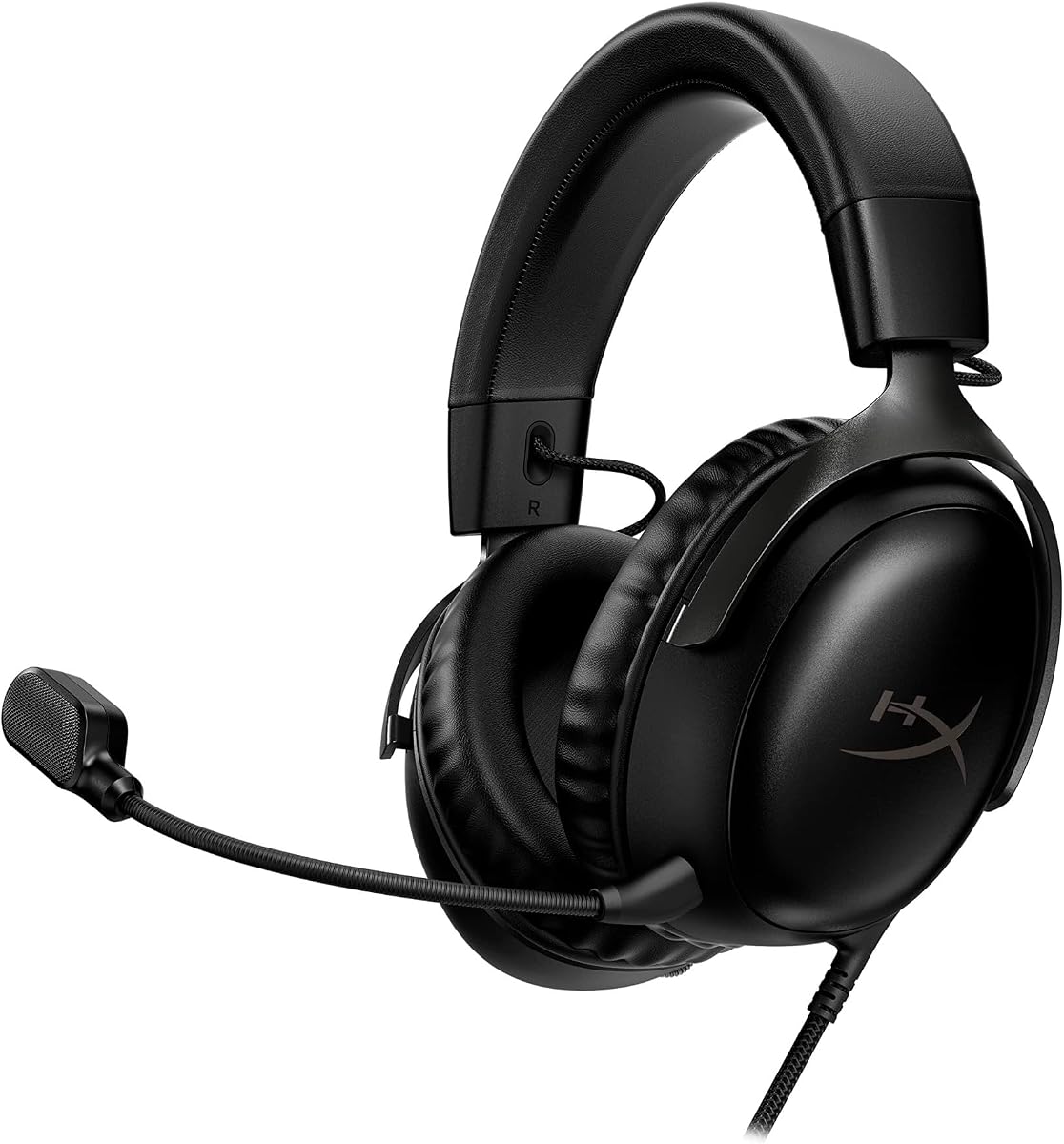
The HyperX Cloud III Wired offers a straightforward route to competitive gaming with a 4.3 supplied rating, a wired connection, and broad platform support. Angled 53mm drivers are tuned to accent dynamic game sounds, while memory foam cushions and an aluminum frame prioritize comfort and durability over the feature complexity found in premium wireless models.
We may earn a commission when you buy through this link, at no additional cost to you.
Its 10mm detachable microphone captures voice and calls while using noise cancellation and a built-in mesh filter to reduce disruptive sounds. An LED indicator communicates mute status, which is a small but useful safeguard during team communication. The included USB-C and USB-A arrangements support modern PC and console use, and the 3.5mm connection offers additional platform flexibility depending on the included lead.
A wired design eliminates battery management and removes wireless latency as a concern, making it dependable for tournament setups and fixed gaming stations. The trade-off is tethering, which can restrict movement and create cable-management issues on smaller desks. It also lacks the device switching, active noise cancellation, and multi-source mixing features available on several premium alternatives.
The Cloud III is well suited to competitive players who value reliability, comfort, cross-platform support, and a straightforward mic over wireless freedom. It can also serve players who prefer the sound and feel of a wired headset. Those wanting a polished setup for regular tournaments should confirm included cable and controller compatibility, while mobile-focused buyers should check whether a separate adapter is needed.
A permanent wired connection removes charging anxiety and wireless interference from the setup. That predictability is valuable in competitive environments where consistent startup behavior and immediate audio matter more than roaming freely around the desk.
Memory foam cushions help distribute pressure around the ears, while the angled drivers place sound toward the ear for a more natural presentation. The aluminum frame also makes the headset better suited to frequent handling, travel, and long-term use than a lightweight plastic construction.
We may earn a commission when you buy through this link, at no additional cost to you.
The Logitech G PRO X Wired is a tournament-oriented headset with a 4.3 supplied rating, an external USB sound card, and software-assisted audio tools. Its PRO G 50mm drivers are designed for precise imaging and improved bass response, aiming to reveal footsteps and environmental cues without sacrificing the broader soundstage.
We may earn a commission when you buy through this link, at no additional cost to you.
Blue Voice technology applies noise reduction, compression, limiting, and related processing to the detachable microphone for cleaner team communication. That processing is one of the headset's strongest distinctions, particularly for players who speak frequently during ranked sessions. G HUB also supports object-based surround, downloadable pro EQ profiles, and a five-band equalizer that can be stored on onboard memory.
The included sound card and G HUB support tie some advanced features to a Windows PC and add more setup than a basic analog headset requires. Comfort is flexible, with a choice of leatherette or breathable velour memory foam ear pads, while an aluminum fork and steel headband provide structural strength. A mobile cable with an inline mic and a carrying bag round out the package.
Competitive players who want extensive microphone processing and portable EQ settings will find substantial value in this design. It is especially practical for players who regularly use Windows and G HUB, move between personal and tournament PCs, or want to preserve familiar settings on different systems. Mac and console users should check compatibility carefully before relying on the headset's advanced software features.
Blue Voice goes beyond a simple mute switch by applying several stages of communication processing. Those tools can improve clarity when the surrounding room is noisy, although users should avoid excessive processing that makes their voice sound unnatural to teammates.
Onboard EQ storage is valuable for tournaments where players use unfamiliar computers. Saving a preferred five-band profile reduces setup time and keeps the sound familiar across different PCs, provided those computers support the required G HUB software.
We may earn a commission when you buy through this link, at no additional cost to you.
The Logitech G Astro A50 has a 4.2 supplied rating and focuses on cross-platform convenience through PlaySync, a system that can connect to three platforms at once. Users can move among Xbox, PS5, PC or Mac, and Nintendo Switch or Switch 2 through USB-C and change the active system using an on-ear control.
We may earn a commission when you buy through this link, at no additional cost to you.
Its 40mm PRO-G graphene drivers focus on separation, location, and timing accuracy, while 24-bit LIGHTSPEED wireless provides uncompressed audio with low latency. The 48kHz full-bandwidth boom microphone is designed for highly articulate voice communication. Bluetooth dual-device mixing can bring Discord communications or music into the game mix, which is useful for streamers who need more than one audio source.
The magnetic charging base offers a convenient home for the headset, and a 7-core DSP stores advanced sound shaping on the headset itself. G HUB and the G App provide 10-band parametric EQ, microphone controls, noise gating, and stream output mixing. The main limitation is the stated 24-hour playback time at 78dB, which is considerably shorter than the endurance offered by several headsets in this guide.
The A50 is a compelling choice for cross-platform households and streamers who value effortless source switching and broadcast-level communication. Its docking system also reduces the likelihood of leaving the headset misplaced, while onboard processing preserves settings across systems. Competitive players who need all-day wireless endurance may prefer a longer-lasting model, but the A50's flexibility compensates for that limitation.
PlaySync's three-system switching removes much of the friction associated with moving between console and PC gaming. The on-ear control makes the transition quick, while stored DSP settings help maintain a consistent sound signature across platforms.
The high-bandwidth boom microphone provides a strong foundation for team comms and live streaming. Bluetooth device mixing and stream output controls also make the headset practical for players who need game audio, communication, and music in one controlled setup.
We may earn a commission when you buy through this link, at no additional cost to you.
The SteelSeries Arctis Nova Pro Omni is the most versatile premium headset in this comparison, with a 4.4 supplied rating, Hi-Res wireless certification, five-device support, and four-source mixing. It connects to PC, PlayStation, Xbox, Switch, and other systems through multiple USB, line-in, and Bluetooth options, making it well suited to mixed-platform gaming environments.
We may earn a commission when you buy through this link, at no additional cost to you.
Its 96kHz/24-bit wireless specification is officially certified and intended to preserve more detail than compressed wireless audio. Enhanced hi-res neodymium drivers draw their tuning inspiration from the Arctis Nova Elite. The ClearCast Pro microphone is a high-bandwidth omnidirectional model with built-in AI Noise Rejection that is stated to shield against up to 96% of background noise.
Improved active noise cancellation is another major benefit, particularly for players trying to focus in a tournament venue or noisy home. The extensive connectivity and mixing options can be overwhelming for a simple PC-only setup, and the advanced feature set places this model at the premium end of the category. Users should also confirm that every source and console supports the intended connection mode.
This is the top recommendation for users who want one premium headset to cover competitive PC gaming, console play, communication, and media without constant reconnection. It is less attractive to players who only need a reliable wired headset for one PC, but its Hi-Res wireless performance, ANC, microphone processing, and unmatched switching flexibility justify the premium positioning for broad setups.
The Hi-Res certification highlights Razer's absence here and SteelSeries' focus on minimizing compression in the wireless path. Higher resolution does not automatically guarantee better competitive awareness, but it can provide a cleaner foundation for revealing fine details within footsteps, movement, and environmental effects.
OmniPlay's support for up to five devices and four mixed audio sources removes common switching obstacles. This is especially useful for competitive players who use a console for ranked matches, a PC for private lobbies, and a phone for Discord while keeping separate applications audible.
We may earn a commission when you buy through this link, at no additional cost to you.
The Razer BlackShark V2 X combines a 4.4 supplied rating with an approachable wired design, 50mm TriForce Titanium drivers, and software-enabled 7.1 surround sound. Its 240-gram weight and breathable foam ear cushions make it one of the lighter options here, which can help reduce fatigue during long competitive sessions.
We may earn a commission when you buy through this link, at no additional cost to you.
Closed earcups create a passive seal that limits incoming noise, while the TriForce driver design separates highs, mids, and lows for a clearer presentation. The HyperClear cardioid microphone tapers sensitivity toward the back and sides, helping it capture more speech and fewer surrounding sounds. A 3.5mm connection provides broad compatibility with PC, Mac, PS4, PS5, Switch, and Xbox One, subject to adapter requirements.
The surround feature is available only in the specified Windows 10 64-bit environment, so console and Mac users may not receive the same virtual positional processing. Wired operation avoids charging and wireless latency, but there is no simultaneous device mixing or advanced onboard EQ storage. The analog simplicity also means fewer ways to separate voice chat, game audio, and media.
The BlackShark V2 X is an excellent value-oriented choice for FPS players who want Razer tuning, reliable voice capture, and broad wired compatibility at a lower tier than the premium models. It is particularly useful for students, tournament competitors on a budget, and anyone who prefers a lightweight headset without giving up surround support. Windows PC users receive the most complete feature set.
At 240 grams, the headset places relatively little weight on the head compared with many over-ear competitors. Breathable foam cushions add to the comfort proposition, making it easier to consider the BlackShark V2 X for repeated queues and lengthy practice sessions.
A standard 3.5mm connection keeps setup straightforward and works across a wide range of current and older gaming platforms. Xbox One users may need a separate stereo adapter, so checking the existing equipment is advisable before purchase.
We may earn a commission when you buy through this link, at no additional cost to you.
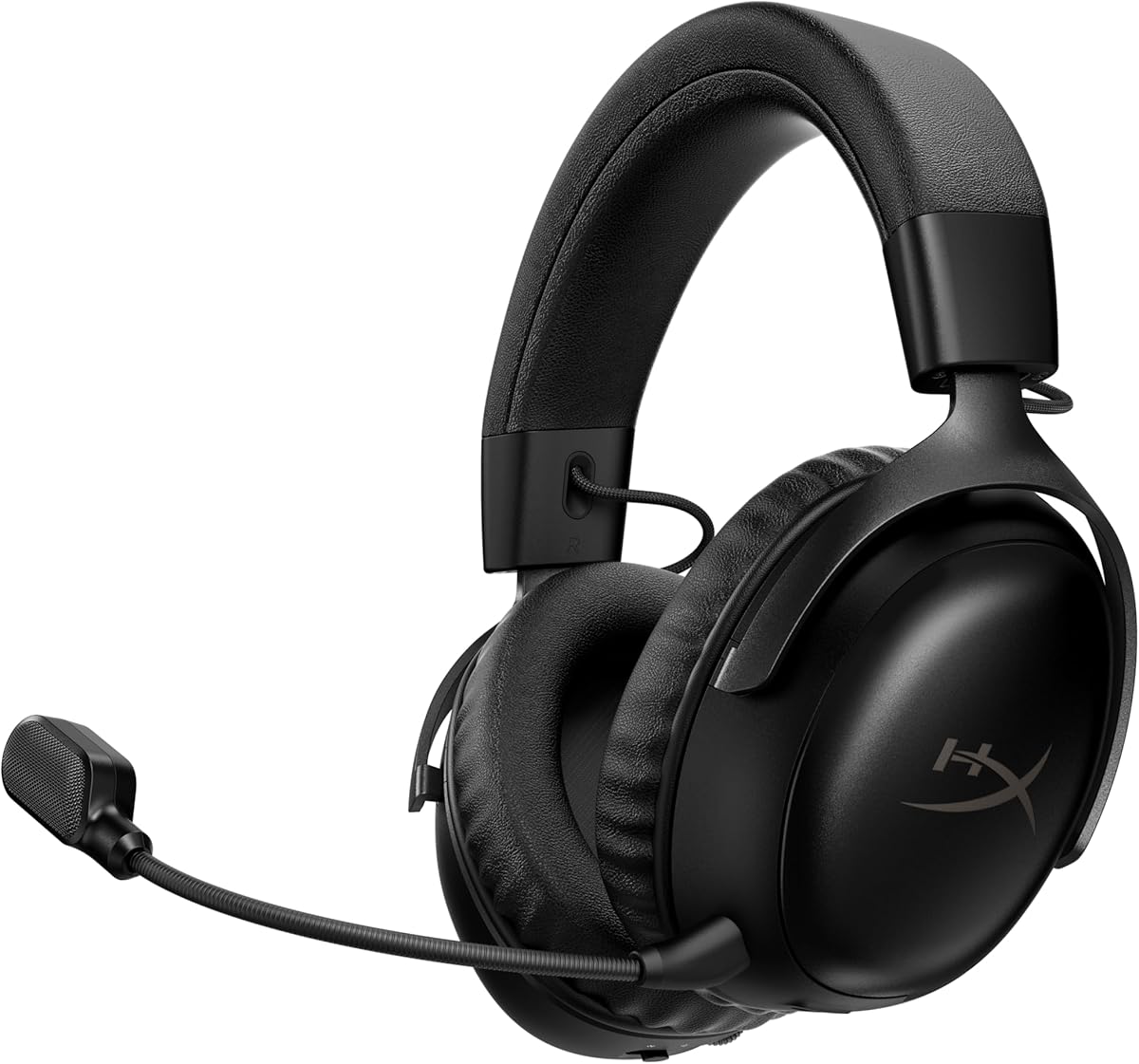
The HyperX Cloud III S Wireless has a 4.3 supplied rating and distinguishes itself with extraordinary stated battery life: up to 120 hours in 2.4GHz mode and up to 200 hours over Bluetooth. That makes it a practical choice for players who game frequently, travel between events, or simply do not want to remember charging their headset regularly.
We may earn a commission when you buy through this link, at no additional cost to you.
Its angled 53mm drivers were tuned by HyperX engineers to accent dynamic game sounds, and memory foam in the headband and ear cushions is wrapped in soft leatherette for long-session comfort. The flexible aluminum frame should better tolerate travel and routine handling than a basic plastic headset. A detachable 10mm boom microphone includes a mesh filter and an LED mute indicator for clear team communication.
On-ear controls include a wireless mode selector, volume wheel, mute button, and multifunction button for media and calls. Compatibility extends to PC, PS5, PS4, Switch, Mac, mobile, and other Bluetooth devices, with both USB-A and USB-C connectors included. A lifetime activation of Spatial Audio is listed for PC, while Instant Pair is available with select OMEN laptops. Active noise cancellation is not among the listed features.
The Cloud III S Wireless is ideal for competitive players who value endurance and cross-platform flexibility over the most advanced surround engine. It should appeal to console and PC users who want a comfortable, dedicated wireless headset with a dependable microphone. Those seeking immersive virtual positioning, active isolation, or extensive multi-device audio mixing may prefer one of the feature-heavy premium alternatives.
The 120-hour 2.4GHz figure removes charging from most routine planning. Even Bluetooth's stated 200 hours is exceptionally long, making the headset convenient for travel, tournaments, and players who use voice communication on a phone as well as their gaming system.
The Cloud III S retains the Cloud series' memory foam and angled-driver approach while adding modern wireless modes. Its aluminum frame and plush leatherette cushions make it a comfortable option for long sessions, provided users prefer a fuller on-ear fit.
We may earn a commission when you buy through this link, at no additional cost to you.
A competitive FPS headset should help you hear relevant cues, communicate clearly, and remain comfortable through repeated matches. The right choice depends on your platform, connection preference, sensitivity to soundstage design, and need for advanced controls.
Latency matters because delayed footsteps and distant gunfire can undermine a headset's advantages. Wired 3.5mm or USB connections remain dependable choices with no wireless pairing or charging routine, while modern 2.4GHz wireless can offer low latency with greater freedom. Razer cites latency as low as 10ms for its HyperSpeed Gen-2 models, while SteelSeries and Logitech G describe their wireless systems as low-latency. Actual results can depend on the transmitter, USB port, computer, interference, and software configuration.
Choose wired for the simplest and most consistent setup. Choose 2.4GHz when mobility and a cleaner desk matter without accepting a meaningful delay, and confirm that the included receiver works with every PC or console you use.
Competitive shooters benefit from headphones that separate footsteps, gunfire, movement, and environmental effects accurately. Look for claims about positional imaging, object-based surround, or dedicated FPS profiles, but understand that virtual surround is a processing layer rather than a guarantee of perfect direction. Razer BlackShark V3 models include THX Spatial Audio, Logitech G PRO X supports surround through its sound card and G HUB, and the BlackShark V2 X offers software-enabled 7.1 on Windows. Compare these with the more natural stereo presentation of some conventional wired headsets.
Prioritize detailed drivers, game-specific profiles, and controls that let you adjust the balance. Test the final configuration in the game you actually play, because competitive titles often mix music, dialogue, and effects differently.
A clear microphone can be as valuable as accurate headphones, especially in squads where every shot call needs to be understood. Compare pickup patterns, detachable or retractable designs, noise cancellation, sample-rate claims, mute indicators, and voice-processing tools. The SteelSeries Nova Pro Omni offers AI Noise Rejection, the Logitech G PRO X uses Blue Voice processing, and Razer emphasizes wideband capture in its detachable microphones. Noise-reducing features should improve clarity without making the user's voice sound overly compressed.
Choose a clear cardioid or unidirectional microphone for rejecting off-axis sound. If broadcasting or streaming is part of the activity, evaluate the headroom, gain controls, and platform-specific software rather than focusing only on voice-chat convenience.
A headset that sounds excellent but becomes painful will undermine competitive performance. Consider the weight, cushion depth, clamping pressure, headband material, and whether the ear shape is suited to your anatomy. The BlackShark V2 X is notably light at 240 grams, while the Cloud III S and Cloud III use memory foam for cushioning. Leatherette-style coverings may feel comfortable initially but can become warmer during long sessions, whereas breathable fabric or velour can improve ventilation.
Look for balanced weight distribution and a headband that does not create a concentrated pressure point. If possible, compare the included ear-pad options, as the Logitech G PRO X offers both leatherette and breathable velour choices. Glasses users should also consider how the sealing cushions interact with the frame.
Wireless convenience is valuable only when the headset has enough power for your schedule. SteelSeries Arctis Nova 5 advertises 60 hours and USB-C fast charging, Razer BlackShark V2 Pro and V3 advertise 70 hours, and the HyperX Cloud III S reaches 120 hours in 2.4GHz mode. The Logitech G Astro A50 offers 24 hours and uses a magnetic charging dock, which is convenient but requires the base to remain available for top-ups.
Prioritize enough endurance for several sessions between charges, especially if you travel or compete regularly. Check whether the stated battery figure applies to the primary gaming mode, because Bluetooth and lower-volume use can produce different results.
The headset's label may list many platforms, but connection methods can vary by model. Razer BlackShark V3 supports PC, Mac, PlayStation, Switch, and mobile through 2.4GHz, Bluetooth, or USB, but it explicitly does not support Xbox consoles. The Cloud III S supports PC, PS5, PS4, Switch, Mac, mobile, and Bluetooth devices. The Nova Pro Omni supports PC, PlayStation, Xbox, Switch, and more through several wired and wireless options.
Make a list of every device you use before choosing a model. Check whether a console requires a specific adapter, whether a USB-C dongle is included, and whether advanced features remain available outside Windows. For mixed-platform households, switching convenience can be more important than any one isolated specification.
Every player hears games differently, and a good default is only a starting point. Razer BlackShark V3 models provide pro-tuned FPS profiles and customizable EQ with headset storage, SteelSeries Nova 5 offers more than 100 game presets, and Logitech G PRO X supports five-band EQ profiles saved to onboard memory. These tools can improve consistency across games and computers, although they also require compatible software and occasional setup.
Choose a headset with controls you will actually use. Competitive players may prefer one or two saved profiles over a dense equalizer, while streamers and content creators may value more granular microphone, stream-mix, or parametric controls.
Noise control can range from a passive seal to active noise cancellation. Closed earcups and memory foam on the Razer BlackShark V2 X help block external sound, while the BlackShark V3 Pro and Nova Pro Omni add active cancellation. ANC may improve concentration in a noisy room or tournament area, but it is not a substitute for proper microphone positioning. A nearby keyboard, mechanical switches, or fans can still enter the microphone signal.
Choose passive isolation for a consistent wired experience and active cancellation for frequent exposure to external noise. Test microphone placement regardless of the headset's noise-reduction claims, because a properly positioned mic still provides the cleanest starting point.
Begin by installing the required software before your first competitive session. Logitech G features depend on G HUB and, for the PRO X, the included USB sound card; SteelSeries presets use the Arctis Companion App; and Razer models that support custom EQ or spatial features may require Razer software. Select the correct 2.4GHz device, set the headset as the output and communication device, and then test microphone input in the operating system's sound settings.
Create an audio baseline before making aggressive EQ changes. Begin with the game's recommended competitive preset or the headset's FPS profile, lower the volume to a comfortable level, and adjust individual frequency bands only when a cue is difficult to identify. If using virtual surround, compare it with the standard stereo mix, since aggressive processing can make some sounds less natural. Keep the microphone just inside the edge of the mouth and check the mute indicator before every match.
For wireless models, charge with the supplied cable and avoid leaving the battery depleted for long periods. Clean removable ear cushions and microphone grilles according to the manufacturer's care instructions, keep liquids away from drivers and charging ports, and store wired headsets without sharply folding the cable. Use a case for travel, inspect the 3.5mm plug or USB connectors for debris, and replace worn pads or cables before they begin to affect positioning, comfort, or communication.
Both can work well for competitive shooters. Wired headsets eliminate wireless latency and charging concerns, while modern 2.4GHz systems can provide low-latency audio with more freedom. Players should prioritize a stable connection, accurate cues, and clear communication rather than assuming one connection type is always superior. Razer specifies latency as low as 10ms for its HyperSpeed Gen-2 headsets, but actual performance depends on the full hardware and software setup.
Accurate directional cues, a clear microphone, low latency, and comfortable fit are the most important categories. Virtual surround and specialized EQ profiles can help, but they should support rather than overpower the underlying sound mix. Platform compatibility also matters because a headset may lack native support for the console or device used for regular ranked play.
It can help reveal positional information, but it is not mandatory and should not be treated as a guarantee of perfect localization. Competitive players may prefer the natural detail of a well-tuned stereo image, while others benefit from virtual surround in large or busy maps. Compare the surround and stereo modes with the exact games you play and choose the presentation that makes important cues easiest to understand.
A detachable microphone is convenient because it can be removed when a separate broadcast or streaming microphone is preferred. A retractable microphone keeps the boom hidden when not in use and offers a tidier appearance. Either design can perform well, so the more important factors are capture clarity, noise rejection, mute access, and positioning near the speaker's mouth.
Longevity depends on construction, storage, ear-pad wear, cable quality, and how often the headset is moved while worn. Models with aluminum frames or steel headbands are generally positioned for durability, but removable cushions and microphones may still need replacement sooner. Store the headset carefully, avoid yanking the attached cable, and inspect high-contact parts periodically to extend usable life.
Many headsets support several platforms, but compatibility depends on the exact connection method and model. Some support 3.5mm audio, USB-C, 2.4GHz wireless, or Bluetooth, while others require a platform adapter. The Razer BlackShark V3 explicitly excludes Xbox console support, whereas the Nova Pro Omni lists Xbox among its supported systems. Check the current product details for the precise console and connection combination.
It can reduce distracting environmental sounds and help players focus during long sessions. Models such as the BlackShark V3 Pro and Nova Pro Omni add active cancellation to their closed or isolating designs. However, ANC cannot eliminate every sound and does not automatically improve microphone clarity. Players should still position the microphone correctly and check for keyboard, fan, and room noise.
Custom EQ can help balance a game mix, but it should begin with a reliable preset or baseline. Many headsets offer game-specific profiles that are easier for new players to understand, while advanced tools allow more precise control. Save a separate profile for each game or role, change only one adjustment at a time, and avoid boosting frequencies simply because they sound impressive rather than because they improve cue recognition.
The Razer BlackShark V3 Wireless stands out as the most balanced overall recommendation because it combines 10ms-class low-latency wireless, FPS profiles, simultaneous device mixing, broad platform support, and a 70-hour battery. The SteelSeries Arctis Nova Pro Omni takes the premium lead with Hi-Res wireless audio, five-device connectivity, four-source mixing, advanced microphone processing, and active noise cancellation, while the Razer BlackShark V2 X delivers the strongest budget-oriented combination of surround support, light weight, and broad wired compatibility.
Before choosing, prioritize the factors that affect your actual routine: consistent low-latency audio for ranked matches, a microphone your teammates can understand, comfortable cushions for long sessions, and native support for every platform you use. Players who value simpler setups may be happier with a reliable wired headset, while multi-device users should look closely at switching, Bluetooth mixing, EQ storage, and included dongle support.
Retailer prices and availability change regularly, and software updates can also alter available features, compatibility, and presets. Check the current product listing and manufacturer support information before buying, then configure the chosen headset with enough time to learn its controls and compare it directly in the competitive games you play most often.