
Built-in Apps 1080P Mini Projector
4.1Editor score
Android 14 smart platform
Over 7,000 listed apps
270-degree rotating stand
Wi-Fi 6 and Bluetooth 5.4
Discover the best Projector with Smart Apps, comparing streaming systems, image quality, audio, portability, connectivity, and setup ease.
A projector with smart apps can replace a television, streaming stick, and conventional media player with one flexible entertainment system. The best models combine familiar streaming platforms with strong image quality, practical automatic adjustments, built-in sound, and enough connectivity for phones, speakers, and gaming devices.
This guide compares ten projectors across smart operating systems, supported applications, resolution, brightness, audio, wireless standards, projection flexibility, and portability. It includes budget models, compact projectors for bedrooms and travel, brighter outdoor-oriented systems, and licensed entertainment platforms for viewers who want a straightforward setup.
Each pick highlights the reasons it stands out while also identifying practical compromises, such as manual focus requirements, app restrictions, or dependence on an internet connection. Ratings and specifications reflect the supplied product information, while current prices and availability can change at any time.
4.1Editor score

4.6Editor score
4.4Editor score
The comparison below covers the principal smart-platform features, display specifications, audio, connectivity, and placement flexibility of all ten projectors, helping readers identify the model that best matches their room, viewing habits, and preferred streaming services.




The Aurzen Roku TV D1R is the strongest all-around choice in this guide, combining a familiar Roku TV interface with native 1080P presentation, flexible placement, and useful automatic adjustments. Its 4.6 rating reflects a favorable balance of streaming convenience and home-theater functionality. Instead of requiring a separate streaming stick, it offers access to services such as Netflix, Prime Video, Hulu, YouTube, and the Roku Channel.
We may earn a commission when you buy through this link, at no additional cost to you.
Its standout feature is the combination of auto focus and automatic keystone correction, which reduces the need for manual alignment. The projector can create a 60- to 150-inch image, making it suitable for a bedroom, living room, or backyard movie night. Dual-band Wi-Fi supports streaming, while Bluetooth 5.2 allows headphones or speakers to be connected. Compatibility with AirPlay, Apple TV, Android devices, Apple HomeKit, Siri, Alexa, and Google Assistant expands its usefulness beyond direct streaming.
The built-in dual 5W speakers and Dolby Audio provide more substantial sound than many similarly compact alternatives, although they may not replace a dedicated soundbar in a large room. A Roku account and internet connection are required for activation, and the lens requires periodic inspection and cleaning. These conditions are reasonable for a smart projector, but buyers who want completely offline entertainment may prefer a conventional display input or local media playback.
Choose the D1R if you want a recognizable streaming platform, strong automatic setup, useful smart-home integration, and a portable format without sacrificing built-in audio. It is particularly well suited to users who are already familiar with Roku or want one device to handle streaming, casting, gaming, and everyday projection. For most smart-projector shoppers, it offers the most convincing combination of simplicity, flexibility, and feature depth.
The built-in Roku home screen puts popular streaming services, free programming, live channels, personalized recommendations, and voice or phone control in one familiar interface. No separate dongle or input switching is required, although activation requires a Roku account and internet connection.
Auto focus and auto keystone correction help create a sharp, aligned picture after placement. The 60- to 150-inch image range provides useful flexibility, although dark rooms still offer the best viewing conditions for a portable projector.
We may earn a commission when you buy through this link, at no additional cost to you.
This upgraded mini projector offers one of the most approachable combinations of portability and smart functionality. Its 4.6 rating is among the highest in the group, while its built-in app store provides direct access to services including Prime Video and YouTube without requiring an external streaming device. It also supports 1080P and 4K content through its built-in applications.
We may earn a commission when you buy through this link, at no additional cost to you.
Its 0.8:1 short-throw ratio is especially useful in bedrooms, dorms, and apartments where the projector cannot be positioned far from the wall. Autofocus, a manual focus slider, and automatic vertical keystone correction simplify placement. The body rotates up to 180 degrees, allowing projection onto a wall or ceiling while the viewer reclines. Its 200 ANSI lumens are better suited to dim or dark environments than rooms with substantial ambient light.
Wi-Fi 6, Bluetooth 5.4, HDMI, and USB give it a flexible connection mix. The built-in speaker and approximately 25 dB operation make it suitable for late-night viewing, while Bluetooth can add headphones or speakers. The main limitation is the modest brightness, which may make streaming appear less vivid during daytime use. The stated 4K support should also be understood as support or decoding rather than a native 4K panel specification.
This model is a compelling choice for students, renters, travelers, and anyone seeking a compact smart projector for personal viewing. It offers more modern connectivity and ceiling-friendly placement than many entry-level alternatives. Choose it when low noise, easy rotation, and a compact footprint matter more than high brightness or a major-branded streaming interface.
The short-throw ratio and 180-degree rotation make this projector practical in rooms where conventional projection distance is limited. Its low weight also makes it easy to move between a bedroom, dorm, hotel, or temporary living space.
Wi-Fi 6, Bluetooth 5.4, HDMI, and USB cover the most common viewing needs. Streaming still requires a dependable internet connection, and image brightness remains the decisive factor in ambiently lit rooms.
We may earn a commission when you buy through this link, at no additional cost to you.
The HAPPRUN J7 is built for viewers who want more brightness and audio than a typical compact projector. Its 1,500 ANSI lumens specification, 4K decoding, and built-in smart system make it well suited to flexible home and outdoor use. The product carries a 4.3 rating and offers direct access to more than 1,000 applications.
We may earn a commission when you buy through this link, at no additional cost to you.
Its list includes Netflix, Prime Video, YouTube, and Hulu, while Bluetooth 5.2 and Wi-Fi 6 support wireless audio and communication. Two 15W speakers with Dolby Audio create a more substantial sound system than most mini projectors. Automatic focus helps the picture become clear within seconds of startup, while the included bracket allows the upward angle to be adjusted.
The projection specifications require careful interpretation: the J7 supports 4K decoding rather than native 4K output. Even at 1,500 ANSI lumens, portable projection is generally strongest after sunset or beneath a shaded structure. Its HDMI, USB, and 3.5mm connections offer broad device support, and the projector can be used from a table, tripod, wall, or ceiling mount.
The J7 is a strong recommendation for outdoor movies, garden viewing, larger rooms, and anyone who wants richer sound. It suits buyers who prioritize practical brightness and audio over a licensed mainstream streaming interface. Those seeking the simplest possible app experience should verify that their preferred subscriptions are available within the exact version purchased.
The stated 1,500 ANSI lumens give this model more headroom for shaded outdoor settings and rooms with some ambient light. It cannot replace a television in direct daylight, but it is more versatile than many compact smart projectors.
Dual 15W speakers with Dolby Audio provide enough volume for casual movie nights and family viewing. Bluetooth support remains useful when a more substantial sound system is desired.
We may earn a commission when you buy through this link, at no additional cost to you.
The Android 14 Mini Projector delivers an unusually broad smart-platform proposition for a budget-oriented model. Its 4.1 rating is the lowest in this roundup, but the supplied specifications compensate with access to more than 7,000 apps, Wi-Fi 6, Bluetooth 5.4, and a smartphone remote. It supports direct streaming without a separate TV stick.
We may earn a commission when you buy through this link, at no additional cost to you.
Its native 1280×720 resolution is less impressive than the native 1080P models in this guide, although it includes smooth 1080P and 4K decoding support. The 400 ANSI lumens and 10,000:1 contrast ratio provide usable brightness for controlled indoor lighting. A 270-degree rotating stand allows wall and ceiling projection, while automatic keystone correction helps correct angled placement.
The Lumina Go app is a meaningful convenience because it includes navigation controls, a full QWERTY keyboard, touchpad, air-mouse controls, and voice control. At 356.5 grams, the projector is easy to carry and its 0.8:1 throw ratio supports 40- to 100-inch images in compact spaces. Manual focus is a drawback when compared with fully automatic models.
This is the best budget pick for users who prioritize app variety, phone control, and ceiling-friendly portability over native resolution. It is especially appropriate for casual streaming, gaming, yoga, and family gatherings where a modest 720p native image is acceptable. Verify app and subscription compatibility before buying if a particular service is essential.
The Android 14 interface offers direct access to a large catalog of applications, while the Lumina Go app turns a phone into a capable remote. Both the projector and phone must be connected to the same Wi-Fi network for pairing.
A 270-degree rotating stand makes ceiling viewing practical and helps users aim the image from a table or other surface. This flexibility is especially valuable in bedrooms where wall placement may not be practical.
We may earn a commission when you buy through this link, at no additional cost to you.
The Aurzen Roku TV E1R has the highest listed rating in the group at 4.7 and combines a compact body with a built-in Roku platform. It is designed for viewers who want familiar streaming services, AirPlay, and flexible placement without carrying a separate streaming stick or a full-size home-theater projector.
We may earn a commission when you buy through this link, at no additional cost to you.
Its 180-degree rotating base supports wall, ceiling, table, and bedside viewing, while a 1.12:1 throw ratio can create a 20- to 120-inch image. Automatic vertical keystone correction simplifies alignment, although focus is adjusted with a top wheel. Six picture modes, including Movie, Sports, Vivid, Standard, and Low Power, provide useful choices for different content and surroundings.
Two-way Bluetooth 5.2 adds flexibility: audio can be sent to compatible speakers or headphones, or music can be played from a phone or tablet through the projector. Dual-band Wi-Fi supports direct Roku streaming, and AirPlay makes sharing content from Apple devices convenient. The larger built-in sound chamber is designed to provide fuller volume and clearer dialogue than a typical mini projector.
The E1R is especially attractive for travelers and casual home viewers who want a simple, lightweight smart projector. Its under-one-pound weight and included strap make it easy to move, while the Roku interface lowers the learning curve. The main tradeoff is manual focus and the absence of a detailed native-resolution specification, so buyers focused on image sharpness should review the manufacturer information carefully.
Built-in Roku TV puts popular apps, free channels, live programming, AirPlay, and voice-friendly navigation in one interface. A Roku account and internet connection are required for activation.
The compact body, included strap, and under-one-pound weight suit bedrooms, dorms, hotels, and outdoor use. The rotating stand also reduces the need for a separate ceiling or bedside mount.
We may earn a commission when you buy through this link, at no additional cost to you.
The XuanPad Licensed App Projector stands out through its flexible physical design, native 1080P output, and emphasis on licensed streaming. It carries a 4.2 rating and is compatible with Netflix while also offering built-in access to services such as YouTube and Prime Video. Wireless screen mirroring and HDMI provide additional ways to watch content.
We may earn a commission when you buy through this link, at no additional cost to you.
The supplied specifications mention 4K resolution support along with a three-piece double-sided nano-high lens and high-precision LCD display. Projected images can range from 40 to 200 inches, depending on placement and conditions. AI autofocus and 6D one-touch automatic keystone correction are designed to accelerate setup, while a one-touch zoom function adjusts the displayed portion of the image.
Its detachable 360-degree stand allows wall, ceiling, and screen projection and separates for easier packing. At 1.89 pounds and approximately 2.69 inches thick, it is larger and heavier than the smallest models but still portable. Dual-band Wi-Fi and Bluetooth 5.2 support streaming, mirroring, and private audio. Light-sensing technology is included, though real-world brightness remains dependent on ambient conditions.
This projector is well suited to buyers who value licensed apps, automatic correction, and flexible mounting more than minimal weight. The 360-degree stand is particularly useful in compact rooms and for ceiling viewing. As with other projectors, the claimed wide image sizes require adequate distance and controlled lighting, so consumers should assess practical room dimensions rather than relying on maximum figures alone.
AI autofocus and one-touch keystone correction reduce the work involved in obtaining a rectangular image. These features complement the detachable stand and make the projector easier to reposition around a room.
Netflix compatibility and other built-in applications support a more television-like experience. HDMI and wireless mirroring offer alternatives when the desired content is not available through the installed smart apps.
We may earn a commission when you buy through this link, at no additional cost to you.
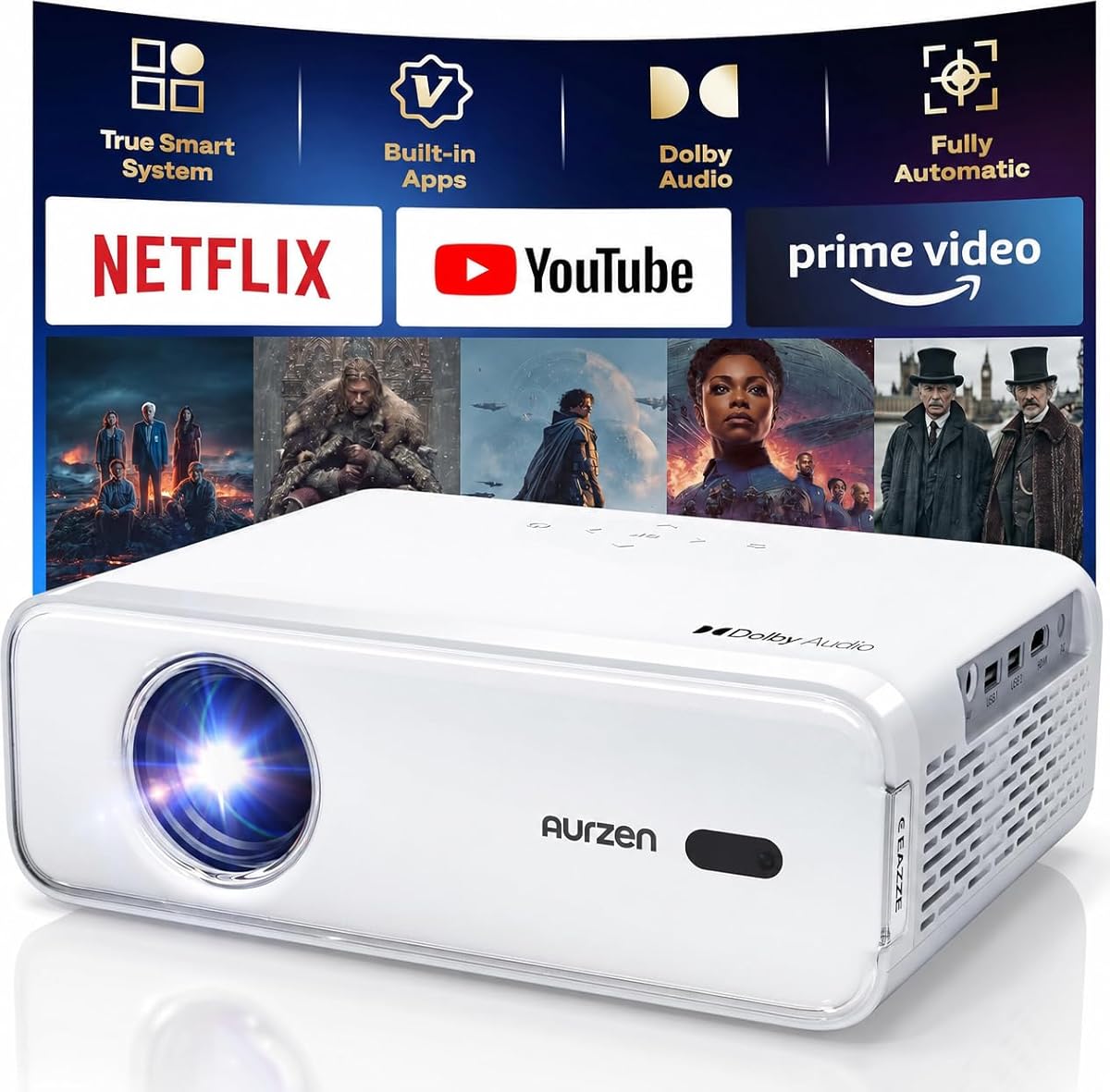
The Aurzen EAZZE D1 combines a built-in smart operating system with an unusually extensive collection of automatic setup functions. Its 4.3 rating is supported by native 1080P, HDR10, two-way Bluetooth, dual 8W speakers, and features such as auto focus, auto keystone, obstacle avoidance, and automatic screen alignment.
We may earn a commission when you buy through this link, at no additional cost to you.
The smart platform provides access to Netflix, Prime Video, YouTube, and hundreds of listed applications, along with an app store, browser, and My App area. Importantly, the supplied information notes that some other streaming apps cannot be downloaded on this version and recommends the GTV version for broader app access. That distinction is essential for buyers with a specific subscription in mind.
Its automatic system corrects vertical and horizontal keystone distortion within the stated ranges and can zoom from 50% to 100% without moving the projector. Dual-band 5G and 2.4G Wi-Fi provides solid streaming connectivity, though it does not support Wi-Fi 6. Bluetooth 5.1 is two-way for audio, and the projector can function as a speaker when connected to a mobile device.
The D1 suits users who value native resolution, HDR, automatic placement, and stronger built-in sound. It works well for indoor movies, gaming, small meetings, camping, and outdoor viewing after dark. The app limitation prevents a blanket recommendation, so potential buyers should confirm that every required streaming service is supported before making a purchase.
Auto focus, obstacle avoidance, screen alignment, and automatic keystone correction reduce manual adjustment. The zoom range also helps fit a picture to different screen sizes without physically moving the projector.
This version includes several major streaming services and an app store, but the supplied information warns that additional applications cannot be downloaded. Buyers who require a particular service should verify compatibility before buying.
We may earn a commission when you buy through this link, at no additional cost to you.
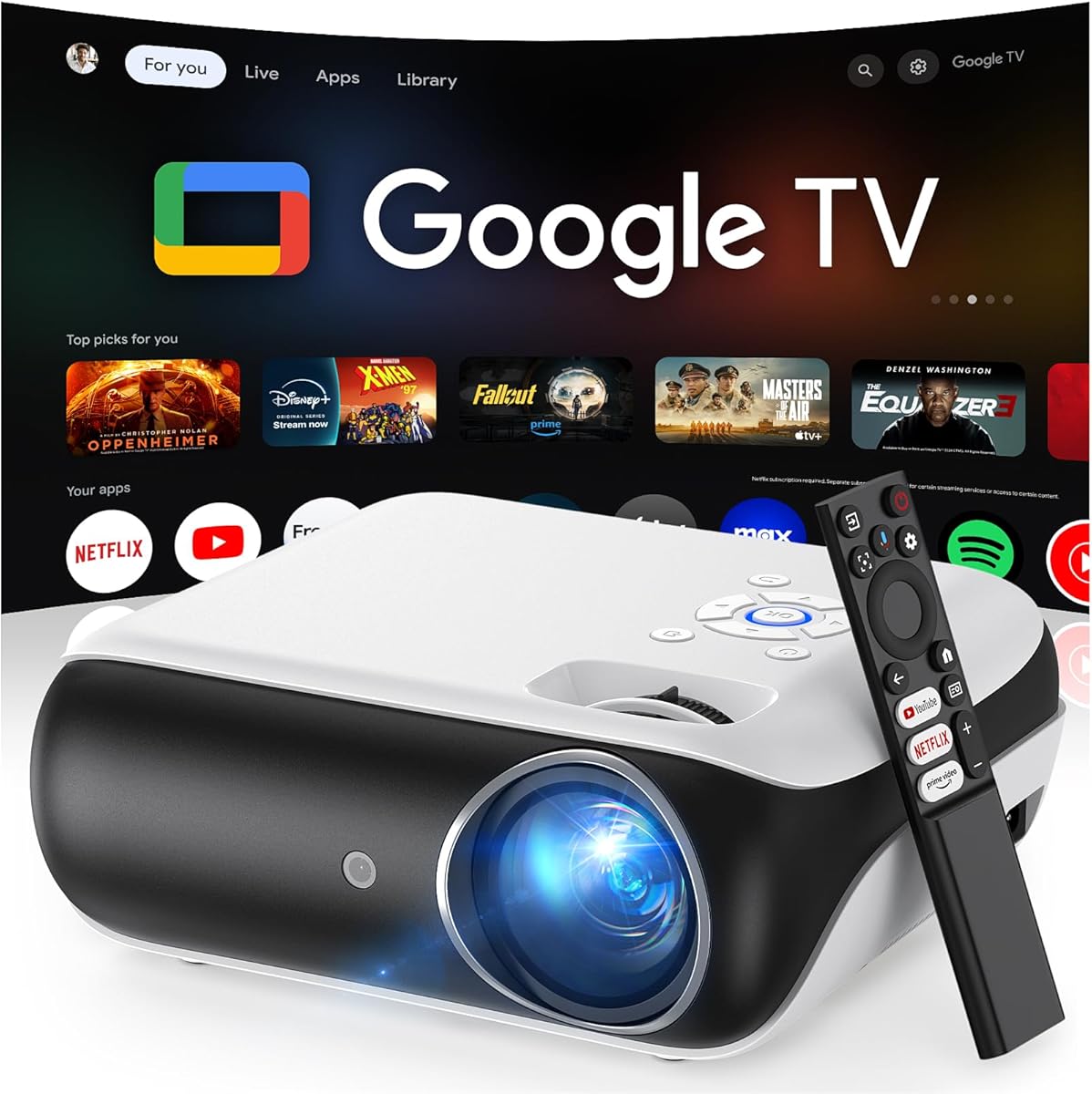
The HAPPRUN Licensed Google TV projector is the premium selection because it combines an officially licensed Google TV platform, native 1080P presentation, Google Voice Assistant support, and modern wireless connectivity. Its 4.4 rating reflects a polished smart-TV proposition, with direct access to Netflix, Prime Video, YouTube, Hulu, and other applications.
We may earn a commission when you buy through this link, at no additional cost to you.
Holding the voice-control button allows users to open apps, search for content, adjust volume, or request information such as the weather. Wi-Fi 6 is intended to support stable streaming, while Bluetooth 5.2 allows a sound system or headphones to be connected. A built-in 5W speaker and Dolby sound effects cover casual listening, although a larger audio system would benefit a big room.
The projector supports up to a 300-inch image and accepts USB drives, smartphones, computers, tablets, and game consoles. It can be installed from the ceiling, desktop, or tripod, allowing it to serve bedrooms, apartments, backyards, and campsites. The 400 ANSI lumens make it suitable for indoor use and outdoor viewing in shaded conditions rather than direct sunlight.
This premium pick is ideal for households that want Google TV without managing a separate streaming stick and want voice-driven navigation. It also suits users who value broad source compatibility and a portable form factor. The premium designation reflects the licensed platform and feature set rather than extreme brightness, so buyers should also consider the two 1,500-ANSI-lumen HAPPRUN options for brighter spaces.
The Google Voice Assistant can launch applications, search for shows, change volume, and answer basic queries without navigating every menu manually. This makes the projector feel closer to a smart television than a conventional display device.
The officially licensed Google TV interface provides direct access to major streaming services and reduces setup complexity. Wi-Fi 6 supports the streaming demands of a modern smart projector, while HDMI and Bluetooth expand local and audio options.
We may earn a commission when you buy through this link, at no additional cost to you.
The HAPPRUN Roku TV Mini provides a direct Roku experience in a small, portable package. Its 4.4 rating and built-in access to Netflix, Prime Video, Hulu, YouTube, the Roku Channel, and Apple TV make it appealing for viewers who prioritize simple setup over an extensive specification list.
We may earn a commission when you buy through this link, at no additional cost to you.
The projector uses dual stereo speakers with Dolby Audio, so basic movie, music, and sports viewing can be enjoyed without immediately adding an external speaker. Its 270-degree rotating stand enables wall, ceiling, and bedside projection. The design is small and light enough for backpacks or suitcases, making it suitable for dorms, hotels, family vacations, and RV trips.
Dual-band 2.4G and 5G Wi-Fi supports streaming, casting, and live content, while two-way Bluetooth 5.2 can send sound to headphones or speakers or turn the projector into a music speaker. Voice control works through Roku Smart Home, Siri, Alexa, and Google Assistant, depending on the user's setup and available services.
Choose this model when a lightweight body, recognizable Roku interface, and flexible stand are the leading priorities. It is well suited to casual users, travelers, and families seeking a secondary screen. Detailed native-resolution and brightness information is limited in the supplied specifications, so image-quality-focused buyers should investigate those specifications before committing.
The built-in Roku platform removes the need for a streaming stick and input switching. Once connected to the internet, users can move between supported streaming services from a familiar home screen.
Its compact size, broad stand rotation, and dual-way Bluetooth make it easy to use in different rooms or while traveling. The built-in speakers remain useful, while wireless audio allows private listening at bedtime.
We may earn a commission when you buy through this link, at no additional cost to you.
The HAPPRUN 1500 ANSI combines a high stated brightness with a built-in streaming system, making it a practical option for larger viewing areas and outdoor entertainment. Its 4.3 rating reflects a versatile feature set, including 4K decoding, Wi-Fi 6, Bluetooth 5.2, and a pair of 10W speakers with Dolby Audio.
We may earn a commission when you buy through this link, at no additional cost to you.
The built-in system supports Netflix, YouTube, and Prime Video, providing a convenient starting point for smart viewing. Its upgraded chip handles 4K decoding rather than native 4K, and the 1,500 ANSI lumens specification helps the image remain visible in rooms with some ambient light. Portable projectors still deliver their best result in shaded or dark environments.
An adjustable stand supports projection onto walls, ceilings, or screens without requiring an additional tripod or pad. Unlike many automated competitors, ceiling projection calls for manual focus and keystone adjustment. Automatic vertical keystone correction is available for other placements, while a 50% zoom function helps adapt the image to different room sizes.
The dual 10W speakers are unusually substantial for a portable smart projector, and Bluetooth permits headphones or an external sound system when needed. HDMI, USB, and a 3.5mm headphone jack support many source devices. This model is best for buyers who want brightness and built-in sound, can accept manual ceiling adjustments, and do not require native 4K.
The stated 1,500 ANSI lumens offers more flexibility than lower-output mini projectors in living rooms and shaded outdoor areas. Ambient light still affects color and contrast, so a darker environment remains ideal.
Dual 10W speakers with Dolby Audio reduce the need for separate equipment. Ceiling placement is convenient, but the need for manual focus and keystone correction makes this model less hands-free than some alternatives.
We may earn a commission when you buy through this link, at no additional cost to you.
The right smart projector depends on the platform you want, the brightness of your intended room, the screen size you need, and how much setup effort you are willing to handle. The following factors help separate the most important specifications from marketing language.
A smart projector should provide direct access to the streaming services you already use. Roku TV, officially licensed Google TV, Android-based systems, and proprietary smart operating systems each offer a different selection of apps, navigation methods, and update support. Compatibility statements are especially important because a brand or model may support major services without supporting every third-party application. Netflix, Prime Video, YouTube, Hulu, Apple TV, and the Roku Channel appear across several products here, but not every model supports the same catalog.
Review the exact app list before purchasing, especially if you subscribe to a less common service. Also check whether account activation and an internet connection are mandatory. Most streaming-capable projectors become far less useful without a reliable network, although HDMI, USB, and Bluetooth may still provide local alternatives.
Native resolution describes the number of pixels the projector actually produces, while 4K support or 4K decoding often means the device can accept and process 4K source material. A native 1080P projector can display smoother text and sharper images than a 720P-native model even when both decode 4K files. The distinction matters most on large screens, where lower native resolution and visible pixel structure become easier to notice.
Choose 1080P or higher for a main television replacement or a large wall. For a compact secondary screen viewed at a smaller size, a 720P-native model may remain adequate. Compare native output rather than treating every mention of 4K as equivalent.
ANSI lumens provide a standardized brightness measure, making the specification more useful than vague claims about exceptional brightness. Higher output generally improves visibility in rooms with lamps, daylight filtering through windows, or a shaded outdoor setup. It does not make a portable projector equal to a television under direct sun, because contrast, color, screen finish, and room conditions remain important.
For dark-room viewing, image quality and contrast may matter more than maximum brightness. For outdoor movies or a room with family activity, favor higher ANSI figures. The two 1,500-ANSI-lumen HAPPRUN models offer the strongest stated brightness in this selection, while the 400-ANSI-lumen Google TV model is more compact and platform-focused.
Maximum screen size is only part of the placement equation. Throw ratio determines how much distance the projector needs from the screen, and a short-throw design can create a large image in a compact bedroom or apartment. Advertised maximum sizes may assume substantial distance or may be difficult to use in the available room.
Measure the intended screen wall and consider where the projector can physically sit. Models with rotating stands and adjustable mounts provide more freedom for ceiling, tabletop, and wall projection. Always distinguish a practical image size for the room from the manufacturer's largest theoretical display.
Automatic focus and keystone correction can save significant time when the projector is moved regularly. Focus controls sharpness, while keystone correction changes the image geometry to reduce a trapezoid caused by angled placement. Some models add screen alignment, obstacle avoidance, zoom, and one-touch controls, creating a more automated experience.
These systems work best when the projector is stationary and given room to settle. Products such as the Aurzen Roku TV D1R and XuanPad emphasize automatic correction, whereas the HAPPRUN 1500 ANSI requires manual focus and keystone work for ceiling placement. Choose automation for convenience or manual control for finer adjustment.
Projector speakers are convenient because they eliminate the need for another device, but their size limits bass, volume, and soundstage. Models with dual 10W or dual 15W speakers are better suited to group viewing, while compact units are often adequate for bedrooms and personal use. Dolby Audio processing can improve perceived clarity and balance, although software processing does not create the same output as a dedicated soundbar.
Bluetooth changes the equation by allowing headphones for quiet viewing or external speakers for more robust sound. Two-way Bluetooth also permits a phone's music to play through the projector. Check whether the preferred accessory supports the necessary audio profile.
Portable projectors are useful only when they can be moved, mounted, and positioned without inconvenience. Weight, thickness, stand rotation, and included mounting hardware all affect real-world portability. The Android 14 model weighs about 356.5 grams, the upgraded Wi-Fi 6 mini projector weighs about 387 grams, and the Aurzen E1R remains under one pound. Larger systems may still be movable but require a dedicated bag.
A rotating stand is valuable for ceiling viewing and angled placement. Ceiling projection can complicate focus, cable routing, ventilation, and keystone correction, so check those requirements before assuming that a rotating mechanism provides a completely hands-free experience.
HDMI and USB remain essential for local media, computers, game consoles, and existing streaming devices. A 3.5mm headphone jack is useful for private wired listening, while Bluetooth supports wireless audio. Screen mirroring through Wi-Fi or AirPlay can make phone-based content easier to view, although licensed streaming applications may restrict casting.
Smart-home compatibility with Siri, Alexa, Google Assistant, Roku Smart Home, and Apple HomeKit can improve everyday navigation. These systems do not always control the projector to the same extent, so verify which voice commands and integrations are supported by the exact model and platform.
Begin in a dim or dark room, place the projector on a stable surface, and aim it at a suitable screen or plain wall. Connect power before selecting the smart interface, then join the stated 2.4G or 5G Wi-Fi network and complete account activation. The projector should be used in a clean, low-dust environment, with adequate clearance around its sides and rear because the cooling fan runs during operation.
After the image appears, use auto focus and keystone correction when available, then fine-tune the focus manually if necessary. For ceiling placement, follow the model-specific cable-routing and adjustment instructions. Keep the lens protected from fingerprints and inspect it regularly; some models recommend inspection and cleaning every three months. If black spots appear, consult the included cleaning guidance and avoid abrasive materials.
For audio, begin with the built-in speakers and adjust the room volume before adding Bluetooth equipment. When using headphones or an external sound system, pair the device after the projector is fully started. Keep streaming services updated, maintain a reliable internet connection, and use HDMI, USB, or supported wireless casting for local content when licensing rules prevent an app from being mirrored.
Yes, if the projector's operating system supports the services you use. Most models in this guide include direct access to major platforms such as Netflix, Prime Video, YouTube, or Hulu, so an external stick may be unnecessary. Verify the exact app catalog and account requirements before buying, since versions can have different app restrictions. An internet connection is generally required for streaming.
Native 1080P generally produces a sharper image than a projector with a lower native resolution that merely decodes 4K files. The difference is most visible on a large wall, with fine text, and when viewed close to the screen. A 720P-native projector can still provide a satisfying image at smaller sizes, especially in a dark room, but native resolution remains the more meaningful specification.
Higher ANSI brightness improves visibility when some ambient light is present, but the best outdoor result still comes after sunset or in a shaded area. The two 1,500-ANSI-lumen HAPPRUN options are better suited to brighter conditions than the 200- and 400-ANSI-lumen models. Direct sunlight remains difficult for portable projectors because ambient light washes out contrast and color.
Most of the listed projectors explicitly support Netflix through their built-in systems. Some use a licensed app or platform, while others describe a proprietary app environment, so it is important to distinguish direct built-in access from using a separate streaming stick. Subscription accounts and internet access are still required, and content may be region- or service-dependent.
The Android 14 Mini Projector and the upgraded Wi-Fi 6 mini projector are among the lightest options in this guide, weighing approximately 356.5 and 387 grams respectively. The Aurzen Roku TV E1R is also under one pound and includes a strap. Carrying weight should be balanced against brightness, built-in audio, and stand flexibility.
Many models include rotating or adjustable stands for ceiling viewing. Automatic focus and keystone correction can simplify setup, but some products require manual adjustments when aimed overhead. Cable orientation, ventilation clearance, image geometry, and focus must also be handled carefully. Follow the included instructions because mounting and power-cord positioning differ among models.
Bluetooth audio is supported across the selection, although the versions range from Bluetooth 5.1 to Bluetooth 5.4. Some support two-way audio, while others focus on sending projector sound to headphones or speakers. Compatibility can also depend on the profiles supported by the headphones or speaker, so pairing should be tested soon after purchase.
The lens should be inspected and cleaned regularly, with some models recommending inspection every three months. Dust, fingerprints, and particles can create visible spots on the image. Follow the manufacturer's cleaning kit and video guidance, use a soft lint-free approach, and avoid opening the unit unless authorized. Maintain airflow around the projector because the cooling fan needs clear space.
The Aurzen Roku TV D1R is the best overall choice because it combines a familiar Roku platform, native 1080P output, automatic setup, flexible smart-home compatibility, and useful built-in audio. The Android 14 Mini Projector is the strongest budget-oriented option for buyers seeking extensive app access and phone control, while the officially licensed HAPPRUN Google TV model is the premium pick for voice navigation and a polished smart-TV interface.
Prioritize app compatibility first if your viewing experience depends on a particular subscription. Then consider brightness, native resolution, room size, audio, and placement. Compact systems suit bedrooms and travel, licensed platforms reduce setup complexity, and higher-output models are better suited to larger rooms or outdoor viewing after dark.
Finally, check the current price, availability, warranty terms, and latest product details before ordering. Streaming features and software support can evolve, and prices change over time. The links in this guide are affiliate links, and purchasing through them may support our work at no additional cost to the reader.