
GMKtec M6 Ultra Gaming Mini PC
4.2Editor score
Ryzen 5 7640HS processor
32GB dual-channel DDR5 memory
Radeon 760M graphics
Explore the best Mini PC for Digital Art, comparing processor power, graphics, memory, storage, displays, and creative workflows.
A mini PC for digital art can provide a compact, efficient workstation for illustration, photo editing, animation, motion graphics, and 3D design. The best model depends on the software you use, the complexity of your projects, and whether you prefer integrated graphics or a more powerful discrete GPU configuration.
We compared all ten systems using their processors, graphics, memory, storage, display support, connectivity, physical design, and stated workload capabilities. The list covers affordable general-purpose models, expandable productivity systems, and higher-performance machines intended for intensive creative multitasking.
Each recommendation reveals the type of artist it is best suited to, along with the compromises that should influence your decision. Product configurations and availability can change, so confirm the current specifications and system details before purchasing.
4.2Editor score

4.6Editor score

4.9Editor score
This side-by-side comparison highlights the major hardware differences among the ten mini PCs, from entry-level Celeron systems to Ryzen and Core Ultra configurations designed for heavier creative workloads.




The KAMRUI AK1PLUS carries a 4.4 rating and is oriented toward general productivity, light photo editing, media playback, and digital art that does not depend on demanding 3D rendering. Its Intel Celeron N5095 processor, 16GB of memory, and 256GB SSD form a practical foundation for a compact secondary workstation or a simpler drawing and design setup.
We may earn a commission when you buy through this link, at no additional cost to you.
Its strongest feature for an artist is the balance between memory and flexibility. The included 256GB M.2 drive provides a fast starting point, while the system supports M.2 SATA or NVMe expansion and an additional 2.5-inch SATA drive, allowing the total storage to reach as much as 4TB. Dual HDMI 2.0 output can also drive two 4K monitors at 60Hz, which is useful for placing references beside a canvas.
The processor and integrated graphics are the principal limitations. While the AK1PLUS can handle web tools, office applications, light illustration, and moderate multitasking, it is not the strongest choice for large Photoshop documents, intensive After Effects timelines, complex Blender scenes, or demanding vector artwork. Its value is strongest when paired with a capable graphics tablet and used for focused rather than computationally intensive work.
This is a good match for students, hobbyists, and artists who want an affordable dedicated computer for drawing, basic photo editing, reference browsing, and asset management. It can also serve as a lightweight digital-signage or remote-work station behind two displays. For those needs, the generous memory and expansion options outweigh the limitations of the entry-level processor.
Dual 4K@60Hz output lets the AK1PLUS serve as a practical two-screen creative station. Artists can keep drawing software on one display and references, brushes, or messaging on the other without constantly rearranging windows.
The combination of M.2 expansion and a 2.5-inch bay gives this compact system room for larger project libraries. That flexibility is particularly helpful for photographers, illustrators, and students accumulating textures, reference images, and exported artwork.
We may earn a commission when you buy through this link, at no additional cost to you.
The ACEMAGICIAN S3A has a 4.6 rating and offers the most convincing overall balance for digital artists who want serious creation power in a small enclosure. Its Ryzen 7 H 255 processor provides eight cores and sixteen threads, while the Radeon 780M graphics with RDNA 3 architecture materially raises its ceiling for illustration, photo editing, video work, and 3D design.
We may earn a commission when you buy through this link, at no additional cost to you.
Memory and storage are well matched to active creative work. The 16GB LPDDR5 6400MT/s memory supports responsive multitasking, and the 512GB PCIe 4.0 NVMe SSD provides a fast workspace for applications and active projects. Its tool-free removable storage design is also expandable to as much as 4TB, reducing the need to replace the machine when a library expands.
Display flexibility is another reason it stands out. The system supports up to three 4K screens through HDMI 2.0, DisplayPort 2.0, and a full-function USB4 Type-C connection. An artist can use a primary color-calibrated display, a secondary editing or reference display, and a smaller utility screen. Three adjustable power modes also let the owner balance quiet work, balanced productivity, and maximum creative workloads.
The main compromise is the fixed 16GB memory configuration, while true GPU rendering and high-end 3D work would still benefit from more memory or a dedicated workstation GPU. Even so, the S3A combines strong CPU performance, capable integrated graphics, fast storage, quiet cooling, and excellent monitor flexibility. It is the most versatile recommendation for illustrators, motion designers, photo editors, and digital creatives who want one compact computer for many disciplines.
The Radeon 780M GPU is the key differentiator. It gives the S3A substantially more graphics capability than the entry-level alternatives, making it better suited to detailed canvases, 3D previews, motion effects, and visually demanding creative applications.
Triple high-resolution output is valuable for professional layouts. The main display can hold the canvas, a secondary display can show references or timeline controls, and a third can remain dedicated to communication, file browsing, or asset management.
We may earn a commission when you buy through this link, at no additional cost to you.
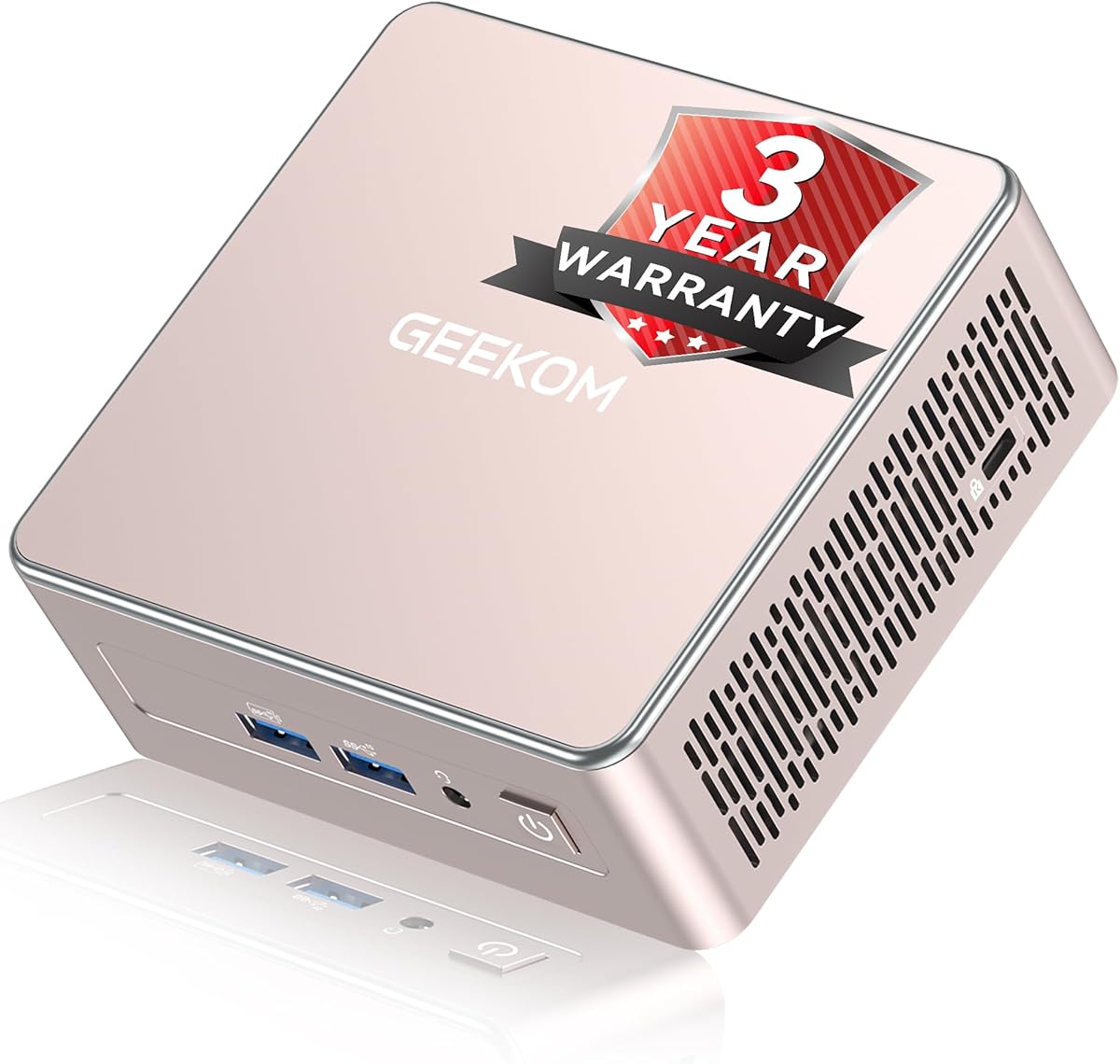
The GEEKOM A5 2027 Edition has a 4.4 rating and combines an eight-core Ryzen 7 7730U processor with unusually flexible memory and storage expansion. It is a compelling choice for artists who want a productive office-sized workflow but may need more memory or project space later.
We may earn a commission when you buy through this link, at no additional cost to you.
Unlike systems with permanently attached LPDDR memory, the A5 includes dual-slot DDR4 that can be upgraded to 64GB. Storage can also expand through an M.2 slot for up to 4TB, an additional M.2 2242 position, and a 2.5-inch hard-drive bay, with total storage stated at up to 10TB. These options make it easier to adapt the computer from light illustration to large photo libraries or motion work.
Connectivity is particularly strong for professional workspaces. The system supports up to four displays through dual HDMI and dual USB-C connections, including up to 8K output via USB-C. WiFi 6, Bluetooth 5.4, a 2.5GbE LAN port, an SD card reader, and multiple USB ports improve asset-transfer and peripheral workflows. Its 0.6-liter design can also sit neatly behind compatible monitors.
Graphics performance is less dramatic than the S3A's, and 256GB of initial storage may require an upgrade sooner rather than later. Nevertheless, the A5 is a strong option for illustrators, educators, and general creative professionals who prioritize expandability, networking, and multi-monitor productivity over maximum integrated-graphics performance.
Accessible DDR4 slots and several storage positions set the A5 apart from more rigid compact systems. Artists can increase working memory and project capacity without replacing the entire computer when their workflow becomes more demanding.
Four-display support enables a full production layout across drawing, reference, communication, and preview screens. High-resolution USB-C output is also useful for connecting modern color-critical or high-refresh monitors.
We may earn a commission when you buy through this link, at no additional cost to you.
The Bmax B1 Plus has a 4.2 rating and is designed primarily for browsing, document editing, media consumption, and simple creative work. It is most appropriate for light vector design, school exercises, basic photo adjustments, or serving as a dedicated computer for cloud-based illustration applications.
We may earn a commission when you buy through this link, at no additional cost to you.
Its footprint is one of its most persuasive qualities. At 4.2 by 4.1 by 1.4 inches and only 0.49 pounds, it can be mounted behind a monitor using the included VESA bracket. Dual HDMI outputs can support two 4K monitors at 60Hz, giving the system more workspace than its basic specifications might initially imply.
Storage is more flexible than the included 6GB of LPDDR3 memory and 128GB eMMC might suggest. A dual M.2 arrangement supports one SATA and one NVMe drive, allowing expansion up to 2TB without replacing the original storage. This is useful for retaining brushes, project files, reference images, and completed artwork.
Artists should not expect comfortable performance in heavyweight illustration, complex photo compositing, 3D rendering, or motion graphics. The limited memory can also become restrictive when many browser tabs or applications remain open. Still, for inexpensive access to a separate, tidy digital-art station, the B1 Plus is compact, approachable, and surprisingly flexible for a basic model.
The included VESA bracket lets the B1 Plus disappear behind the display. This creates a clean studio where the computer handles drawing practice, reference browsing, file storage, and a secondary set of desktop tools without occupying the work surface.
Two M.2 positions provide more upgrade flexibility than the initial eMMC storage suggests. An artist can add NVMe performance for active projects and SATA capacity for archives, provided the selected drives and operating system remain compatible.
We may earn a commission when you buy through this link, at no additional cost to you.
This GEEKOM A5 2027 Edition listing carries a 4.5 rating and shares the same expandable foundation as the earlier A5 entry, while featuring additional descriptions of durable construction and continuous operation. It is a strong general-purpose creative computer for drawing, office workflows, learning, and media editing.
We may earn a commission when you buy through this link, at no additional cost to you.
The Ryzen 7 7730U offers eight cores and sixteen threads, which are valuable when an artist runs illustration software alongside a browser, cloud storage, reference material, and communication tools. Dual-slot DDR4 can be expanded to 64GB, helping avoid memory pressure when opening large files or keeping many creative applications available.
The system can be configured for extensive storage, and its four-display support makes it convenient to separate working windows. WiFi 6, Bluetooth 5.4, 2.5GbE networking, an SD reader, and USB-C connectivity suit a modern studio. The reinforced frame, vibration-damping feet, high-gain antenna, and cooling system further support reliable continuous use.
For digital artists, its principal limitation is integrated graphics rather than processor capability. 3D sculpting, ray tracing, and other GPU-intensive tasks will be less comfortable than on the ACEMAGICIAN S3A. For illustration, design, document-heavy work, remote learning, and multi-screen productivity, however, the A5's upgradeability and networking make it a well-balanced compact machine.
The metal mid-frame, vibration-damping feet, and upgraded airflow support stable operation over extended sessions. These details are especially relevant to an artist who leaves the mini PC running through long rendering, file-transfer, or cloud-browsing tasks.
Dual HDMI and dual USB-C connections can create a wide four-screen arrangement. The layout can support a main drawing display, a secondary reference display, a communication screen, and a dedicated preview or file-management monitor.
We may earn a commission when you buy through this link, at no additional cost to you.
The BOSGAME E5 11 Pro has a 4.3 rating and emphasizes generous, fast storage alongside a compact Ryzen-based design. It is a sensible option for illustrators and designers who accumulate brushes, textures, photographs, and other assets that quickly fill a smaller drive.
We may earn a commission when you buy through this link, at no additional cost to you.
The Ryzen 5 5300U provides four cores and eight threads at up to 3.8GHz, with Radeon integrated graphics. While not aimed at highly demanding 3D scenes or advanced motion work, it is suitable for mainstream illustration, photo editing, design applications, presentations, and the multitasking that accompanies a creative workflow.
Its strongest configuration detail is 16GB of DDR4 memory paired with a 1TB M.2 2280 PCIe SSD. That is a comfortable amount of immediate storage for active applications and local libraries, and the drive can be scaled to as much as 4TB. HDMI, DisplayPort, and Type-C outputs support three 4K displays, while dual Gigabit Ethernet ports are useful for specialized networking arrangements.
The main trade-off is the processor's four-core design, which is less future-oriented than newer eight-core alternatives. It also offers less sophisticated graphics than the S3A and M6 Ultra. Even so, the E5 11 Pro offers an attractive balance for illustrators who value storage capacity, connectivity, and practical day-to-day performance over specialized rendering power.
A 1TB NVMe drive reduces the need for constant cleanup and external transfers. Large brush collections, source photographs, fonts, video clips, and exported artwork can remain available for active work.
HDMI, DisplayPort, and Type-C video outputs make a three-screen arrangement practical. This is useful for artists who want a reference display and preview screen alongside the primary application display.
We may earn a commission when you buy through this link, at no additional cost to you.
The GMKtec NucBox K15 has a 4.2 rating and is the most technically expandable premium option in the guide. Its Intel Core Ultra 5 125U combines 12 cores and 14 threads with an integrated NPU, while 16GB of dual-channel DDR5 and a 1TB PCIe SSD create a strong foundation for advanced productivity.
We may earn a commission when you buy through this link, at no additional cost to you.
Expansion is the defining attraction. Two SO-DIMM slots support memory configurations up to 96GB, while three M.2 2280 PCIe 4.0 x4 positions can support total storage up to 24TB. For an artist building a permanent studio, this means the system can grow with larger files, applications, caches, and virtual workspaces rather than being limited by the original configuration.
The K15 supports four simultaneous 4K displays through HDMI 2.1, DisplayPort 1.4, rear USB4, and a front display-capable USB-C port. Individual HDMI and DisplayPort outputs are specified for resolutions up to 8K at 60Hz. Dual 2.5GbE ports, WiFi 6E, Bluetooth 5.2, and OCuLink make it especially suitable for file-heavy studio networks and compatible external PCIe devices.
Its trade-offs are size, power, and the limitations of Intel integrated graphics. It is larger than the most compact models, and the high-end connectivity adds complexity that some buyers may not need. It is also not equivalent to a dedicated GPU workstation. Even so, the K15 stands out for artists who prioritize future-proofing, high-resolution screens, fast networking, and exceptional storage flexibility.
Memory can reach 96GB and total storage 24TB, subject to compatible components and configuration. That level of headroom is useful for professional art directories, large source libraries, local backups, and complex application workloads.
Four-display support, dual 2.5GbE networking, USB4, and OCuLink create a workstation-like connection platform. These features suit multi-screen studios, centralized asset storage, and high-speed transfers to compatible peripherals or expansion devices.
We may earn a commission when you buy through this link, at no additional cost to you.
The GMKtec NucBox M6 Ultra has a 4.2 rating and stands out through its 32GB of dual-channel DDR5 memory. For a digital artist, that amount of working memory can make the difference between comfortable multitasking and frequent application restarts when large canvases, browser references, and creative utilities are open together.
We may earn a commission when you buy through this link, at no additional cost to you.
Its Ryzen 5 7640HS processor provides six Zen 4 cores and twelve threads, with a 4.3GHz base speed and boost up to 5.0GHz. The Radeon 760M integrated GPU has eight compute units and reaches up to 2,600MHz. This is still not a substitute for a high-end discrete graphics card, but it is well suited to 2D illustration, photo editing, animation previews, video encoding, and moderate 3D work.
The included 1TB PCIe SSD provides solid active-project capacity, and the system supports dual-slot expansion for PCIe 4.0 storage up to 8TB. Three-display output includes 8K@60Hz through USB4 alongside 4K@60Hz through HDMI 2.0 and DisplayPort. A 2.5GbE LAN connection is valuable when moving large project folders over a local network.
The main limitation is the absence of discrete graphics, which matters for demanding rendering, complex 3D scenes, and GPU-accelerated effects. For artists working primarily in 2D, the generous 32GB memory makes this one of the strongest choices in the list. It is particularly well suited to busy studios that prioritize fast multitasking and a high-performance processor.
The 32GB configuration provides comfortable space for large documents and multiple applications. It also allows artists to keep reference browsers, file managers, messaging tools, and cloud services open without making memory capacity the first bottleneck.
The Radeon 760M supports hardware encoding and decoding for common formats including AV1, HEVC, and AVC. That makes the system relevant to animators and motion artists who regularly preview, encode, and transfer video files.
We may earn a commission when you buy through this link, at no additional cost to you.
The BMAX Mini PC B6 has a 4.9 rating, the highest listed rating among these recommendations. It provides a notably stronger foundation for entry-level digital art than the Celeron-based systems, combining a Core i3-8109U processor with 12GB of memory, Intel Iris Plus Graphics 655, and Windows 11 Pro.
We may earn a commission when you buy through this link, at no additional cost to you.
The processor has two cores and four threads, with a 3.0GHz base frequency and burst speed up to 3.6GHz. That capacity is appropriate for focused vector illustration, basic raster editing, browser-based art tools, document work, streaming, and light multitasking. The system is not intended for intensive 3D rendering, complex motion graphics, or large production pipelines.
Storage can reach as much as 4TB through its dual M.2 2280 positions, which support SATA or NVMe SSDs. Two 4K displays can be connected through HDMI 1.4 and DisplayPort 1.2, allowing an artist to keep a reference or tablet interface beside the main canvas. Quiet cooling, VESA mounting, and a 4.9-by-4.4-by-1.3-inch enclosure make it easy to integrate into a compact workspace.
The inability to expand the 12GB onboard memory and the processor's two-core design are meaningful limitations. Even so, this is a particularly compelling budget recommendation for learners, hobbyists, and professionals whose digital-art work centers on 2D design. It delivers a polished operating environment, useful display support, and stronger everyday responsiveness than the most basic alternatives.
The Core i3-8109U provides a more conventional desktop-class foundation than the Celeron alternatives. That makes the B6 better suited to sustained drawing sessions, browser-based illustration, and applications that benefit from more memory and stronger graphics.
HDMI and DisplayPort outputs let the artist use a dedicated 4K display for the canvas and another for references, brush settings, or file management. VESA mounting keeps the small computer out of the immediate work area.
We may earn a commission when you buy through this link, at no additional cost to you.
The Bmax Mini PC B1 Plus has a 4.2 rating and occupies the entry-level position in this guide. It is most useful for artists who need a separate, energy-conscious computer for simple drawing, browser-based tools, reference management, or a lightweight station that does not handle complicated project files.
We may earn a commission when you buy through this link, at no additional cost to you.
The Intel Celeron J3355 supports everyday office tasks, browsing, document editing, and media playback. Its Intel HD Graphics 500 can also drive two 4K displays at 60Hz, but the 6GB of LPDDR3 memory and basic graphics make it unsuitable for demanding creative workloads. The 128GB eMMC is similarly modest, although dual M.2 slots allow storage expansion up to 2TB.
The system is thoughtfully designed for small spaces. It measures 4.2 by 4.1 by 1.4 inches, weighs 0.49 pounds, and includes a VESA bracket. Dual-band WiFi, Bluetooth 5.0, Gigabit Ethernet, a smart fan, a heat-sink system, and an F9 one-click restore function add practical conveniences for a secondary computer.
Artists working with simple vector graphics, light photo adjustments, or browser applications may find it sufficient, while anyone using large illustration files or intensive editing should look toward the B6 or more powerful Ryzen systems. As a dedicated lightweight workstation, however, it delivers a clean and unobtrusive way to access essential creative tools.
The tiny enclosure and included VESA bracket allow the system to be mounted behind a monitor. This makes it suitable for separating basic creative tasks from a more powerful primary workstation without consuming desk space.
Two M.2 positions allow larger or faster drives to be added, while the one-click restore function can help recover the operating system. Artists should still maintain separate backups because convenience features do not replace reliable project preservation.
We may earn a commission when you buy through this link, at no additional cost to you.
The right creative mini PC depends on matching processor, graphics, memory, storage, and display capabilities to the applications and project sizes you routinely use.
The processor handles interface responsiveness, filters, layer processing, exports, scripting, and multitasking. A current Core Ultra or Ryzen processor with multiple performance and efficient cores is preferable for large documents, motion work, and 3D. Entry-level Celeron chips are suitable only for lightweight illustration, basic raster editing, and cloud-based tools, while the Core i3-8109U in the B6 offers a stronger middle ground for 2D work.
Integrated graphics matter more than many buyers expect because they drive the canvas, brush previews, filters, color displays, and 3D viewports. The Radeon 780M in the ACEMAGICIAN S3A provides the strongest stated integrated graphics among these choices, while the Radeon 760M in the M6 Ultra and Radeon graphics in the BOSGAME E5 offer a useful middle ground. For sustained 3D sculpting, ray tracing, or GPU-accelerated effects, a system with a capable discrete GPU remains preferable.
Memory determines how many applications, high-resolution canvases, reference tabs, and background processes can remain open. The M6 Ultra's 32GB configuration is particularly useful, while the BMAX B6 provides 12GB and the GEEKOM A5 supports expansion to 64GB. Systems with user-accessible DDR4 or DDR5 SO-DIMM slots offer a clearer long-term path than models with fixed LPDDR memory. Artists should distinguish usable memory from simple storage capacity.
A fast NVMe SSD keeps applications responsive and reduces waiting when opening large PSD, RAW, vector, animation, or 3D project files. Capacity matters just as much: brush packs, textures, footage, proxies, and exports can consume substantial room. The BOSGAME E5 includes 1TB, the GEEKOM A5 includes 256GB, and the K15 supports especially extensive storage expansion. Artists should also consider whether the operating system, applications, and active project are separated from archival files.
Resolution, refresh rate, and the number of connected screens affect the creative workspace. Dual 4K output is enough for a canvas and reference display, while the S3A, E5, and M6 Ultra support three screens and the GEEKOM A5 and GMKtec K15 support four. High-resolution output is only the beginning: color-critical work also depends on monitor calibration, suitable cables, operating-system calibration tools, and software settings. Verify the exact display combination before planning a multi-monitor layout.
Sustained CPU and graphics work generates heat, and thermal throttling can reduce performance over time. The ACEMAGICIAN S3A uses a dual-fan system and selectable power modes, while the GMKtec K15 offers three BIOS power profiles and copper-pipe cooling. Quiet operation is particularly important in recording, voice-over, animation preview, and live-streaming environments. A balanced mode can also help a small system maintain stable performance without running its cooling system continuously at maximum output.
The right ports can simplify an artist's daily routine. Look for USB-A and USB-C peripherals, fast Ethernet for shared storage, WiFi for cloud applications, Bluetooth for input accessories, and an SD card reader when importing photographs. The K15 adds dual 2.5GbE networking, USB4, and OCuLink, while the E5 provides two Gigabit Ethernet connections. Artists should confirm the form and quantity of their graphics tablet, external drive, monitor, and network equipment before finalizing a model.
A smaller mini PC can free desk space, simplify a portable setup, or mount neatly behind a monitor. The two Bmax B1 Plus systems are exceptionally compact and include VESA mounting arrangements, while the GEEKOM A5 occupies only 0.6 liters and the GMKtec K15 offers a more substantial metal workstation design. Smaller is not always better: a larger chassis may support better cooling, more ports, and additional expansion. Choose the form factor that best fits the physical studio.
Begin by connecting the mini PC to a monitor, keyboard, mouse, network, and graphics tablet before installing the full suite of creative software. Update the operating system and graphics drivers, then configure display scaling, color profiles, pen pressure, shortcut keys, and autosave locations. Creating separate project, scratch, export, and backup folders from the beginning makes later organization and recovery much easier.
Keep the enclosure unobstructed and use the appropriate performance mode for the task. Quiet or balanced modes are suitable for drawing and routine editing, while a higher-performance profile can help during exports, rendering, or complex filters. Do not place the system where soft surfaces can block intake, and remember to leave adequate space around every vent during sustained workloads.
Maintain a disciplined backup routine that includes more than one storage location. Keep source files in at least two places, use versioned exports, and test that the artist can restore important projects. Periodically clean temporary caches, verify drive health, check that cooling vents remain clear, and confirm that the system has enough free storage for the applications and export jobs you use.
The ACEMAGICIAN S3A is the strongest all-around recommendation because its Ryzen 7 H 255 processor and Radeon 780M graphics offer ample capability for illustration, photo editing, and moderate 3D work. The GMKtec M6 Ultra is another strong option for artists who prioritize 32GB of memory. For basic 2D work on a smaller budget, the BMAX B6 offers a more capable Core i3 processor than the Celeron alternatives.
A dedicated GPU is not essential for every digital-art workflow. It is usually unnecessary for vector illustration, light photo editing, and browser-based tools, while stronger integrated graphics can comfortably handle more advanced 2D and moderate 3D work. Artists creating complex 3D scenes, performing ray tracing, or applying GPU-intensive effects should prefer a desktop with a dedicated graphics card.
Sixteen gigabytes is a practical starting point for active 2D work, especially when several browser tabs and creative applications are open together. Thirty-two gigabytes provides more comfortable multitasking with large canvases, complex illustrations, and motion workflows. Artists should also look for upgradeable memory, since a project that feels comfortable today may grow substantially in complexity.
A mini PC can handle lighter 3D modeling, previews, and rendering, but performance depends heavily on the processor and integrated graphics. The ACEMAGICIAN S3A is the strongest fit among the listed systems because of its Radeon 780M graphics. For complex environments, high-resolution textures, simulations, and real-time rendering, a more powerful graphics card and greater cooling capacity are advisable.
It can be enough for a small library of active projects, applications, and completed files, but creative assets accumulate quickly. Brushes, textures, source photographs, video, proxies, and exported renders can fill a small drive. Consider adding a larger NVMe SSD, using the available 2.5-inch bay where supported, and keeping archival media on separate storage.
Yes. A common arrangement places the drawing canvas or primary editing application on one screen and references, brushes, timelines, or file management on the other. Three- and four-display systems offer even more room, but artists should verify the exact resolution supported by each port and their intended output combination before buying additional monitors.
A compact mini PC can be highly effective because it leaves more room for a tablet, keyboard, reference monitor, and drawing surface. Models that support VESA mounting can sit behind a display for a clean workspace. The best choice still balances compactness with adequate cooling, memory, graphics, and ports for the artist's software and project demands.
The operating system should support the artist's preferred creative applications, drivers, plugins, and accessories. Several models in this guide include Windows 11, while the Bmax B1 Plus also supports Linux and Ubuntu. Artists using color-critical displays or specialized peripherals should check operating-system compatibility before installation and avoid assuming every creative feature behaves identically across platforms.
The ACEMAGICIAN S3A is the most versatile choice in the guide, combining a Ryzen 7 H 255 processor, Radeon 780M graphics, fast PCIe 4.0 storage, and support for three high-resolution displays. It is well suited to illustrators, photo editors, motion designers, and artists who want strong integrated graphics without a large desktop.
The GMKtec NucBox M6 Ultra is ideal when abundant memory is a priority, while the GMKtec NucBox K15 stands out for extensive memory, storage, networking, and peripheral expansion. For a more modest creative workstation, the BMAX B6 pairs a Core i3 processor with 12GB of memory and dual 4K output. The Celeron-based B1 Plus models are best reserved for light tasks, and the KAMRUI AK1PLUS offers a useful middle-ground configuration with generous memory and storage flexibility.
Before buying, verify the processor, graphics, memory, storage, display outputs, operating system, and peripheral compatibility against your specific creative software and project sizes. Current listings and configurations can change, so confirm the latest product details and included components before placing an order.