
SKitphrati 15 Inch 4:3 Monitor
3.9Editor score
Native 1024×768 resolution
HDMI and VGA inputs
Compact VESA-compatible design
A small monitor for retro gaming can recreate the compact proportions of classic displays while fitting comfortably on a crowded desk. The ideal choice depends on the console, native resolution, available connectors, and whether you prefer an authentic 4:3 screen or a compact widescreen model with modern gaming features.
The products in this guide were compared using their stated resolution, aspect ratio, refresh rate, response time, input selection, mounting support, audio features, and intended applications. The list covers purpose-built 4:3 monitors, compact Full HD displays, and higher-end gaming panels suitable for mixed retro and modern setups.
Each review explains where that model fits best and where its specifications make it less suitable. The leading choices emphasize practical legacy connectivity, while premium alternatives prioritize faster refresh rates, adaptive synchronization, stronger color performance, and adjustable stands. Availability and pricing can change, so verify the current listing before purchasing.
3.9Editor score

4.8Editor score

4.7Editor score
As an Amazon Associate we earn from qualifying purchases.
The comparison below places the ten displays side by side, with special attention to panel format, legacy input support, motion specifications, mounting flexibility, and the types of gaming systems each model can serve.


The SKitphrati 15 Inch 4:3 Monitor combines a genuinely compact footprint with a native 1024×768 panel, making it a practical choice for players recreating the look of older systems. Its 3.9 rating is not among the strongest in this list, but the core specifications directly address common retro-gaming needs, including VGA, HDMI, a 4:3 aspect ratio, and 60Hz operation.
We may earn a commission when you buy through this link, at no additional cost to you.
Its most useful feature is the native 4:3 format. PS2, Wii, and many older PC games were designed around square-ish displays, and matching that geometry can reduce the stretched or compressed appearance produced by stretching a low-resolution image across a widescreen monitor. The display provides 250 cd/m² brightness and an 800:1 contrast ratio, which should make it more practical than an undersized secondary panel for regular sessions.
Connectivity is another strength. HDMI accommodates modern laptops, Raspberry Pi systems, and compatible consoles, while VGA opens the door to older PCs, projectors, and industrial equipment. The 75x75mm VESA pattern also allows an arm or wall mount when desk space is tight. The trade-offs are a 60Hz refresh rate, a TN panel that may not offer the viewing angles or color consistency of higher-end technologies, and a user rating that suggests experiences may vary.
This monitor makes the most sense for a dedicated retro station, a secondary 4:3 display, or a Raspberry Pi project where a large screen would be unnecessary. It is less convincing for competitive modern shooters or high-refresh emulation, but for its intended purpose it delivers a rare combination of compact dimensions, square proportions, and broad input compatibility. It is our budget choice for a dedicated retro setup.
A native 4:3 panel gives older console and PC games the proportions their developers originally targeted. That makes this monitor more suitable for authenticity-focused play than a standard 16:9 display, assuming your system and settings support the proper output mode.
Having both HDMI and VGA means the display can serve newer mini PCs, laptops, and Raspberry Pi boards as readily as vintage hardware. That flexibility is especially valuable when a retro collection spans several generations.
We may earn a commission when you buy through this link, at no additional cost to you.
This second SKitphrati model offers the same core 4:3 concept in a compact 15-inch format. Its native 1024×768 resolution is well suited to legacy software and classic console output, while HDMI and VGA provide enough connection choices for modern computers, older PCs, Raspberry Pi projects, and other specialized equipment.
We may earn a commission when you buy through this link, at no additional cost to you.
The stated 250-nit brightness, 800:1 contrast ratio, and 60Hz refresh rate establish it as a straightforward everyday display rather than a high-end gaming panel. The 75x75mm VESA support is useful for wall mounting or attaching a monitor arm, and the smaller screen can make it easier to build a compact two-display arrangement.
Because no customer rating is provided, the product's long-term owner satisfaction is difficult to gauge from the supplied information. Its 60Hz limit also makes it less exciting for fast modern games, and the 1024×768 panel will not deliver the sharpness of a higher-resolution display. Retro authenticity and physical size matter more in this category, however, and those are the areas this monitor directly addresses.
Choose it for a small desk, a dedicated classic-console station, or a workspace that must support both old and current equipment. It is especially useful if a monitor arm and compact footprint matter to you. The lack of published feedback means prospective buyers should examine the current listing carefully, but the stated specifications make it a plausible alternative to the first SKitphrati option.
The 15-inch size is easy to accommodate and can be paired with a larger modern display. This makes the monitor practical for emulation, system testing, or a secondary screen showing documentation beside a game.
HDMI and VGA cover a broad range of source hardware. The display is therefore useful for vintage PCs, modern mini PCs, and embedded projects without requiring a separate adapter for every system.
We may earn a commission when you buy through this link, at no additional cost to you.
The Sceptre E225W-FW144 Series is a 22-inch Full HD gaming monitor aimed at users who want a relatively small modern display without retreating to a 60Hz panel. Its 4.4 rating and support for refresh rates up to 144Hz make it a stronger all-around choice for mixed libraries than a basic office-style retro monitor.
We may earn a commission when you buy through this link, at no additional cost to you.
HDMI and DisplayPort cover contemporary consoles, PCs, and streaming devices, while the built-in speakers reduce the need for extra desk audio equipment. The near-bezel-free design also suits a dual-monitor arrangement. Blue-Light Shift is included for extended viewing comfort, although it should be viewed as a convenience rather than a substitute for sensible breaks and proper display placement.
The important limitation is that this is a 16:9 Full HD screen rather than a native 4:3 display. Classic games may appear stretched unless the console or emulator corrects the aspect ratio. It also lacks the stated VGA support found on several smaller 4:3 choices, and no response-time figure is provided. Those limitations make it less authentic for vintage PC enthusiasts.
It is best for a gamer who wants one screen to cover PS2-era favorites, Switch games, modern console releases, and PC titles. The 22-inch diagonal provides a more conventional viewing size while remaining smaller than many desktop displays. Select it when convenience, refresh rate, integrated speakers, and modern connectivity matter more than historically accurate proportions.
Full HD resolution and high refresh capability suit both old and current games when the source device handles scaling correctly. It is a strong one-screen solution for a mixed console collection.
Built-in speakers are particularly helpful on a compact desk where adding separate speakers may defeat the purpose of choosing a smaller monitor. They provide a convenient baseline for system sounds and game audio.
We may earn a commission when you buy through this link, at no additional cost to you.
The 17 Inch 4:3 Desktop Monitor offers an unusually well-balanced package for retro gaming, legacy computing, and compact workstations. Its 4.8 rating is the highest among the ten products, and the 17-inch SXGA panel provides more usable resolution than the 1024×768 options without becoming a large modern gaming display.
We may earn a commission when you buy through this link, at no additional cost to you.
The native 1280×1024 resolution and 4:3 aspect ratio are well aligned with classic PC output and many console modes. A 1000:1 contrast ratio supports clear images, while HDMI and VGA permit connection to laptops, Raspberry Pi devices, older PCs, and the listed PS3, PS4, Xbox 360, and Switch systems. Built-in 1.5-watt speakers and an additional audio output add flexibility for a compact gaming station.
Installation is straightforward. The included stand supports desktop use, while a standard 100x100mm VESA pattern allows wall or monitor-arm mounting when accessories are available. The main omissions are a stated refresh rate and a higher brightness figure. Its 250-nit panel may be less vivid in a bright room than brighter modern gaming displays, and the 95-degree viewing angle is not especially wide.
This is the strongest general recommendation in the guide for someone who wants a genuinely small square display with stronger resolution and broader console support than the 15-inch models. It works especially well as a secondary retro screen, a Raspberry Pi station, or the main display in a compact bedroom setup. It is our Editor's Choice because it balances authenticity, practicality, and positive user feedback better than the alternatives.
At 1280×1024, the panel has enough space for classic desktop operating systems, game menus, and text while retaining the proportions associated with older displays. It can feel more practical than 1024×768 without becoming overwhelming on a desk.
The built-in dual speakers are useful when space is limited, although external headphones or speakers will still provide a better experience for more demanding audio. An audio output allows the system to be expanded later.
We may earn a commission when you buy through this link, at no additional cost to you.
The Thinlerian 19 Inch Monitor stands out for its unusually broad port selection, including HDMI, VGA, USB, AV, BNC, audio input, and audio output. It is not a dedicated 4:3 gaming display, but that flexibility makes it useful for retro consoles, legacy PCs, security equipment, and other video sources that might otherwise require several displays.
We may earn a commission when you buy through this link, at no additional cost to you.
Its 1440×900 native resolution offers a little more working room than standard Full HD without demanding a large widescreen panel. The 60Hz refresh rate and 5ms response time are adequate for classic games and general use, while a 72-percent sRGB gamut, 250 cd/m² brightness, and 95-degree viewing angle position it as an everyday display rather than a specialist gaming panel.
Its 3.8 rating is the lowest listed here, so the product deserves careful consideration based on current customer feedback. It also does not provide the authentic square geometry sought by many retro players, and the refresh rate is too low for modern competitive gaming. On the positive side, 75x75mm VESA support, a stand, and -5 to 15-degree tilt adjustment make it adaptable to compact spaces.
Buy this monitor if you need one screen to work with many source types or want a secondary display for both gaming and video equipment. It is less suitable when authentic 4:3 output, high refresh, or strong color performance is the top priority. For that broad-input niche, however, it delivers more connection options than most compact alternatives.
AV and BNC connections broaden the display's appeal to users who also work with analog video or surveillance systems. That makes it more of a flexible workstation tool than a dedicated gaming monitor.
Tilt adjustment and VESA compatibility make it easier to align the 19-inch panel with a preferred viewing angle. These features are valuable when the monitor shares space with a console or mini PC.
We may earn a commission when you buy through this link, at no additional cost to you.
The MSI PRO MP225 E12VL is a compact 21.45-inch Full HD monitor that brings modern gaming features to a mixed retro collection. Its 4.3 rating reflects a well-regarded specification set, while 120Hz refresh, adaptive synchronization, and a stated 1ms response time give it clear advantages for action-oriented games.
We may earn a commission when you buy through this link, at no additional cost to you.
The VA panel produces a 4000:1 contrast ratio and 178-degree horizontal and vertical viewing angles, which should deliver deeper blacks and consistent visibility from several positions. AMD FreeSync compatibility helps synchronize the display with compatible graphics hardware. TÜV Rheinland flicker-free and low-blue-light certification, plus the Eye-Q Check utility, add practical tools for long sessions.
VGA support is unusually valuable in this category because it can connect the monitor directly to older PCs, while HDMI 1.4b supports Full HD at up to 120Hz on compatible systems. The trade-off is the lack of a native 4:3 panel, so users must handle aspect-ratio correction in the console or emulator. The monitor is also 21.45 inches rather than the 15- or 17-inch size most strongly associated with authentic retro displays.
It is best for a player who wants one capable display for both vintage and modern games and values smooth motion more than historical proportions. Its combination of legacy VGA, modern HDMI, adaptive synchronization, and a compact Full HD panel gives it broad practical value. Choose it as a versatile gaming display, not as a dedicated CRT-style 4:3 substitute.
A 120Hz refresh rate is a meaningful upgrade for modern action games and can also make emulated titles feel more responsive when the source and emulator support higher frame rates.
VGA allows the monitor to be paired with vintage hardware while HDMI serves contemporary systems. That makes it a practical single-screen hub for a broad collection of consoles and computers.
We may earn a commission when you buy through this link, at no additional cost to you.
The Samsung Odyssey G5 G51F combines QHD detail with a 180Hz refresh rate, making it an excellent modern gaming display for owners whose retro collection also includes current console and PC releases. Its 4.7 rating is among the strongest in the list, and the specification set emphasizes both visual clarity and responsive motion.
We may earn a commission when you buy through this link, at no additional cost to you.
At 2560×1440, the panel offers substantially more detail than Full HD. A 1ms response time and AMD FreeSync support help maintain clarity during fast action, while HDR10 adds brighter highlights and more nuanced shadows. Black Equalizer is useful for revealing detail in dark game environments, and the ergonomic stand supports tilt, pivot, and height adjustment for a comfortable position.
This is not a small 4:3 monitor, and the supplied information does not list VGA or other legacy inputs. Retro games may therefore look smaller than intended on a large widescreen panel, and compatibility with older consoles may depend on adapters or the output capabilities of the source device. The 27-inch footprint also uses more desk space than the specialized models near the top of the guide.
Choose the G5 when your setup spans retro and modern gaming and you want a high-refresh display with a sharp image and an adjustable stand. It is less appropriate for a tiny authentic 4:3 station, but it delivers an excellent general-purpose experience for a living-room or bedroom gaming setup that needs both.
Higher resolution keeps modern game textures and interface elements clear while also giving classic console output more room to appear. It is especially effective when paired with a larger screen than a dedicated 4:3 model.
Height, pivot, and tilt adjustments let users position the large panel more naturally. That flexibility is important because a 27-inch display placed incorrectly can be harder to view comfortably than a smaller one.
We may earn a commission when you buy through this link, at no additional cost to you.
The Samsung Odyssey OLED G6 G61SH is the premium choice in this guide, offering a QD-OLED panel, QHD resolution, 240Hz refresh rate, and an exceptionally low stated response time of 0.03ms. Its 4.7 rating reflects strong appeal among buyers who place visual performance and modern gaming capability above compact dimensions.
We may earn a commission when you buy through this link, at no additional cost to you.
The OLED panel promises high brightness, a wide color range, and nuanced HDR10 imagery. Pantone validation covers more than 2,100 colors and 110-plus skin-tone shades, while Glare Free technology helps keep the picture clear under external light. AMD FreeSync Premium, the 240Hz refresh rate, and the fast response time target fast motion, minimal blur, and reduced tearing.
OLED Safeguard uses thermal modulation to help manage burn-in risk, an important consideration for prolonged static imagery. Even so, OLED displays require sensible screen habits, and the monitor does not recreate the geometry of a 4:3 panel. No VGA input is stated, and its 27-inch size is the least compact in the guide, making it less suitable for a small authentically styled retro station.
The G6 is ideal for a premium setup that combines older games with demanding modern titles and values the best available picture. Choose it when color richness, response speed, HDR performance, and an adjustable stand justify a large high-end display. For a dedicated tiny 4:3 monitor, the earlier 4:3 options are more appropriate.
QD-OLED technology supports rich color and strong contrast, making 2D sprites, modern games, and high-resolution retro titles look vivid. The validated color range also benefits content beyond games.
A 240Hz refresh rate and 0.03ms response time provide a substantial advantage in fast competitive games. Retro titles that cannot exceed their original frame rate will not gain this benefit, but modern titles can.
We may earn a commission when you buy through this link, at no additional cost to you.
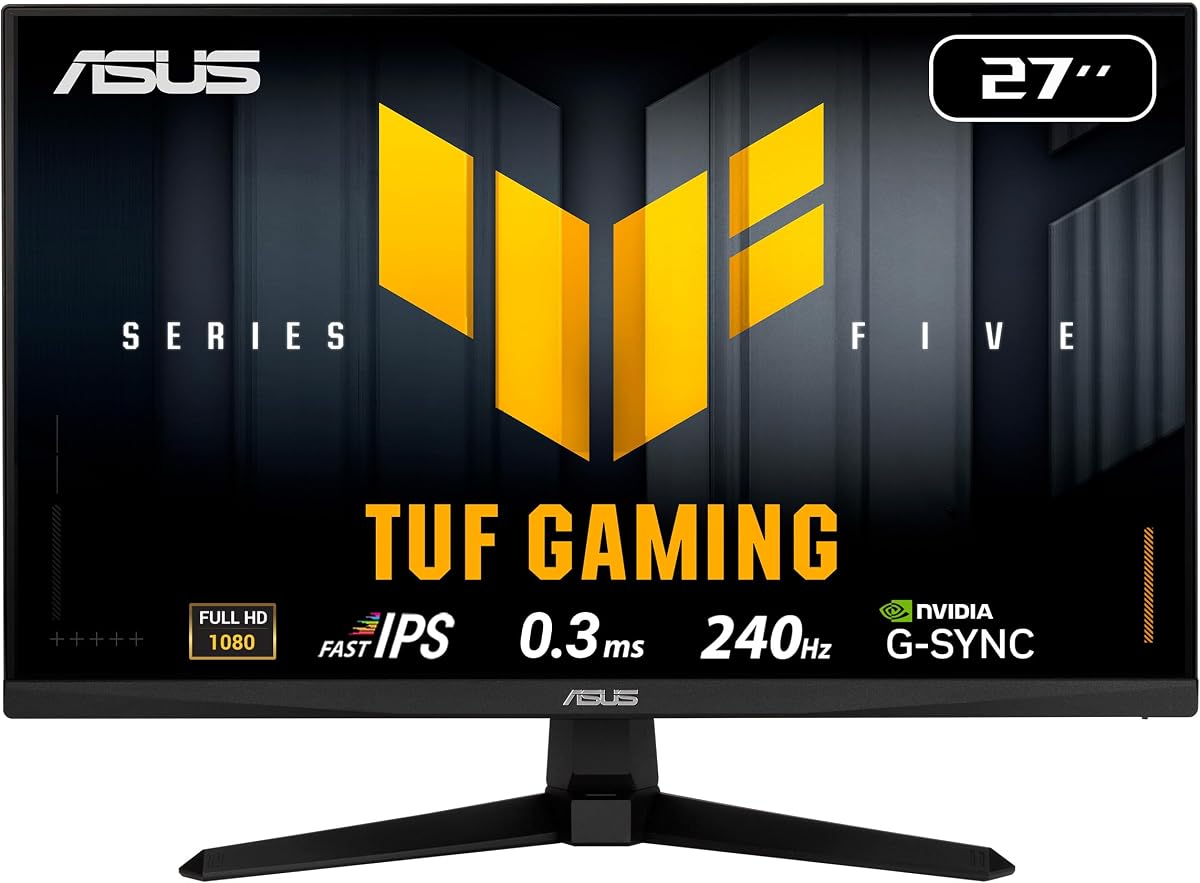
The ASUS TUF VG279QM5A pairs Full HD resolution with a 240Hz refresh rate, offering a strong balance for fast modern games and emulated titles capable of running above their original frame rates. Its 4.5 rating reflects a favorable response to a specification set built around speed, synchronization, and practical controls.
We may earn a commission when you buy through this link, at no additional cost to you.
Fast IPS technology provides a stated minimum response time of 0.3ms, while FreeSync Premium and G-SYNC compatibility work together to reduce tearing and stutter. Extreme Low Motion Blur Sync adds motion clarity, and the 99% sRGB coverage should produce vibrant, accurate images for gaming and everyday content.
DisplayWidget Center gives users direct mouse control over settings, while the included DisplayPort cable, power cord, screwdriver, guide, and warranty card create a convenient setup. The three-year manufacturer warranty is another meaningful benefit. As a 27-inch 16:9 display with no stated legacy input, however, it is not designed around 4:3 authenticity and will require suitable connections and aspect-ratio settings for older systems.
Choose it for competitive PC gaming, emulation with increased frame rates, or a mixed collection where a 240Hz Full HD display is preferred over QHD. It is less suitable for a compact vintage setup, but its rapid response, broad synchronization support, and convenient controls make it an excellent high-speed gaming option.
Many emulators can run classic games at higher frame rates. A 240Hz panel and fast response can make those increased frame rates visible, giving old games a smoother presentation without changing their core design.
FreeSync Premium and G-SYNC compatibility offer broad options for current graphics hardware. The 99% sRGB specification also makes the monitor useful outside gaming, including ordinary office and media tasks.
We may earn a commission when you buy through this link, at no additional cost to you.
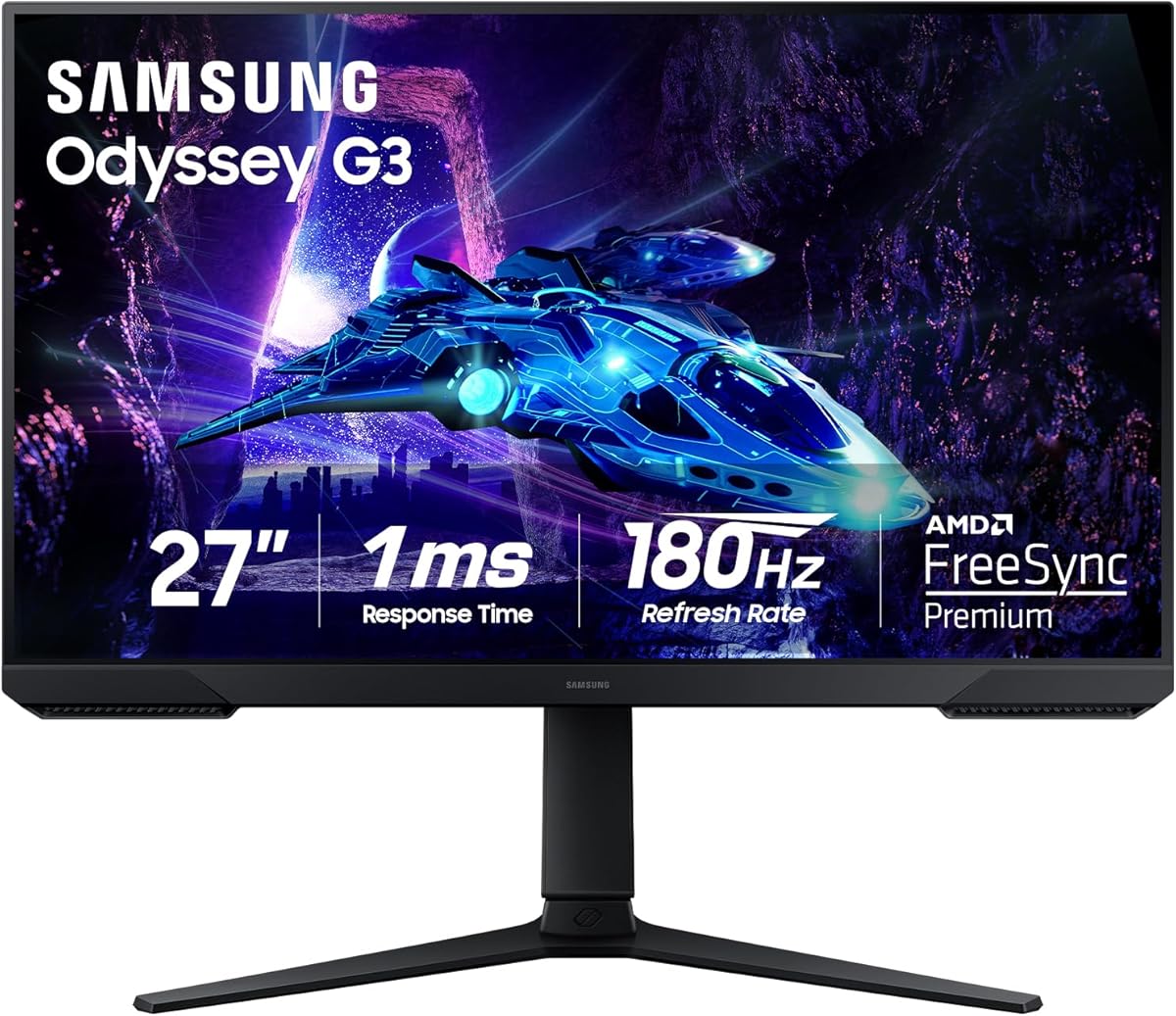
The Samsung Odyssey G3 G30D is a 27-inch Full HD gaming monitor that focuses on high refresh, synchronization, and useful gaming features. Its 4.6 rating makes it one of the better-reviewed products in the guide, and the 180Hz refresh rate provides a meaningful upgrade over ordinary 60Hz displays.
We may earn a commission when you buy through this link, at no additional cost to you.
A stated 1ms MPRT response time helps minimize perceived blur, while AMD Radeon FreeSync synchronizes the panel with compatible graphics hardware. Black Equalizer can reveal enemies or details in dark scenes, and Virtual Aim Point provides an onscreen crosshair for games that support the feature. Eye Saver Mode reduces blue light, and flicker reduction supports longer sessions.
The three-sided borderless design makes the display suitable for a dual-monitor arrangement, while swivel, tilt, pivot, and height adjustment allow careful positioning. The trade-off is that 1920×1080 provides less desktop space and less image detail than QHD models. Its 27-inch size and lack of stated VGA also make it less appropriate for a small 4:3 retro display.
This monitor is a strong all-around option for a player who wants a responsive modern screen without moving into premium QHD OLED territory. It works well for fast console games, PC gaming, and media use, while classic titles benefit from any scaling controls the source device provides. It rounds out the guide as a capable general gaming choice.
Black Equalizer and Virtual Aim Point can make dark scenes and fast aiming easier to manage. They are not substitutes for skill, but they add useful onscreen options in compatible competitive titles.
The borderless design and adjustable stand make it easier to combine this display with another panel. That is particularly useful for keeping a guide, emulator interface, or chat visible beside a game.
We may earn a commission when you buy through this link, at no additional cost to you.
The best small monitor for retro gaming depends on whether authenticity, low latency, mixed-device connectivity, or desk space is your priority. Use the following factors to narrow the field before checking the current listings.
A native 4:3 display recreates the proportions used by many older consoles and PC standards, helping avoid stretched characters or compressed scenes. The SKitphrati 15-inch models and the 17-inch 1280×1024 display are especially relevant when visual authenticity matters. Modern widescreen monitors can still work well, but the console, emulator, or graphics settings must correct the image rather than stretching it.
Prioritize 4:3 when playing older games without a separate scaling solution. Choose widescreen for a versatile collection or a compact modern gaming setup.
Native resolution determines how much desktop space and image detail the display provides. The 1024×768 panels suit classic operating systems and simple console modes, while 1280×1024 offers a useful balance for 4:3 workstations. Full HD and QHD models offer more room for modern games, emulation interfaces, and multiple windows.
Match the resolution to the games and software you actually use. Higher resolution is useful, but it does not automatically improve how classic pixel art appears.
A 60Hz display is sufficient for most traditional console and PC games, but a 120Hz or higher panel makes modern action games and high-frame-rate emulation feel smoother. Response time also influences motion clarity. Fast IPS and QD-OLED options excel for competitive gaming, while dedicated 4:3 screens usually prioritize straightforward compatibility over competitive performance.
Prioritize refresh rate for current games. For classic 2D and 3D libraries, accurate scaling and suitable inputs matter more than extremely fast motion.
VGA is a key feature for older PCs, while HDMI covers most modern consoles, mini PCs, laptops, and Raspberry Pi systems. The Thinlerian adds AV, BNC, USB, and audio connections for specialized equipment. Check the output type available on your console before buying, because an adapter may not support every legacy mode or carry audio.
Choose both HDMI and VGA for the broadest mix of retro and modern hardware. Verify cables separately, as the included cable may not match the connector you need.
AMD FreeSync and NVIDIA G-SYNC compatibility can reduce tearing and stutter when the monitor and supported graphics hardware work together. High-refresh models are most valuable for PC gaming and emulation that runs above the original frame rate. Consoles generally do not expose the same synchronization options, even when their output is smooth.
Use adaptive sync when your priority is modern PC performance. Do not choose a high-refresh panel solely for classic games that remain limited to lower frame rates.
Screen size is only one part of the footprint, and a 15-inch model may still require more depth than expected. VESA compatibility is valuable because it allows a monitor arm, wall bracket, or multi-screen stand to reposition the display. The featured mounts range from 75x75mm on smaller models to 100x100mm on the 17-inch display and MSI monitor.
Measure the available desk area and check the exact VESA pattern. A compact panel on an adjustable arm can be more practical than a larger display placed directly on a base.
Built-in speakers can make a small gaming setup more convenient by providing basic sound without additional equipment. The 17-inch 4:3 monitor includes dual 1.5-watt speakers, while the Sceptre and Thinlerian also advertise integrated audio. For immersive play, headphones remain preferable. Blue-light filtering, flicker reduction, and wide viewing angles may improve comfort during extended sessions.
Prioritize built-in audio for a tidy shared desk and external headphones for better sound. Treat eye-comfort features as supplements to regular breaks and sensible viewing distance.
Begin by identifying the native resolution and refresh rate supported by your console or computer. Connect the system with the appropriate cable, select the matching input through the monitor controls, and adjust the console's aspect-ratio setting to 4:3 when using a widescreen display. On a native 4:3 screen, use the appropriate resolution and avoid unnecessary scaling that could make pixel art uneven.
Take advantage of the available mounting and positioning options. If the monitor supports VESA, an arm can raise the panel, align it with a second display, or free desk space for a console. Leave ventilation around the rear and sides, avoid placing the screen directly against a wall unless the mounting arrangement is designed for it, and use the stated tilt or stand adjustments to keep the image centered.
For long sessions, choose a viewing distance that keeps the entire image visible without leaning forward, and use clean, dry microfiber cloths to remove dust. Avoid compressed air around the vents unless the manufacturer specifically recommends it. Update the console, emulator, and display settings as needed, and save separate profiles for 4:3, widescreen, and higher-resolution modes when your equipment supports them.
A native 4:3 monitor is usually better for preserving the intended proportions of many older games. It can make sprites and backgrounds feel more authentic without manual correction. A widescreen display can still work, but accurate scaling or aspect-ratio settings are important. Modern games and high-resolution emulation may benefit more from a wider, sharper panel.
Yes, provided the monitor has the necessary inputs and the console has a compatible output. HDMI serves most current systems, while VGA is valuable for vintage PCs and some legacy displays. Check whether your console supports analog video and whether the appropriate adapter carries both video and audio before making a purchase.
Most classic games do not require more than 60Hz because they were created for lower frame rates. A high-refresh display becomes more useful with modern games or emulators configured to run above the original frame rate. In those cases, 120Hz to 240Hz can provide visibly smoother motion.
The 1024×768 option provides fewer pixels and is well suited to simple classic output. A 1280×1024 screen offers more workspace and can look sharper while retaining a 4:3 shape. The better choice depends on your console's supported modes and whether you also want to use the display for a desktop operating system.
An OLED provides excellent color, contrast, motion clarity, and modern gaming performance, but it does not recreate a 4:3 shape. It is best for a premium mixed collection rather than a compact authenticity-focused station. Consider burn-in prevention, screen size, and your willingness to use a large display before choosing one.
Built-in speakers can be convenient on a crowded desk because they provide basic game and system audio without extra devices. Their quality may not satisfy players who want richer sound, and some legacy consoles require separate audio routing. Headphones or external speakers remain preferable for immersive gaming.
Several featured models support standard VESA patterns, including 75x75mm and 100x100mm. Confirm the exact pattern, monitor weight, and bracket dimensions before ordering. Wall-mount hardware may not be included, and an articulating arm is usually easier to adjust than a fixed wall bracket.
Check the console's display options and select a 4:3 or aspect-ratio setting where available. On a PC, use the graphics driver or emulator to choose the proper pixel aspect ratio and integer scaling. For 4:3 content, letterboxing is usually preferable because it preserves the original geometry.
The SKitphrati 15-inch 4:3 monitor is the best budget choice for a dedicated classic station, while the 17-inch 1280×1024 display is the strongest overall option for players who want more resolution, speakers, broad input support, and positive customer feedback. The Samsung Odyssey OLED G6 leads the premium category with QD-OLED image quality, QHD resolution, and exceptional motion performance.
Prioritize native 4:3 geometry when authenticity is the main goal, VGA when older PCs are central to the collection, and refresh rate when modern games or high-frame-rate emulation matter. Compact size, VESA mounting, integrated audio, and adjustable stands can make a considerable difference on a crowded desk, even when two screens are already part of the setup.
Before ordering, confirm that your console supports the selected resolution, check which video and audio cables are included, and review the latest customer feedback and current listing details. Display technology, stock, and pricing can change, so the specifications in this guide should be verified against the current product page before purchase.