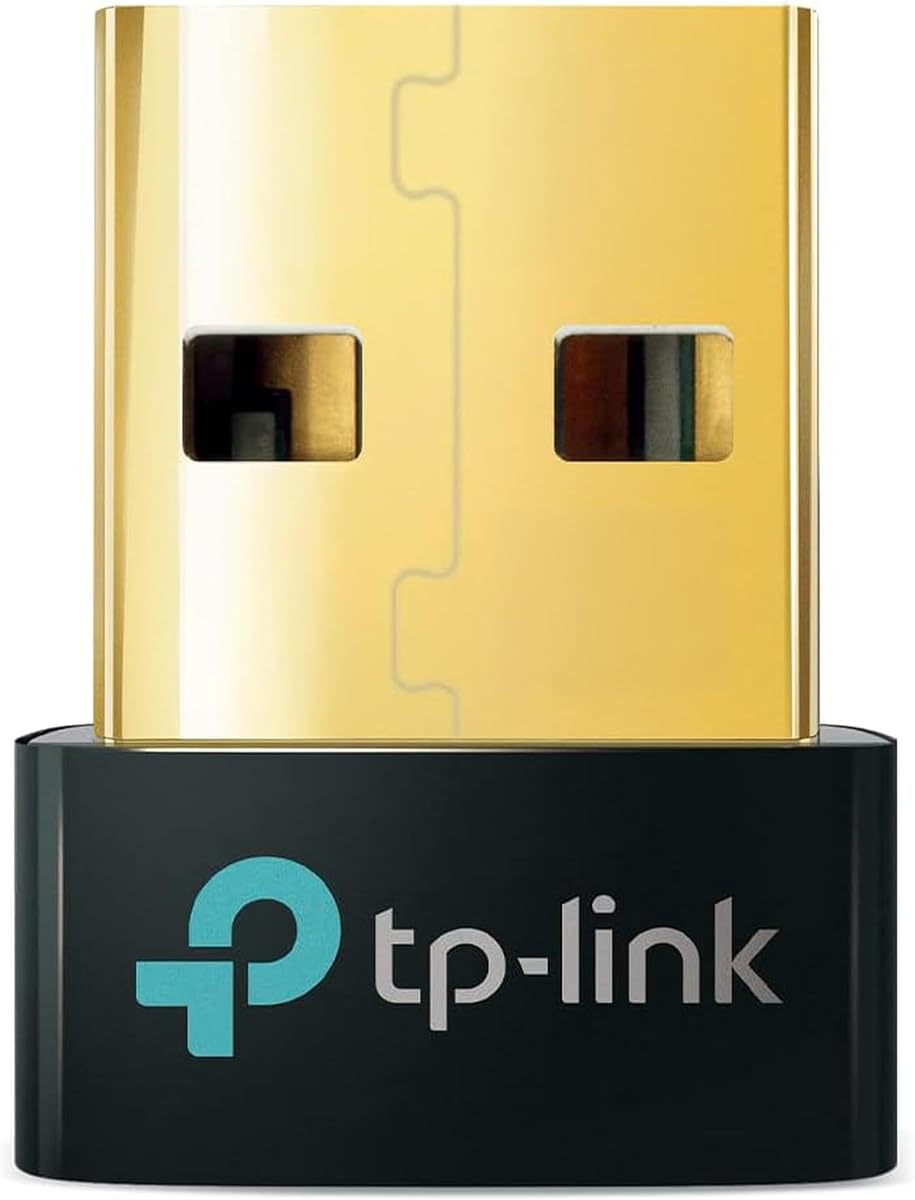
TP-Link UB500 Bluetooth 5.4 USB Dongle
4.5Editor score
Bluetooth 5.4 with EDR
Windows plug-and-play support
Compact nano-sized receiver
This guide compares the best Bluetooth Adapter for Psvr2 on PC, including dedicated PSVR2 adapters and USB dongles for stable, compatible connections.
Connecting a PlayStation VR2 headset to a PC requires more than a standard Bluetooth dongle. The headset relies on a dedicated DisplayPort adapter for video, power, and USB communication, while compatible controllers may also need a dependable Bluetooth link to the computer.
This guide compares ten relevant products across two categories: full PSVR2 PC adapters and general-purpose USB Bluetooth receivers. We considered the supplied ratings, connection methods, operating-system support, included accessories, and stated features rather than implying hands-on testing of every model.
The selections show which options include the hardware needed for direct PSVR2-to-PC use, which are better suited to adding Bluetooth to Windows, and which USB-C audio adapters have more specialized functions. Product availability and retailer listings can change, so verify current specifications before buying.
4.5Editor score

4.2Editor score
4.2Editor score
The table below separates complete PSVR2 PC adapters from USB Bluetooth receivers and audio-only transmitters, making it easier to identify the product that matches your headset, computer, and intended use.



The STARTRC GAMES PSVR2 PC Adapter is a complete connectivity kit for users who want to connect a PSVR2 headset to a PC and address controller pairing at the same time. Its supplied rating is 3.6, the lowest among the ten products, but the included components distinguish it from ordinary PC Bluetooth dongles. The package contains the PC adapter, a custom Bluetooth receiver, a DisplayPort 1.4 cable, a 15-watt USB-C power cable, and a manual.
We may earn a commission when you buy through this link, at no additional cost to you.
Its primary strength is convenience. A buyer does not need to source the video cable, power lead, and receiver separately before beginning setup. The product description specifically highlights the receiver as a response to unstable Bluetooth links, older PC Bluetooth versions, and controller disconnections. That makes the kit relevant when the computer lacks modern Bluetooth or when standard pairing repeatedly fails.
The trade-off is that this is a third-party package centered on a supplied rating that trails the dedicated YCE adapters and the general-purpose UGREEN and TP-Link receivers. Its claims should therefore be considered alongside the actual PC and headset configuration. A stable wired display and power path does not guarantee that every title or SteamVR runtime will behave identically across different graphics cards and system configurations.
This adapter is best for new PC VR owners who want the necessary connection components in one box and who specifically need help bridging PSVR2 controllers to a computer. Buyers who already have a dependable USB Bluetooth receiver may need only a simpler PSVR2 adapter, while those with compatible controllers connected through the official PC pathway may need no additional dongle at all.
The bundled DisplayPort cable, USB-C power cable, receiver, and adapter reduce the number of separate components required for a PC VR setup. It is particularly useful for users assembling a system for the first time.
The separate receiver is designed to improve the stability of the controller-to-PC Bluetooth link. It is especially relevant on systems with outdated Bluetooth hardware or a history of disconnections.
We may earn a commission when you buy through this link, at no additional cost to you.
The TP-Link UB500 is a compact USB Bluetooth 5.4 receiver for Windows computers that need a modern wireless upgrade. It carries a supplied rating of 4.5, the highest among the listed products, and its simple nano-sized form makes it convenient to keep installed in an available USB port. It is not a complete PSVR2 video adapter, so it serves a narrower but still important role in the broader setup.
We may earn a commission when you buy through this link, at no additional cost to you.
The adapter supports Bluetooth 5.4, enhanced data rate, and Bluetooth low energy while remaining backward compatible with versions 5.3, 5.0, 4.2, 4.0, 3.0, 2.1, 2.0, and 1.1. It is intended to support devices such as phones, headsets, printers, and desktops, with controllers connecting through a compatible PC rather than directly to a console.
Compatibility needs attention. The UB500 supports Windows 8.1, 10, and 11, while Windows 7 requires a separately downloaded driver. It does not support macOS, Linux, televisions, Windows 8, or direct PS5, PS4, or Xbox use. TP-Link also recommends disabling any existing internal Bluetooth adapter in Device Manager before installation to avoid conflicts.
For a PC owner whose only missing component is a reliable USB Bluetooth receiver, the UB500 is an attractive budget choice. It is not a substitute for the DisplayPort and power hardware required to operate a PSVR2 headset through a PC, but it can be a useful companion when the official connection method does not provide stable controller pairing on the particular system.
The UB500 adds Bluetooth 5.4 through a nano-sized receiver that can remain inserted without blocking adjacent ports. Its compatibility with older Bluetooth versions broadens the range of accessories it can serve.
This dongle is most useful when the PC already has a working PSVR2 video and power connection but lacks modern or dependable Bluetooth. It should not be mistaken for a complete headset adapter.
We may earn a commission when you buy through this link, at no additional cost to you.
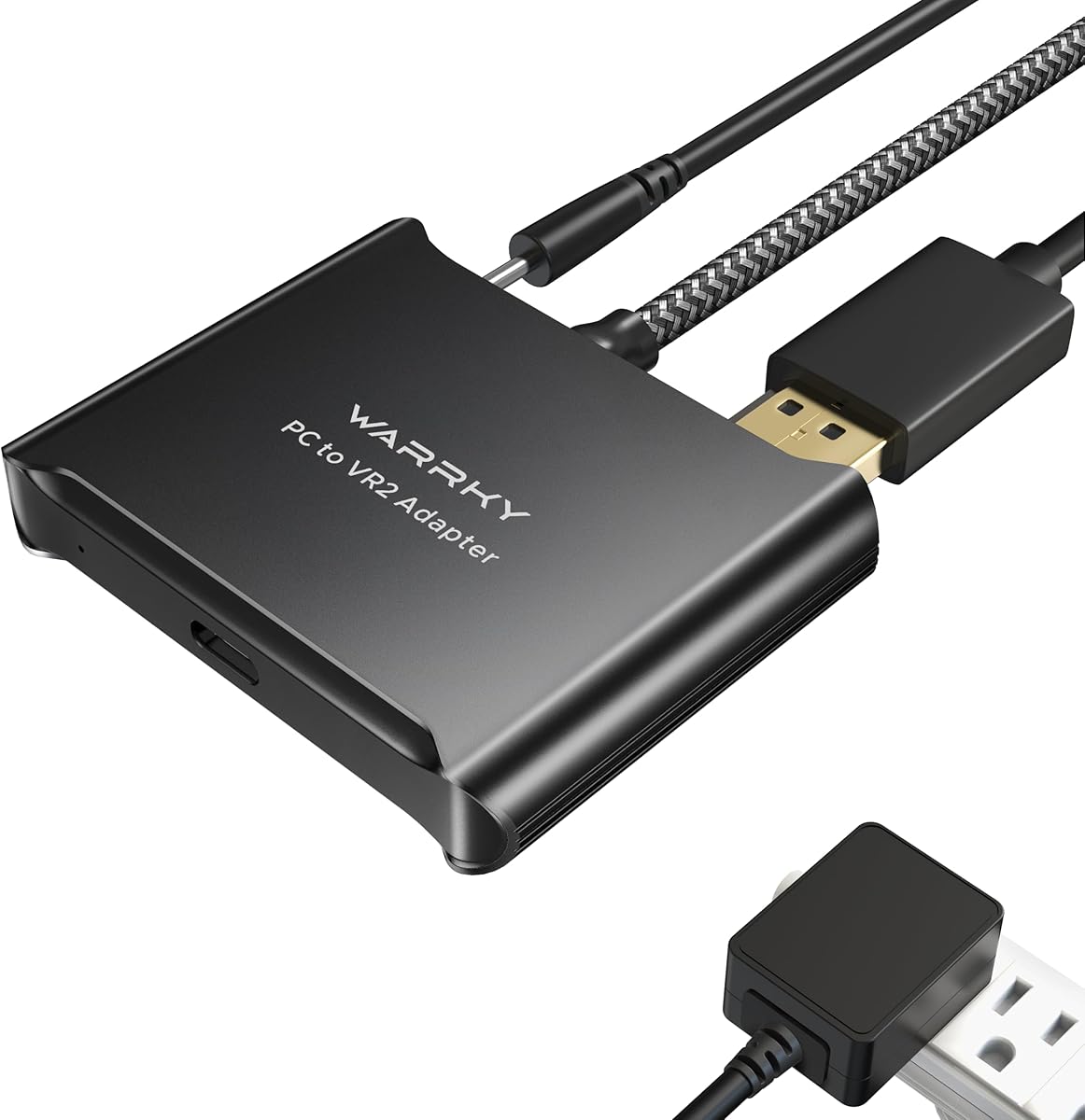
The Warrky PSVR2 PC Adapter is a third-party adapter for bringing PSVR2 hardware into a PC VR setup. Its supplied rating is 3.8, placing it above the STARTRC kit but below the better-rated YCE adapters and general USB receivers. The product emphasizes physical construction as much as connectivity, using an aluminum shell and braided nylon cable jacket.
We may earn a commission when you buy through this link, at no additional cost to you.
The aluminum case is intended to improve heat dissipation and reduce the chance of overheating during extended use. The braided jacket is designed to resist fraying, heating, and kinking. Those attributes make the Warrky adapter appealing for owners who want a durable inline component that can remain connected during longer SteamVR sessions.
The bundle includes the PC adapter, a DisplayPort 1.4 cable, a 15-watt official-standard AC power supply, and a user manual. The description supports PC integration and access to SteamVR experiences, including 3D movie and VR content viewed through Bigscreen. It is not designed for PS4, PS5, or PS5 Pro systems.
This is a sensible choice for a builder who values the included power supply, metal enclosure, and braided lead. It may be less suitable for someone whose main problem is controller Bluetooth dropout because no separate Bluetooth receiver is listed. Buyers should also consider the YCE alternatives if a higher supplied rating and explicit Bluetooth-focused design are their leading priorities.
The aluminum enclosure is intended to dissipate heat more effectively than a basic plastic shell. That makes the adapter more suitable for prolonged sessions where stable operation matters.
A DisplayPort 1.4 cable and 15-watt power supply are included, reducing the need to assemble the essential wired connection separately. The adapter handles the display and power path, but not general controller pairing.
We may earn a commission when you buy through this link, at no additional cost to you.
The YCE PSVR2 PC Adapter is the strongest all-around choice in this guide for connecting PlayStation VR2 hardware to a PC. It has a supplied rating of 4.2 and uses the same IC module as the official version, according to its product information. It supports the PSVR2 headset and AR glasses while expanding access to SteamVR games, educational tools, simulations, and creative applications.
We may earn a commission when you buy through this link, at no additional cost to you.
Stable power is one of its most valuable features. The adapter supplies a regulated 5.1-volt output, which is intended to prevent malfunctions, screen flickering, and performance degradation associated with unstable voltage. Its DisplayPort interface supports high-resolution, high-refresh-rate transmission, including the advertised 4K and 120Hz capability when the complete PC, GPU, cable, and software chain supports it.
The USB 3.0 interface is designed for rapid transfer of sensor and input data. That is especially relevant in VR, where even modest delays can affect the relationship between movement, tracking, and the displayed scene. The included 150-millimeter DisplayPort 1.4 cable and 5.1-volt power adapter provide the core wired path, although some PC software configuration is still required.
This adapter is best for users who want a modern, well-specified PSVR2-to-PC connection and have compatible controllers that can be paired through the PC. It is not the right choice for someone expecting a single dongle to replace the video, power, and data adapter entirely. It also does not include a general-purpose USB Bluetooth receiver.
A regulated 5.1-volt output reduces the likelihood of flicker and instability caused by fluctuating power. This is particularly valuable for longer PC VR sessions.
DisplayPort 1.4 and USB 3.0 support form a capable wired foundation. Actual resolution and refresh performance still depends on the graphics card, GPU output, and SteamVR configuration.
We may earn a commission when you buy through this link, at no additional cost to you.
The UGREEN USB Bluetooth 5.3 is a general-purpose Windows receiver that can complement a PC VR setup when the system lacks a suitable internal Bluetooth radio. Its supplied rating is 4.4, and it combines Bluetooth 5.3 BR/EDR with low-energy operation. The compact body can remain plugged into a desktop or laptop without occupying much space.
We may earn a commission when you buy through this link, at no additional cost to you.
The adapter can connect as many as five different device types at once, including a mouse, keyboard, phone, and headphones, as described by the manufacturer. Audio devices of the same type have a practical limitation: only one pair of speakers or headphones can play music at a time. For controller use, the dongle provides a standard Windows Bluetooth route rather than a custom PSVR2 receiver.
Setup is straightforward on Windows 8.1, 10, and 11, where no driver installation is required. Windows 7, Linux, and macOS are not supported. UGREEN advises disabling any existing Bluetooth device in Device Manager before inserting the adapter, which helps prevent the operating system from selecting a conflicting radio.
This dongle is a good fit for users who want a compact general Bluetooth upgrade and already have a working PSVR2 PC adapter. It cannot replace the dedicated video and power hardware required by the headset, and it cannot transmit PC audio to headphones. Its value is therefore complementary rather than comprehensive.
Support for up to five different device types makes the adapter useful beyond VR. It can handle common peripherals alongside a compatible controller as long as each device category is represented appropriately.
Modern supported Windows versions can use the adapter without manually installing a driver. Disabling a pre-existing Bluetooth radio is the most important troubleshooting step.
We may earn a commission when you buy through this link, at no additional cost to you.
The UGREEN USB-C Bluetooth 6.0 is a premium audio transmitter rather than a conventional PC Bluetooth receiver. It uses a USB-C connection and can add wireless audio to a compatible PC, iMac, PS5, or other supported device. Its supplied rating is 4.1, and its main appeal lies in modern codecs, LE Audio, and multiple wireless modes.
We may earn a commission when you buy through this link, at no additional cost to you.
Low Latency mode prioritizes synchronization for gaming and video, while High-Quality mode is intended to provide more detail for music. Supported codecs include aptX Adaptive, aptX HD, aptX, and SBC. The included Qualcomm QCC3086 Bluetooth 6.0 chip is designed for fast pairing and stable connections, including in environments with some wireless interference.
The product has strict limitations. It supports Bluetooth audio devices only, not mice, keyboards, or other data devices. Classic Bluetooth mode supports dual-device connections, while LE Audio mode supports one-to-many broadcasting. aptX HD does not support dual-device pairing, and Auracast operation requires compatible headphones, an initial Unicast connection, and a mode switch.
This is a strong choice for a gamer who wants low-latency wireless headphones on a USB-C PC and does not need the adapter to pair a controller. It should not be selected as the primary PSVR2 PC bridge or as a general Bluetooth dongle. Its specialized feature set makes it most useful as an additional audio component within a larger PC VR setup.
Low Latency mode focuses on synchronization during interactive media, while High-Quality mode favors musical detail. The selected mode must be supported by the connected headphones or speakers.
Support for aptX Adaptive, aptX HD, aptX, and SBC allows the transmitter to work with a wider range of audio equipment. Pairing mode and codec availability remain dependent on the receiving headset.
We may earn a commission when you buy through this link, at no additional cost to you.
The UGREEN USB-C Bluetooth Audio Adapter is designed to send audio from a USB-C PC, laptop, iMac, PS5, or Switch to compatible wireless headphones or speakers. It has a supplied rating of 4.4 and distinguishes itself through support for aptX Low Latency, aptX Adaptive, aptX HD, aptX, and SBC. Like other audio transmitters, it does not handle general data-device pairing.
We may earn a commission when you buy through this link, at no additional cost to you.
Its primary benefit is synchronized sound. The product information states that aptX Adaptive with low-latency encoding can reduce delay to less than 100 milliseconds, provided the connected headphones support the matching standard. Indicator lights show the active decoding mode, making it easier to confirm whether a connection is using the intended profile.
There are several platform-specific limitations. Linux and PS4 are not supported, and the PS5 Portal is excluded. AirPods Pro 2 and dual-device pairing are also incompatible. On a PS5, users must select UGREEN-BT501 as the audio output and disable automatic output-device switching. Bluetooth calling mode can reduce audio quality, so the manufacturer recommends disabling it for gaming and music.
This adapter is a good companion for PC VR users who want wireless headphones but do not need Bluetooth for controllers. It is less appropriate for anyone seeking a general-purpose USB receiver. For a headset-centered workflow, its low-latency emphasis and broad codec support make it more specialized and potentially more useful than a basic dongle.
The adapter's low-latency mode is aimed at users who notice the delay between on-screen action and wireless sound. Actual performance depends on the support offered by the paired headphones.
Windows and macOS are supported, but each operating system can identify the audio device differently. On PS5, selecting the named output and disabling automatic switching are essential setup steps.
We may earn a commission when you buy through this link, at no additional cost to you.
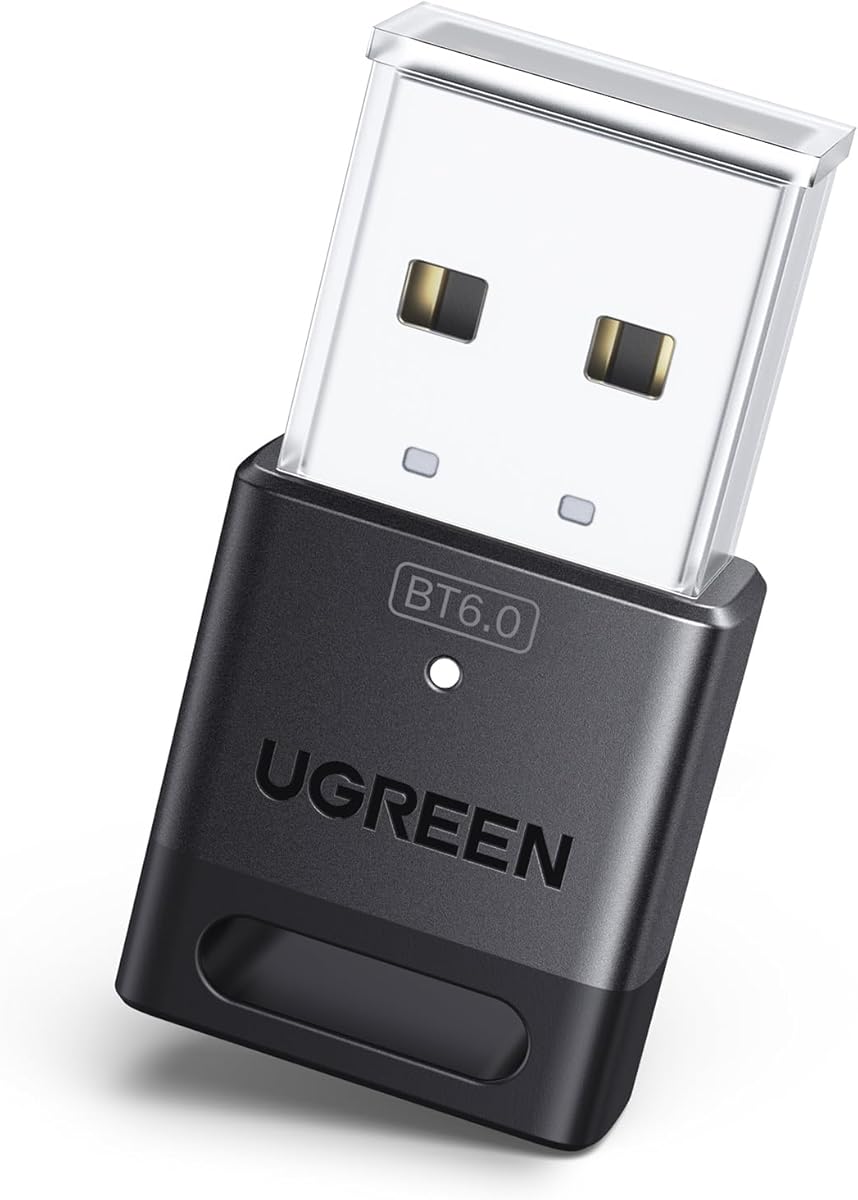
The UGREEN USB Bluetooth 6.0 is a receiver for Windows computers that need a current-generation Bluetooth radio. Its supplied rating is 4.2, and it supports Bluetooth 6.0 EDR while remaining backward compatible with Bluetooth 5.4 and 5.3. It is designed for fast data transfer, audio and video streaming, and large-file transfers.
We may earn a commission when you buy through this link, at no additional cost to you.
Enhanced data rate and Bluetooth low-energy technologies are combined to balance speed and energy use. The receiver can maintain connections to as many as five different device types without interference, including mice, keyboards, phones, and headphones. As with the earlier UGREEN 5.3 model, only one audio device of the same type can actively play music.
Installation is driver-free on Windows 8.1, 10, and 11. The product does not support Windows 7, Linux, or macOS, and it cannot be used directly with PS3, PS4, PS5, Switch, or Xbox consoles. Range can be reduced by walls, physical obstructions, and wireless interference. Users should disable any built-in Bluetooth radio before inserting the dongle.
This is a capable general-purpose receiver and a good match for controllers that operate through the PC. It is not a replacement for the PSVR2 DisplayPort and power adapter. Buyers who need only controller pairing may find the simpler UGREEN 5.3 option sufficient, while those seeking the newest listed Bluetooth generation can favor this model.
Bluetooth 6.0 EDR is positioned as a faster and more efficient option for everyday PC accessories. Backward compatibility allows it to serve devices using earlier supported Bluetooth versions.
The five-device capability makes the dongle useful for a mixed peripheral setup. Duplicate audio-device playback remains limited, so it is not intended to stream to multiple pairs of headphones.
We may earn a commission when you buy through this link, at no additional cost to you.
The second YCE PSVR2 PC Adapter shares the same supplied rating of 4.2 as the earlier YCE listing and emphasizes the same core benefits: an official-style IC module, regulated power, DisplayPort connectivity, and USB 3.0 data transfer. It is intended for PSVR2 and AR glasses used with a PC running SteamVR and other compatible VR software.
We may earn a commission when you buy through this link, at no additional cost to you.
The adapter is presented as a simple plug-and-play solution. Following the manual, connecting the headset and adapter to the PC, and completing a few software settings, is expected to be enough to begin. Its 5.1-volt regulated output is designed to guard against device faults, flickering, and reduced performance caused by unstable power.
The display path supports high-resolution and high-refresh-rate content, while the USB 3.0 connection is intended to move input and sensor data quickly. These specifications are important for VR, but they do not independently guarantee smooth application performance. The graphics card, cable path, display output, SteamVR settings, and selected software all influence the final experience.
This listing is a solid alternative for users who want the official-style connection approach and a strong stated feature set. It may be particularly attractive for AR-glasses compatibility. It is not the most convenient choice if a dedicated Bluetooth receiver is the main requirement, and buyers should compare the package contents and current listing details with the other YCE option before choosing.
A stable 5.1-volt output is particularly useful in a device category where screen flicker can quickly disrupt immersion. Consistent power is one of the adapter's clearest technical priorities.
Compatibility with PSVR2 and AR glasses makes the adapter useful beyond a single headset. The same wired path can serve multiple compatible devices when the host hardware and software support them.
We may earn a commission when you buy through this link, at no additional cost to you.
The PSVR2 PC Adapter Accessories Kit is a third-party bridge for using PSVR2 on a PC. Its supplied rating is 4.0, and it focuses on the essential wired responsibilities of a PC adapter: delivering display data, supplying stable power, and providing a fast USB connection for controller and sensor information. The description also gives it broader ambitions for AR glasses and other USB-C DisplayPort devices.
We may earn a commission when you buy through this link, at no additional cost to you.
Its most notable feature is the expandable power-adapter arrangement. The included DisplayPort 1.4 cable and power solution are intended to support a straightforward installation, while a regulated 5.1-volt output is designed to reduce the risk of screen flicker, equipment failure, and performance degradation caused by insufficient power.
The adapter states support for 4K at 120Hz when paired with a compatible graphics card that meets SteamVR requirements. USB 3.0 is used for rapid input and sensor-data transfer. These claims depend on the rest of the system: the GPU must provide a suitable DisplayPort output, and the PC must satisfy the requirements of the individual SteamVR application.
This kit is best for a user who wants a flexible wired connection, a modern DisplayPort path, and support for PSVR2 or compatible AR glasses. It is less suitable for resolving controller pairing by itself because no dedicated Bluetooth receiver is included. The product's broad device claims should be checked against the manual and current host hardware before purchase.
The adapter's stated 4K 120Hz capability is useful for systems with a compatible graphics card. The GPU, connection path, and VR application must all support the intended output mode.
The expandable power design offers flexibility in how the unit is powered. Its compatibility with AR glasses and other USB-C DisplayPort Alt Mode devices adds value beyond traditional VR use.
We may earn a commission when you buy through this link, at no additional cost to you.
The right choice depends on whether you need a complete PSVR2-to-PC bridge, a standard Windows Bluetooth receiver, or an audio-only transmitter. Matching the adapter to the missing connection layer prevents expensive and frustrating compatibility problems.
A PSVR2 headset does not operate on a PC through a conventional Bluetooth dongle alone. The headset needs a path for DisplayPort video, USB data, and regulated power, which is why complete PC adapters are the central products in this guide. Standard USB Bluetooth receivers address controller pairing or general wireless accessories, while USB-C audio transmitters handle only sound.
The PC's graphics output must provide a suitable DisplayPort connection, and the cable must support the desired bandwidth. Several listed adapters advertise 4K output and 120Hz support, but those figures represent capability rather than a guarantee of final application performance. SteamVR requirements, the graphics card, and the individual title can impose additional limits.
Bluetooth 5.3 and 5.4 receivers are practical choices for adding a current radio to a Windows PC, while a Bluetooth 6.0 dongle is positioned as a faster, more efficient option. Newer generations do not automatically guarantee better controller tracking because that also depends on the controller, USB radio, distance, interference, and software. Backward compatibility remains useful for older accessories.
Most of the standard USB receivers in this list target Windows 8.1, 10, and 11, and many explicitly exclude macOS, Linux, and Windows 7. The two UGREEN USB-C audio adapters offer a broader Windows and macOS audio-device role, although Linux remains unsupported for the listed aptX model. A PSVR2 PC running SteamVR is normally a Windows environment, but the user's complete setup determines the requirement.
Power quality can influence display stability, connection reliability, and the ability to sustain a session without interruption. The YCE adapters and the PSVR2 Accessories Kit explicitly describe regulated 5.1-volt output. Bundles that include a compatible power supply can reduce setup uncertainty, although the correct power method still depends on the adapter and host system.
A complete PSVR2 setup normally needs a DisplayPort 1.4 cable, suitable power, the PC adapter, and the required software. Some listings bundle a cable and power supply, while others may require separate purchases. A dedicated Bluetooth receiver is also necessary if the PC cannot maintain a reliable controller link through its existing radio or the official pathway.
A receiver adds Bluetooth capability to a computer and accepts connections from controllers, phones, keyboards, or headphones. A transmitter sends computer or console audio to Bluetooth headphones. The UGREEN USB-C options are transmitters, and the 5.3 and 6.0 UGREEN USB-A models are receivers. Choosing the wrong role can make a product appear entirely nonfunctional even when it is working correctly.
Distance, walls, nearby wireless equipment, USB placement, and a computer's built-in Bluetooth radio can all affect reliability. The STARTRC kit specifically includes a custom receiver to target unstable controller links, while TP-Link and UGREEN recommend disabling an existing internal Bluetooth device before using their USB dongles. A clear USB port and a direct line of sight can also make setup more predictable.
Begin by identifying which layer the product provides. A full PSVR2 PC adapter connects the headset's display, power, and USB data paths to the computer, while a USB Bluetooth receiver connects compatible controllers. Confirm that the PC has the required graphics output, a free USB port, compatible software, and a power arrangement that matches the adapter instructions.
Install the adapter and complete the software configuration before connecting the headset or pairing accessories. On Windows systems with built-in Bluetooth, open Device Manager and disable the existing radio when instructed. For PSVR2 PC use, install SteamVR and the required PSVR2 PC application, connect the DisplayPort cable and power, then follow the manual's linking and software steps.
To care for the hardware, route cables without creating sharp bends, keep the receiver unobstructed, and avoid leaving the assembly near heat sources. Do not interchange power supplies or cables unless their specifications match. If pairing is unstable, move the receiver away from other USB devices, remove obstructions, verify that only one Bluetooth radio is active, and recheck the software's selected devices.
No. A normal USB Bluetooth dongle handles wireless devices such as controllers, keyboards, phones, and headsets, but it does not provide the PSVR2 headset's required DisplayPort video and power path. A dedicated PSVR2 PC adapter is still needed for the headset connection, while a separate Bluetooth receiver may assist with controller pairing.
The TP-Link UB500 is a straightforward option for adding Bluetooth 5.4 to Windows 8.1, 10, or 11. The UGREEN USB Bluetooth 5.3 and 6.0 receivers are alternatives, with the latter offering the newest listed Bluetooth generation. Disable any built-in Bluetooth radio before using a USB receiver to reduce driver conflicts.
A very recent Bluetooth version can provide a current radio and useful compatibility, but it does not guarantee perfect controller tracking by itself. Connection quality also depends on the controller, USB placement, interference, distance, PC performance, and SteamVR configuration. Choose a full PSVR2 adapter for the headset and add a receiver only if the controller link needs improvement.
The YCE products are dedicated PSVR2 PC adapters with DisplayPort, power, and USB data connections. The UGREEN USB-C products are audio transmitters designed to send sound to compatible Bluetooth headphones or speakers, not controller or headset data. They may be useful companions for wireless game audio but cannot replace the PSVR2 PC bridge.
Several listed adapters advertise DisplayPort 1.4 and high-refresh output, but actual performance depends on the graphics card, cable, application, and SteamVR settings. The 4K 120Hz claim applies only when the entire connected system supports that mode. It should not be interpreted as a guarantee for every game or workstation.
A built-in Bluetooth radio may be competing with the USB adapter, or another driver may already be managing the Bluetooth stack. TP-Link and UGREEN both recommend disabling existing Bluetooth devices in Device Manager, then unplugging and reconnecting the USB adapter. Rebooting and checking the current system driver can also help resolve recognition problems.
No. The UGREEN USB-C audio adapters support Bluetooth audio devices only and explicitly do not work with controllers, keyboards, mice, or general data peripherals. For PSVR2 controllers connected through a PC, use a suitable USB Bluetooth receiver or the connection method supported by the headset software and official PC pathway.
Start by disabling the PC's internal Bluetooth radio if a USB receiver is being installed, then place that receiver in a clear USB port away from other wireless or USB equipment. Keep the controller within a reasonable range and verify that the operating system and SteamVR recognize the correct input device. A dedicated receiver such as the one included with the STARTRC kit may help users whose computers have older Bluetooth hardware.
The YCE PSVR2 PC Adapter is the strongest overall choice because it combines an official-style module, regulated power, DisplayPort connectivity, and USB 3.0 in a focused PC VR solution. The TP-Link UB500 is the best budget option for adding a modern Windows Bluetooth receiver, while the UGREEN USB Bluetooth 6.0 is the most advanced general receiver among the listed dongles.
Prioritize the missing connection layer rather than the word Bluetooth alone. A full adapter is necessary to operate the PSVR2 headset through a PC, a receiver is useful for compatible controllers and accessories, and an audio transmitter is only for wireless headphones. Confirm operating-system support, required cables, power, included hardware, and DisplayPort capabilities before ordering.
Retailer listings, software requirements, and product availability can change over time, so verify the current description, compatibility notes, and package contents before making a final purchase. The right adapter will be the one that matches both the computer and the specific connection problem you need to solve.


