
NETGEAR Nighthawk CM3000
4.3Editor score
Up to 2.5 Gbps downloads
Up to 1 Gbps uploads
Link aggregation support
Best Modem for Xfinity guide compares 10 cable modems for speed, WiFi, Ethernet ports, compatibility, setup, and performance for home network users.
Choosing a modem for Xfinity starts with confirming that your service uses a coaxial cable connection and that your plan falls within the modem’s supported speed range. A suitable modem should also match how many wired devices you use, whether you want built-in WiFi, and whether your home needs a separate router or mesh system.
This guide compares ten Xfinity-compatible cable modems based on DOCSIS version, maximum plan speed, Ethernet connectivity, WiFi capabilities, provider support, and setup requirements. It includes all-in-one modem-router combos as well as modem-only models for households that already own capable networking equipment.
Each review explains where a modem is strongest, where its limitations matter, and who is most likely to benefit from it. The top picks span practical categories such as balanced all-in-one performance, premium multi-gig capability, and value for a simpler setup, while prices and Xfinity plan availability can change.
4.3Editor score

4.1Editor score

4.4Editor score
This side-by-side comparison highlights each modem’s form factor, supported plan tier, Ethernet options, and Xfinity compatibility, making it easier to identify the right model for your cable service and networking setup.




The NETGEAR Nighthawk CAX30 is the most approachable all-in-one option in this guide because it combines a DOCSIS 3.1 cable modem with an AX2700 WiFi 6 router. Its 4.1 rating reflects a practical package for households that want one device to handle both Xfinity service and wireless networking, without assembling a separate modem-and-router system.
We may earn a commission when you buy through this link, at no additional cost to you.
Its biggest advantage is convenience. The router is approved for Xfinity internet plans up to 800Mbps, while the dual-band WiFi 6 network covers up to approximately 2,000 square feet and is designed for more than 25 connected devices. Four Gigabit Ethernet ports provide useful flexibility for a desktop, gaming console, smart television, or network switch, all without the tangle of connections associated with separate equipment.
The limitation is speed ceiling. If your Xfinity tier exceeds 800Mbps, the CAX30 cannot be expected to unlock the full potential of that plan. It also lacks voice support and cannot work with fiber, DSL, or satellite service. The included Nighthawk app assists with setup, WiFi management, speed tests, device pausing, and guest networks, although active internet service is required after activation.
This is the most practical recommendation for renters, families, and first-time modem buyers who have a compatible Xfinity plan and want an integrated system. It is especially useful when the existing provider equipment combines basic cable service with a modest WiFi router. Homeowners with gigabit or multi-gig plans should instead examine one of the modem-only models and add a suitable router.
Overall, the CAX30 wins by balancing capability and convenience. It gives users modern DOCSIS 3.1 hardware, WiFi 6, robust wired connectivity, app-based management, and a simple ownership path without requiring a separate WiFi system. It is the best balanced choice for compatible Xfinity households that do not need the highest available plan speeds.
Integrating the cable modem and WiFi 6 router simplifies installation and reduces the number of boxes competing for shelf space. It also provides a straightforward path to whole-home wireless coverage without buying a separate access point immediately.
Four Gigabit Ethernet ports make the CAX30 practical for mixed-device homes. Users can hardwire high-bandwidth equipment while retaining WiFi for phones, tablets, speakers, and other mobile or smart-home devices.
We may earn a commission when you buy through this link, at no additional cost to you.
This Hitron CODA56 variant is a strong match for Xfinity customers with a gigabit or faster plan who already own a capable WiFi router. It carries a 4.4 rating and combines DOCSIS 3.1 technology with a 2.5Gbps Ethernet port, making it one of the more future-conscious modem-only options in the guide.
We may earn a commission when you buy through this link, at no additional cost to you.
The modem is listed for Xfinity plans up to 2.33Gbps, Spectrum up to 1Gbps, and Cox up to 2Gbps. A 2.5Gbps router is recommended for full-speed operation, and the ISP must activate the modem after setup. Its DOCSIS 3.1 foundation is designed for smooth 4K streaming, online gaming, and video communication, while backward compatibility with DOCSIS 3.0 networks adds flexibility.
There is no WiFi in this package. It does not replace an existing wireless router, and without one, only a single device can connect through Ethernet. It is also limited to cable internet, making it unsuitable for Verizon FiOS, AT&T Fiber, DSL, satellite, and fixed wireless service. Users whose Xfinity plan includes bundled voice will need a separate voice-capable solution.
This CODA56 is best for technically confident households that want to separate modem and router responsibilities. It suits someone with a 2.5Gbps-capable router, a large number of connected devices, or a plan designed to accommodate demanding uploads and downloads. It is less suitable for a simple installation where the primary goal is immediate wireless coverage from a single box.
The 4.4 rating, multi-gig port, and stated support for advanced Xfinity tiers make this a compelling performance choice. It does not win the overall recommendation because an all-in-one option is easier for many households, but among standalone cable modems it is one of the strongest matches for a modern high-speed network.
The 2.5Gbps Ethernet port gives this CODA56 a useful performance ceiling for gigabit and multi-gig cable plans. Pairing it with a router that can handle the same class of connection helps prevent an unnecessary bottleneck.
Separating the cable modem from the router lets you place the router strategically, upgrade wireless independently, and use a mesh system in a larger home. It is a more flexible architecture than an integrated gateway.
We may earn a commission when you buy through this link, at no additional cost to you.
The single-port Hitron CODA56 offers DOCSIS 3.1 multi-gig capability in a streamlined data-only design. It holds a 4.2 rating and is compatible with Xfinity, Spectrum, and Cox cable service. The device is particularly relevant to users who need one high-speed Ethernet handoff to a router rather than several direct modem connections.
We may earn a commission when you buy through this link, at no additional cost to you.
Its 2.5Gbps Ethernet port supports plans in the gigabit range, while 32×8 channel bonding and backward compatibility with DOCSIS 3.0 provide a modern foundation. The listed provider support extends to Xfinity plans up to 2Gbps, Spectrum up to 1Gbps, and Cox up to 2Gbps. Actual available speeds still depend on the customer’s plan, provider network, and paired router.
The single Ethernet port is both its defining feature and its main constraint. The modem cannot directly serve multiple wired devices without the addition of a router or switch. It provides no wireless networking, no voice service, and no router functions. It also cannot be used with fiber, DSL, satellite, or fixed wireless connections.
This model makes sense for a streamlined home network in which one powerful router or mesh gateway will handle all traffic. It can be especially attractive in a small apartment or a home with a carefully placed router and adequate wireless coverage. Buyers should confirm that their Xfinity plan and provider support a customer-owned modem before purchasing.
Compared with the more conventional multi-port CODA56, this version trades physical connection flexibility for a simpler network chain. It is a strong choice when its one 2.5Gbps port is exactly what you need. It is less appropriate for users who want the option to hardwire several devices directly and expect the modem to supply WiFi as well.
A single 2.5Gbps port creates a direct, high-capacity link between the cable line and your router. This arrangement is efficient when all wired and wireless traffic will be handled by separate networking equipment.
DOCSIS 3.1 with 32×8 bonding gives the modem a strong technical foundation for modern cable tiers. Backward compatibility helps it remain practical if your current plan is lower than the maximum supported speed.
We may earn a commission when you buy through this link, at no additional cost to you.
The NETGEAR CM3000-1AZNAS is a modem-only option built around mid/high-split DOCSIS 3.1, with an emphasis on faster upload performance. Its 4.2 rating reflects a well-equipped option for Xfinity users whose service plan, local node, and router can support the advanced architecture.
We may earn a commission when you buy through this link, at no additional cost to you.
The modem has one 2.5Gbps Ethernet port and two 1Gbps ports. The main port is intended to connect a suitable router, while the two gigabit ports can be combined on a compatible router for speeds up to 2Gbps. This is particularly relevant to people who upload large files, participate in video calls, back up devices, or operate services that make upload bandwidth important.
Provider support is broad, covering Xfinity, Spectrum, Cox, and most major US cable providers on plans up to 2Gbps. However, mid-split availability must be confirmed with the provider. The modem cannot serve fiber or bundled voice, and it does not create a WiFi network. Real-world results also depend on the customer’s plan, ISP network, and the quality of the paired router.
NETGEAR includes Active Queue Management and OFDMA to improve response times and congestion handling. The free Nighthawk app supports guided setup and remote network management, while free expert assistance is listed for the first 90 days. These features add value, but the lack of integrated WiFi means the best results still require thoughtful router selection.
This CM3000 is a compelling option for Xfinity customers with confirmed mid/high-split service and meaningful upload demands. It is less appropriate for a basic household or a location where the provider has not enabled the required network technology. With a capable router and compatible service, however, it delivers a balanced path to high download and upload speeds.
The advanced split design can provide more upstream bandwidth than a conventional DOCSIS 3.1 configuration. That makes the modem relevant to cloud backups, large file transfers, remote work, and frequent high-quality video calls.
The primary 2.5Gbps connection supports a modern single-router setup, while the additional gigabit ports add options for compatible aggregation or specialized network arrangements. Router capabilities determine which configuration can be used.
We may earn a commission when you buy through this link, at no additional cost to you.
The NETGEAR Nighthawk CM3000 is the premium performance selection in this guide. It carries a 4.3 rating and supports mid/high-split DOCSIS 3.1 service with up to 2.5Gbps download and 1Gbps upload, positioning it for Xfinity customers with Gigabit+ or similarly advanced service.
We may earn a commission when you buy through this link, at no additional cost to you.
Its port arrangement includes one 2.5Gbps Ethernet connection and two 1Gbps ports with link aggregation for up to 2Gbps wired throughput when paired with a compatible router. That flexibility makes it well suited to ambitious home networks in which a high-end router or mesh system will manage multiple wired and wireless clients. DOCSIS 3.1 Active Queue Management and OFDMA are designed to improve responsiveness during busy periods.
The CM3000 works with major US cable providers and is backward compatible with DOCSIS 3.0, but it is a cable-only device. It does not support DSL, fiber, or bundled cable-voice plans, and it has no built-in WiFi. Buyers therefore need a capable NETGEAR Nighthawk WiFi 6E/7 router, an Orbi system, or another appropriate router to create a complete home network.
Although the modem itself does not provide wireless coverage, separating its role from the router allows greater control over network placement and upgrades. The fast download and upload ceiling also prepares the network for future plan tiers. The principal trade-off is the need to source and configure additional wireless equipment, making this less convenient than an all-in-one device.
Among the modems reviewed, this CM3000 offers one of the strongest combinations of download speed, upload speed, and port flexibility. It is best recommended for Xfinity subscribers with a high-speed tier who want premium cable hardware and already plan to use a capable router or mesh system.
Support for up to 2.5Gbps downstream and 1Gbps upstream gives the CM3000 considerable headroom for advanced Xfinity service. It is especially relevant to users who want more symmetrical performance than older cable equipment can offer.
A 2.5Gbps port and two gigabit ports support several network architectures. Link aggregation can provide additional throughput when the paired router has compatible capabilities.
We may earn a commission when you buy through this link, at no additional cost to you.
The ARRIS Surfboard S33 offers a straightforward DOCSIS 3.1 multi-gig modem in a compact form. Its 4.2 rating and stated support for cable plans up to 2.5Gbps make it relevant for Xfinity customers who want faster modem hardware but already have a separate WiFi router.
We may earn a commission when you buy through this link, at no additional cost to you.
The product emphasizes ease of use. Setup involves connecting the coaxial cable, powering it on, activating it with the cable provider, and then connecting a WiFi router through Ethernet. A small enclosure and simple LEDs for power, upstream and downstream activity, and online status help keep the unit visually and physically unobtrusive.
The S33 does not include WiFi, so it cannot be used as a complete home-network solution on its own. A router or mesh system must handle wireless access and multi-device connectivity. The supplied information does not state a specific Ethernet port speed, so buyers who need a particular multi-gig interface should verify the detailed port specifications and their Xfinity plan before ordering.
Its principal appeal is the combination of a modern multi-gig cable standard, straightforward provider activation, and a space-saving design. It lacks the more extensive port specifications and management features described for some NETGEAR alternatives, but those omissions may not matter in a simple network where one router connects to the modem.
The Surfboard S33 is a good middle ground for an Xfinity subscriber who values a compact, uncomplicated modem-only design. It works best when a capable router is already available or planned. Those wanting an all-in-one package should consider a modem-router combo instead, while those needing several direct wired connections should review the port layouts of competing models.
The S33 is designed for homes where shelf space and visual clutter matter. Despite its compact enclosure, it retains a modern DOCSIS 3.1 foundation for faster cable tiers.
The installation path is intentionally direct: connect the service cable, power the modem, complete provider activation, and attach a router. It suits users who prefer a focused modem without integrated wireless controls.
We may earn a commission when you buy through this link, at no additional cost to you.
The ARRIS SURFboard SB8200 stands out as a value-focused DOCSIS 3.1 modem with a 4.4 rating, matching the highest customer rating among the products listed. Its two Gigabit Ethernet ports make it more flexible than a single-port model while keeping the focus on the cable connection rather than wireless networking.
We may earn a commission when you buy through this link, at no additional cost to you.
The product title identifies support for plans up to 1Gbps, and the supplied feature information also describes DOCSIS 3.1 performance in a broader multi-gig context. CableLabs certification and qualification for Cox, Xfinity, and Spectrum increase confidence for mainstream cable users, although the provider should still confirm model support for the exact customer account and plan.
Installation is conventional: connect the cable, power the unit, activate it with the ISP, and connect a router over Ethernet. The two Gigabit ports allow a primary router connection and an additional wired device in some setups. It is not compatible with fiber, DSL, or satellite service, and the lack of built-in WiFi means every wireless device needs a separate router or mesh system.
The SB8200 is a practical choice for households on moderate Xfinity plans that want modern cable hardware without paying a premium for advanced multi-gig port arrangements. It may not be appropriate for customers whose service tiers exceed its stated target range, and the separate router requirement can make the complete setup less economical for beginners.
For a value-minded Xfinity customer with a compatible plan, the combination of a strong rating, two Gigabit Ethernet ports, and established provider qualification is compelling. It earns the budget recommendation not because it includes every advanced feature, but because it delivers a focused and practical DOCSIS 3.1 platform for common cable connections.
Two Gigabit Ethernet ports are useful for connecting a router and another wired endpoint. This gives the SB8200 more immediate flexibility than a one-port modem while remaining simpler than premium multi-port systems.
CableLabs certification and stated qualification with major US providers support broad compatibility. Confirmation with Xfinity remains important because approved model lists and regional service conditions can change.
We may earn a commission when you buy through this link, at no additional cost to you.
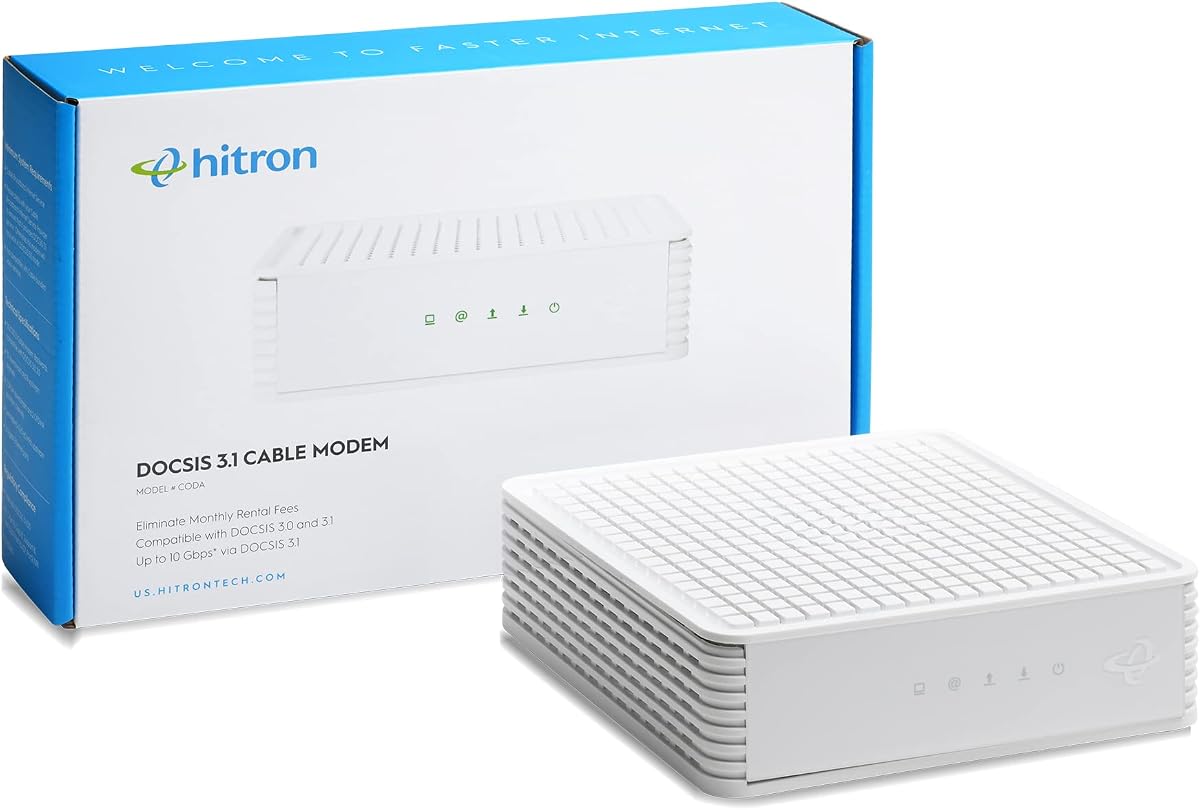
This Hitron CODA model is a simple DOCSIS 3.1 modem intended for Xfinity customers on cable plans up to 1Gbps. Its 4.1 rating and compatibility with Xfinity, Spectrum, and Cox make it a conventional option for households that want a modern cable modem and already have suitable wireless equipment.
We may earn a commission when you buy through this link, at no additional cost to you.
The design is focused and data-only. It has one Ethernet port, no wireless functions, and no telephone service. A separate WiFi router is therefore required, and without one only a single device can be connected by Ethernet. The product information describes a 2.5Gbps router for full speeds, although the stated maximum cable plan is 1Gbps.
Setup follows a four-step process after ISP approval: connect the coaxial cable, plug in power, connect Ethernet to the router, and contact the provider for activation. Professional support is available Monday through Friday, while the brand also lists seven-day technical support and warranty coverage. These support options are useful for a category where provider activation can otherwise be confusing.
One inconsistency deserves attention: the supplied compatibility checklist says to confirm a plan greater than 1Gbps even though the product description identifies support for cable speeds up to 1Gbps. Buyers should rely on Xfinity’s current plan requirements and the provider’s approved-device list rather than attempting to interpret that checklist line themselves.
This CODA is best for a user whose priority is a straightforward cable modem for a plan within the 1Gbps range and who already owns a router. It is less appealing for new users seeking built-in WiFi, advanced multi-gig plans, or several direct wired connections. Once those conditions are met, it remains a focused DOCSIS 3.1 option.
Keeping the modem limited to internet data simplifies the network architecture. It can be paired with any suitable router, giving experienced users control over wireless standards, coverage, and management.
The documented four-step setup makes the process approachable. Most installation friction comes from provider activation, so having the coax line, power, Ethernet connection, and router ready can simplify the process.
We may earn a commission when you buy through this link, at no additional cost to you.
The ARRIS Surfboard S34 combines DOCSIS 3.1 multi-gig support with a useful pair of Ethernet ports. Its 4.3 rating places it among the stronger customer-rated products in this guide, and the combination of a 2.5Gbps port and a 1Gbps port makes it versatile for a modern home network.
We may earn a commission when you buy through this link, at no additional cost to you.
The primary port is designed to connect a high-speed WiFi router, while the additional gigabit port can serve another wired device or provide a backup handoff depending on provider configuration. Next-generation upstream support makes the modem relevant to cable plans that offer improved upload tiers, and the stated download plan support extends to 2.5Gbps.
As a modem-only device, the S34 has no built-in wireless network. A router or mesh system is required for phones, laptops, and other WiFi clients. It is not compatible with fiber, DSL, or satellite services. The product is described as CableLabs certified and tested for Cox, Xfinity, and Spectrum, but checking the current provider list remains an essential part of purchasing.
The device also retains a compact enclosure and simple status indicators, making it suitable for a home network where a larger, feature-heavy gateway would be unnecessary. Its main advantage over the S33 is the documented two-port arrangement and next-generation upstream support, while its limitation remains the cost and complexity of adding separate wireless equipment.
The S34 is a strong all-around recommendation for Xfinity subscribers who want multi-gig capability, a fast primary router connection, and one extra gigabit option. It is particularly suitable for people upgrading from older provider equipment while keeping a modern standalone router. For the simplest possible installation, a combo unit would be more convenient.
The 2.5Gbps port supports a high-speed router handoff, while the 1Gbps port adds a practical secondary option. Together they offer more flexibility than a single-port design without duplicating multi-gig ports.
Next-generation upstream support is useful as cable providers expand faster upload tiers. Availability depends on the customer’s location, selected Xfinity plan, and current network infrastructure.
We may earn a commission when you buy through this link, at no additional cost to you.
The Hitron CODA56 Multi-Gig is an attractive option for Xfinity users seeking a 2.5Gbps cable modem without moving into a premium all-in-one system. It has a 4.2 rating, DOCSIS 3.1 support, and provider certification covering Xfinity, Charter Spectrum, and Cox.
We may earn a commission when you buy through this link, at no additional cost to you.
The modem supports plans up to 2.5Gbps, with Xfinity service listed as high as 2.33Gbps, Spectrum up to 1Gbps, and Cox up to 2Gbps. A 2.5Gbps Ethernet port provides the primary connection to a router, and the device is backward compatible with DOCSIS 3.0 networks. This makes it well positioned for gigabit-tier service while remaining usable on compatible lower tiers.
It is strictly a cable modem. It does not support fiber, DSL, satellite, or fixed wireless service, and it cannot provide WiFi. A separate router or mesh system is mandatory for a multi-device wireless home, while a single wired device can be connected directly when no router is present. The ISP must also complete activation.
The main advantage is straightforward multi-gig capability in a focused data-only product. DOCSIS 3.1 technology is designed for low-latency gaming, 4K streaming, and video calls, while Hitron lists technical support seven days per week, warranty coverage, and product registration support. It does not provide the advanced upstream and port options described for the highest-end NETGEAR and ARRIS models.
This CODA56 is best for a buyer who wants a high-speed Xfinity-compatible cable modem and already owns a 2.5Gbps-capable router. It offers a practical balance of modern performance and brand support. It is less convenient for a first-time owner because wireless equipment must be added, but it remains a capable choice for a properly planned home network.
A 2.5Gbps Ethernet connection gives the modem enough headroom for high-tier cable plans. The key requirement is pairing it with a router that can process the same class of traffic.
Certification with Xfinity, Charter Spectrum, and Cox makes the model relevant across several large cable networks. Account and plan eligibility should still be confirmed with the chosen provider.
We may earn a commission when you buy through this link, at no additional cost to you.
The right Xfinity modem depends first on your service type and speed plan, then on whether you want a standalone cable modem or an integrated modem-router. Port count, wireless coverage, provider support, and future upgrade potential should be considered before purchasing.
Every product in this guide is a DOCSIS cable modem, which means it requires a coaxial connection from the wall. It will not work with fiber, DSL, satellite, or fixed wireless service. Some households subscribing to a major provider may still receive a different type of connection, so verify the technology used at the premises rather than relying only on the provider name. A wall outlet with a round screw-on coaxial connector is a useful sign, but confirmation through Xfinity is definitive.
Choose a modem whose supported plan range covers the tier you currently purchase and leaves reasonable room for a future upgrade. The CAX30 supports Xfinity plans up to 800Mbps, while several modem-only choices reach 2 or 2.5Gbps. A faster modem cannot automatically improve a slower internet plan, and a router with unsuitable Ethernet ports can also limit the result. Confirm both the plan speed and the provider’s current support for the exact model.
A modem-only device separates the cable connection from wireless networking. This offers greater router choice, easier whole-home expansion, and the ability to place equipment more deliberately, but it requires buying or already owning a router. An all-in-one combo is simpler and may be more economical for a basic home. Choose based on the equipment you currently have rather than assuming that more built-in features are always necessary.
Port speed matters when your router supports faster connections than standard gigabit Ethernet. The reviewed models range from one Ethernet port to several, with some including 2.5Gbps connections for multi-gig service. Additional ports can support a direct wired device, a switch, or a specialized connection, but the modem’s port count does not eliminate the need to consider a router’s own capabilities. Check link aggregation support carefully before assuming two gigabit ports will combine into one faster connection.
Only the CAX30 in this list combines a cable modem with an AX2700 dual-band WiFi 6 router. Its stated coverage extends to approximately 2,000 square feet and more than 25 connected devices, though building materials, layout, interference, and client capabilities affect actual results. Modem-only models require a separate router or mesh system. Consider the size of your home, number of connected devices, and need for coverage beyond the router’s location before choosing the equipment.
Xfinity must support the exact modem model, and the device must be compatible with the customer’s plan and service technology. Some premium choices depend on mid/high-split availability, while others are data-only and cannot be used with a bundled voice plan. Provider equipment lists and regional capabilities can change, so confirm compatibility with Xfinity before ordering. Keep the modem’s model number and ASIN nearby during that check.
Even an easy-to-install modem usually requires provider activation. ISP approval can determine whether the device works on the intended plan, especially for multi-gig or advanced upstream service. Some products list browser setup, video guidance, mobile apps, or technical support, but the exact support period differs. Users who are not comfortable with network setup should allow time for activation and understand that Xfinity may need to complete an additional line or account check.
A separate router gives you the freedom to upgrade WiFi independently when a new standard arrives. Modem-only hardware may remain useful even when the wireless system changes, making it a practical long-term choice for larger or more demanding homes. By contrast, a combo unit may eventually need replacement if its WiFi becomes the limiting factor. Consider how long you expect to keep your service tier, how many wired devices you own, and whether a mesh system is likely in your future.
Begin by locating the coaxial outlet and confirming that Xfinity service is active. Connect the modem to the coax line and its power adapter, then allow it to initialize. If you chose a modem-only product, connect its Ethernet port to a compatible WiFi router; if you chose the CAX30, the wireless network is built in, but you still need to complete its setup and connect devices using the configured network name and security password.
Follow Xfinity’s activation process for the exact model. The provider may detect the modem remotely or request that you call or use an activation portal. Once online, verify that the modem receives a cable signal, confirm the negotiated connection, and compare a speed test with the expectations for your plan. If the result is lower than expected, check cables, reboot both pieces of equipment, compare wired and wireless results, and contact Xfinity about network conditions or approved-model status.
For ongoing care, keep the modem in an open, ventilated location rather than inside a closed cabinet. Avoid stacking equipment that can trap heat, and route cables so they are not pinched. Dust can be removed gently from exterior vents while the unit is unplugged. Review the Nighthawk app for compatible combo units, update router firmware and security settings when prompted, change default credentials, and use WPA3 or the strongest wireless option supported by your devices.
The modems in this guide are identified as compatible with Xfinity, but the exact model must also be approved for your service type, plan, and region. Xfinity offers DOCSIS 3.1 models for cable service and may use different equipment for fiber or bundled voice. Check the provider’s current supported-device list before buying, especially for a multi-gig or mid/high-split model.
Yes, if you select a modem-only model. It connects the coax service to your router and does not create a WiFi network, so a separate router or mesh system is needed for wireless devices. A combo model such as the CAX30 includes WiFi and can serve as the complete home gateway. If your Xfinity plan includes voice, verify whether the chosen modem supports that service.
Only within the limits of your purchased plan and the provider’s network. A 2.5Gbps modem cannot make a lower-speed plan deliver multi-gig service, although it can provide useful headroom for a future tier. The router’s Ethernet ports, WiFi capability, internal network traffic, and the home’s layout can also limit the speed you actually experience.
A DOCSIS 3.1 modem is a strong choice for current and future cable tiers because it supports faster downstream and upstream service. Whether it is necessary depends on your plan and the equipment currently supplied by Xfinity. A compatible lower-tier setup may still be adequate for modest use, but DOCSIS 3.1 offers greater flexibility as service tiers expand.
Several models listed in this guide are also certified or qualified for Spectrum and Cox, but approval is model-specific and can vary by plan. Never assume that one provider’s acceptance guarantees compatibility with another. Confirm the exact model, service tier, and any bundled-voice requirements with the provider whose service you will actually use.
A cable modem converts the coax signal into an Ethernet connection for a router. A modem-router combo performs both roles and broadcasts WiFi itself. Combos are convenient for basic homes, while separate equipment offers better router selection, placement, and upgrade flexibility. A powerful router or mesh system is usually preferable for larger homes and demanding wireless coverage.
For a modem-only setup, the modem’s Ethernet port can limit the speed delivered to the router, but WiFi performance is mainly determined by the router, radio design, distance, interference, and client devices. A fast modem cannot overcome a weak wireless system. For the CAX30, its internal AX2700 router directly affects wireless speed and coverage.
Confirm that the coax line is connected securely, the power adapter is working, and the modem has completed its startup sequence. Check that the model is approved for your plan and that any required voice service is supported. Restart the equipment, review the provider activation instructions, and contact Xfinity if the online status never appears or activation continues to fail.
The NETGEAR Nighthawk CAX30 is the most convenient overall choice because it combines DOCSIS 3.1 cable service with WiFi 6 and four Gigabit Ethernet ports. The NETGEAR Nighthawk CM3000 takes the lead for premium multi-gig performance, while the ARRIS SURFboard SB8200 provides a focused and value-oriented DOCSIS 3.1 option for compatible plans and owners of a separate router.
Prioritize service compatibility before speed. Confirm that your home uses coaxial cable, verify the exact modem with Xfinity, and choose a model that covers your current plan. Then decide whether integrated WiFi is sufficient or whether a separate router and mesh system will provide better coverage and long-term flexibility. Port speed should match the router rather than simply appearing larger on a specification sheet.
Finally, remember that product availability, promotional terms, and Xfinity plan details can change. Review the provider’s current requirements and compare the latest listings before purchasing. The best modem is not automatically the fastest model; it is the one that matches your cable service, plan, wireless needs, wired devices, and preferred level of setup convenience.