
Gen 2 5G Dongle
Snapdragon X62 modem
Bundled 5G data SIM
Driverless multi-platform support
Private and priority routing
Our expert 5G Modems for Laptops guide compares ten options across compatibility, speed, portability, security, SIM support, network features, and setup ease.
A 5G modem gives a laptop a dedicated cellular connection without depending on nearby Wi-Fi or the battery life of a phone hotspot. The right device can improve mobility, privacy, and reliability, but useful differences in compatibility, antennas, SIM support, and carrier certification matter greatly.
We compared ten modems and routers using the supplied specifications, focusing on the factors that affect laptop connectivity. The list covers direct USB adapters, M.2 modules, and cellular gateways, with both portable consumer products and more specialized industrial or enterprise hardware represented.
Each review identifies the product's strongest use, important limitations, and best-fit buyer. Ratings reflect the supplied marketplace feedback, while specifications and capabilities are summarized from the product information; prices and service terms can change, so verify them before buying.

4.2Editor score
4.0Editor score
The comparison covers direct USB-C dongles, internal M.2 modules, and multi-device cellular routers, highlighting connection methods, platform support, network features, and the environments each product is best equipped to serve.




The GL.iNet GL-X3000 is the most complete network-oriented option in this guide, combining a 5G cellular gateway with Wi-Fi 6, dual-SIM capability, detachable antennas, and multi-WAN functions. Its supplied 4.2 rating reflects a strong balance of features, while its flexibility makes it particularly suitable for homes, recreational vehicles, remote offices, and travelers who need more than one internet connection.
We may earn a commission when you buy through this link, at no additional cost to you.
Its strongest advantage is flexibility. The router supports 5G under both NSA and SA standards, remains compatible with 4G LTE and 3G networks, and provides automatic failover between dual-SIM connections. Six detachable antennas can improve placement options, while the ability to connect a wired dome antenna offers another route for improving cellular reception in remote locations. For a laptop, this creates a stable Wi-Fi network without consuming the laptop's cellular bandwidth or relying on phone tethering.
The GL-X3000 also functions as a small network appliance rather than a basic adapter. Pre-installed OpenVPN and WireGuard support encrypted remote access, while OpenWrt v21.02 firmware offers a large selection of plug-ins and configuration options. Multi-WAN functionality can combine cellular, Ethernet, repeater, and tethering connections, with load balancing and configurable failover priorities. These capabilities go well beyond what many laptop users need, but they are valuable for mobile workers and households with varied connectivity requirements.
There are trade-offs. A cellular router is physically larger than a USB dongle and is intended to remain connected to power while serving multiple clients. It also depends on compatible SIMs and carrier coverage, and the physical eSIM feature requires a separately purchased GL.iNet Physical eSIM Card. Cellular operation is also restricted in certain locations because of modem limitations. Even so, the GL-X3000 is the strongest all-around recommendation for buyers who want one adaptable device for several devices and multiple network scenarios.
Instead of connecting only one laptop, the router can create a Wi-Fi 6 network for phones, tablets, computers, and other compatible clients. Its MU-MIMO support helps manage simultaneous wireless connections, making it a better fit for a travel party or family than a single-purpose USB adapter.
OpenWrt-based firmware, VPN tunneling, DNS over TLS, and DNS over HTTPS give administrators meaningful control over routing, privacy, and remote access. The included no-code interface also makes advanced features more approachable for users who do not want to configure everything manually.
We may earn a commission when you buy through this link, at no additional cost to you.
The Gen 2 5G Dongle pairs a VOSIO x62 USB-C modem with a TRITOM 5G SIM, creating a package aimed at users who want high-performance mobile internet without sourcing hardware and service separately. The adapter uses the Qualcomm Snapdragon X62 Modem-RF System and is described as capable of downloads up to 2.5Gbps, placing it among the most technically advanced direct laptop options here.
We may earn a commission when you buy through this link, at no additional cost to you.
A major strength is the claimed alignment between hardware and network routing. The product information emphasizes optimized throughput, low latency, and support for real-time tasks such as 4K video conferencing, cloud computing, and remote desktop applications. It also describes compatibility with T-Mobile's T-Priority network slicing and TRITOM service tiers intended to maintain performance in congested environments, which may appeal to professionals who depend on consistent connectivity.
Setup is presented as genuinely turnkey. The dongle is driverless and supports Windows, macOS, Linux, and ChromeOS, while the included SIM removes the need to find a compatible data plan independently. Connecting directly through USB-C also means there is no necessarily broadcast Wi-Fi network to manage, a privacy advantage over many hotspot or router approaches. Unlike tethering through a phone, the adapter does not consume the host device's cellular radio or battery while serving the connection.
The main drawback is limited transparency in the available customer feedback because no marketplace rating was supplied. Buyers must also assess which TRITOM data plan best fits their needs, since the package includes different tiers ranging from limited starter data to unlimited-oriented options. For users who want a direct connection and professionally oriented service, this is a compelling package; those who simply need the lowest-cost route should compare plan terms carefully.
The USB-C form factor gives the laptop its own cellular path while leaving the phone free for calls, messages, and other tasks. This arrangement can also provide a more consistent dedicated connection than maintaining a continuously active phone hotspot.
The bundled TRITOM SIM allows the seller to present the modem and data service as an integrated solution. Buyers should still compare coverage, throttling, priority treatment, and roaming rules against their own travel and working locations.
We may earn a commission when you buy through this link, at no additional cost to you.
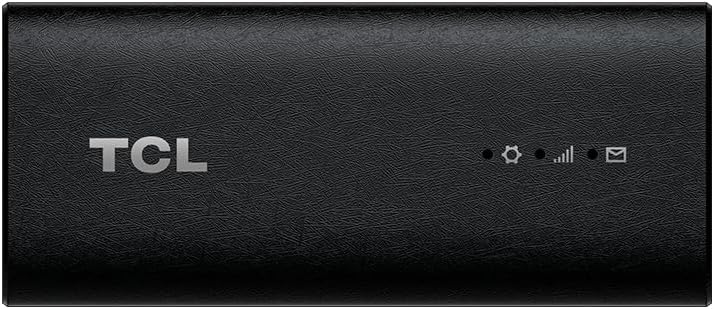
The TCL LINKPORT IK511 is a straightforward 5G USB dongle for people who want a portable cellular connection without the complexity of a full router. It has a supplied rating of 4.0, a slim enclosure, plug-and-play USB-C connectivity, and support for Windows, macOS, iPadOS, Android, and Linux.
We may earn a commission when you buy through this link, at no additional cost to you.
Its plug-and-play approach is the product's main attraction. Rather than asking the buyer to assemble a router configuration or install a traditional USB modem, the IK511 presents a compact adapter that can be connected directly to a compatible device. Single-point access offers a more private alternative to joining an open public network, while broad platform support makes it useful across a mixed personal device ecosystem.
The trade-off is that this is a T-Mobile-only product. That restriction may be perfectly acceptable for someone already using T-Mobile or willing to use it for data, but it becomes a serious limitation for people who need broader carrier choice. The device also lacks the elaborate VPN, multi-WAN, load-balancing, and external-antenna features found on the GL.iNet GL-X3000. Its role is focused: provide one laptop or compatible device with cellular internet.
For a buyer seeking a small, uncomplicated adapter with good platform flexibility, the IK511 is a sound choice. It is particularly useful for travel, temporary work locations, and everyday connectivity away from home. Confirm T-Mobile compatibility, service availability, and the connection requirements of your laptop before ordering. It is less suited to buyers who want to serve several devices, manage sophisticated routing, or switch freely between carriers.
Its slim USB-C design avoids the power supply and external antennas required by many cellular routers. That makes it convenient to carry between a home, office, hotel, and mobile work setting.
Support for Windows, macOS, iPadOS, Android, and Linux means the adapter can serve several types of compatible devices. Actual networking behavior can still depend on carrier support and the host operating system's USB handling.
We may earn a commission when you buy through this link, at no additional cost to you.
The Tri Cascade VOS 5G USB Modem is designed for travelers who want direct cellular internet in a compact dongle. It has a supplied rating of 3.1 and distinguishes itself through claimed download speeds up to 2.5Gbps, a USB Type-C 3.1 cable, online activation, and support for Windows, macOS, Linux, and iPadOS.
We may earn a commission when you buy through this link, at no additional cost to you.
The included T-Mobile SIM and activation guide simplify the initial setup. Users can choose from three global data plans, activate by scanning a QR code, and connect without visiting a telecom store or downloading drivers. The device can also operate as a Wi-Fi hotspot for compatible Windows 11 and MacBook systems, adding a second mode of use that is especially helpful when multiple devices need access.
Privacy is another selling point. Since the modem provides a direct cellular connection, the user does not need to rely on public Wi-Fi, and the product information notes that its service set identifier is not broadcast. The compact enclosure and one-year warranty suit frequent travel, while online technical support offers another layer of assistance for users setting up the service abroad.
There are important compatibility caveats. The product information specifically says video conferencing does not work on macOS or iPadOS. It also limits supported iPads to 10th-generation 2022 models and later, excludes iPad Air third generation and earlier, and is not intended for Android tablets. With a 3.1 rating, it is best approached as a convenient travel adapter for supported devices rather than an all-purpose connectivity solution.
The included SIM and online portal remove the need for an in-person activation trip. This is particularly convenient for international travelers who may not have time to visit a carrier store before departure.
Connecting through cellular service can reduce exposure to shared hotspot environments. The absence of a broadcast service set identifier adds privacy, although buyers should still use prudent security practices on any network.
We may earn a commission when you buy through this link, at no additional cost to you.
This 5G SIM Card Router is built for a fixed indoor environment where several laptops, phones, and smart-home devices need internet access. Its supplied rating is 4.0, and the specification highlights Wi-Fi 6, eight external antennas, 5G NSA and SA support, and a maximum stated bandwidth of up to 1800Mbps.
We may earn a commission when you buy through this link, at no additional cost to you.
The Wi-Fi 6 implementation uses OFDMA and DL MU-MIMO to coordinate simultaneous transmissions more efficiently. That makes the router better suited to crowded homes and offices than a direct dongle intended for one computer. Its eight-antenna arrangement, comprising four 4G and four 5G antennas, also provides a larger physical design that should be easier to position for cellular reception.
Flexibility is another advantage. The router supports mixed backhaul, allowing users to choose wired or wireless mesh networking modes and move between deployment arrangements. Seamless roaming is intended to keep client connections stable while they move around the environment. A SIM card slot provides the cellular connection without an external cable, while the Wi-Fi 6 network handles local device traffic.
This is not a direct laptop modem, and its indoor-router design is less attractive for frequent travel. It also lacks the detailed VPN, firmware, multi-WAN, and dual-SIM information supplied for the GL.iNet model. Its best use is as a permanent cellular-to-Wi-Fi gateway in a smart home, small office, or location where a laptop and other clients need shared high-speed access. With a 4.0 rating and broad connectivity features, it is a compelling multi-client alternative.
A SIM-equipped 5G router can provide a local wireless network without relying on a fixed cable connection. This makes it useful where broadband installation is difficult or where cellular reception is stronger than other available options.
OFDMA and downlink MU-MIMO allow the access point to coordinate multiple users more effectively. These features are valuable when several connected devices compete for the same cellular uplink.
We may earn a commission when you buy through this link, at no additional cost to you.
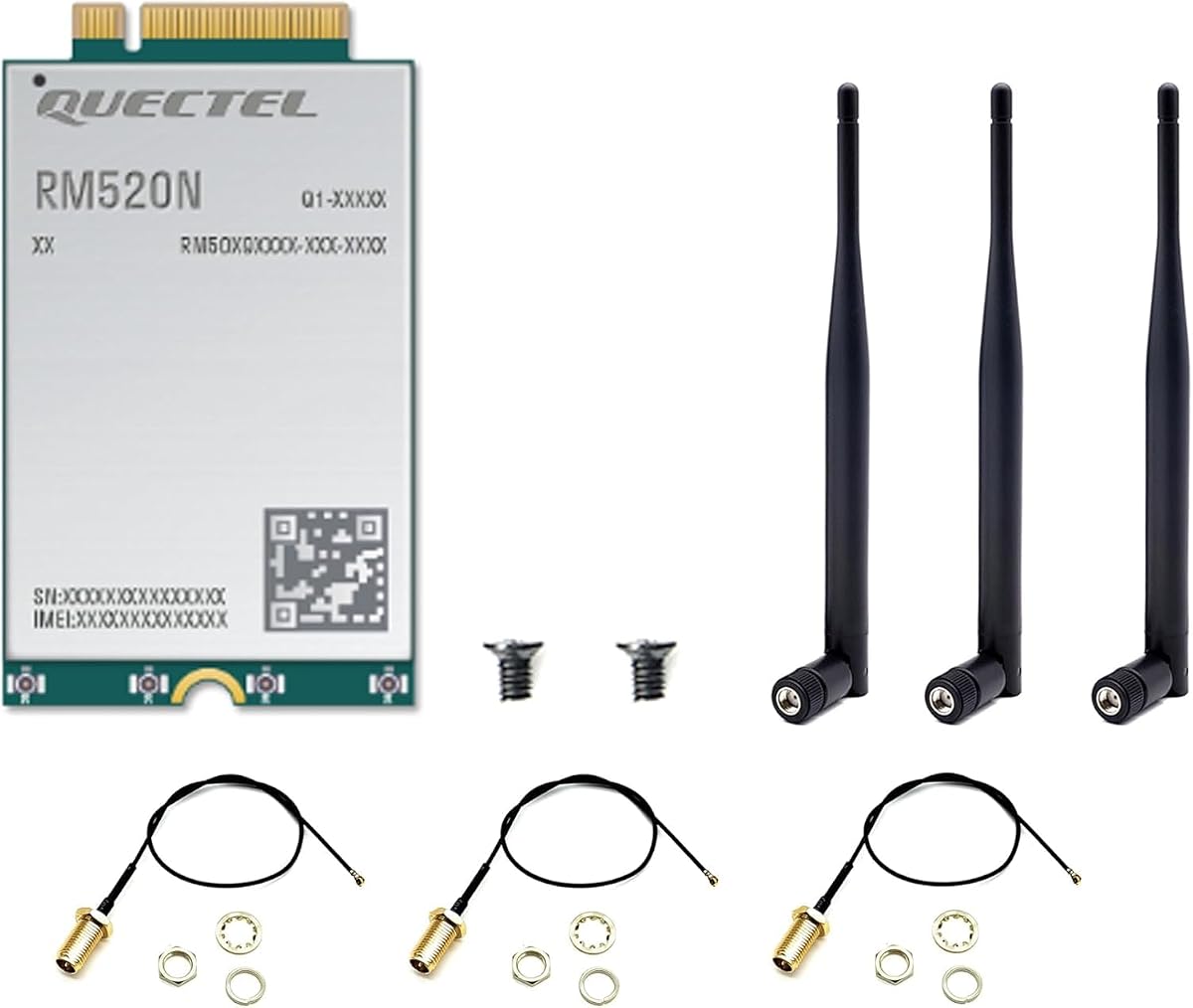
The WayPonDEV RM520N-GL is an industrial-grade M.2 cellular module rather than a consumer USB dongle. It has a supplied rating of 5.0 and is designed around 3GPP Release 16, supporting both 5G NSA and SA modes. The listed performance reaches up to 3.4Gbps download and 550Mbps upload in NSA, with SA figures of up to 2.4Gbps down and 900Mbps up.
We may earn a commission when you buy through this link, at no additional cost to you.
Its most compelling feature is the range of supported applications. The product information identifies industrial routers, home gateways, set-top boxes, industrial and consumer laptops, rugged tablets, video transmission, and digital signage as possible uses. Drivers for USB and PCIe are listed for several versions of Windows, Linux, and Android, giving integrators more control than they would have with a sealed consumer adapter.
Integrated location capabilities may prove useful in fleet, logistics, or remotely managed equipment. The module supports GPS, GLONASS, BDS, and Galileo through its multiconstellation GNSS receiver. It also maintains compatibility with several Quectel cellular modules, which may simplify migration from LTE-A deployments to 5G. Its compact 30 by 52 by 2.3 millimeter format follows the M.2 standard.
This product is not intended for someone who wants to plug a dongle into a laptop and begin working. The recipient needs compatible M.2 hardware, appropriate mounting, driver support, antennas, and cellular service. The extreme temperature range of minus 40 to plus 85 degrees Celsius further signals an industrial focus. With the highest supplied rating in the guide, it stands out for technically experienced buyers building laptops, gateways, or specialized IoT systems.
The module's industrial temperature tolerance and standard M.2 dimensions make it suitable for integration into rugged laptops, routers, and other commercial equipment. Installers must provide suitable antennas, power, cooling, and operating-system support.
Support for four major satellite systems can improve location capabilities in mobile or remote deployments. It is especially relevant for vehicle, asset-tracking, and field-service applications where positioning data is central to the project.
We may earn a commission when you buy through this link, at no additional cost to you.
The dual-port 5G USB-C modem is aimed at laptops, kiosks, and digital signage that need a direct cellular connection while maintaining power. It uses a Qualcomm Snapdragon SDX62 chipset, supports 5G SA and NSA, and includes automatic 4G LTE fallback for locations where the fastest 5G network is unavailable.
We may earn a commission when you buy through this link, at no additional cost to you.
Its two USB Type-C ports are a meaningful practical advantage. One can carry data while the other provides power pass-through, allowing a connected laptop to charge at the same time. This avoids the need for a separate charger and makes the adapter suitable for installations where a single cable port must perform both network and power functions.
The radio configuration supports NRCA up to two carriers, LTE and 5G NR EN-DC, and MIMO configurations of four downlink streams and two 5G uplink streams for time-division duplex operation. It also supports 5G NR, LTE-FDD, and LTE-TDD networks. A nano-SIM slot provides carrier flexibility, while the stated use cases emphasize rapid deployment in systems that need little ongoing configuration.
No marketplace rating was supplied, so there is no customer feedback score to weigh against the specification claims. Users must also supply a compatible nano-SIM and service, and the dual-port design may be unnecessary for a conventional mobile user. Even so, the combination of LTE fallback, simultaneous charging, and broad network support makes this a strong candidate for mobile professionals and embedded deployments where uninterrupted operation matters.
Power pass-through lets a laptop remain charged while the modem maintains its cellular connection. This is particularly useful for long travel days, field work, kiosks, and signage installations with limited power access.
Automatic fallback to LTE can preserve connectivity when a 5G signal is weak or a carrier's 5G service is unavailable. The broad support for FDD, TDD, and combined LTE and 5G modes helps make the adapter relevant across varied networks.
We may earn a commission when you buy through this link, at no additional cost to you.
The Sanpyl DW5931e is an M.2 network module intended for compatible laptops, desktops, and tablets. It has a supplied rating of 2.8, supports 5G, 4G LTE, and 3G WCDMA, and uses 4×4 MIMO to improve potential throughput and signal performance. A built-in GNSS modem adds positioning capability.
We may earn a commission when you buy through this link, at no additional cost to you.
The listed speed figures are unusually high, with downloads up to 4.67Gbps and uploads up to 1.25Gbps under 5G. As with any module-based product, the actual result depends on the host system, antennas, carrier aggregation, network availability, and local coverage. The support for multiple cellular standards gives it a broader potential role in systems that need a migration path from older networks to 5G.
MIMO is one of its most useful technical features for embedded deployments. Multiple transmit and receive paths can help maintain throughput and connection stability when conditions are less favorable. The integrated GNSS receiver gives the module additional utility in vehicle, portable, or asset-oriented installations without requiring a separate positioning component.
The 2.8 rating is the main reason to approach this module cautiously. It is also not a consumer USB dongle: the buyer needs a laptop or desktop with a compatible M.2 slot, appropriate antennas, driver support, and cellular service. Product information for this entry does not provide the same level of platform and driver detail as the WayPonDEV module. For a technical integrator willing to handle those requirements, it may be a practical embedded option; ordinary laptop users will find sealed USB products easier to deploy.
The advertised download and upload limits make the module interesting for embedded systems that transfer large files. Those figures represent the module's potential under suitable network conditions rather than a guaranteed laptop experience.
Combining 4×4 MIMO with positioning support reduces the number of separate components needed in a connected device. Engineers still need to design the antenna system correctly to realize the expected radio benefits.
We may earn a commission when you buy through this link, at no additional cost to you.
The renewed TCL LINKPORT IK511 offers the same core proposition as the standard model in a more value-oriented package. It is a T-Mobile-only, 5G-capable USB Wi-Fi modem dongle with a slim design, plug-and-play USB-C connection, and support for Windows, macOS, iPadOS, Android, and Linux. Its supplied rating is 3.6.
We may earn a commission when you buy through this link, at no additional cost to you.
For buyers comfortable with renewed electronics, it can provide a practical way to obtain a compact cellular adapter without moving to a more complex router. The no-frills design focuses on portability, broad platform support, and a single-point connection that can be more private than joining a public Wi-Fi network. Its small footprint also makes it easier to carry than a multi-antenna cellular gateway.
Renewed status is the defining issue. Cosmetic wear, prior use, and component condition can vary, so a buyer should review the seller's condition details and return terms. The product information does not provide details about whether every renewed unit includes original accessories, so it is wise to confirm that the required USB-C cable and any setup materials are present.
It also inherits the IK511 family's T-Mobile limitation. The 3.6 rating is moderate and reflects less customer feedback than the strongest-rated products, but the core feature set remains appealing for a value-focused buyer. This renewed model makes the most sense for occasional travel, backup connectivity, or users who already understand its carrier and compatibility limitations.
The renewed designation gives buyers another way to acquire a recognized compact modem design. It is best suited to users who prioritize a straightforward adapter and can accept uncertainty in the condition of prior-use hardware.
Inspect the listing for signs of wear and confirm the return policy before ordering. A careful purchase can reduce uncertainty, especially when the modem will be relied upon for travel or remote work.
We may earn a commission when you buy through this link, at no additional cost to you.
The Rhino D2 is an enterprise-oriented USB dongle designed to bring 5G RedCap and 4G LTE connectivity to Windows, macOS, and Linux laptops. It uses the Qualcomm Snapdragon X35 modem, has a supplied rating of 2.0, and includes two USB-C ports with power delivery so a laptop can charge while connected.
We may earn a commission when you buy through this link, at no additional cost to you.
Its defining feature is fleet readiness. Mambo enterprise mobility management supports remote provisioning and zero-touch deployment, allowing administrators to configure a group of devices without handling each one individually. The manufacturer also notes ISO 27001 and ISO 9001 certification, a three-year guaranteed product-availability commitment, and a design intended for government procurement.
The D2 also supports eSIM and physical SIM, CBRS Band 48, and AT&T and T-Mobile certification. These details make it relevant to organizations operating private enterprise networks or maintaining mobile fleets. The IP54 enclosure adds dust and splash resistance, a meaningful advantage for field workers moving between offices, vehicles, and service locations.
The 2.0 rating indicates limited or less favorable supplied customer feedback, so buyers should not treat the enterprise claims as a substitute for verifying availability and field performance. RedCap network support can also vary by carrier and region. For IT departments that specifically need remote management, private-network capability, and procurement readiness, the D2 fills a specialized niche; ordinary users should weigh those benefits against the limited rating and narrower network proposition.
Remote provisioning and zero-touch deployment can simplify the process of preparing many laptops for cellular use. Centralized management is especially valuable for employers distributing devices to field personnel across different locations.
IP54 protection, charging pass-through, and support for eSIM and physical SIM improve suitability for daily mobile deployment. Organizations should still confirm RedCap and CBRS availability on the exact networks they intend to use.
We may earn a commission when you buy through this link, at no additional cost to you.
The best modem depends on whether you need a pocketable adapter for one computer, a shared cellular router for many devices, or an embedded module for a purpose-built laptop. Compatibility, network behavior, physical design, and management requirements should guide the decision.
Choose a dongle for mobility and one-device use; choose a router for a household, office, vehicle, or traveling group.
Verify operating system, USB or M.2 format, driver support, and carrier bands before purchasing.
Prefer support for both 5G SA and NSA, plus automatic 4G fallback for continuous connectivity.
Compare carrier locks, included plans, roaming, data policies, and the freedom to use your preferred SIM.
Look for detachable or well-designed antennas when reception matters, and place the device where cellular signal is strongest.
Look for hidden access points, VPN support, encrypted DNS options, and a direct cellular path when privacy is a priority.
Choose single-port simplicity or dual-port charging according to how long and how intensively you expect to work offline.
Match management depth and product lifecycle support to the scale of your personal, professional, or fleet deployment.
Start by confirming carrier compatibility, inserting the correct SIM if the modem does not include one, and reviewing the activation instructions. Connect the device to an available USB-C port or install the M.2 module in compatible hardware. Open the laptop's network controls, allow the modem to be recognized, and complete any operating-system prompts before attempting to move large files or begin latency-sensitive work.
For the best cellular signal, place the modem or router near a window and avoid enclosing it in a bag, drawer, or metal case. Do not attach or modify external antennas unless the manufacturer specifically supports the model and provides instructions. When using power pass-through, confirm that the charger, cable, and laptop support the required USB Power Delivery arrangement, and keep the modem connected directly rather than through an unpowered hub.
Treat the device like other portable electronics. Keep the connection stable, protect the USB-C connector from bending or debris, and keep the modem dry even when its enclosure has a formal ingress rating. Update any required modem software, review data-plan usage, and disconnect the device before traveling internationally unless its roaming terms and SIM profile support the destination. For fleet deployments, follow the management platform's update and provisioning procedures rather than changing settings device by device.
A dedicated 5G modem can be better when a traveler needs a stable connection without tying up the phone's battery or creating a crowded personal hotspot. It may also offer priority routing or a service plan designed specifically for data. A phone hotspot remains useful when you already have an unlimited plan, need only occasional connectivity, or want the simplest possible setup. The best choice depends on carrier coverage, data policy, and how often the laptop needs internet access.
You can connect a compatible USB 5G modem directly to most supported laptops and use it as the computer's network adapter. A router is more useful when several devices need access, when you want a local Wi-Fi network, or when advanced features such as VPN servers, load balancing, and failover are important. Direct dongles are generally more portable, while routers require more space and continuous power.
5G Non-Standalone uses a 4G core alongside 5G radio resources, while 5G Standalone operates entirely on a 5G core. Devices supporting both can connect to whichever architecture the carrier offers. For a laptop user, the practical issue is coverage: an area may have reliable NSA service while lacking SA support, or the reverse. LTE fallback remains useful in either case.
No. Check the physical format, connector, operating system, driver support, carrier bands, and SIM type before buying. A USB-C dongle may work at the hardware level but still fail to connect if the carrier does not support its modem. Internal M.2 modules require a compatible slot, antennas, power, and driver support. Listing language such as plug-and-play usually refers to setup after those compatibility requirements are met.
A cellular modem can use meaningful power because it continually communicates with the network and handles data over a variable connection. A phone hotspot may also consume substantial battery because the phone is serving as the radio and access point. Using a dual-port modem with power pass-through can keep the laptop charged while connected. For extended use, a powered cellular router may be more comfortable than depending on the laptop's internal battery.
A direct cellular connection generally reduces exposure to shared Wi-Fi access points because traffic travels over the carrier network rather than an open local hotspot. Some modems also avoid broadcasting a Wi-Fi service set identifier. It is still important to use secure web connections, maintain device updates, and use a VPN or encrypted DNS where appropriate. Cellular access should complement, not replace, sensible cybersecurity practices.
That depends on the modem, SIM, and service plan. The Tri Cascade VOS is advertised with global roaming data plans, while other products require a compatible local or regional SIM. A modem that supports worldwide bands is not the same as a plan that permits international use. Check roaming destinations, activation procedures, coverage, data limits, and any device or SIM restrictions before departure.
Choose an M.2 module when you are integrating cellular hardware into a compatible laptop, desktop, router, or industrial system and can manage drivers, antennas, and installation. Choose a USB dongle for a standard laptop that needs quick deployment without internal hardware work. M.2 modules can offer greater integration control, while sealed USB products are usually easier to carry, replace, and use across several computers.
The GL.iNet GL-X3000 stands out as the most versatile overall choice because it combines dual-SIM cellular access, Wi-Fi 6, external antennas, VPN support, and multi-WAN functions. The Gen 2 5G Dongle is the strongest premium package for users seeking a direct USB-C connection, high-end modem hardware, and bundled data service. For a simpler approach, the TCL LINKPORT IK511 offers compact plug-and-play operation with broad platform support.
The right choice ultimately depends on your environment. A traveler may prefer a tiny USB dongle, while a family or mobile office will benefit more from a router that serves many devices. Technical builders should look for M.2 integration, driver support, antenna requirements, and GNSS capabilities. Enterprise fleet managers should prioritize remote provisioning, device management, and long-term availability over convenience alone.
Before purchasing, verify the current specification, carrier support, service terms, data allowances, roaming rules, and return conditions. Ratings and product offerings can change over time, and actual network performance depends on coverage, antennas, local congestion, and the connected device. Checking those details at the time of purchase will help ensure the modem fits both your laptop and your working routine.
